
Upscale.media
Upscale.media is an AI-powered image upscaling and enhancement platform that improves image resolution, sharpness, and quality automatically, helping creators, businesses, and photographers restore low-resolution images effortlessly.
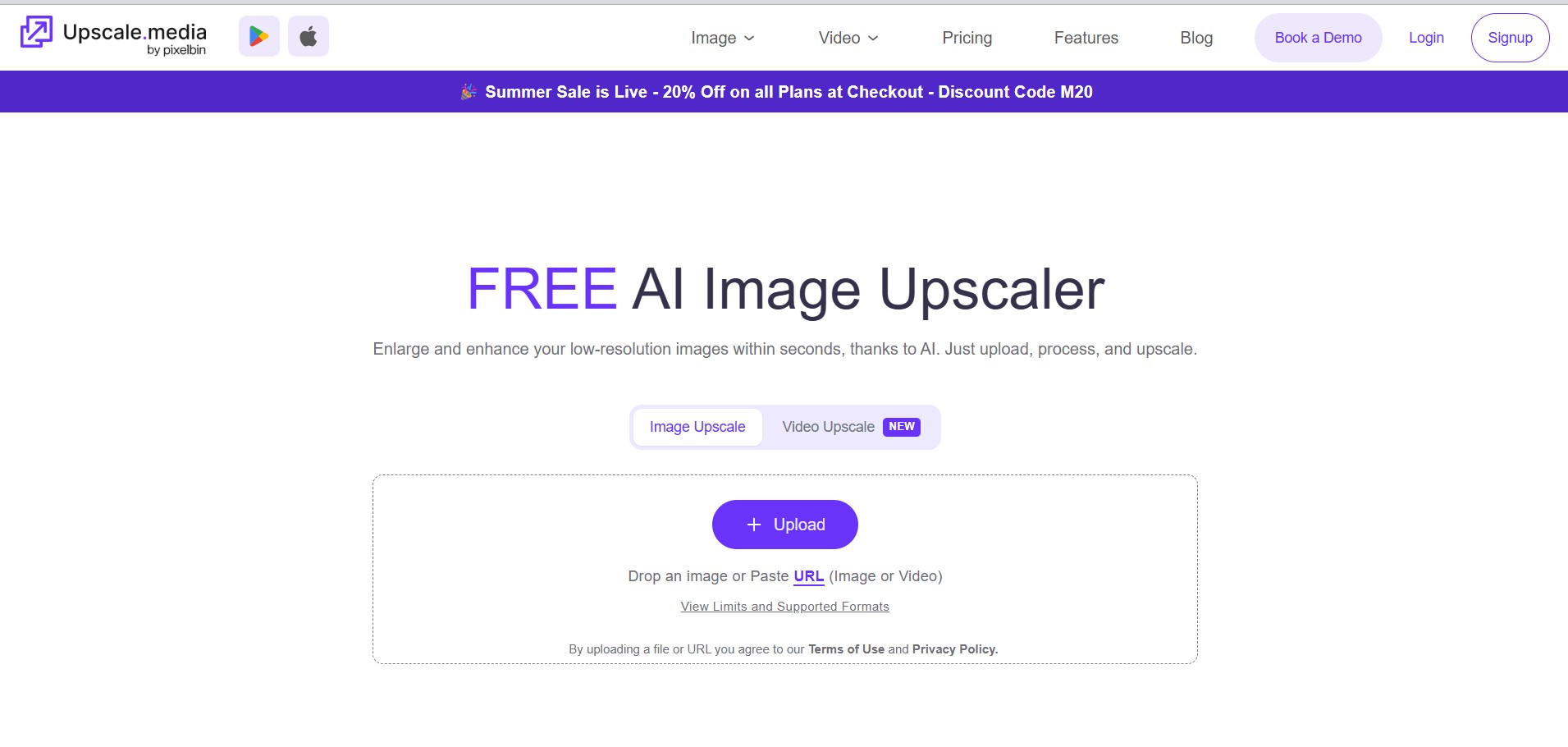
What is Upscale.media AI?
Upscale.media is an AI-powered image enhancement and upscaling platform that quickly turns low-res photos into sharp, high-quality visuals. It uses advanced artificial intelligence and deep learning algorithms so the platform can automatically boost image resolution, cut down on noise, bring back lost details, and refine the colors. You typically don't need to make any manual adjustments or engage in extensive editing, which is significant for those who simply want quick results. It fits photographers, eCommerce sellers, marketers, designers, and even businesses that want professional-grade images with minimal effort. You can access Upscale Media through the web or mobile apps. It also gives rapid processing, bulk enhancement options, API integration, and enterprise solutions, so it stays useful when someone has large-scale image optimization tasks going on all the time.
Upscale.media can enlarge images by up to 4× resolution while maintaining image quality. The platform supports PNG, JPG, JPEG, and WEBP formats. It provides AI-powered noise reduction, face enhancement, and automatic detail restoration. Users receive 3 free monthly credits to try the service, while paid plans start at around $0.02 per credit with subscription options. The platform also offers API integration, enterprise support, and batch image processing for businesses.
- Founder Name: Navneet Malik
- Launch Date: 2021
- Use Cases
- Upscaling low-resolution photos
- Restoring old photographs
- Enhancing eCommerce product images
- Improving social media visuals
- Preparing images for printing
- Digital marketing campaigns
- Graphic design projects
- Real estate photography
- Website and blog images
- Mobile photography enhancement
- Technology
- Artificial Intelligence
- Deep Learning
- Computer Vision
- Super Resolution Technology
- Image Reconstruction Algorithms
- Face Enhancement AI
- Cloud Computing
- REST API Integration

Key Features
Upscale.media AI key features are
- AI-Powered Image Upscaling – Increases image resolution while preserving sharpness and fine detail.
- One-Click Enhancement – Upload an image and let AI automatically improve its quality in seconds.
- Lossless Image Enlargement – Upscales images by up to 4× without noticeable quality loss.
- Automatic Noise Reduction – Removes grain, blur, and digital noise for cleaner images.
- Face Enhancement – Detects and enhances facial features for sharper and more natural-looking portraits.
- Detail Restoration – Recovers textures, edges, and small details from low-resolution images.
- Color and Clarity Improvement – Enhances brightness, contrast, and color accuracy for more vibrant visuals.
- Batch Image Processing – Upscale and enhance multiple images at once to save time.
- Supports Multiple Image Formats – Works with PNG, JPG, JPEG, and WEBP image files.
- Fast Cloud Processing – AI processes images online without requiring any software.
Upscale.media Pricing
Upscale Media AI offers both free and paid plans
Free Plan
- Free to get started with limited monthly credits.
- AI image upscaling for personal use.
- Supports standard image enhancement.
- Web access with basic features.
Pay As You Go
-
Purchase credits only when needed.
- No long-term subscription required.
- Suitable for occasional users and freelancers.
Subscription Plans
- Monthly and annual billing options.
- Lower cost per image compared to pay-as-you-go.
- More credits for frequent users.
- Ideal for creators, marketers, and small businesses.
Enterprise Plan
- Custom pricing based on business requirements.
- High-volume image processing.
- API access for seamless integration.
- Dedicated customer support.
- Scalable solutions for organizations and developers.
Disclaimer: For the latest and most accurate pricing information, please visit the official Upscale.media AI website.
Who Is Using Upscale.media?
A wide range of users and organizations are using Upscale Media
- Photographers
- Graphic designers
- eCommerce businesses
- Digital marketers
- Social media managers
- Content creators
- Marketing agencies
- Print businesses
- Bloggers
- Developers
Upscale.media Alternatives
Some Upscale Media alternatives are
- Let's Enhance
- Topaz Photo AI
- Adobe Photoshop Super Resolution
- Remini
- VanceAI Image Enlarger
- Fotor AI Upscaler
- Pixelcut AI Upscaler
- Icons8 Smart Upscaler
Upscale.media vs. Competitors
The main difference between Upscale.media and its competitors is its simple browser-based AI image enhancement experience combined with affordable credit-based pricing and API integration. Unlike Topaz Photo AI, it requires no software installation. Compared with Let's Enhance and VanceAI, it provides a cleaner interface and faster processing for everyday users. While Adobe Photoshop offers extensive editing capabilities, Upscale.media focuses on automatic, one-click image upscaling, making it ideal for users seeking fast, professional-quality image enhancement without technical expertise.
| Tool Name | Best For | Platform | AI Upscaling | Batch Processing | API | Free Version |
|---|---|---|---|---|---|---|
| Upscale.media | General image enhancement | Web Mobile | Yes | Yes | Yes | Yes |
| Let's Enhance | Professional enhancement | Web | Yes | Yes | Limited | Yes |
| Topaz Photo AI | Professional photographers | Desktop | Yes | Yes | No | No |
| Remini | Portrait enhancement | Mobile Web | Yes | Limited | No | Yes |
| VanceAI | AI image editing | Web | Yes | Yes | Yes | Yes |
| Adobe Photoshop | Professional editing | Desktop Web | Yes | Yes | Yes | No |
How Did We Rate Upscale.media?
| Category | Rating: Out of 5 |
|---|---|
| Creative Accuracy | 4.8 |
| User Experience | 4.8 |
| Tools & Capabilities | 4.7 |
| Speed & Efficiency | 4.9 |
| Creative Freedom | 4.5 |
| Trust & Transparency | 4.7 |
| Help & Community | 4.5 |
| Value for Money | 4.8 |
| Ecosystem Fit | 4.7 |
| Overall Score | 4.7 |
Conclusion
Upscale Media is an advanced AI-powered image enhancement platform that offers image upscaling that makes it easy for people, companies, and creative folks. It uses advanced AI tech, and this helps boost image resolution, sharpening, and the general overall quality, with no real editing know-how needed. You get things like batch processing, API integration, a few pricing plans, and even mobile access so it works across different industries in practice. Some say professional editing software gives more creative control; yes, but Upscale media still stands out for its straightforward workflow, speed, and automation. So whether you are restoring old photos or giving product images a better look Upscale media feels like a dependable option for getting clean, high-quality visuals with minimal effort.
People are also reading
FAQ
What is Upscale.media?
Upscale.media is an AI-powered image upscaling platform that improves image resolution and quality automatically.
Is Upscale.media free?
Yes. It offers a free plan with monthly credits, along with paid subscription and pay-as-you-go options.
Can Upscale.media enlarge images without losing quality?
Yes. Its AI technology enhances image resolution while preserving important details.
Does Upscale.media support bulk image processing?
Yes. Paid plans and enterprise solutions include capabilities for enhancing images in batches.
Which image formats are supported?
It supports PNG, JPG, JPEG, and WEBP formats.
User Reviews
No reviews yet for Upscale.media.
Featured Tools
Featured AI tools from TechShark

Melody Genie
MelodyGenie is an AI-powered music generator that creates original songs from simple text prompts. Users can choose styles, moods, and genres, then instantly generate melodies and full tracks, making it easy for creators, marketers, and hobbyists to produce custom music without musical expertise.
Freemium

Kimi AI
Kimi AI is an advanced AI assistant developed by Moonshot AI that helps you chat, research, write, code, and automate tasks in one place. It supports web search, file analysis, and multimodal inputs, and can even run autonomous “agent” workflows to complete complex tasks end-to-end.
Freemium

Fashion Diffusion AI
Fashion Diffusion is an AI-powered fashion design platform that helps brands and designers create clothing designs, virtual try-ons, AI models, product photos, and marketing visuals faster and cost-effectively.
Paid

Veo 4
Veo 4 AI is an AI video creation platform that generates dramatic videos from text, images, audio, and video prompts using realistic motion and synchronized sound.
Paid
Alternatives
Alternatives to Upscale.media
Upscale.media is an AI-powered image enhancement tool that enlarges and improves image quality without losing details. It automatically sharpens photos, removes noise, and increases resolution, making it ideal for photographers, designers, eCommerce businesses, marketers, and anyone needing high-quality visuals for personal or professional use.
 4.7
4.7ImgCreator AI
Image
ImgCreator AI is an AI-powered image generation tool that helps users create visuals from text prompts and reference images. It supports creative artwork, realistic portraits, product visuals, and image editing, making it useful for designers, marketers, content creators, and businesses seeking faster visual content production.
Neural.love
AI Image Enhancer
Neural.love is an AI-powered creative platform for generating images, editing photos, enhancing videos, restoring old media, and animating pictures. It combines multiple AI tools in a browser-based workspace, helping content creators, marketers, photographers, designers, and businesses improve visual content without relying entirely on traditional editing software.
 4.8
4.8Prisma AI
Image
Prisma AI turns everyday photos into artistic images with stylized filters and creative effects. It offers hundreds of art and portrait styles inspired by famous artists, allowing beginners to create distinctive visuals quickly. Users can capture or upload photos, apply a chosen style, and save or share the finished result.
 4.9
4.9Bria AI
Image
Bria helps businesses and teams generate and edit visual content using controllable generative AI. Its capabilities cover image generation, product visuals, background editing, video workflows, and developer integrations. With licensed training data, attribution, provenance, and enterprise deployment options, Bria is positioned for businesses that need scalable, commercially focused visual AI.
 4.7
4.7Unwatermark
Image
Unwatermark.ai helps creators, marketers, photographers, and businesses remove watermarks, logos, text, people, and unwanted objects from images and videos. Its automatic detection handles quick edits, while the manual brush provides precise control over difficult areas. With browser-based processing, format support, previews, and free usage, it simplifies everyday visual cleanup.
 4.9
4.9invideo Nano Banana
Image
Nano Banana is an AI image generation and editing model by Google (Gemini family) that helps users create, modify, and refine visuals using natural language prompts. It supports 4K outputs, consistent characters, accurate text rendering, and real-time editing, enabling fast, production-ready creative workflows.
 4.8
4.8Banana Nano
Image
BananaNano (Nano Banana AI) is an AI-powered image generation and editing platform that lets users create visuals from text or edit photos using natural language. It supports multi-image fusion, character consistency, and up to 4K output, enabling fast, flexible visual creation without complex design tools.
 4.8
4.8Vheer
Image
Vheer is a free AI image and video generator that helps users create visuals from text or photos instantly. It includes tools for image editing, background removal, and image-to-video conversion, offering unlimited generations without signup, making it ideal for quick, creative content production.
 4.9
4.9QOVES
Image
QOVES is an AI-powered facial analysis and beauty consulting platform that helps users understand their facial features and improve appearance through personalized, science-backed recommendations. It analyzes hundreds of facial markers and provides a non-surgical transformation plan, enabling informed decisions about aesthetics, skincare, and overall self-improvement.