Reve
REVE AI is an advanced creative platform that helps users generate, edit, and enhance high-quality 4K images using artificial intelligence. With conversational editing, object manipulation, templates, sketch-to-image generation, and reference-based creation, it enables designers, marketers, businesses, and creators to produce professional visuals quickly and efficiently.
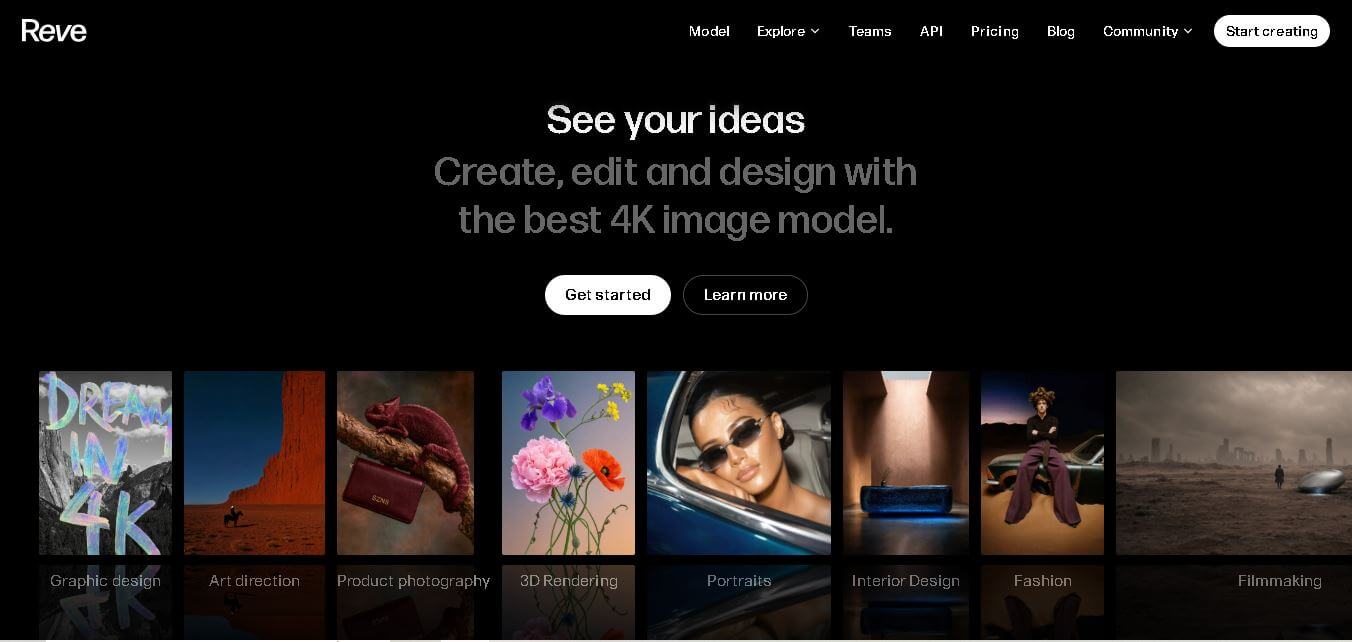
What is Reve?
Reve is a cutting-edge platform for AI image generation and editing built by the Palo Alto lab Reve AI. Engineered specifically for graphic designers, marketing teams, and digital creators, Reve uses a unique layout-first architecture that treats images like editable code rather than raw pixel outputs. This allows users to control individual layout layers, render crisp in-image text, and refine specific objects without re-rolling the entire prompt.
REVE AI offers 4K AI image generation, advanced image editing, sketch-to-image creation, reference-based design, AI templates, and API integration on a single platform. The service currently provides 3 subscription plans (Free, Lite, and Pro) to support different creative needs. Lite users receive 10× more creative energy, while Pro users receive 100× more creative energy than the Free plan. These capabilities make REVE AI a practical solution for professionals, agencies, and content creators seeking high-quality visual production.
- Developer / Lab: Reve AI
- Flagship Release: Reve 2.1
Use Cases:
- Generating high-resolution poster, ad, and editorial graphics with crisp typography
- Remixing multiple source images into unified product or e-commerce campaign visual concepts
- Performing targeted object-level adjustments with drag-and-drop spatial editing
- Creating fast, production-ready visual moodboards and packaging prototypes
Technology:
- Layout-first neural architecture ("images as code") for structured generation
- Dedicated typography rendering engine for accurate text spellings
- Native 16-megapixel (4096×4096) generation pipeline
Target Users:
- Graphic designers and art directors needing granular visual control
- E-commerce brands and marketers producing multi-variant product mockups
- Creative agencies looking for fast, customizable campaign ideation
Ecosystem: Features prompt-based natural language editing, drag-and-drop canvas manipulation, and seamless integration with major design workflows and creative hubs.

Key features of Reve
Reve's key features are
- Layout-First Architecture: Plans every visual as a structured, editable layout prior to final pixel rendering, treating images as modular code blocks.
- Best-in-Class Typography Rendering: Uses a dedicated text pass to render correctly spelled, sharp headlines, subtext, and product labeling on graphics.
- Native 4K Output: Renders full 4096×4096 16-megapixel images directly without introducing upscaling artifacts or texture blurring.
- Drag-and-Drop Object Manipulation: Allows users to move, scale, and reposition specific objects on a canvas without generating a brand-new image from scratch.
- Multi-Reference Image Remixing: Combines style, product, background, and pose elements from separate reference images into a single cohesive layout.
- Natural-Language Image Editing: Supports precise scene adjustments—such as changing lighting or swapping background objects—via simple text instructions.
Reve Pricing
Reve operates on a credit-based freemium pricing structure designed for individual creators and professional design teams.
Free Plan / Trial:
- $0/month
- Includes free weekly credit allocations to explore layout generation, basic prompt testing, and text rendering
Pro & Team Subscriptions:
- Starting from $15 - $30 per month
- Includes high-priority generation queues, native 4K downloads, unlimited drag-and-drop edits, and commercial license rights
Disclaimer: For the latest and most accurate pricing information, please visit the official Reve website.
Is Reve Worth It?
Reve is highly worth it for design professionals, brand marketers, and art directors who find generic AI image generators too unpredictable. Its layout-first framework and object-level manipulation turn image generation into a controllable design process, saving hours of manual Photoshop composition and re-prompting.
Real-World Use Cases
- Ad Campaign Graphics: Marketers generate headline-heavy ad banners and promotional posters with accurate, ready-to-publish text overlays.
- E-Commerce Packaging Mockups: Brands test product packaging designs in realistic studio settings with crisp brand logos and descriptions.
- Character & Background Remixing: Concept artists merge distinct character references with separate environment photos to build pitch-ready key art.
- Fast Design Iterations: Agencies use client feedback to adjust lighting or subject positioning quickly without redoing entire generations.
Who is using Reve?
Reve is designed for modern visual creators and marketing teams, including
- Graphic Designers: Professionals creating posters, banners, and editorial visual layouts
- E-Commerce & Ad Teams: Marketers running high-volume social ad variations and product imagery
- Art Directors & Studios: Creative teams producing pitch-ready storyboards and concept visual packages
- Content Creators: Solo builders creating high-impact visual covers, logos, and promotional graphics
Best Reve Alternatives
Some of the strongest Reve alternatives include
- Midjourney
- Ideogram
- Flux Pro
- Adobe Firefly
- DALL-E 3
Pros and Cons of Reve
Pros
- Layout-first engine allows precise, region-specific editing without re-rolling prompts
- Industry-leading typography rendering reduces text spelling errors on generated graphics
- Native 4K resolution preserves extreme detail without needing secondary upscaling tools
- Drag-and-drop object control blends low-code design speed with full AI flexibility
- Seamless multi-reference image remixing for complex compositions
Cons
- High-resolution 4K generations consume more platform credits per image
- Requires a brief adjustment period for users accustomed to simple single-prompt generators
- Advanced layout features require pro subscription tiers
Why Choose Reve?
Reve solves the biggest drawback of standard text-to-image AI: lack of precision. By combining structured layout control, crisp typography, and drag-and-drop editing, Reve allows creators to craft professional visual assets rather than settling for approximate AI guesses.
- Eliminates mangled in-image text through dedicated typography rendering
- Saves design time by enabling direct object moving and scaling on the canvas
- Delivers native 4K clarity for print- and production-ready marketing materials
- Combines separate style, product, and background elements into one cohesive image
How Reve Works
- 1. Input Prompt or Reference Assets: Enter your visual prompt or upload reference images for product, background, or style matching.
- 2. Generate Structured Layout: Reve constructs a modular layout map and renders native 4K image elements with accurate typography.
- 3. Edit & Rearrange: Use drag-and-drop canvas tools or natural-language prompts to tweak specific objects, lighting, or text.
- 4. Export Production Assets: Download full 16-megapixel visual files in PNG or JPEG format with full commercial rights.
Reve vs. Competitors
The primary difference between Reve, Midjourney, and Ideogram is that Reve provides a layout-first spatial editing environment with native 4K output and drag-and-drop object control. While Midjourney prioritizes artistic flair and Ideogram focuses heavily on typography, Reve combines accurate text rendering with region-level editable layouts for complete design control.
| Feature | Reve | Midjourney | Ideogram |
|---|---|---|---|
| Primary Focus | Layout-First AI & Visual Editing | Artistic & Photorealistic Art | Typography & Graphic Design |
| Native Resolution | Native 4K (4096×4096) | Standard (Upscale required) | Standard 1K/2K |
| Object Manipulation | Drag-and-Drop + Region Edit | Vary Region (Inpainting) | Inpainting / Remix |
| Typography Rendering | High (Dedicated Pass) | Moderate | High |
| Starting Price | Freemium / Free Credits | $10 per month | Free tier available |
How do we rate Reve?
| Parameter | Rating (out of 5) |
|---|---|
| Ease of Use | 4.7 |
| Image Quality & Resolution | 4.9 |
| Typography Accuracy | 4.8 |
| Feature Set & Control | 4.8 |
| Value for Money | 4.7 |
| Overall Score | 4.8 |
Reve Review
Reve provides an exceptionally practical evolution in AI image generation. By giving creators spatial drag-and-drop control, reliable text spelling, and native 4K rendering, it removes the randomness typical of generative tools. It stands out as a powerful bridge between automated prompt-based image engines and professional design software.
Conclusion
REVE AI is a modern AI-powered creative platform built for anyone who wants to generate and edit professional-quality visuals with minimal effort. Its combination of 4K image generation, conversational editing, sketch-based creation, object manipulation, templates, and reference-driven workflows makes it suitable for creators of all skill levels. Whether you're producing marketing assets, product images, social media graphics, or creative artwork, REVE AI simplifies the entire design process while maintaining impressive quality. With Free, Lite, and Pro plans, the platform provides flexible options for individuals, businesses, agencies, and developers looking to accelerate visual content creation.
FAQ
What is REVE AI used for?
REVE AI is designed for creating and editing professional-quality images with artificial intelligence. You can generate artwork from text prompts, edit existing images, replace objects, create marketing graphics, produce product photos, design social media visuals, and generate creative concepts. It combines image generation and editing into one workspace, helping creators save time while maintaining consistent visual quality across personal and commercial projects.
Is REVE AI free to use?
Yes. REVE AI offers a free plan that allows users to explore its core image generation and editing features with a limited amount of creative energy. Users who need higher usage limits, faster workflows, and additional capabilities can upgrade to Lite or Pro subscriptions, which provide significantly more creative resources for regular or professional use.
Who should use REVE AI?
REVE AI is suitable for graphic designers, digital artists, marketers, entrepreneurs, content creators, eCommerce sellers, creative agencies, architects, product designers, and businesses that need professional visuals. Beginners benefit from its intuitive conversational interface, while experienced professionals can use its advanced editing tools, templates, references, and API to streamline creative production and improve overall workflow efficiency.
Can REVE AI edit existing images?
Yes. REVE AI includes powerful editing capabilities that allow users to move, resize, recolor, replace, or remove objects directly within an image. It also supports sketch-guided editing, reference images, style transfers, and layout adjustments. These tools make it easy to refine existing visuals instead of creating every design from scratch.
Does REVE AI support businesses and professional teams?
Yes. REVE AI is built for both individuals and professional teams. Businesses can create product photography, advertising creatives, marketing assets, presentations, and branded graphics efficiently. Developers can also integrate REVE AI into their applications using its API, making it suitable for scalable creative workflows across organizations.
User Reviews
No reviews yet for Reve.
Featured Tools
Featured AI tools from TechShark

Melody Genie
MelodyGenie is an AI-powered music generator that creates original songs from simple text prompts. Users can choose styles, moods, and genres, then instantly generate melodies and full tracks, making it easy for creators, marketers, and hobbyists to produce custom music without musical expertise.
Freemium

Kimi AI
Kimi AI is an advanced AI assistant developed by Moonshot AI that helps you chat, research, write, code, and automate tasks in one place. It supports web search, file analysis, and multimodal inputs, and can even run autonomous “agent” workflows to complete complex tasks end-to-end.
Freemium

Fashion Diffusion AI
Fashion Diffusion is an AI-powered fashion design platform that helps brands and designers create clothing designs, virtual try-ons, AI models, product photos, and marketing visuals faster and cost-effectively.
Paid

Veo 4
Veo 4 AI is an AI video creation platform that generates dramatic videos from text, images, audio, and video prompts using realistic motion and synchronized sound.
Paid
Alternatives
Alternatives to Reve
The best Reve alternatives include Midjourney, Ideogram, Flux Pro, Adobe Firefly, and DALL-E 3. Midjourney remains a leader for ultra-artistic and cinematic visuals. Ideogram excels in text rendering and graphic poster design. Flux offers flexible open-weights and precise control models, Adobe Firefly provides commercial-safe image editing natively within Photoshop, and DALL-E 3 integrates tightly with conversational workflows.
 4.7
4.7ImgCreator AI
Image
ImgCreator AI is an AI-powered image generation tool that helps users create visuals from text prompts and reference images. It supports creative artwork, realistic portraits, product visuals, and image editing, making it useful for designers, marketers, content creators, and businesses seeking faster visual content production.
Neural.love
AI Image Enhancer
Neural.love is an AI-powered creative platform for generating images, editing photos, enhancing videos, restoring old media, and animating pictures. It combines multiple AI tools in a browser-based workspace, helping content creators, marketers, photographers, designers, and businesses improve visual content without relying entirely on traditional editing software.
 4.8
4.8Prisma AI
Image
Prisma AI turns everyday photos into artistic images with stylized filters and creative effects. It offers hundreds of art and portrait styles inspired by famous artists, allowing beginners to create distinctive visuals quickly. Users can capture or upload photos, apply a chosen style, and save or share the finished result.
 4.9
4.9Bria AI
Image
Bria helps businesses and teams generate and edit visual content using controllable generative AI. Its capabilities cover image generation, product visuals, background editing, video workflows, and developer integrations. With licensed training data, attribution, provenance, and enterprise deployment options, Bria is positioned for businesses that need scalable, commercially focused visual AI.
 4.7
4.7Unwatermark
Image
Unwatermark.ai helps creators, marketers, photographers, and businesses remove watermarks, logos, text, people, and unwanted objects from images and videos. Its automatic detection handles quick edits, while the manual brush provides precise control over difficult areas. With browser-based processing, format support, previews, and free usage, it simplifies everyday visual cleanup.
 4.9
4.9invideo Nano Banana
Image
Nano Banana is an AI image generation and editing model by Google (Gemini family) that helps users create, modify, and refine visuals using natural language prompts. It supports 4K outputs, consistent characters, accurate text rendering, and real-time editing, enabling fast, production-ready creative workflows.
 4.8
4.8Banana Nano
Image
BananaNano (Nano Banana AI) is an AI-powered image generation and editing platform that lets users create visuals from text or edit photos using natural language. It supports multi-image fusion, character consistency, and up to 4K output, enabling fast, flexible visual creation without complex design tools.
 4.8
4.8Vheer
Image
Vheer is a free AI image and video generator that helps users create visuals from text or photos instantly. It includes tools for image editing, background removal, and image-to-video conversion, offering unlimited generations without signup, making it ideal for quick, creative content production.
 4.9
4.9QOVES
Image
QOVES is an AI-powered facial analysis and beauty consulting platform that helps users understand their facial features and improve appearance through personalized, science-backed recommendations. It analyzes hundreds of facial markers and provides a non-surgical transformation plan, enabling informed decisions about aesthetics, skincare, and overall self-improvement.