
Plask
Plask is an AI-powered 3D animation and motion capture platform that converts ordinary videos into realistic character animations. It helps animators, game developers, and content creators extract human movements, animate 3D characters, edit keyframes, and export animations in FBX, BVH, and GLB formats for Blender, Unreal Engine, and Maya.

What is Plask?
Plask is an AI-powered 3D animation and motion capture platform that converts regular video footage into realistic character animations. It allows users to extract human movements from videos, apply captured motion to 3D characters, edit animations, and create cinematic scenes without specialized motion capture suits or sensors. Plask supports importing 3D models and exporting animations in formats such as FBX, BVH, and GLB for use with Blender, Unreal Engine, and Maya. It is useful for game developers, animators, filmmakers, and digital content creators looking to simplify 3D animation workflows.
Trusted by hundreds of thousands of 3D artists, game creators, and animation studios worldwide, Plask democratizes character motion capture without requiring specialized tracking hardware. The platform allows animators to upload video files or record live takes, retarget motion onto custom 3D character rigs, refine keyframes in an interactive browser canvas, and export industry-standard animation assets in FBX, GLB, and BVH formats compatible with Unreal Engine, Blender, Unity, and Maya.
- Core Focus / Category: AI Motion Capture (MoCap), Markerless Video-to-3D Animation, and Browser 3D Character Rigging Studio
- Platform Architecture: Cloud-native computer vision pipeline integrating deep neural kinematic solvers, skeletal retargeting engines, and WebGL browser rendering
- Key Specialization: Full-body tracking, hand and finger capture, multi-person tracking, and live motion streaming plugins for Blender and Unreal Engine
Use Cases:
- Converting standard smartphone video clips into rigged 3D character animations for indie video games and interactive environments
- Streaming real-time physical performance capture directly into Blender and Unreal Engine via Plask Live plugins
- Retargeting extracted human dance and fight moves onto custom humanoid avatars, VRM models, and game characters
- Extracting multi-person choreographies and complex stage interactions from video footage without marker tracking suits
Technology:
- Deep learning computer vision models predicting 3D joint rotations, spatial depth, and skeletal kinematics from 2D RGB video frames
- Automated foot-locking and smoothing filters reducing sliding artifacts, jitter, and ground-penetration errors
- Multi-rig compatibility supporting standard humanoid skeletons, Mixamo rigs, VRM/MMD formats, and Unreal Engine MetaHumans
Target Users:
- Indie game developers and technical animators building character locomotion libraries on lean production budgets
- 3D generalists, motion designers, and freelance animators looking to speed up rough blocking and keyframing passes
- VTubers and virtual production creators seeking markerless performance capture from desktop webcams
- Video editors using video tools to bridge physical live-action footage with 3D CGI visual effects
Corporate Entity: Operates as Plask (Plask, Inc. / Cloud Web Platform)

Key features of Plask
Plask's key features are
- Markerless Video-to-Animation: Upload single-camera video files to automatically extract complete 3D skeletal motion without suits or sensors.
- Full-Body & Hand Capture: Tracks torso, limbs, and intricate finger gestures simultaneously to deliver natural character performances.
- Multi-Person MoCap: Detects and captures movements of multiple individuals within a single video frame for choreographed multi-character scenes.
- Browser-Based Keyframe Editor: Clean, adjust, filter, and trim extracted motion curves directly on an interactive WebGL timeline without leaving your browser.
- Live Engine Plugins: Direct integrations including Plask Live for Blender and Live Link for Unreal Engine to stream motion into production scenes.
- Universal 3D Asset Export: Export skeletal motion data in FBX, BVH, and GLB formats compatible with all major 3D software packages.
- AI-Assisted Cinematography: Built-in scene controls for camera angles, lighting, depth-of-field, and cinematic post-processing renders.
Plask Pricing
Plask operates on a freemium subscription model offering a recurring daily free allowance alongside monthly and discounted annual plans for active animators and game studios.
Freemium Tier:
- $0 / Free forever (No credit card required)
- Includes 15 seconds daily motion capture limit, full-body & hand capture, multi-person mocap, 1 GB cloud storage, and FBX/GLB/BVH exports
Standard Plan (Indie Animators & Creators):
- Starts from ~$18.00 / month (billed annually) or ~$28.00 / month (billed monthly)
- Includes 10 minutes of video motion capture extraction per month, faster cloud processing queues, 3 GB storage, and real-time collaboration tools
Pro Plan (Professional Studios & Game Teams):
- Starts from ~$50.00 / month (billed annually) or ~$80.00 / month (billed monthly)
- Includes 1 hour of motion capture extraction per month, priority cloud rendering, pre-release features, 10 GB storage, and team sharing permissions
Enterprise & API Plans:
- Custom quote pricing providing high-volume frame extraction, custom model fine-tuning, and direct integration with the Plask MoCap API
Disclaimer: Plan extraction allotments are measured in captured video time or extraction credits. Educational discounts are available for accredited students. Visit plask.ai/pricing for the latest active terms.
Who is using Plask?
Plask is designed for 3D animators, game developers, and digital studios, including
- Indie Game Studios: Generating character combat animations, idle cycles, and cutscene blocking without investing thousands in hardware suits
- Freelance 3D Animators: Quickly translating video references into rough animation keyframes for commercial client projects
- Film & Pre-Visualization Teams: Blocking out scene choreography, stunts, and virtual camera movements during early production
- VTubers & Virtual Influencers: Animating custom 3D avatars for social media videos, dance trends, and interactive streams
- Animation Students & Educators: Learning and teaching 3D character rigging and motion capture principles directly inside a web browser
Best Plask Alternatives
Some of the strongest Plask alternatives include
- DeepMotion
- Move.ai
- QuickMagic
- Rokoko Video
- Cascadeur
- Kinetix
Pros and Cons of Plask
Pros
- Runs entirely in modern web browsers without requiring powerful local desktop hardware or specialized suits
- Extracts detailed hand and finger tracking alongside full-body skeletal movement from single-angle video
- Supports multi-person tracking to capture complex group performances in one pass
- Native live link plugins provide seamless workflows for Blender and Unreal Engine artists
- Free plan offers daily 15-second capture allowances with unrestricted FBX/GLB/BVH exports
Cons
- Does not include native facial capture or audio-driven speech animation compared to tools like DeepMotion
- Fast acrobatic movements, motion blur, and extreme occlusions can require manual keyframe cleanup
- Strict monthly minute caps on paid tiers (10 minutes on Standard, 1 hour on Pro) require careful take selection
- Cloud extraction queues depend on stable internet access and can experience peak-hour wait times
Why Choose Plask?
Plask provides the fastest, most cost-effective path from real-world human performance to a fully animated 3D character model.
- Record movement on your smartphone and convert it into 3D animation in minutes
- Capture full-body locomotion and detailed hand gestures without wearing hardware sensors
- Edit animation curves and keyframes directly within an interactive browser timeline
- Stream live takes directly into your Blender or Unreal Engine project files
- Export industry-standard FBX, GLB, and BVH files compatible with your existing 3D pipeline
Plask vs. Competitors
The main difference between Plask, DeepMotion, Move.ai, and Rokoko Video is that Plask delivers a lightweight, browser-first animation studio with native Blender and Unreal live plugins. While DeepMotion offers complete body, hand, and facial capture on a credit-based model, Move.ai targets high-end multi-camera enterprise fidelity, and Rokoko focuses on bridging video clips into physical suit ecosystems, Plask delivers an intuitive, accessible browser workspace tailored for indie animators who want rapid video-to-FBX extraction without software installations.
| Feature / Platform | Plask (plask.ai) | DeepMotion | Move.ai | Rokoko Video |
|---|---|---|---|---|
| Primary Focus | Browser Video-to-3D MoCap Studio | Full-Body, Face & Hand AI MoCap | Studio Multi-Camera Markerless MoCap | Hardware-Adjacent Video Capture |
| Tracking Coverage | Full Body & Hands (Multi-Person) | Full Body, Hands & Face Tracking | High-Fidelity Body & Hand Kinematics | Full Body Tracking |
| Platform Type | 100% Web Browser + Engine Plugins | Web Cloud Platform | Desktop App & iOS Multi-Camera | Web Browser + Desktop Studio App |
| Engine Integrations | Blender & Unreal Engine Live Link | Direct export / Unreal retargeting | Unreal Live Link & Maya/Blender | Rokoko Studio Live Streaming |
| Starting Price | Free tier / Standard ~$18.00/mo (annual) | Free tier / Paid from ~$15.00/mo | Custom enterprise quote / Move One app | Free tier / Studio sub ~$20/mo |
| Best For | Indie Animators & Fast Browser MoCap | Creators Needing Complete Facial & Body MoCap | High-End Production Studios & VFX | Animators in the Rokoko Ecosystem |
How do we rate Plask?
| Parameter | Rating (out of 5) |
|---|---|
| Motion Capture Accuracy & Kinematics | 4.7 |
| Full-Body & Finger Tracking Precision | 4.7 |
| Browser Canvas Usability & Keyframe Tools | 4.9 |
| Blender & Unreal Engine Pipeline Integration | 4.8 |
| Value for Money | 4.7 |
| Overall Score | 4.76 |
Plask Review
Plask represents a massive technological leap for independent 3D animators and game developers who have long been priced out of professional optical and inertial motion capture setups. By turning raw smartphone video into clean skeletal animation data directly in a browser tab, it removes significant hardware barriers. Its built-in keyframe timeline and smoothing algorithms make cleaning up foot slides and joint jitter intuitive before pushing assets into production. While animators tackling high-speed martial arts or requiring facial capture will still need specialized tools, Plask delivers unmatched accessibility, speed, and pipeline convenience for day-to-day 3D character animation.
Conclusion
Plask is an innovative markerless AI motion capture platform that transforms 2D video recordings into rigged 3D character animations. With support for full-body and hand tracking, multi-person performances, interactive browser keyframe editing, and direct plugins for Blender and Unreal Engine, it significantly accelerates the animation production pipeline. For game developers, 3D artists, and virtual creators seeking an accessible alternative to traditional mocap suits, Plask is an outstanding, cost-effective solution.
FAQ
How does Plask AI work?
Plask AI uses artificial intelligence and computer vision to analyze uploaded videos and extract human body movements. Users can apply the extracted motion data to 3D characters, edit animations, and export the results.
Is Plask AI free to use?
Yes. Plask offers a free Freemium plan with limited credits. It also provides paid Standard and Pro plans with additional credits and faster processing. Check the official website for current pricing.
Can Plask AI convert videos into 3D animations?
Yes. Plask AI can convert ordinary video footage into 3D motion data, allowing users to animate digital characters using movements captured from real people.
Does Plask AI require motion capture suits?
No. Plask AI uses video-based motion capture technology, so users can extract human movements from regular video footage without specialized motion capture suits or sensors.
Can I use Plask AI with Blender?
Yes. Plask AI supports Blender workflows, allowing users to export FBX and BVH animations or use Plask Live for motion capture integration with Blender.
Does Plask AI work with Unreal Engine?
Yes. Plask supports Unreal Engine integration through Live Link and exported animation files, helping game developers transfer captured movements into their Unreal Engine projects.
Does Plask AI support real-time motion capture?
Yes. Plask Live supports real-time motion capture workflows and integrations with applications such as Blender and Unreal Engine. Its camera setup currently requires macOS 14 or later.
Can I use Plask AI animations commercially?
According to Plask's FAQ, subscribers own the copyrights and intellectual property rights to animations they create using the platform, subject to its terms and conditions.
User Reviews
No reviews yet for Plask.
Featured Tools
Featured AI tools from TechShark

LandAtlas
LandAtlas is a land investing platform that combines parcel research, skip tracing, buyer matching, contracts, and deal management. It helps land wholesalers and acquisition teams organize property leads, evaluate opportunities, connect with potential buyers, and manage transactions from one workspace.
Paid
Klap
Klap is an AI video clipping platform that transforms long videos into short-form social media content. It automatically identifies highlights, creates captions, reframes speakers, and schedules clips, helping creators, podcasters, and marketing teams repurpose existing videos with less manual editing.
Free
Melody Genie
MelodyGenie is an AI-powered music generator that creates original songs from simple text prompts. Users can choose styles, moods, and genres, then instantly generate melodies and full tracks, making it easy for creators, marketers, and hobbyists to produce custom music without musical expertise.
Freemium

Fashion Diffusion AI
Fashion Diffusion is an AI-powered fashion design platform that helps brands and designers create clothing designs, virtual try-ons, AI models, product photos, and marketing visuals faster and cost-effectively.
Paid
Alternatives
Alternatives to Plask
The best Plask alternatives include DeepMotion, Move.ai, QuickMagic, Rokoko Video, Cascadeur, and Kinetix. These platforms provide AI-powered motion capture, 3D character animation, and rigging workflows. While Plask excels at browser-based markerless video-to-animation with full-body and hand capture and direct Blender/Unreal Live Link plugins starting from a free tier up to ~$18-$50/month, alternatives like DeepMotion provide combined body, hand, and facial capture, Move.ai specializes in multi-camera studio fidelity, and Cascadeur offers physics-assisted manual keyframing. Choosing the right tool depends on whether you need quick browser-based mocap extraction, complete facial performance tracking, or high-end multi-camera studio precision.
 4.9
Alpha3D
3D
Alpha3D is an AI-powered 3D content creation platform that turns text prompts, images, or multi-view inputs into production-ready 3D models. It handles the full pipeline—generation, retopology, UV unwrapping, texturing, rigging, and export—enabling creators to build game-ready assets quickly without advanced 3D skills.
 4.8
sizeless
3D
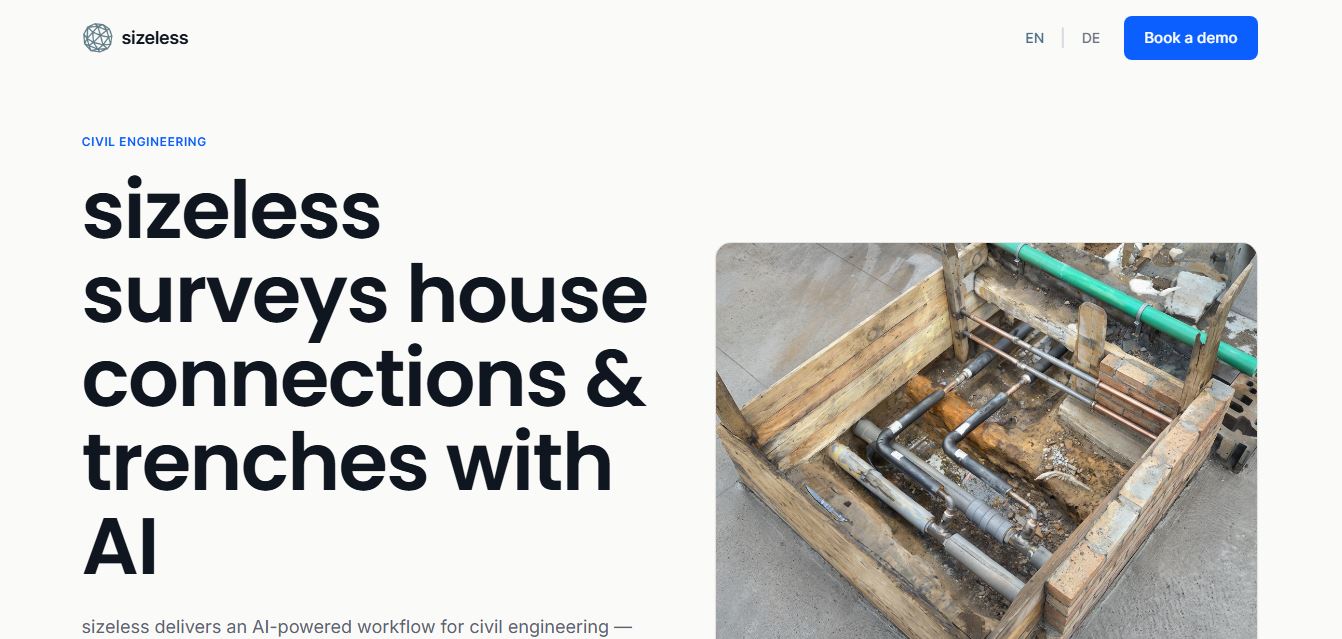
sizeless is an AI-powered 3D digital twin, surveying, and reality capture platform for civil engineering, district heating, and AEC infrastructure that transforms smartphone video of open trenches and house connections into centimetre-accurate 3D point clouds, BIM models, and CAD as-built plans (DWG/DXF).
Spline AI 3D Generation
3D
Spline AI 3D Generation is a cloud-based generative 3D creation studio that transforms natural language text prompts and 2D reference images into textured, production-ready 3D meshes with real PBR materials, multi-format exports, and real-time web interactivity.
 4.8
Scenario
3D
Scenario is an AI-powered creative infrastructure and game asset generation platform that enables game developers, digital artists, and creative studios to train custom style-consistent AI models and produce 2D graphics, 3D meshes, textures, and video assets via web studio and production REST APIs.
 4.8
Meshy AI
3D
Meshy AI is a generative 3D AI modeling platform that turns text prompts and 2D concept images into textured, production-ready, and 3D-printable models with automated PBR texturing, rigging, animation, and multi-format exports.
 4.7
Fiddl.art
3D
Fiddl.art is a browser-based AI art studio and social platform that enables digital artists, creators, and hobbyists to generate AI images and videos, train custom models, remix prompts, and monetize digital assets through a creator-driven economy.
 4.7
PixMaker AI
3D
PixMaker AI is an AI-driven image editing and product photography platform designed to generate professional-grade graphics, high-converting e-commerce product photos, marketing banners, and visual content with automated AI design tools.
 4.8
Dreamina AI
3D
Dreamina AI is an advanced multi-modal AI art and video generation platform developed by ByteDance (CapCut) that enables creators to transform text prompts and reference images into high-resolution visual artwork, motion graphics, and video clips.
 4.8
QuickMagic
3D
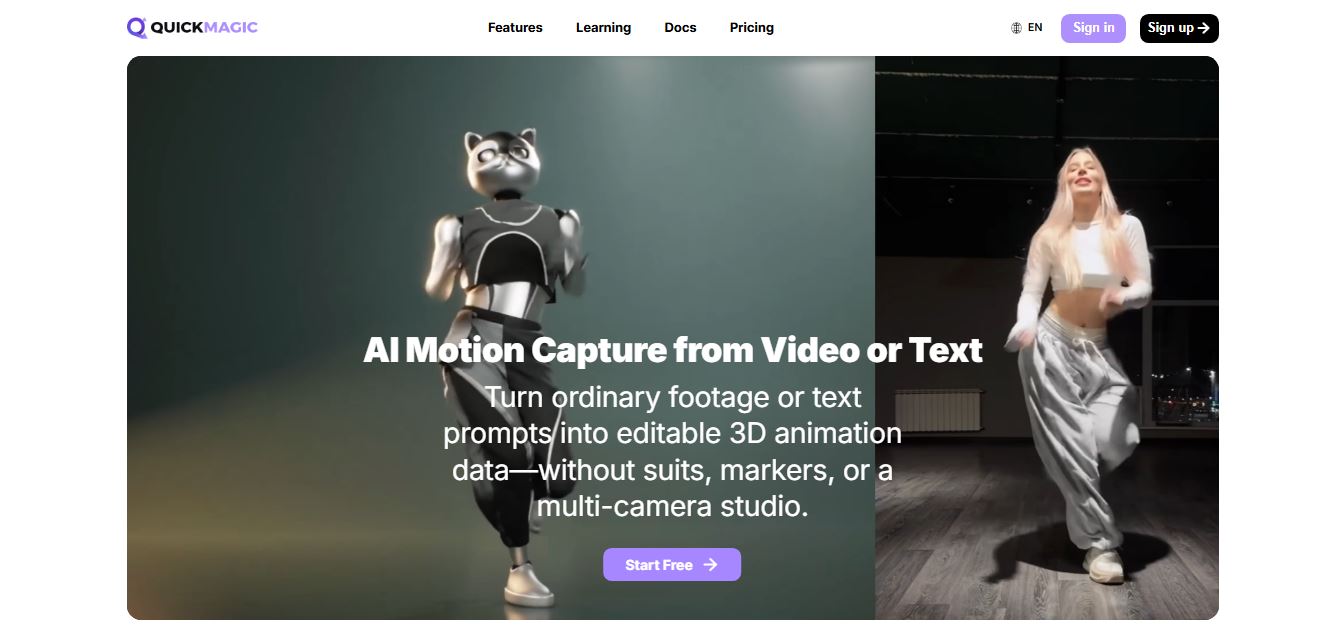
QuickMagic AI is an AI-powered motion capture tool that converts video footage and text prompts into editable 3D character animations. It helps animators, game developers, and content creators capture body, hand, and facial movements without specialized suits, markers, or expensive multi-camera studio setups.