
Checksub
Checksub is an AI-powered video localization and subtitling platform that automatically generates synchronized captions, multilingual voice dubbing, voice cloning, and AI lip-syncing across 200+ languages to help video creators and businesses expand their global audience.
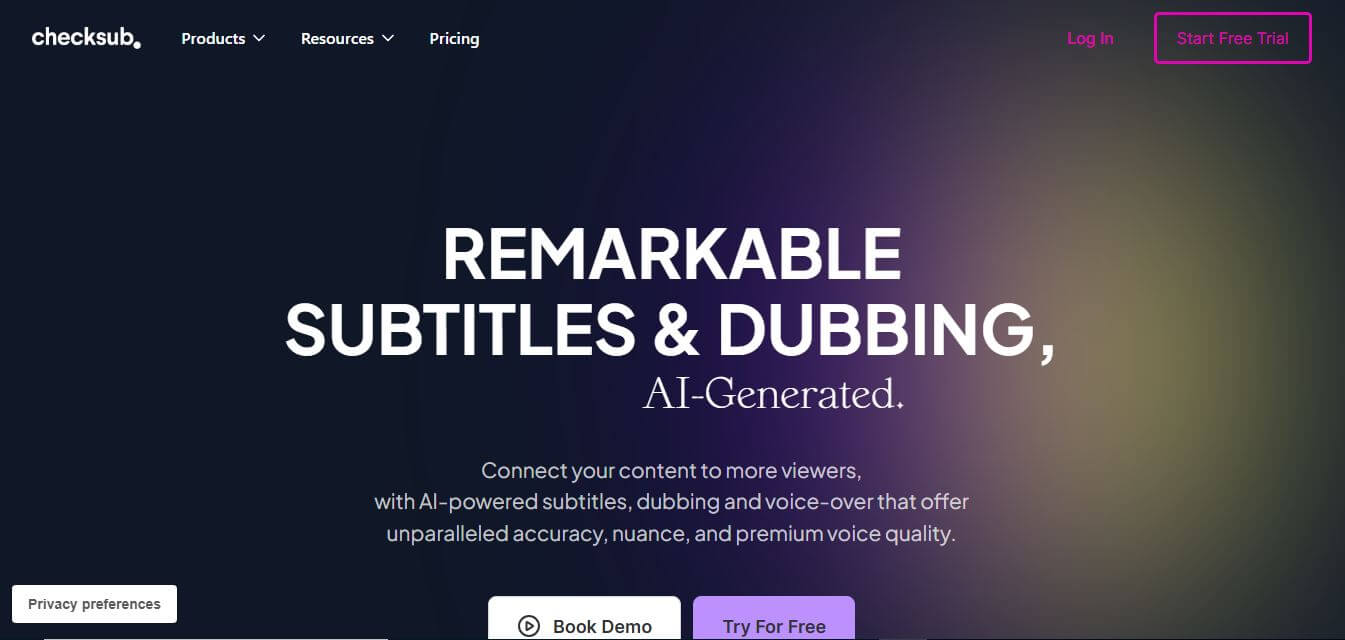
What is Checksub?
Checksub is an AI-powered video subtitling, dubbing, and localization platform designed for video creators, media companies, and global brands. It provides automatic speech-to-text transcription, translation across 200+ languages, animated karaoke caption styling, AI voice cloning, and realistic lip-syncing. Featuring direct YouTube channel integration, multi-format file exports (SRT, VTT, MP4), and an interactive web subtitle editor, Checksub enables users to localize and distribute video content efficiently without specialized video editing expertise.
Checksub has processed over 1 million minutes of video content for more than 500 corporate clients and thousands of independent video creators worldwide. The platform generates time-synchronized subtitles with up to 95 percent initial acoustic accuracy in under 2 minutes. By combining automatic translation with AI voice cloning and lip-syncing across 200+ languages, creators using Checksub expand their international YouTube viewership by up to 3 times while reducing video localization expenses by over 75 percent compared to traditional dubbing studios.
- Founder: Developed by the Checksub product and speech AI engineering team
- Launch Year: 2018
- Use Cases:
- Automated multilingual video translation and subtitle generation
- AI voice-cloning, dubbing, and speech synchronization for YouTube channels
- Animated karaoke caption creation for TikTok, Instagram Reels, and Shorts
- Corporate training, internal communications, and eLearning localization
- Technology:
- Automatic Speech Recognition (ASR) with acoustic time-alignment models
- Neural Machine Translation (NMT) and multilingual natural language processing
- Neural voice cloning and deep learning facial lip-sync synthesis
- Target Users:
- YouTube creators, video podcasters, and social media influencers
- Digital marketing agencies and video production studios
- Corporate Learning & Development (L&D) and HR communications teams
- Online educators, academic institutions, and course creators
- Acquisition: Operates as an independent video technology company

Key features of Checksub
Checksub's key features are
- AI Speech-to-Text Transcription: Converts video and audio speech into synchronized text captions with high phonetic accuracy in minutes.
- Multilingual Translation (200+ Languages): Translates transcripts into over 200 global languages and regional dialects with contextual accuracy.
- AI Voice-Cloning & Dubbing: Generates natural voiceovers that replicate the original speaker’s tone, cadence, and vocal characteristics in target languages.
- Visual AI Lip-Syncing: Automatically modifies on-screen mouth movements to match the timing and phonemes of translated audio tracks.
- Animated Karaoke Subtitle Presets: Applies trendy social media subtitle templates, dynamic word-by-word highlights, and custom brand typography.
- Interactive In-Browser Subtitle Editor: Fine-tune word timing, split long phrases, adjust line breaks, and edit text on a synchronized timeline.
- Direct YouTube Channel Sync: Connects directly to YouTube channels to import videos and publish localized subtitles and audio tracks automatically.
- Versatile Export Options: Exports burned-in MP4 video files, standalone subtitle formats (SRT, VTT, STL), and isolated audio dubbing tracks.
Checksub Pricing
Checksub operates on a credit-based subscription model with monthly and annual billing options alongside a free trial.
Free Trial:
- $0
- Initial trial credits to test transcription, subtitle styling, and translation
- Access to basic editing tools
Junior Plan:
- Starts at approximately $18/month (or $12/month billed annually at $144/year)
- 2 hours of monthly credits (24 hours/year on annual)
- Subtitle file exports (SRT, VTT) and email support
Starter Plan:
- Starts at approximately $59/month (or $48/month billed annually at $576/year)
- 5 hours of monthly credits (60 hours/year on annual)
- No watermark, AI dubbing, voice cloning, beta lip-syncing, and 1 YouTube channel connection
Enterprise Tier:
- From approximately $299/month (billed annually)
- Custom credit volume, translation in 187+ languages, API access, multiple YouTube connections, and dedicated account management
Disclaimer: For the latest and most accurate pricing information, please visit the official Checksub website.
Who is using Checksub?
Checksub is designed for a broad range of video creators and enterprise teams, including
- YouTubers & Podcasters: Localizing full video catalogs to reach international audiences
- Social Media Creators: Adding animated karaoke subtitles to TikTok, Instagram Reels, and Shorts
- Corporate L&D Teams: Translating employee training videos across global branches
- Online Educators & Universities: Making lecture videos accessible with multilingual captions
- Content Creators: Using writing tools to adapt video transcripts into localized blog articles and summaries
- Media Agencies: Producing multilingual ad campaigns and localized video deliverables for global clients
Best Checksub Alternatives
Some of the strongest Checksub alternatives include
- Dubverse.ai
- Rask AI
- Kapwing
- ElevenLabs
- Submagic
- Captions.ai
Pros and Cons of Checksub
Pros
- All-in-one platform combining subtitles, voice cloning, dubbing, and lip-syncing
- Supports translation across more than 200 global languages and dialects
- Trendy animated karaoke caption presets increase social media viewer retention
- Direct YouTube channel integration streamlines batch publishing
- Intuitive timeline editor makes manual phrase adjustments quick and easy
Cons
- Credit consumption multiplies when combining subtitles (1x), dubbing (3x), and lip-sync (5x)
- Lip-sync feature is currently in beta and works best with front-facing, clear speaker angles
- Entry-level Junior plan excludes AI dubbing and voice-cloning features
- Processing long high-definition video files can take several minutes during peak queue times
Why Choose Checksub?
Checksub is the ideal choice for video creators, brands, and educators who want to reach global audiences quickly without managing multiple disconnected transcription, dubbing, and editing tools.
- Automatically generates subtitles, voice dubbing, and lip-sync in over 200 languages
- Keeps your unique vocal tone across translations using AI voice cloning
- Increases social media engagement with stylish, animated karaoke captions
- Syncs directly with YouTube to publish localized tracks automatically
- Cuts video localization costs by up to 75 percent compared to traditional dubbing agencies
Checksub vs. Competitors
The main difference between Checksub, Rask AI, Submagic, and ElevenLabs is that Checksub combines animated subtitle styling, direct YouTube channel publishing, AI dubbing, and lip-syncing in a single editor, while Submagic focuses on short-form social caption effects, ElevenLabs specializes in standalone voice synthesis and audio dubbing, and Rask AI emphasizes long-form video translation. Checksub stands out for its balanced workflow between stylish captions and multilingual voiceover distribution.
| Feature / Tool | Checksub | Rask AI | Submagic | ElevenLabs |
|---|---|---|---|---|
| Core Focus | Subtitles, Dubbing & Lip-Sync | Video Translation & Dubbing | Social Animated Captions | AI Voice & Dubbing Engine |
| Supported Languages | 200+ Languages | 130+ Languages | 50+ Languages | 30+ Languages |
| AI Lip-Sync | Yes (Beta) | Yes | No | No |
| Animated Karaoke Captions | Yes (Custom Presets) | Basic Subtitles | Yes (Advanced Presets) | No (Audio-Only Focus) |
| YouTube Channel Sync | Yes (Direct Integration) | Yes | Limited | API-Based |
| Best For | Full Video Localization | International Video Dubbing | Short-Form Social Creators | High-End Voice Synthesis |
How do we rate Checksub?
| Parameter | Rating (out of 5) |
|---|---|
| Transcription & Subtitle Accuracy | 4.8 |
| Voice Cloning & Dubbing Quality | 4.7 |
| Subtitle Customization & Styling | 4.9 |
| Ease of Use & YouTube Sync | 4.9 |
| Value for Money | 4.7 |
| Overall Score | 4.8 |
Checksub Review
Checksub provides a complete and well-designed video localization suite that addresses both visual accessibility and acoustic translation. Rather than requiring creators to bounce between separate captioning tools, translation agencies, and audio editors, Checksub brings the entire workflow into a single timeline. The ability to generate animated karaoke captions for social clips while simultaneously producing cloned voice dubs for YouTube creates immense distribution leverage. For creators, marketing teams, and educators looking to expand their global footprint efficiently, Checksub delivers exceptional utility and speed.
Conclusion
Checksub is a powerful and efficient platform for anyone looking to enhance video content through subtitles, translations, and AI dubbing. By automating transcription and offering support for over 200 languages, it helps creators and businesses reach a global audience with minimal effort. Its intuitive editor, customization options, and fast processing make it a practical choice for both beginners and professionals. While some manual refinement may still be needed for perfect accuracy, the overall time-saving benefits are significant. Ultimately, Checksub is a reliable solution for scaling video content, improving accessibility, and maximizing audience engagement across different platforms.
FAQ
What is Checksub and how can Checksub help me?
Checksub is an AI-powered subtitle and video localization platform that helps you create, translate, and manage subtitles easily. Checksub allows you to upload videos and automatically generate captions, making your content more accessible and engaging. It’s especially useful if you want to reach global audiences without spending hours on manual transcription or translation.
How does Checksub actually work?
Checksub works by using AI to transcribe your video or audio into text. Once the subtitles are generated, Checksub lets you edit, sync, and translate them into multiple languages. You can also customize timing, formatting, and export subtitles in different formats, making the entire workflow smooth and efficient.
Can Checksub translate subtitles into multiple languages?
Yes, Checksub supports multilingual subtitle translation. Checksub allows you to translate captions into dozens of languages, helping you localize your content for international audiences. This makes Checksub a powerful tool for creators, businesses, and educators who want to scale globally.
What types of files can Checksub handle?
Checksub supports a wide range of video and audio formats. Whether you’re working with MP4, MOV, or other common file types, Checksub can process them and generate subtitles. This flexibility makes Checksub suitable for different types of content like YouTube videos, courses, interviews, and podcasts.
Is Checksub beginner-friendly?
Yes, Checksub is designed to be user-friendly. The interface is simple, and the workflow—from upload to subtitle generation—is straightforward. Even if you’ve never worked with subtitles before, Checksub makes it easy to get started quickly.
Can Checksub be used for professional video projects?
Yes, Checksub is suitable for both personal and professional use. Checksub offers features like team collaboration, advanced editing, and high-quality exports, which are useful for agencies, production teams, and businesses working on large-scale projects.
Is Checksub free to use?
Checksub usually offers a free trial or limited free usage so you can test the platform. For full access, Checksub provides paid plans based on usage, features, and team size. This allows you to scale your usage depending on your needs.
Can Checksub improve video accessibility?
Yes, Checksub plays a major role in improving accessibility. By adding accurate subtitles, Checksub helps people who are deaf or hard of hearing understand your content. It also benefits viewers who prefer watching videos without sound.
User Reviews
No reviews yet for Checksub.
Featured Tools
Featured AI tools from TechShark

Melody Genie
MelodyGenie is an AI-powered music generator that creates original songs from simple text prompts. Users can choose styles, moods, and genres, then instantly generate melodies and full tracks, making it easy for creators, marketers, and hobbyists to produce custom music without musical expertise.
Freemium

Kimi AI
Kimi AI is an advanced AI assistant developed by Moonshot AI that helps you chat, research, write, code, and automate tasks in one place. It supports web search, file analysis, and multimodal inputs, and can even run autonomous “agent” workflows to complete complex tasks end-to-end.
Freemium

Fashion Diffusion AI
Fashion Diffusion is an AI-powered fashion design platform that helps brands and designers create clothing designs, virtual try-ons, AI models, product photos, and marketing visuals faster and cost-effectively.
Paid

Veo 4
Veo 4 AI is an AI video creation platform that generates dramatic videos from text, images, audio, and video prompts using realistic motion and synchronized sound.
Paid
Alternatives
Alternatives to Checksub
The best Checksub alternatives includes Dubverse.ai, Rask AI, Kapwing, ElevenLabs, Submagic, and Captions.ai. These platforms provide automated video subtitling, AI dubbing, voice synthesis, and video localization tools. While Checksub specializes in comprehensive video localization with animated subtitles, voice cloning, and YouTube channel synchronization, alternatives like Submagic focus on short-form viral captions, and ElevenLabs excels in expressive voice cloning. Choosing the right software depends on whether you require all-in-one multilingual video dubbing or dedicated social caption animations.
Neural.love
AI Image Enhancer
Neural.love is an AI-powered creative platform for generating images, editing photos, enhancing videos, restoring old media, and animating pictures. It combines multiple AI tools in a browser-based workspace, helping content creators, marketers, photographers, designers, and businesses improve visual content without relying entirely on traditional editing software.
 4.8
4.8Shuffll
Video Editing
Shuffll goes beyond traditional video creation by connecting personalized video directly to enterprise data and workflows. Its API-first infrastructure, 40+ AI models, automated production, and built-in brand governance make it suitable for organizations that need video at scale. For businesses seeking higher engagement without building large production teams, Shuffll offers a practical way to turn existing data into personalized, on-brand video experiences.
 4.8
4.8Opus Clip (Opus Pro)
Video Editing
OpusClip helps creators transform long-form videos into short, social-ready clips. It can identify engaging moments, generate captions, reframe footage, add B-roll, enhance audio, and support publishing across major social platforms. It is designed for creators, marketers, podcasters, businesses, and teams that want to scale video content production.
 4.8
4.8Dubbah
Video Editing
Dubbah helps Mac users translate and dub videos into 14 languages while preserving a familiar speaker voice. The app processes media locally, supports editing translated lines, and works offline after setup. With no account, subscription, or per-minute fee, it offers a simple, straightforward option for creators producing multilingual video content.
 4.9
4.9Clipchamp
Video Generator
Clipchamp is an AI-powered online video editor by Microsoft that helps users record, edit, and share videos directly from the browser. It offers templates, stock media, and AI tools like subtitles, voiceovers, and noise removal, enabling fast, professional video creation without advanced editing skills.
 4.9
4.9CapCut
Video Editing
CapCut is a popular video editing tool that helps creators produce engaging videos with effects, transitions, filters, templates, subtitles, and AI-powered features. Available on multiple platforms, CapCut makes it easy to edit videos for TikTok, Instagram Reels, YouTube Shorts, and other social media channels.
 4.9
4.9Media.io
Video Editing
Media.io is an AI-powered creative platform that helps users generate, edit, and enhance videos, images, audio, and ads from simple prompts or assets. It combines AI generation, editing, and workflows in one place, enabling creators to turn ideas into polished content quickly without switching tools.
 4.9
4.9Video Candy
Video Editing
Video Candy is a free online video editing platform that helps users trim, merge, compress, convert, and enhance videos directly in the browser. It offers 70+ tools with a simple drag-and-drop interface, making video editing fast, accessible, and efficient without installing complex software.
 4.8
4.8Vheer
Image
Vheer is a free AI image and video generator that helps users create visuals from text or photos instantly. It includes tools for image editing, background removal, and image-to-video conversion, offering unlimited generations without signup, making it ideal for quick, creative content production.