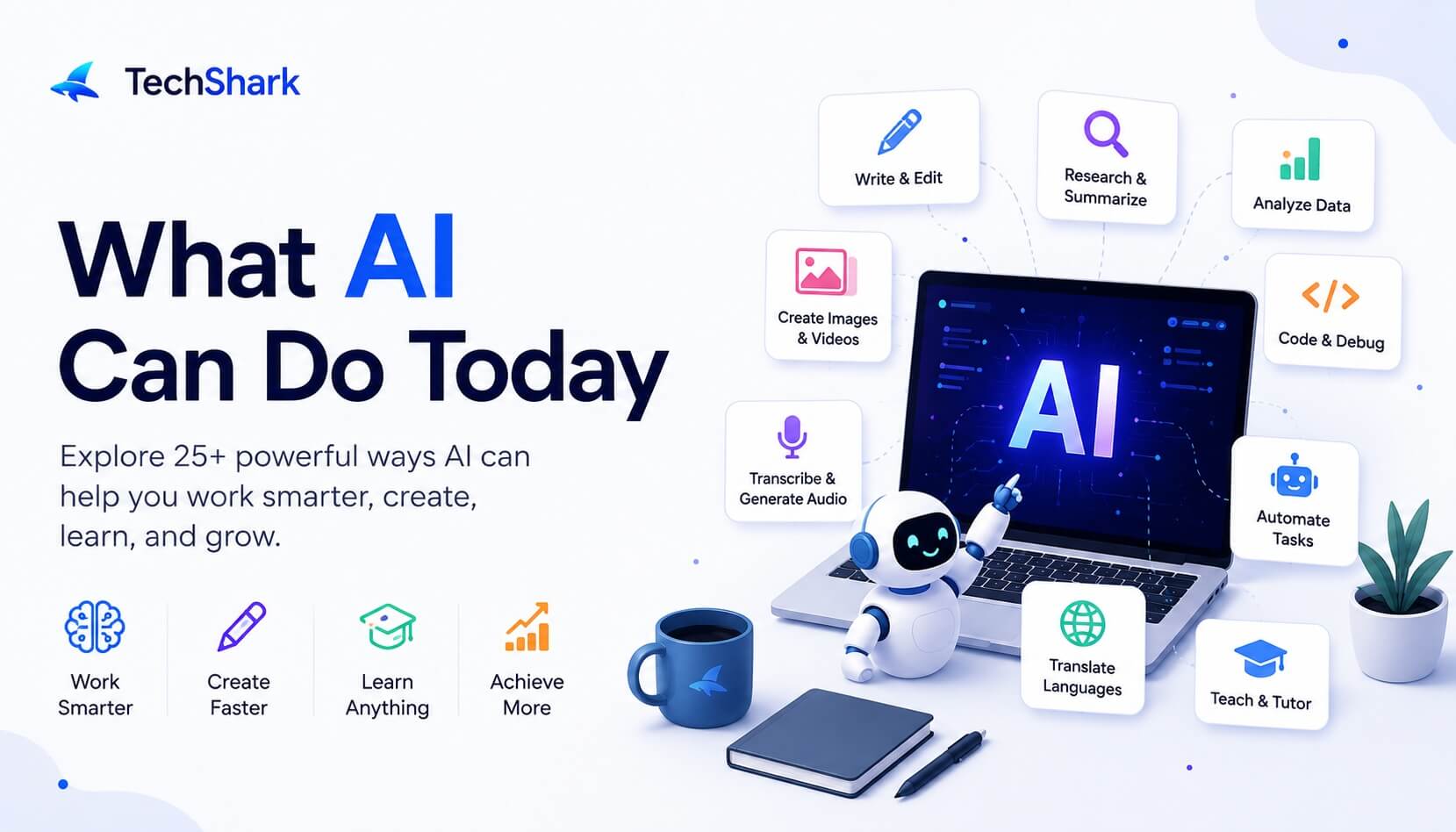
What AI Can Do Today: 25+ Things AI Can Help You Do in 2026
Discover what AI can do today, from writing and research to coding, images, automation, AI agents, productivity, and everyday tasks.
Explore moreAI has moved far beyond the stage where it mainly generated a paragraph, answered a question, or created a funny image. Today, AI can help you research a topic, analyze a document, write code, create images and videos, summarize meetings, learn a new skill, plan projects, translate languages, analyze data, and even complete parts of multi-step workflows. So, what AI can do today depends on the tool you use and how much access you give it.
For an individual, AI can act like a writing assistant, tutor, researcher, analyst, designer, programmer, planner, and brainstorming partner. For businesses, it can help automate repetitive processes, analyze information, support customers, assist employees, and increasingly work through AI-agent workflows. The scale of adoption reflects how quickly this technology has moved into everyday use. Stanford's 2026 AI Index reports that organizational AI adoption reached 88% in 2025, while generative AI reached approximately 53% population-level adoption within three years, faster than the personal computer or the internet.
But there is an important distinction: AI is powerful, not infallible. It can save significant time, but its output still needs human judgment, particularly when accuracy, privacy, safety, or money is involved.
Let's look at what AI can actually do today.
What Can AI Do Today?
At a practical level, modern AI can help with five broad categories of work:
- Create: text, images, videos, audio, presentations, code, and other content
- Understand: documents, conversations, images, data, and natural-language questions
- Analyze: data, reports, customer feedback, research, and patterns
- Assist: learning, writing, planning, decision-making, coding, and productivity
- Act: use tools and complete multiple steps in an increasingly agentic workflow
That last category is particularly important. Traditional AI tools generally respond to a prompt and give you an output. Newer AI agents can be designed to work toward a goal by planning steps, using tools, retrieving information, and taking actions.
McKinsey's 2025 global survey found that 62% of respondents said their organizations were at least experimenting with AI agents, although most companies were still early in scaling them. In other words, AI is gradually moving from "ask me something" toward "help me get something done."
Key Facts and Statistics About AI Today
Here are some of the most useful numbers to understand how quickly AI has moved into mainstream use.
- 88% of organizations use AI Stanford's 2026 AI Index reports that 88% of surveyed organizations used AI in at least one business function in 2025, up from 78% in 2024.
- 53% population-level generative AI adoption Generative AI reached approximately 53% population adoption within three years, according to Stanford's 2026 AI Index. The report notes that this was faster than the adoption of the personal computer or internet.
- 79% of organizations regularly use generative AI Stanford reports that 79% of surveyed organizations regularly used generative AI in at least one business function in 2025.
- 62% are experimenting with AI agents McKinsey's 2025 survey found that 62% of respondents said their organizations were at least experimenting with AI agents.
- 64% say AI is enabling innovation McKinsey found that 64% of respondents said AI was enabling innovation in their organizations, although enterprise-level financial impact remained less widespread.
- $172 billion in estimated U.S. consumer value Stanford estimates that the annual consumer surplus from generative AI reached $172 billion in the United States by early 2026, up from $112 billion a year earlier.
These numbers tell an important story: AI isn't just a technology being tested in research labs anymore. It is becoming part of everyday work, education, creativity, and software.
At the same time, adoption is not the same as successful implementation. Many organizations are still experimenting with AI rather than fully redesigning their workflows around it. McKinsey reports that nearly two-thirds of surveyed organizations had not yet begun scaling AI across the enterprise.
What Can AI Do for Me Today?
If you're wondering, "What can AI do for me today?" the easiest answer is: look at the tasks you already spend time doing.
AI can help you:
- Write or improve an email
- Summarize a long document
- Research a topic
- Create a presentation
- Analyze a spreadsheet
- Build a study plan
- Explain a difficult concept
- Write or debug code
- Generate an image
- Create a video script
- Translate content
- Brainstorm business ideas
- Plan a project
- Organize meeting notes
- Create social media content
- Compare different options
- Extract information from PDFs
- Analyze customer feedback
- Automate repetitive workflows
- Turn raw information into a structured report
For example, instead of spending 30 minutes organizing meeting notes, you could give an AI tool the transcript and ask:
"Turn these meeting notes into a summary, list the decisions we made, identify action items, and assign each action item to the person mentioned in the notes."
That doesn't mean the AI should automatically be trusted with every detail. You still review the result. But the first draft can take seconds instead of starting from a blank page.
1. AI Can Write, Rewrite, and Edit Content
Writing is still one of the most common ways people use AI.
AI can help you create:
- Blog posts
- Emails
- Reports
- Product descriptions
- Social media posts
- Ad copy
- Scripts
- Headlines
- Outlines
- Business proposals
- Documentation
- Job descriptions
It can also improve existing writing rather than creating something from scratch.
For example, you can ask AI to:
"Rewrite this email so it sounds professional but friendly."
Or:
"Make this paragraph easier for a non-technical reader to understand."
The real advantage is not simply that AI can produce words quickly. It can give you a starting point, suggest different approaches, and help you move past the blank-page problem.
For SEO professionals and content teams, AI can also assist with keyword clustering, content briefs, FAQ generation, title ideas, content updates, internal-link suggestions, and content repurposing.
The best workflow is usually AI-assisted rather than AI-only: let AI handle repetitive drafting and organization while a human handles expertise, accuracy, originality, and final judgment.
2. AI Can Research and Summarize Information
Research can involve a lot of reading, comparing, organizing, and filtering.
AI can speed up that process.
Depending on the tool and its access to current information, AI can help you:
- Explore a topic
- Summarize sources
- Extract key points
- Compare information
- Generate research questions
- Organize findings
- Identify themes
- Create research briefs
- Explain unfamiliar terminology
- Turn research into an outline
Imagine you're researching "AI agents for customer service."
Instead of simply asking AI for an article, you could ask it to create a research framework:
"Identify the main use cases for AI agents in customer service, the benefits, common limitations, implementation challenges, and questions a business should ask before adopting one."
That gives you a structure for more profound research.
However, this phase is also where verification matters. AI can confidently present incorrect information, so important claims should be checked against primary or authoritative sources.
3. AI Can Read and Analyze PDFs and Documents
One of the most useful developments in modern AI is its ability to work with documents.
Depending on the system, you can upload a PDF, spreadsheet, presentation, image, or other document and ask questions about its contents.
AI can help:
- Summarize long reports
- Extract specific information
- Compare documents
- Find recurring themes
- Identify important sections
- Convert information into tables
- Create executive summaries
- Extract action items
- Explain technical documents
For example, a 100-page business report could potentially become:
Executive summary → key findings → risks → opportunities → recommendations.
This is particularly useful for professionals who regularly work with contracts, research papers, financial reports, product documentation, meeting transcripts, or large collections of internal information.
4. AI Can Analyze Data
AI can also work with structured data.
Depending on the tool, you can use AI to help analyze:
- Spreadsheets
- CSV files
- Sales data
- Marketing performance
- Survey responses
- Customer feedback
- Website analytics
- Financial datasets
- Operational data
You might ask:
"Find the three biggest changes in this dataset and explain what they could mean."
Or:
"Group these customer complaints into categories and tell me which category appears most frequently."
AI can also help explain formulas, create calculations, identify trends, and turn raw numbers into a narrative.
The important distinction is that AI can assist with analysis, but that doesn't automatically mean its interpretation is correct. For important business or financial decisions, calculations and conclusions should be independently checked.
5. AI Can Create Images and Graphics
AI image generation has become a mainstream creative capability.
Modern image tools can help create:
- Blog graphics
- Social media visuals
- Illustrations
- Product concepts
- Marketing creatives
- Presentation visuals
- Backgrounds
- Concept art
- Infographics
- Visual mockups
AI can also edit existing images in many systems.
For example, you might ask:
"Remove the background, change the setting to a modern office, and make the image suitable for a professional LinkedIn post."
This makes visual experimentation much cheaper and faster.
Instead of waiting for a designer to create every rough concept, a marketer or content creator can generate several directions first and then develop the strongest idea.
6. AI Can Create and Edit Video
Video is another area where AI capabilities have expanded rapidly.
AI can assist with:
- Video scripts
- Storyboards
- Short-form video concepts
- Text-to-video generation
- Image-to-video generation
- Captions
- Voiceovers
- Video editing
- Dubbing
- Translation
- Scene generation
- Marketing videos
For a small business, for example, AI can help turn a product description into a short-video concept, generate a script, create supporting visuals, and prepare captions.
That doesn't mean AI has eliminated the need for human creative direction. Strong video still depends on storytelling, audience understanding, editing choices, and brand consistency.
But the barrier to creating a first version is much lower.
7. AI Can Generate and Edit Audio
AI can now work with speech and other forms of audio.
Common applications include:
- Speech-to-text transcription
- Text-to-speech
- Voiceovers
- Podcast transcription
- Meeting transcription
- Audio cleanup
- Dubbing
- Translation
- Voice-based assistants
- Audio content generation
Consider a one-hour meeting. Instead of manually taking notes throughout the meeting, an AI system can potentially transcribe the conversation and produce a summary afterward. The human can then focus on the conversation rather than trying to capture every sentence.
8. AI Can Write and Debug Code
AI coding assistants have become one of the most significant applications of generative AI.
AI can help developers:
- Generate code
- Explain code
- Debug errors
- Refactor code
- Write tests
- Generate SQL
- Create scripts
- Convert code between languages
- Write documentation
- Suggest implementation approaches
- Understand unfamiliar code
- Build prototypes
The progress has been rapid. Stanford's 2026 AI Index reports that performance on SWE-bench Verified, a benchmark for software-engineering tasks, increased from about 60% to nearly 100% in one year. That doesn't mean AI can independently build every production application safely. Generated code can still contain bugs, insecure practices, incorrect assumptions, or compatibility problems.
A better way to think about AI coding tools is: AI writes more of the first draft; developers remain responsible for testing, architecture, security, and production decisions.
9. AI Can Help You Learn Almost Anything
AI can be an extremely flexible learning assistant.
You can ask it to:
- Explain difficult concepts
- Simplify technical subjects
- Create study plans
- Generate quizzes
- Create flashcards
- Give practice questions
- Explain mistakes
- Provide examples
- Simulate interviews
- Teach programming
- Help with language learning
For example:
"Teach me SEO from beginner to advanced level. Give me one topic at a time, explain it with examples, then quiz me before moving to the next topic."
This type of interaction can make learning more personalized.
AI can also adjust explanations to your level. If the first explanation is too technical, you can simply ask for a simpler version. Education is already a major area of AI adoption. Stanford's 2026 AI Index reports that 4 in 5 university students now use generative AI, while more than 80% of U.S. high school and college students reported using AI for school-related tasks.
10. AI Can Translate Languages and Improve Communication
AI can help people communicate across languages more easily.
It can assist with:
- Translation
- Grammar correction
- Localization
- Rewriting
- Subtitles
- Transcription
- Dubbing
- Tone adjustment
There is also a difference between literal translation and contextual communication.
For example, instead of asking AI to translate a sentence word-for-word, you could ask:
"Translate this email into natural business English while keeping the original meaning and making the tone polite."
That can be more useful than a direct word-for-word translation. For professional, legal, medical, or culturally sensitive content, human review remains important.
11. AI Can Improve Your Everyday Productivity
You don't need to be a developer or business owner to benefit from AI.
For everyday work, AI can help you:
- Organize a to-do list
- Prioritize tasks
- Draft emails
- Summarize meetings
- Create schedules
- Prepare presentations
- Organize notes
- Create checklists
- Brainstorm ideas
- Plan projects
- Turn notes into action items
One useful approach is to treat AI as a thinking partner.
Instead of:
"What should I do?"
Give it context:
"I have these 10 tasks, three are due tomorrow, two depend on another person, and one will take several hours. Help me prioritize them and explain why."
The quality of the answer usually improves when the AI understands the situation rather than receiving a vague command.
12. AI Can Help Businesses
Businesses are using AI across almost every major function.
Marketing
AI can help with:
- Content ideas
- SEO research
- Ad copy
- Campaign concepts
- Customer segmentation
- Competitor research
- Social media planning
Sales
AI can assist with:
- Lead research
- Prospect summaries
- Personalized outreach
- Call summaries
- Sales proposals
- CRM information
Customer support
AI can help:
- Answer common questions
- Classify tickets
- Summarize conversations
- Search knowledge bases
- Draft responses
Human resources
AI can assist with:
- Job descriptions
- Interview questions
- Employee documentation
- Candidate communication
- Training materials
Operations
AI can help:
- Process documents
- Organize information
- Automate workflows
- Generate reports
- Identify operational patterns
Stanford's 2026 AI Index reports that 88% of surveyed organizations used AI in at least one business function in 2025, while 79% reported regular use of generative AI in at least one function.
13. AI Can Automate Repetitive Tasks
This is where AI starts becoming more interesting than a simple chatbot.
Imagine you receive hundreds of emails every week.
An AI-assisted workflow could potentially:
- Read incoming messages
- Categorize them
- Identify urgent requests
- Extract relevant information
- Draft responses
- Create tasks
- Send information to another system
The same idea can apply to documents, customer support, reporting, sales operations, and internal workflows. The goal isn't necessarily to automate an entire job. Often, the bigger opportunity is to automate the repetitive 20–40% of a workflow that consumes time without requiring much judgment.
14. What Can AI Agents Do Today?
AI agents represent one of the biggest shifts in how people think about AI.
A traditional AI interaction often looks like this:
You ask → AI responds.
An agentic workflow can look more like:
You give a goal → AI plans → AI uses tools → AI performs steps → AI evaluates results → AI continues.
For example, instead of saying:
"Research competitors."
You could potentially give an agent a more complete goal:
"Research these five competitors, collect their pricing and major features, compare them, and prepare a structured report."
Whether an AI system can actually complete those steps depends on its tools, permissions, integrations, and configuration.
McKinsey's 2025 survey found that 23% of respondents said their organizations were scaling an agentic AI system somewhere in the enterprise, while another 39% said they were experimenting with AI agents. So agents are becoming real, but they are not yet a universal replacement for human-managed workflows.
15. AI Can Help With Personal Planning
AI can also be useful outside work.
You can use it to help plan:
- Trips
- Events
- Daily schedules
- Learning goals
- Shopping
- Meals
- Personal projects
- Gifts
- Weekend activities
For example:
"I have three days in a new city. Create a practical itinerary with travel time between locations and leave enough free time so the schedule isn't exhausting."
The value comes from turning an idea into a structured plan. You should still verify important details such as opening hours, prices, availability, travel restrictions, and reservations.
16. AI Can Be a Creative Partner
AI isn't only useful for productivity.
It can help you brainstorm:
- Business names
- Blog topics
- Video concepts
- Campaign ideas
- Product concepts
- Story ideas
- Design directions
- Slogans
- Headlines
- Creative experiments
One of the best ways to use AI creatively is to ask for multiple directions rather than one answer.
For example:
"Give me 10 different campaign concepts. Make three bold, three educational, two humorous, and two premium."
You can then choose the strongest idea and develop it further. This makes AI less like an automatic content machine and more like a brainstorming partner.
17. AI Can Understand Images, Screenshots, and Charts
Modern AI is increasingly multimodal, meaning it can work with more than text.
Depending on the system, you can show AI:
- A screenshot
- A chart
- A diagram
- A photograph
- A scanned document
- A presentation slide
- A user interface
Then ask questions about what it sees.
For example:
"Look at this analytics screenshot and identify the biggest changes compared with the previous period."
Or:
"Explain this diagram in simple language."
This can make AI useful for troubleshooting, research, design feedback, data interpretation, and document analysis.
18. AI Can Understand and Respond to Voice
Typing isn't always the most natural way to interact with software.
Voice-based AI allows users to:
- Ask questions
- Brainstorm ideas
- Practice languages
- Summarize information
- Have conversations
- Transcribe speech
- Generate spoken responses
This is particularly useful when you're walking, driving, working with your hands, or simply thinking out loud. The broader trend is toward multimodal AI, where text, voice, images, video, and documents can all become part of the same interaction.
19. AI Can Help You Make Better Decisions
AI can be useful when you have several options and need a structured way to compare them.
For example:
"Compare these three software options based on price, features, ease of use, integrations, and scalability. Give each category a score and explain the trade-offs."
AI can help you:
- Compare options
- Identify pros and cons
- Build decision matrices
- Find missing considerations
- Explore different scenarios
- Challenge your assumptions
But there's an important rule: AI should support important decisions, not automatically own them. For medical, legal, financial, safety-critical, or highly personal decisions, use qualified professionals and reliable primary sources.
What AI Still Cannot Do Reliably
It's easy to focus on what AI can do and forget what it cannot reliably do.
AI can still:
- Make factual mistakes
- Misunderstand context
- Produce hallucinations
- Give overly confident answers
- Misinterpret ambiguous instructions
- Reflect biases in data
- Generate insecure code
- Miss important information
- Make poor decisions without sufficient context
Stanford's 2026 AI Index highlights the continuing reliability problem: hallucination rates varied substantially across models and evaluation settings, showing that strong capability does not automatically guarantee factual accuracy.
This is why the best AI workflow is not:
AI → publish
It is:
AI → review → verify → improve → publish
The more important the task, the more important that human verification becomes.
AI Tools vs AI Assistants vs AI Agents
These terms are often used interchangeably, but they're not exactly the same.
| Type | What it generally does | Example |
|---|---|---|
| AI tool | Performs a particular task | Generate an image |
| AI assistant | Helps you interactively | Draft and revise an email |
| AI agent | Works toward a goal across multiple steps | Research, analyze, and create a report |
The boundaries are becoming less clear as AI products add more capabilities.
A single application may contain a chatbot, image generator, coding assistant, research mode, automation features, and agents. So instead of focusing only on labels, look at what the product can actually do and what actions it is authorized to perform.
How to Get the Most Out of AI Today
You don't need complicated prompt engineering to get useful results.
Start with five things:
1. Give AI context
Don't just say:
"Write an article."
Say:
"I'm writing an article for small business owners who have never used AI."
2. Explain the goal
Tell AI what you're trying to achieve.
3. Set constraints
Mention word count, audience, tone, format, deadline, or other requirements.
4. Show the desired output
If you have an example, provide it.
5. Iterate
Your first prompt doesn't have to be perfect.
Ask AI to improve the result, challenge its assumptions, simplify it, or provide alternatives.
A simple prompt formula is:
Context + Goal + Constraints + Output format + Examples
For example:
"I'm an SEO beginner. Explain topical authority in simple language, give me three practical examples, and finish with five questions to test my understanding."
That's much more useful than simply asking:
"What is topical authority?"
20 Things You Can Ask AI to Do Today
If you're wondering where to start, try asking AI to:
- Summarize a long document.
- Explain a complicated topic simply.
- Create a personalized study plan.
- Rewrite an email professionally.
- Analyze a spreadsheet.
- Turn meeting notes into action items.
- Create a presentation outline.
- Explain a piece of code.
- Debug a programming error.
- Translate content into another language.
- Create a social media content calendar.
- Brainstorm business ideas.
- Research a topic and organize the findings.
- Compare two products or services.
- Create a project plan.
- Turn a long article into key takeaways.
- Generate interview questions.
- Categorize customer feedback.
- Create ideas for an image or video.
- Design a repetitive workflow that could potentially be automated.
The important part is not trying all 20. Pick one repetitive task you already do every week and see whether AI can make it faster.
What Will AI Be Able to Do Next?
The next stage of AI is likely to be less about asking a chatbot individual questions and more about integrating AI into complete workflows.
We're already seeing movement toward:
- More capable AI agents
- Better multimodal AI
- More powerful coding assistants
- AI-powered research
- Automated business workflows
- Personalized AI assistants
- AI embedded directly into software
- More sophisticated voice interfaces
- AI systems that use multiple tools
- Greater collaboration between humans and AI
But predicting exactly what AI will accomplish next is difficult.
The more useful question is not:
"Will AI replace everything?"
A better question is:
"Which parts of a task can AI perform reliably, and where is human judgment still necessary?"
That question leads to more practical AI adoption.
Conclusion
So, what AI can do today is much broader than simply answering questions. AI can write, research, summarize, analyze, code, translate, teach, create images, generate video, work with audio, understand documents, analyze data, support business operations, automate repetitive tasks, and increasingly execute multi-step workflows through AI agents. For individuals, AI can function as a personal assistant, tutor, researcher, writer, programmer, planner, and creative partner.
For businesses, it can support marketing, sales, customer service, operations, research, software development, and workflow automation. But AI works best when you treat it as a capability multiplier rather than an unquestionable authority. Give it context. Give it a clear goal. Let it handle repetitive work. Use it to explore possibilities faster. Then apply your own judgment to the result. If you're still asking, "what can AI do for me today?", start with something simple: Take one task you do regularly and ask AI to help you complete it. That is often the fastest way to understand what AI can actually do.
People are also reading:
- Best AI Agent Builder
- AI Tools for Research
- AI Deepfake Tools
- AI Tools for Small Business
- How AI Assistants Impact the Formation of Coding Skills?
- AI Regulations Around the World
- AI Agents vs Chatbots
References:
Frequently Asked Questions (FAQs)
1. What can AI do today?
AI can write and edit content, research information, summarize documents, analyze data, generate images and video, work with audio, write code, translate languages, teach users, plan projects, support businesses, and automate parts of repetitive workflows. Some AI systems can also perform multi-step tasks through agentic workflows.
2. What can AI do for me today?
AI can help with everyday tasks such as writing emails, organizing your schedule, summarizing documents, researching topics, learning new skills, planning projects, creating content, analyzing data, generating ideas, writing code, and automating repetitive work.
3. Can AI do my job for me?
AI can automate or assist with some parts of many jobs, but it does not reliably replace every responsibility within a job. Tasks involving judgment, accountability, interpersonal skills, domain expertise, and real-world decision-making often still require people.
4. Can AI research information for me?
Yes. AI can help explore topics, summarize information, compare sources, identify themes, and organize research. However, important claims should be checked against reliable and preferably primary sources because AI can produce inaccurate information.
5. Can AI create images and videos?
Yes. Modern generative AI can create images and assist with video generation and editing. Capabilities vary between tools, but common applications include marketing visuals, illustrations, product concepts, short videos, storyboards, captions, and creative content.
6. Can AI write code?
Yes. AI coding systems can generate code, explain existing code, debug errors, create tests, write documentation, and assist with software development. Developers should still review, test, and secure AI-generated code before using it in production.
7. What can AI agents do today?
AI agents can be configured to pursue goals across multiple steps by planning tasks, retrieving information, using tools, and taking actions. Their capabilities depend heavily on the tools, integrations, permissions, and safeguards available to them.
8. Can AI analyze PDFs and spreadsheets?
Yes. Many modern AI systems can work with documents and structured data. They can summarize PDFs, extract information, answer questions about documents, identify patterns in datasets, and help explain spreadsheet results.
9. Can AI help me learn?
Yes. AI can act as a personalized learning assistant by explaining concepts, creating study plans, generating quizzes, providing examples, reviewing answers, and adapting explanations to your skill level.
10. What can AI not do reliably?
AI cannot guarantee that every answer is factually correct. It can hallucinate information, misunderstand context, produce biased or insecure outputs, and make incorrect assumptions. Human verification is particularly important for medical, legal, financial, safety-critical, and other high-stakes decisions.
11. How do I start using AI today?
Start with one task you already do regularly. Give the AI clear context, explain your goal, provide constraints, specify the desired format, and review the result. You don't need to master complicated prompting to get started.
12. Is AI becoming more widely used?
Yes. Stanford's 2026 AI Index reports that organizational AI adoption reached 88% in 2025 and that generative AI reached approximately 53% population-level adoption within three years.