
Vectorizer.AI
Summarist AI is an AI-powered platform that helps users understand books faster by generating concise, easy-to-read summaries. It transforms lengthy books into actionable insights, allowing students, professionals, entrepreneurs, and lifelong learners to save time while improving knowledge retention. The platform also supports multiple languages and audio summaries for flexible learning.
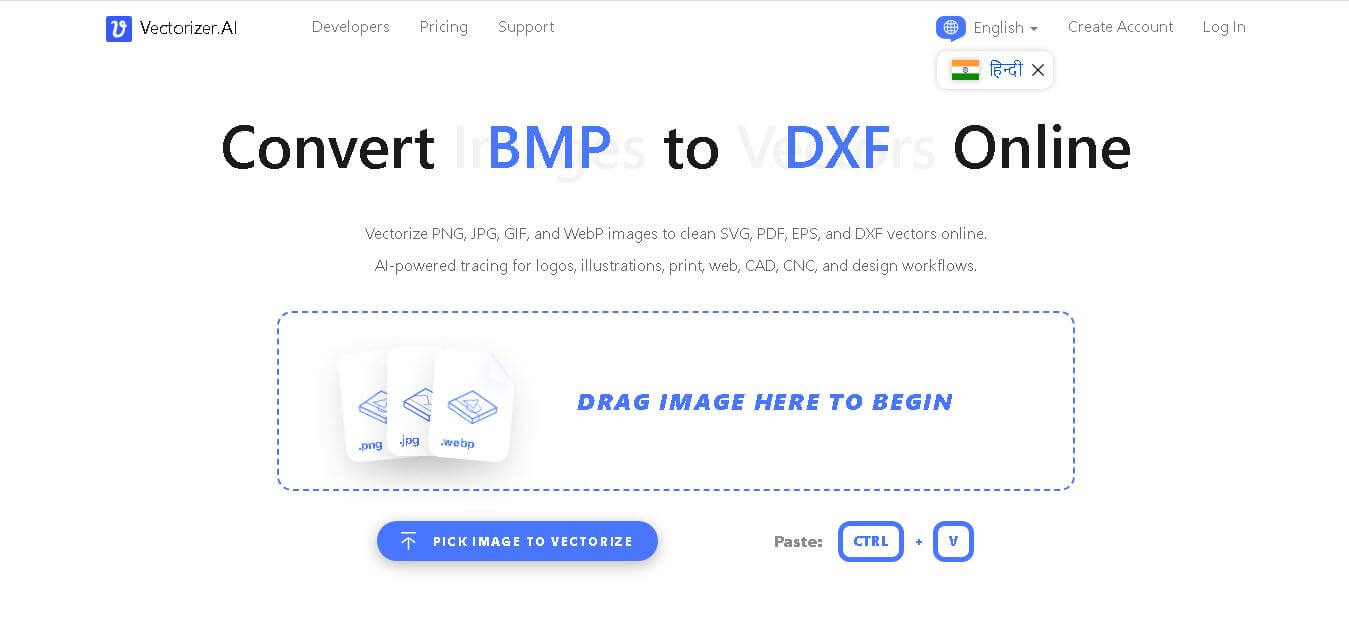
What is Vectorizer?
Vectorizer.AI is an advanced web-based artificial intelligence tool designed to automatically convert pixel-based raster graphics into production-ready vector graphics. Vectorizer.AI was developed using proprietary deep neural networks and computational geometry algorithms. AI goes beyond traditional tracing by detecting underlying geometric primitives, smooth curves, and clean corners to generate high-precision SVG, EPS, PDF, and DXF files.
Summarist AI is designed to summarize books in just seconds, making learning faster and more accessible. The platform supports 12 languages, offers audio summaries, and works with both PDF and text files. Users can customize summary length based on their reading preferences. The mobile app is available for iOS and Android, with paid plans starting at approximately $2.99. These features make Summarist AI a practical solution for busy readers seeking quick, reliable book insights.
- Developer: Cedar Lake Ventures
- Launch Year: 2023
- Use Cases:
- Converting low-resolution logos and graphic designs into infinitely scalable vector formats
- Preparing raster artwork for screen printing, laser engraving, vinyl cutting, and CNC milling
- Automating high-volume image vectorization pipelines via REST API integration
- Cleaning up AI-generated raster images (Midjourney, DALL-E) into crisp SVG vector files
- Technology:
- Proprietary deep neural network trained on vector geometry and line art primitives
- Full-color curve fitting engine supporting Beziers, arcs, and sharp corner detection
- Cloud-based high-performance parallel processing pipeline
- REST API architecture supporting automated background vectorization and credit rollover
- Target Users:
- Graphic designers, illustrators, and visual brand identity creators
- Print shop operators, screen printers, sign makers, and engravers
- Software developers, e-commerce platforms, and digital asset automation teams
- Digital artists working with generative AI imagery
- Ecosystem: Web application featuring interactive before/after side-by-side preview controls, customizable format export settings, and scalable developer API access.

Key features of Vectorizer. AI
Vectorizer. AI's key features are
- Deep Learning Vector Engine: Utilizes AI models to analyze color regions, shapes, and boundaries for natural path reconstruction.
- Geometric Primitive Detection: Automatically fits clean circles, ellipses, straight lines, and sharp corners rather than jagged polygon approximations.
- Full-Color & Multi-Layer Tracing: Preserves full color palettes and creates clean stacked vector layers suitable for editing in Illustrator or Figma.
- Interactive Web Preview: Allows users to inspect zoomed-in comparisons of original raster images versus converted vector paths for free before downloading.
- Comprehensive Export Options: Export results in SVG (compatible with SVG 1.1, SVG 2, and mobile profiles), EPS, PDF, DXF, and PNG formats.
- Developer REST API: Programmatic API access supporting automated web services, batch app workflows, and monthly credit rollover.
Vectorizer. AI Pricing
Vectorizer. AI offers a free web preview alongside flat-rate web app subscriptions and volume-based API credit plans.
Free Preview Mode:
- $0
- Upload unlimited images and preview vectorization side-by-side in your browser (downloads require subscription)
Web App Plan:
- $9.99/month
- Unlimited web image conversions and vector downloads for individuals (no API access included)
Developer API Plans:
- Starts at $9.99/month for 50 credits ($0.20/credit)
- Scales to $139.99/month for 1,000 credits ($0.14/credit) up to $4,999.99/month for 100,000 credits ($0.05/credit)
- Includes up to 5x unused credit rollover and automated endpoint integration
Disclaimer: For the latest and most accurate pricing information, please visit the official Vectorizer AI website.
Is Vectorizer. AI Worth It?
Vectorizer. AI is highly worth it for graphic designers, print production shops, and developers who need instant, high-quality raster-to-vector conversions. Its AI shape recognition produces far cleaner geometry than traditional tracing tools, saving hours of manual pen-tool node editing.
Real-World Use Cases
- Print & Merchandise Production: Converting customer-submitted JPG logos into clean SVG or DXF vectors for vinyl cutting, screen printing, and embroidery.
- Upgrading Generative AI Art: Transforming raster PNGs from Midjourney or Stable Diffusion into scalable vector illustrations.
- Logo Restoration: Vectorizing old or pixelated company logos for high-resolution print banners and responsive web headers.
- Automated E-Commerce Workflows: Using the REST API to automatically convert user uploads into printable SVG formats on print-on-demand sites.
Who is using Vectorizer?
Vectorizer. AI is designed for a wide range of creative and technical professionals, including
- Graphic Designers & Brand Illustrators: Professionals needing fast vector path conversion for branding assets
- Print Shop Operators & Engravers: Production specialists preparing files for laser cutters, plotters, and textile printers
- Software Developers & Enterprise Teams: Engineers integrating automated vector transformation into digital asset pipelines
- AI Content Creators: Digital artists converting raster AI output into scalable commercial graphics
Best Vectorizer. AI Alternatives
Some of the strongest vectorizers. AI alternatives include
- Super Vectorizer Pro
- Vector Magic
- Adobe Illustrator (Image Trace)
- Inkscape (Trace Bitmap)
- Vecteezy AI
Pros and Cons of Vectorizer. AI
Pros
- Superior AI shape detection that produces smooth curves and geometric primitives
- Browser-based operation requires zero software installation
- Interactive side-by-side zoom preview lets users check results before subscribing
- Supports extensive export formats, including SVG, EPS, PDF, and DXF
- Robust REST API with credit rollover for enterprise pipeline automation
Cons
- Web app downloads require a $9.99/month paid subscription (no free file exports)
- Requires an active internet connection for cloud image processing
- Photographic or highly complex continuous-tone images produce very dense vector nodes
Why Choose Vectorizer? AI?
Vectorizer. AI sets itself apart by using modern neural networks specifically trained on vector geometry. While legacy vectorizers often produce jagged paths with thousands of redundant anchor points, Vectorizer generates clean, low-node vector curves with intelligent shape fitting. AI identifies true geometric forms like curves, circles, and sharp corners, yielding cleaner vector files that are easy to edit and lightweight to render.
- Generates clean, low-node vector curves with intelligent shape fitting
- Works instantly in any web browser on Mac, Windows, Linux, or mobile devices
- Provides advanced export controls for maximum CAD and Adobe software compatibility
- Offers API access for background batch processing in custom web applications
How Vectorizer. AI Works
- 1. Upload Image: Drag and drop a PNG, JPG, WEBP, or GIF image into the web app interface.
- 2. Automatic AI Processing: Vectorizer. AI analyzes colors, boundaries, and shapes to construct vector paths in seconds.
- 3. Inspect Preview: Use the interactive split-screen viewer to compare original pixels with vector curves.
- 4. Customize & Export: Select target file format (SVG, EPS, PDF, DXF) and download the production-ready file.
Vectorizer. AI vs. Competitors
The primary difference between Vectorizer.AI, Vector Magic, and Super Vectorizer Pro lies in vectorization technology and licensing models. While Vectorizer. Vectorizer.AI utilizes cloud AI models to detect geometric primitives for $9.99/month and provides a scalable developer API, while Vector Magic relies on traditional algorithmic tracing, and Super Vectorizer Pro offers an offline desktop license model.
| Feature | Vectorizer.AI | Vector Magic | Super Vectorizer Pro |
|---|---|---|---|
| Platform | Cloud / Browser / API | Browser / Desktop | Desktop (Mac & Windows) |
| Core Engine | Deep Learning AI Geometry | Algorithmic Edge Fitting | Raster Path Tracing |
| Offline Capability | No (Cloud only) | Yes (desktop version) | Yes (fully offline) |
| API Integration | Yes (Developer REST API) | No | No |
| Pricing Model | $9.99/mo (Web) / API Credits | $9.95/mo or $295 License | $39.99 One-time Purchase |
How do we rate Vectorizer?
| Parameter | Rating (out of 5) |
|---|---|
| Vector Conversion Quality | 4.8 |
| Ease of Use | 4.9 |
| Processing Speed | 4.7 |
| Export Options & API | 4.6 |
| Value for Money | 4.5 |
| Overall Score | 4.7 |
Vectorizer. AI Review
Vectorizer. AI is one of the most effective AI vectorization tools available online. By using artificial intelligence for curve fitting and geometric primitive reconstruction, it consistently produces cleaner vector nodes and smoother boundaries than older tracing features. For designers, screen printers, and software engineers needing fast, scalable SVG output, it provides exceptional convenience and quality.
Conclusion
Summarist AI is an excellent AI-powered learning tool for readers who want to consume knowledge without spending hours on lengthy books. By combining intelligent summarization, multilingual support, document uploads, customizable summaries, and audio playback, it offers a flexible learning experience for students, professionals, entrepreneurs, and lifelong learners. Whether you want to review business books, educational content, or personal development resources, Summarist AI helps you understand essential ideas quickly. Although full books still provide more profound context, Summarist AI serves as a reliable companion for faster learning, improved productivity, and smarter knowledge consumption in today's fast-paced digital world.
FAQ
What is Vectorizer.AI used for?
Vectorizer. AI converts raster images such as PNG, JPG, GIF, BMP, and WebP into scalable vector graphics. It is particularly useful for logos, illustrations, sketches, print artwork, signage, embroidery, CAD, CNC, and web design. The platform uses AI-powered tracing to transform pixels into editable shapes and curves.
Is Vectorizer.AI free to use?
Yes, you can upload images, vectorize them, and preview the results without immediately subscribing. However, downloading production results through the Web App requires a subscription. The unlimited Web App plan currently costs $9.99 per month, while API access uses separate usage-based plans for automated workflows.
Can Vectorizer.AI convert JPG to SVG?
Yes, Vectorizer. AI can convert JPG images into true SVG vector files. Instead of simply embedding the original pixels inside an SVG container, it analyzes the image and reconstructs it using vector shapes and curves. This makes the resulting artwork scalable without the pixelation normally associated with enlarged raster images.
What image formats does Vectorizer.AI support?
Vectorizer. AI supports several common raster formats, including PNG, JPG, JPEG, GIF, BMP, and WebP. Depending on the workflow, the service can produce SVG, EPS, PDF, DXF, and cleaned-up PNG outputs. This range makes it suitable for creative, printing, web, CAD, CNC, and production-oriented design tasks.
Does Vectorizer.AI create true vector files?
Yes. Vectorizer. AI produces genuine vector artwork rather than placing a raster image inside a vector-format file. Its system converts pixels into geometric shapes, lines, arcs, and Bézier curves. As a result, the artwork can be scaled, edited, printed, cut, engraved, or imported into compatible design and CAD applications.
Can I use Vectorizer.AI for logo vectorization?
Yes, logo vectorization is one of the platform's practical use cases. You can upload a rasterized logo and let the AI reconstruct it as scalable vector artwork. This can be useful when you only have a low-resolution PNG or JPG but need cleaner artwork for branding, printing, signage, merchandise, or design projects.
Can Vectorizer.AI convert images to DXF?
Yes, Vectorizer.AI supports DXF output, making it useful for workflows involving CAD, CNC machines, laser cutting, and other manufacturing applications. The platform converts raster artwork into vector shapes that can then be exported as DXF. This provides a convenient way to prepare suitable image-based artwork for technical workflows.
User Reviews
No reviews yet for Vectorizer.AI.
Featured Tools
Featured AI tools from TechShark

Melody Genie
MelodyGenie is an AI-powered music generator that creates original songs from simple text prompts. Users can choose styles, moods, and genres, then instantly generate melodies and full tracks, making it easy for creators, marketers, and hobbyists to produce custom music without musical expertise.
Freemium

Kimi AI
Kimi AI is an advanced AI assistant developed by Moonshot AI that helps you chat, research, write, code, and automate tasks in one place. It supports web search, file analysis, and multimodal inputs, and can even run autonomous “agent” workflows to complete complex tasks end-to-end.
Freemium

Fashion Diffusion AI
Fashion Diffusion is an AI-powered fashion design platform that helps brands and designers create clothing designs, virtual try-ons, AI models, product photos, and marketing visuals faster and cost-effectively.
Paid

Veo 4
Veo 4 AI is an AI video creation platform that generates dramatic videos from text, images, audio, and video prompts using realistic motion and synchronized sound.
Paid
Alternatives
Alternatives to Vectorizer.AI
The best Vectorizer.AI alternatives include Super Vectorizer Pro, Vector Magic, Adobe Illustrator, Inkscape, and Vecteezy AI. Super Vectorizer Pro offers a one-time desktop license for Mac and Windows. Vector Magic is a traditional vector tracer with desktop and web options. Adobe Illustrator and Inkscape provide powerful vector editing suites with built-in tracing engines.
 4.7
4.7ImgCreator AI
Image
ImgCreator AI is an AI-powered image generation tool that helps users create visuals from text prompts and reference images. It supports creative artwork, realistic portraits, product visuals, and image editing, making it useful for designers, marketers, content creators, and businesses seeking faster visual content production.
Neural.love
AI Image Enhancer
Neural.love is an AI-powered creative platform for generating images, editing photos, enhancing videos, restoring old media, and animating pictures. It combines multiple AI tools in a browser-based workspace, helping content creators, marketers, photographers, designers, and businesses improve visual content without relying entirely on traditional editing software.
 4.8
4.8Prisma AI
Image
Prisma AI turns everyday photos into artistic images with stylized filters and creative effects. It offers hundreds of art and portrait styles inspired by famous artists, allowing beginners to create distinctive visuals quickly. Users can capture or upload photos, apply a chosen style, and save or share the finished result.
 4.9
4.9Bria AI
Image
Bria helps businesses and teams generate and edit visual content using controllable generative AI. Its capabilities cover image generation, product visuals, background editing, video workflows, and developer integrations. With licensed training data, attribution, provenance, and enterprise deployment options, Bria is positioned for businesses that need scalable, commercially focused visual AI.
 4.7
4.7Unwatermark
Image
Unwatermark.ai helps creators, marketers, photographers, and businesses remove watermarks, logos, text, people, and unwanted objects from images and videos. Its automatic detection handles quick edits, while the manual brush provides precise control over difficult areas. With browser-based processing, format support, previews, and free usage, it simplifies everyday visual cleanup.
 4.9
4.9invideo Nano Banana
Image
Nano Banana is an AI image generation and editing model by Google (Gemini family) that helps users create, modify, and refine visuals using natural language prompts. It supports 4K outputs, consistent characters, accurate text rendering, and real-time editing, enabling fast, production-ready creative workflows.
 4.8
4.8Banana Nano
Image
BananaNano (Nano Banana AI) is an AI-powered image generation and editing platform that lets users create visuals from text or edit photos using natural language. It supports multi-image fusion, character consistency, and up to 4K output, enabling fast, flexible visual creation without complex design tools.
 4.8
4.8Vheer
Image
Vheer is a free AI image and video generator that helps users create visuals from text or photos instantly. It includes tools for image editing, background removal, and image-to-video conversion, offering unlimited generations without signup, making it ideal for quick, creative content production.
 4.9
4.9QOVES
Image
QOVES is an AI-powered facial analysis and beauty consulting platform that helps users understand their facial features and improve appearance through personalized, science-backed recommendations. It analyzes hundreds of facial markers and provides a non-surgical transformation plan, enabling informed decisions about aesthetics, skincare, and overall self-improvement.