Tangle
Tangle is an open-source, platform-agnostic experimentation platform featuring a visual drag-and-drop editor that allows machine learning and data engineering teams to build, collaboratively edit, and execute complex pipelines without requiring local development environment setups.
What is Tangle?
Tangle is an open-source visual editor, orchestration tool, and platform-agnostic experimentation environment for machine learning and data pipelines. Developed initially by Shopify machine learning and software engineers, Tangle allows teams to design and manage complex ML workflows visually via a drag-and-drop interface, connecting components and configuring arguments with or without writing code.
Built around the mission of “Democratizing machine learning pipeline development,” Tangle acts as flexible glue connecting mismatched workflows. It supports language-agnostic, containerized components that can be written in Python, Shell, JavaScript, C++, Go, R, or any language capable of command-line interface (CLI) execution, while running locally or across cloud infrastructures.
- Platform Role: Open-Source Visual ML Pipeline Editor, Experimentation Platform & Workflow Orchestrator
- Origin & Maintainers: Developed by Shopify ML and software engineers (built on the Cloud Pipelines SDK)
- Ecosystem Compatibility: Fully compatible with Google Cloud Vertex AI Pipelines and Kubeflow Pipelines (using the ComponentSpec format)
Use Cases:
- Building, sharing, and running product ranking and semantic search recommendation models at scale
- Orchestrating real-time feature engineering pipelines and multi-step batch data workflows
- Collaboratively cloning, editing, and executing existing team machine learning pipelines visually
- Rapid prototyping for non-engineers and data scientists looking to bypass local setup friction
Technology:
- Visual drag-and-drop canvas connecting component inputs and outputs with inline parameter configuration
- Advanced global content-based caching that caches intermediate execution results to accelerate iteration and save compute costs
- File-based data passing architecture using abstract storage (S3, GCS) where tasks communicate through file paths rather than shared in-memory objects
- Containerized hermetic execution framework utilizing standard `component.yaml` specifications across any infrastructure
Target Users:
- Machine learning engineers and data scientists looking for faster experimentation loops and reduced cloud compute waste
- Data engineering teams orchestrating multi-language batch workloads across distributed infrastructure
- Product teams and technical stakeholders seeking a visual interface for managing data and ML workflows
Acquisition: Open-source project hosted on GitHub and Hugging Face

What are the key features of Tangle?
Tangle's key platform features are
- Visual Drag-and-Drop Editor: Build complex ML workflows, connect components, and configure parameters seamlessly without heavy coding overhead.
- Advanced Global Caching: Content-based caching system that operates globally across users, saving significant time and compute costs by reusing completed or even still-running executions.
- Language Agnostic Components: Wrap arbitrary code written in Python, Shell, JavaScript, Go, R, C++, or any CLI-compatible language inside isolated containers.
- Seamless Collaboration: Clone, modify, and execute any pipeline shared across team libraries or public component repositories.
- Real-Time Execution Monitoring: Track task run statuses, inspect logs, view output artifacts, and spot performance bottlenecks instantly.
- Kubeflow & Vertex AI Compatibility: Full support for the time-proven `ComponentSpec` (`component.yaml`) format, ensuring interoperability with KFP and Google Cloud tools.
- Reproducible Runs: Complete graph structures, metadata, and container versioning kept for full reproducibility.
How much does Tangle cost?
Tangle is entirely open-source and free to use, allowing individuals and organizations to deploy it locally or across their own cloud infrastructure.
Pricing Model:
- Open-Source & Free ($0): Access the complete codebase, visual editor, and component libraries via GitHub or Hugging Face under open-source terms.
- Self-Hosted / Cloud Deployment: Users manage their own compute resources (local machines, on-premises servers, or cloud providers like GCP/AWS).
Disclaimer: Tangle is an open-source project. While the software itself is free, running cloud-executed pipelines incurs standard infrastructure compute and storage costs from your chosen cloud provider. Check tangleml.com for documentation and repository links.
Who should use Tangle?
Tangle is designed for ML practitioners, engineers, and data teams, including
- Machine Learning Engineers: Prototyping and scaling model training pipelines without wrestling with local dependency setups.
- Data Scientists: Iterating quickly on experimentation workflows using global caching to avoid re-running unchanged preprocessing tasks.
- Platform & MLOps Teams: Looking for an open-source, platform-agnostic alternative to manage containerized batch workloads.
What are the best alternatives to Tangle?
Some of the strongest Tangle alternatives include
- Kubeflow Pipelines
- Google Cloud Vertex AI Pipelines
- Apache Airflow
- Metaflow
- Prefect
- MLflow
What are the pros and cons of Tangle?
What are the pros of Tangle?
- Intuitive visual drag-and-drop editor lowers the barrier to entry for building complex ML pipelines
- Advanced content-based caching saves substantial compute time and money during experimentation cycles
- Platform-agnostic and language-neutral: run components written in any language using standard containers
- Fully open-source foundations with native compatibility for Kubeflow and Vertex AI component specs
- Eliminates local development environment setup friction
What are the cons of Tangle?
- Requires self-hosting and manual configuration if you want to connect cloud orchestration and persistent storage backends
- Lacks out-of-the-box fully managed enterprise SaaS tiers compared to commercial closed-source orchestration tools
- File-based data passing requires components to manage input/output mappings via storage paths
Why should you choose Tangle?
Traditional machine learning workflow orchestrators force teams to write verbose code, lack global caching (meaning minor updates trigger full pipeline re-runs), and lock users into proprietary platforms. Tangle solves these bottlenecks by pairing a fluid visual drag-and-drop editor with advanced content-based caching and language-agnostic container execution. Whether you want to prototype models faster, share reusable components, or slash cloud compute bills through intelligent artifact reuse, Tangle provides a flexible open-source foundation.
- Build and edit ML pipelines visually with a drag-and-drop canvas
- Slash compute costs using global content-based execution caching
- Write components in any programming language via isolated containers
- Leverage open-source flexibility compatible with Kubeflow and Vertex AI ecosystems
How does Tangle compare to competitors?
The primary distinctions between Tangle, Kubeflow Pipelines, and Apache Airflow lie in visual authoring and caching architecture. While Airflow requires writing programmatic Python operators with no native execution caching, and Kubeflow relies on lineage-based caching limited to single successful runs, Tangle introduces an accessible drag-and-drop visual interface backed by advanced global content-based caching that can reuse partial or running executions across the entire team.
| Feature / Platform | Tangle | Kubeflow Pipelines | Apache Airflow |
|---|---|---|---|
| Core Focus | Visual ML Experimentation & Pipeline Orchestration | Cloud-Native Kubernetes ML Workflows | General-Purpose Programmatic Workflow Scheduling |
| Authoring Interface | Visual drag-and-drop UI editor | Code-defined Python SDK / YAML specs | Python code operators |
| Execution Caching | Global content-based caching (reuses running/completed steps) | Lineage-based caching (limited per pipeline) | None (runs tasks from scratch by default) |
| Language Support | Language agnostic (Python, Go, R, Shell, etc. via CLI containers) | Python-centric component definitions | Python operator environment |
| Pricing Structure | 100% Open Source (Self-hosted or cloud) | Open Source (Kubernetes infrastructure required) | Open Source (Managed options available) |
| Best For | Teams wanting fast visual ML experimentation with heavy compute savings | Kubernetes-heavy enterprise ML platform teams | General data engineering cron jobs and dependency scheduling |
How do we rate Tangle?
| Parameter | Rating (out of 5) |
|---|---|
| Visual Pipeline Editor & Usability | 4.9 |
| Content-Based Caching & Compute Efficiency | 5.0 |
| Language Agnosticism & Containerization | 4.8 |
| Ecosystem Compatibility (Kubeflow/Vertex) | 4.8 |
| Value for Money (Open Source) | 5.0 |
| Overall Score | 4.90 |
What is our review and verdict on Tangle?
Tangle provides an exceptional open-source solution for machine learning experimentation. By bridging the gap between rigid code-based orchestrators and visual workflows, it gives data scientists and engineers an intuitive drag-and-drop canvas. Its advanced global content-based caching is a game-changer for cutting compute waste, turning multi-hour iteration cycles into minutes. For teams building ML pipelines at scale, Tangle is a stellar experimentation platform.
Conclusion
TangleML focuses on simplifying how teams build and manage AI workflows by bringing structure and automation into complex processes. Instead of piecing together multiple tools, it helps organize data, models, and pipelines in one cohesive system. This makes development more efficient and easier to scale as projects grow. Overall, TangleML reduces friction in machine learning workflows, helping teams move faster, stay organized, and turn ideas into production-ready solutions with greater confidence.
FAQ
What is Tangle ML and what does it actually do?
Tangle ML is a visual machine learning pipeline platform that lets you build, run, and manage ML workflows using a drag-and-drop interface. Instead of setting up complex environments, you can create pipelines directly in the browser and execute them with minimal setup.
How is Tangle ML different from tools like Kubeflow or Airflow?
Tangle ML focuses on visual pipeline creation and simplicity, while tools like Kubeflow and Airflow are code-heavy and require infrastructure setup. With Tangle, you can design workflows visually without writing Python scripts or managing Kubernetes, making it much faster for prototyping and collaboration.
What does the drag-and-drop pipeline editor actually do?
The editor lets you connect components (tasks) visually to create complete ML workflows. You can define inputs, outputs, and dependencies between steps, making it easy to understand and modify complex pipelines without diving deep into code.
Can you use Tangle ML without coding?
Yes, Tangle is designed so you can build pipelines without writing code, but it also allows developers to integrate custom logic when needed. This hybrid approach makes it useful for both beginners and advanced ML engineers.
What features does Tangle ML offer for teams?
Tangle includes collaboration features like shared pipelines, reusable components, versioning, and reproducibility. It also supports execution tracking, logs, and artifact storage, so teams can monitor experiments and reproduce results easily.
How does Tangle handle execution and scaling?
Tangle orchestrates pipeline execution by containerizing tasks and running them in distributed environments. It also uses advanced caching, so unchanged steps don’t re-run, saving compute time and cost during experimentation.
Who should use Tangle ML?
Tangle ML is ideal for ML engineers, data scientists, startups, and AI teams who want to build and iterate on pipelines quickly. It’s especially useful for teams that want a visual, collaborative alternative to traditional pipeline tools.
User Reviews
No reviews yet for Tangle.
Featured Tools
Featured AI tools from TechShark

Melody Genie
MelodyGenie is an AI-powered music generator that creates original songs from simple text prompts. Users can choose styles, moods, and genres, then instantly generate melodies and full tracks, making it easy for creators, marketers, and hobbyists to produce custom music without musical expertise.
Freemium

Kimi AI
Kimi AI is an advanced AI assistant developed by Moonshot AI that helps you chat, research, write, code, and automate tasks in one place. It supports web search, file analysis, and multimodal inputs, and can even run autonomous “agent” workflows to complete complex tasks end-to-end.
Freemium

Fashion Diffusion AI
Fashion Diffusion is an AI-powered fashion design platform that helps brands and designers create clothing designs, virtual try-ons, AI models, product photos, and marketing visuals faster and cost-effectively.
Paid

Veo 4
Veo 4 AI is an AI video creation platform that generates dramatic videos from text, images, audio, and video prompts using realistic motion and synchronized sound.
Paid
Alternatives
Alternatives to Tangle
The best Tangle alternatives include Kubeflow Pipelines, Google Cloud Vertex AI Pipelines, Apache Airflow, Metaflow, and Prefect. While Tangle provides a visual drag-and-drop editor paired with advanced global content-based caching and language-agnostic container execution, alternatives like Apache Airflow rely entirely on programmatic Python operators without native pipeline caching.
 4.7
4.7TensorFlow
Open Source
TensorFlow is a used open-source machine learning framework for developing and deploying models. It supports workflows from data preparation and training to optimization and production inference. With Keras, TensorFlow.js, LiteRT, TensorBoard, TFX, and tools, developers can build solutions for research, applications, web experiences, mobile devices, edge hardware, and cloud environments.
 4.8
4.8hi.new
Open Source
hi.new is a specialized short-link and redirect service leveraging the .new top-level domain extension to instantly launch, redirect, or create new conversational endpoints and web applications.
 4.9
4.9Second Brain
Open Source
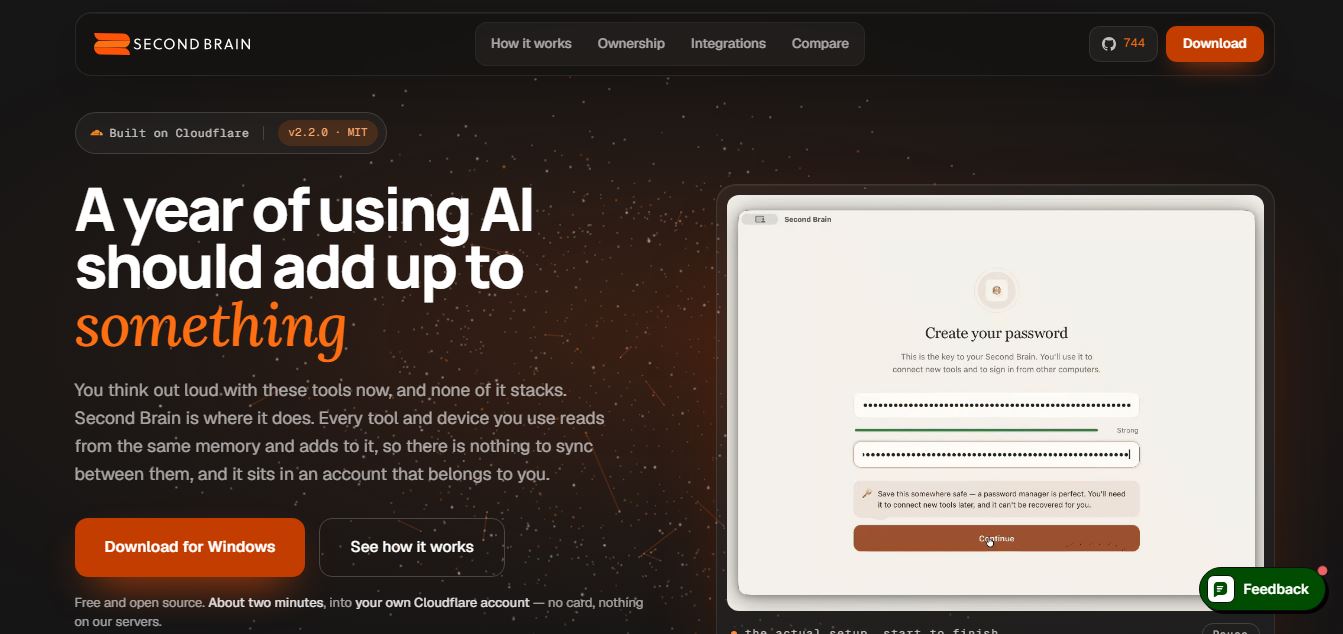
Second Brain is an open-source, self-hosted AI knowledge management and context platform that runs inside your own Cloudflare account, connecting data from Obsidian, Notion, email, and calendar to sync unified memory across AI tools like Claude, ChatGPT, and Cursor.