
Tabbit
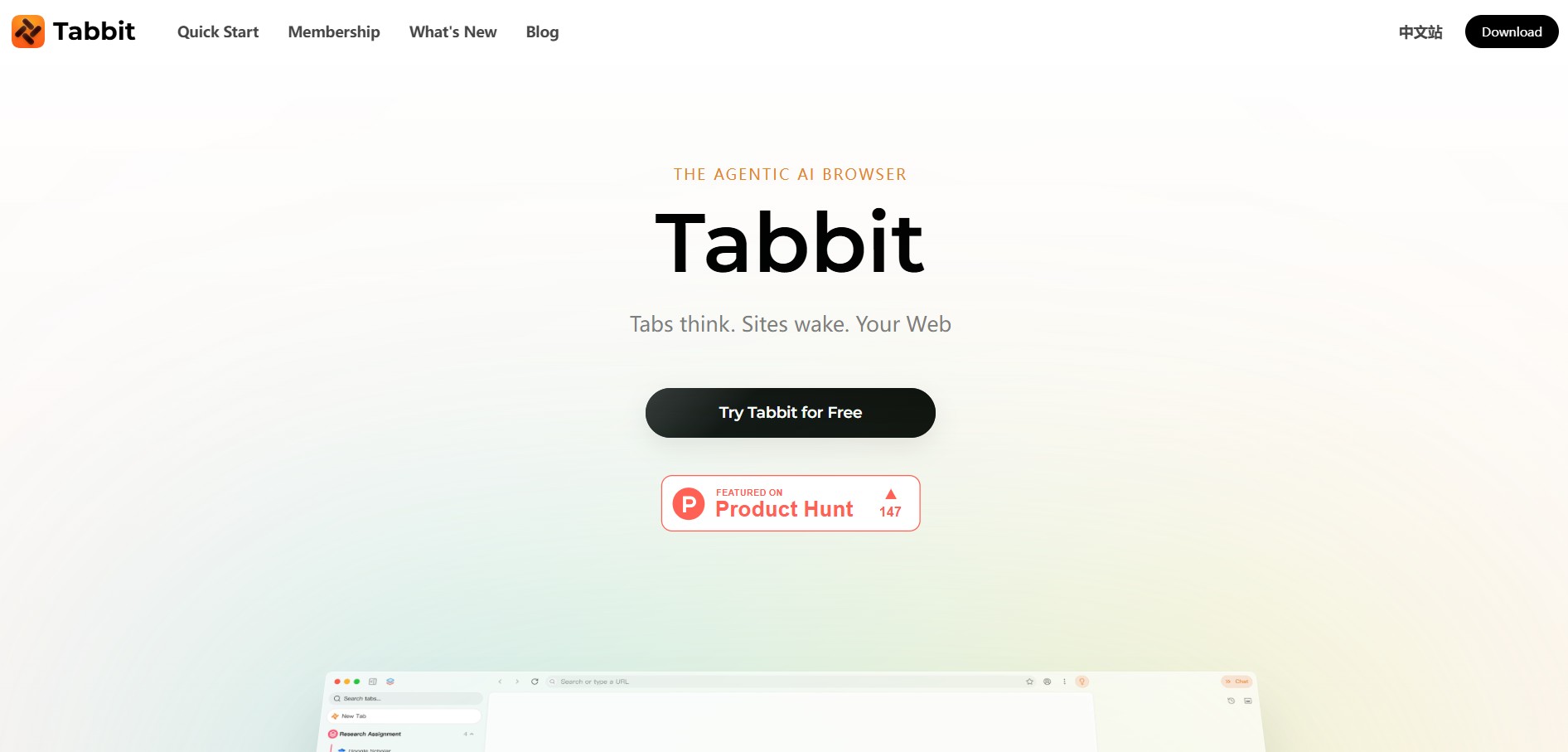
Tabbit is an AI-powered browser assistant that helps you manage, organize, and interact with your tabs more efficiently. It can summarize pages, group related tabs, and surface key information, making it easier to research, multitask, and stay focused without getting lost in too many open tabs.
What is Tabbit?
Tabbit is an AI-native web browser designed to turn browsing into execution by combining search, chat, and automation into a single workspace. Instead of just displaying web pages, it understands context across tabs, files, and screenshots, allowing you to ask questions, summarize content, or compare information directly within the browser. Its core feature, Agent Mode, lets you describe a task in plain language—like research, form filling, or data extraction—and the AI automatically performs actions across websites and returns results. It also includes multi-model AI access, reusable “skills” for workflows, and smart tab organization, making it ideal for research, productivity, and automation without switching between tools.
Launched in September 2026 on Product Hunt, Tabbit is built around the philosophy of “Give your browser a task, not just a question.” Powered by an efficient GUI browser-agent engine (benchmarking 1.9× faster execution and 61% fewer input tokens than legacy browser agents), Tabbit features Agent Mode (which operates web pages in isolated tab groups while you work in parallel), Omnibox context referencing (via
@-mentions), reusable automation Skills (/skills), and IDE integration via/tabbitin Claude Code and Codex. Tabbit is available as a free download for macOS and Windows with a weekly free AI allowance, alongside an optional Pro subscription for power users.
- Platform Availability: Desktop App for macOS and Windows (Free, No Waitlist)
- Core Architecture: AI-Native Chromium Engine, GUI Browser Agent & Semantic Knowledge Graph
- Supported LLM Roster: Claude 3.5 Sonnet, GPT-4o, Google Gemini, DeepSeek, Kimi, and Qwen
Use Cases:
- Delegating multi-tab research tasks—such as aggregating competitor pricing tables or reading documentation—directly to Agent Mode
- Referencing open tabs, desktop screenshots, and local PDF/Excel files in the Omnibox using the
@operator to draft briefs - Automating structured data entry by instructing the browser agent to populate Google Sheets or CRM fields from web sources
- Comparing responses from multiple foundation models (Claude, GPT, Gemini, DeepSeek) in parallel side-by-side tabs
- Saving repetitive browser workflows as reusable
/Skillsto run on demand or publish to the community Skills Library
Technology:
- Token-efficient browser-use agent system running in isolated tab groups without hijacking the user's active mouse or keyboard
- Unified Omnibox combining URL navigation, web search, model selection, and context-tagging into a single command surface
- Local encrypted memory and semantic index keeping browsing history, bookmarks, and chat data private on your machine
Target Users:
- Product managers and tech leads synthesizing user feedback, PRDs, and analytics across multiple open web tools
- Software engineers automating web tasks, scraping documentation, and controlling browsers from Claude Code via
/tabbit - Market researchers and academic analysts running deep web investigations across dozens of academic and news tabs
- Power browsing users seeking an intelligent replacement for Chrome, Arc Browser, or conventional tab managers
Acquisition: Operates as an independent desktop browser and AI agent software product (Tabbit AI / tabbit.ai)

Key features of Tabbit
Tabbit's key platform features are
- Autonomous Agent Mode: Describe a complex task in plain English; Tabbit opens isolated tab groups, navigates sites, fills out web forms, clicks buttons, and returns formatted deliverables.
- Context-Aware Omnibox: Press
@in the address bar to instantly pull any open tab, tab group, desktop screenshot, bookmark, or local PDF/Excel file into the AI prompt context. - Reusable Automation Skills: Save multi-step prompt workflows as custom
/Skillsthat you can trigger in one click, run on a schedule, or share with the community. - Multi-Model Switching: Toggle between Claude 3.5 Sonnet, GPT-4o, Gemini 1.5/2.0, DeepSeek, and Kimi without leaving the browser or paying for multiple subscriptions.
- Parallel Agent Execution: The browser agent works in background tab groups without hijacking your active cursor, allowing you to browse uninterrupted while tasks complete.
- Vertical Tabs & Smart Workspaces: Clean vertical tab sidebar that auto-groups open pages by project, keeping work, personal, and research workflows separated.
- Permanent Searchable Knowledge Base: Bookmarks and page highlights are indexed semantically, allowing natural language search even if the original web page goes offline.
- Developer Agent Integration (CLI & Code Agents): Type
/tabbitin terminal-based coding agents like Claude Code or Codex to delegate live browser actions using existing authenticated web sessions.
Tabbit Pricing
Tabbit offers a free-to-download desktop browser model with an included weekly AI credit allowance, complemented by an optional Pro subscription for high-frequency agent use.
Free Version:
- $0 / Free Forever: Full access to Tabbit browser for macOS and Windows (no invite code or credit card required)
- Includes vertical tabs, workspaces, permanent bookmarks, and a weekly recurring free AI allowance for web chat and basic Agent Mode tasks
Tabbit Pro Plan:
- Paid Monthly/Annual Subscription: Expanded high-volume credit pools for frontier models (Claude 3.5 Sonnet, GPT-4o)
- Higher concurrent Agent Mode tasks, advanced automated research runs, priority execution speed, and early access to experimental features
Disclaimer: The browser core, tab management, and workspaces are completely free. Upgrading is required only for continuous, high-volume frontier AI model token consumption. For current Pro tier details and downloads, visit go.tabbit.ai.
Who is using Tabbit?
Tabbit is used by digital professionals, technical teams, and researchers, including
- Product Managers & Strategists: Comparing competitor products and drafting executive summaries with live source tabs pinned in view
- Software Engineers & Developers: Hooking browser tasks into Claude Code workflows and delegating repetitive form testing to Agent Mode
- Academic & Market Researchers: Searching and synthesizing dozens of PDF papers and web sources simultaneously with persistent context
- Growth Marketers & Growth Hackers: Automating directory lookups, extracting leads, and organizing content distribution across web platforms
Best Tabbit Alternatives
Some of the strongest Tabbit alternatives include
- Arc Browser (The Browser Company)
- Dia Browser (AI-Native Browser by The Browser Company)
- Opera One / Opera GX (with Aria AI)
- Comet (Perplexity AI Browser)
- Airtop (airtop.ai - Cloud Browser Automation & Web Agents)
- HARPA AI (Chrome Copilot Extension)
Pros and Cons of Tabbit
Pros
- Agent Mode actually clicks, fills out forms, and navigates the web rather than merely summarizing text
- Background agent execution doesn't take over your cursor or interrupt your active browsing session
- Unified Omnibox context tagging (
@tab,@screenshot,@file) makes prompt assembly effortless - Multi-model freedom lets you compare outputs from Claude, GPT, Gemini, and DeepSeek in one app
- Completely free to install on macOS and Windows with a weekly renewable free AI allowance
Cons
- Heavy Agent Mode research workflows can deplete the weekly free credit allowance quickly
- Collaborative team workspaces and shared organization-wide Skills libraries are still under development
- Currently available only on desktop (macOS and Windows), with mobile companions not yet released
Why Choose Tabbit?
Most traditional web browsers treat AI as an external novelty—forcing users to copy text from a tab, switch windows, paste it into an AI chat prompt, and manually execute the resulting suggestions. Tabbit integrates intelligence directly into the browser fabric.
- Turns browser tabs into active workspaces where AI agents do the clicking and research for you
- Eliminates copy-pasting by referencing open pages, screenshots, and PDFs directly in the address bar
- Lets you save effective automations as reusable Skills that you can execute with a single slash command
- Operates with your existing logged-in web sessions without triggering security blocks or bot captchas
Tabbit vs. Competitors
The main difference between Tabbit, Arc Browser, Airtop, and HARPA AI lies in the interaction model and execution autonomy. While Arc focuses on vertical workspace aesthetics with passive AI summaries, and Airtop provides headless cloud infrastructure for backend software agents, Tabbit is a native desktop browser that combines day-to-day browsing with an autonomous GUI agent that operates local tabs in the background while you work.
| Feature / Tool | Tabbit (tabbit.ai) | Arc Browser | Airtop (airtop.ai) | HARPA AI |
|---|---|---|---|---|
| Core Focus | AI-Native Browser with GUI Agent | Productivity Browser & Workspaces | Cloud Headless Browser Automation | AI Chrome Extension & Web Copilot |
| Form Factor | Native Desktop App (Mac/Win) | Native Desktop App (Mac/Win) | Cloud API & Headless Containers | Chrome / Chromium Extension |
| Autonomous Action Agent | Yes (Clicks, navigates, fills forms) | No (Search & summary only) | Yes (Programmatic cloud agents) | Yes (Automated browser macros) |
| Context Tagging | Yes (@ open tabs, files, shots) |
Basic page pinch summary | API payload context | Page text extraction |
| Starting Price | Free / Weekly AI allowance | Free | Free tier / From $29/mo | Free tier / From ~$15/mo |
| Best For | Knowledge workers wanting AI agents to do web tasks | Users wanting clean vertical tab organization | Developers building backend cloud scraping agents | Users adding AI capabilities to existing Chrome |
How do we rate Tabbit?
| Parameter | Rating (out of 5) |
|---|---|
| Agentic Execution & Browser-Use Automation | 4.9 |
| Context Integration (Omnibox @-References) | 5.0 |
| Model Freedom (Claude, GPT, Gemini, DeepSeek) | 4.9 |
| Browser Ergonomics & Vertical Tab Workspaces | 4.8 |
| Value for Money (Free Tier & Weekly Credits) | 4.9 |
| Overall Score | 4.90 |
Tabbit Review
Tabbit represents a significant leap forward in browser design by evolving the web browser from a passive document viewer into an active digital assistant. Rather than treating AI as a conversational gimmick, Tabbit empowers users to delegate real operational work—like data harvesting, form completion, and cross-tab synthesis—to a fast, token-efficient GUI agent running quietly in the background. With its intuitive Omnibox context referencing, reusable Skills system, multi-model flexibility, and generous free plan, Tabbit is one of the most compelling AI-native desktop browsers built for the agentic computing era.
Conclusion
Tabbit is a next-generation AI-native browser that completely redefines how people interact with the web by turning browsing into execution, not just navigation. Instead of simply displaying pages, it understands full context across tabs, files, and content, and allows users to delegate tasks through natural language using its built-in Agent Mode. Its biggest strength lies in end-to-end automation inside the browser—it can open websites, extract data, compare information, fill forms, and generate outputs while showing step-by-step execution, effectively acting like a digital teammate. With features like a contextual omnibox, reusable “Skills,” smart tab organization, and access to multiple AI models (GPT, Claude, Gemini, etc.), it removes the need to switch between tools or copy-paste context constantly. While users still need to review sensitive actions and results, the productivity gains are significant.
FAQ
What is Tabbit AI and how does it work?
Tabbit AI is an AI-native web browser that combines browsing, search, chat, and automation in one platform. It reads web pages in real time, answers questions, and executes tasks using built-in AI agents without requiring extra tools.
Who should use Tabbit AI?
Tabbit AI is ideal for researchers, developers, students, and content creators who rely heavily on the browser for work. It helps users analyze information, automate repetitive tasks, and manage complex workflows directly within their browsing environment.
What features does Tabbit AI offer?
Tabbit AI includes AI chat, agent automation, multi-model support, and built-in AI search with cited results. It also offers skills, workflow automation, and context-aware browsing, allowing users to interact with pages and complete tasks more efficiently.
How is Tabbit AI different from Chrome or other browsers?
Unlike traditional browsers that rely on extensions, Tabbit is built around AI from the ground up. It integrates context-aware assistance and automation directly into tabs, enabling deeper workflows like cross-tab research and task execution.
Can Tabbit AI automate tasks across websites?
Yes, Tabbit AI includes agent mode that can navigate websites, fill forms, extract data, and complete multi-step tasks automatically. Users simply describe a goal, and the browser executes the workflow across multiple pages.
Is Tabbit AI free or paid?
Tabbit AI is currently free to download and use during its public beta for macOS and Windows. Some advanced AI model usage or premium features may be part of paid tiers in the future.
User Reviews
No reviews yet for Tabbit.
Featured Tools
Featured AI tools from TechShark

Melody Genie
MelodyGenie is an AI-powered music generator that creates original songs from simple text prompts. Users can choose styles, moods, and genres, then instantly generate melodies and full tracks, making it easy for creators, marketers, and hobbyists to produce custom music without musical expertise.
Freemium

Kimi AI
Kimi AI is an advanced AI assistant developed by Moonshot AI that helps you chat, research, write, code, and automate tasks in one place. It supports web search, file analysis, and multimodal inputs, and can even run autonomous “agent” workflows to complete complex tasks end-to-end.
Freemium

Fashion Diffusion AI
Fashion Diffusion is an AI-powered fashion design platform that helps brands and designers create clothing designs, virtual try-ons, AI models, product photos, and marketing visuals faster and cost-effectively.
Paid

Veo 4
Veo 4 AI is an AI video creation platform that generates dramatic videos from text, images, audio, and video prompts using realistic motion and synchronized sound.
Paid
Alternatives
Alternatives to Tabbit
The best Tabbit alternatives include Arc Browser, Dia Browser, Opera One, Comet (Perplexity AI Browser), Airtop (airtop.ai), and HARPA AI. These tools provide smart browsing, vertical tab workspaces, and web assistance. While Tabbit specializes in an AI-native desktop browser for macOS and Windows combining autonomous multi-tab Agent mode, @ context Omnibox referencing, and reusable automation Skills with a free weekly AI credit allowance, alternatives like Arc emphasize visual design without autonomous agents, and Airtop operates as headless cloud browser automation infrastructure.
TheInterviews.ai
AI Agent
TheInterviews.ai (theinterviews.ai) is an AI-powered mock interview and career credentialing platform that conducts real-time, voice-based AI interviews, grades performance against published rubrics, and issues a verified recruiter-ready Profile Card.
Equip
AI Agent
Equip (equip.co) is a pay-per-use pre-employment skills assessment and AI-native Applicant Tracking System (ATS) platform offering multi-skill quizzes, proctored coding challenges, CEFR communication tests, psychometric profiling, and one-way or conversational AI video interviews.
 4.7
4.7Spark Hire
AI Agent
Spark Hire helps recruitment teams simplify hiring through one-way video interviews, live interviews, applicant tracking, and candidate evaluations. It enables employers to screen applicants remotely, collaborate with hiring managers, and organize recruitment workflows. Its AI-assisted features support interview transcription, summaries, and candidate review while maintaining human involvement in hiring decisions.
 4.9
4.9Materiom
AI Agent
Materiom helps researchers, designers, and businesses discover and develop sustainable materials using renewable ingredients. Its resources include biomaterial recipes, material datasets, ingredient information, and AI-assisted research. By supporting experimentation and knowledge sharing, Materiom encourages innovation in bio-based packaging, textiles, and other products while helping users explore alternatives to conventional plastic materials.
 4.9
4.9Talkwalker
AI Agent
Talkwalker is a consumer intelligence and social listening solution that helps brands track online mentions, analyze audience sentiment, monitor competitors, and discover emerging trends. It combines social media analytics, media monitoring, customer feedback, and AI-powered insights to support marketing, public relations, reputation management, and data-driven business decisions across global markets.
 5.0
5.0AI4K12
AI Agent
AI4K12 is an educational initiative focused on bringing artificial intelligence into K–12 classrooms. It provides grade-level learning guidelines, curated teaching resources, and the Five Big Ideas framework. Designed for educators and curriculum developers, AI4K12 supports age-appropriate AI instruction and helps students understand how intelligent technologies work and affect society.
Kommunicate
AI Agent
Kommunicate (kommunicate.io) is an AI-powered customer service automation and live chat platform that unites no-code generative AI agents, Kompose chatbot builder, seamless human escalation, voice AI, and omnichannel messaging across WhatsApp, web, and mobile apps.
Text
AI Agent
Text is an AI-powered customer service platform that combines live chat, help desk ticketing, AI agents, and workflow automation. It helps businesses manage customer conversations, automate repetitive support tasks, answer questions, engage website visitors, and turn customer interactions into sales opportunities through a unified communication workspace.
DocsBot AI
AI Agent
DocsBot AI is an AI chatbot and agent platform that turns websites, documents, knowledge bases, and support tickets into conversational assistants. Businesses can use it to automate customer support, answer questions, share internal knowledge, connect workflows, and provide information through website widgets and supported integrations.