
Squarespace
Squarespace is an all-in-one website building and eCommerce platform that combines designer-crafted templates, Fluid Engine drag-and-drop customization, and Squarespace Design Intelligence (Blueprint AI) to help businesses build, sell, and grow online.

What is Squarespace?
Squarespace is an all-in-one website building, hosting, and digital commerce platform founded by Anthony Casalena. Powering millions of entrepreneurs, independent creators, and businesses worldwide, Squarespace provides a unified platform where users can register domains, design responsive websites, operate online stores, invoice clients, manage appointments, and launch marketing campaigns without writing code.
Built around the vision that “A website makes it real,” Squarespace pairs award-winning design aesthetics with intelligent automation. Through Squarespace Design Intelligence and Blueprint AI, users can answer a few guided prompts to automatically generate bespoke website layouts, tailored brand copy, and curated visual palettes, while retaining flexible creative control via the flexible Fluid Engine visual editor.
- Platform Role: All-in-One Website Builder, eCommerce Platform, No-Code CMS & Business Operating System
- Founder & Leadership: Anthony Casalena (Founder & CEO, Squarespace, Inc., New York, NY)
- Hosting & Domain Services: Fully managed cloud hosting, automated SSL/TLS certificates, WHOIS privacy, and integrated domain registrar
Use Cases:
- Designing modern visual portfolios, photography galleries, and personal resumes that adapt across mobile and desktop displays
- Running online stores with physical merchandise shipping, digital product downloads, inventory management, and tax automation
- Managing appointment scheduling and calendar bookings for consultants, therapists, salons, and personal trainers via Acuity Scheduling
- Invoicing clients, accepting retainer deposits, and executing signed digital proposals and contracts for service-based businesses
- Monetizing premium content, gated video libraries, and subscription memberships with paywalled customer areas
Technology:
- Fluid Engine: flexible grid-based drag-and-drop visual layout system with independent mobile and desktop editing layers
- Design Intelligence & Blueprint AI: generative design suite creating structured sitemaps, brand tone copy, and responsive section themes
- Integrated financial stack (Squarespace Payments) supporting major cards, Apple Pay, Google Pay, Klarna, and Afterpay
- Native search engine optimization (SEO) and AI visibility tools auditing pages for Google indexing and LLM crawler discovery
Target Users:
- Creative professionals, photographers, designers, and artists building visual portfolios and project showcases
- Small business owners, local service providers, and brick-and-mortar operators requiring appointment booking and invoicing
- Independent merchants and boutique retailers selling direct-to-consumer (DTC) products and merchandise
- Web designers and freelance agencies using Squarespace for Pros and Circle partner programs to deliver maintainable client sites
Acquisition: Global private digital commerce and website hosting company headquartered in New York City (squarespace.com)

What are the key features of Squarespace?
Squarespace's key platform features are
- Fluid Engine Visual Editor: Intuitive drag-and-drop grid builder that allows overlapping elements, custom alignments, and independent mobile design adjustments.
- Blueprint AI & Design Intelligence: Generates custom website layouts, contextual starter copy, and tailored visual palettes based on your business category.
- Comprehensive eCommerce Engine: Sell physical items, digital products, subscriptions, services, and donations with built-in inventory and checkout systems.
- Acuity Scheduling Integration: Built-in appointment booking system managing automated reminders, intake forms, and calendar syncing.
- Invoicing & Client Proposals: Create and send branded quotes, contracts, and invoices directly to clients with integrated online payments.
- Gated Member Areas: Build members-only sections, video courses, newsletters, and community hubs with subscription paywalls.
- Built-In Marketing & SEO Tools: Automated XML sitemaps, clean URL redirects, AI content generation, and integrated email newsletter campaigns.
- Domain Management & Google Workspace: In-house domain registration with free WHOIS privacy and seamless integration with Google Workspace email.
How much does Squarespace cost?
Squarespace operates on an annual and monthly subscription model with a 14-day free trial, scaling across personal, business, and commerce tiers.
Standard Subscription Plans:
- Personal Plan (Approx. $16 / month billed annually): Unlimited bandwidth and storage, free custom domain for the first year, mobile-optimized templates, and basic metrics.
- Business Plan (Approx. $23 / month billed annually): Advanced website analytics, professional Google Workspace email, marketing tools, code injection (CSS/JS), and eCommerce with a 3% transaction fee.
- Commerce Basic (Approx. $28 / month billed annually): 0% transaction fee on product sales, customer accounts, point of sale (POS) sync, and merchandising tools.
- Commerce Advanced (Approx. $52 / month billed annually): Advanced shipping calculations, abandoned cart recovery, advanced discounts, and subscription sales.
Enterprise & Agency Options:
- Squarespace Enterprise: Tailored licensing for enterprise brands requiring dedicated account managers, SSO, custom security agreements, and multi-site management.
Disclaimer: Squarespace offers a 14-day free trial with no credit card required. Subscription discounts apply to annual payment commitments. Visit squarespace.com/pricing for active promotional rates.
Who should use Squarespace?
Squarespace is designed for entrepreneurs, creators, and growing businesses, including
- Creatives & Portfolios: Photographers, illustrators, and architects showcasing high-resolution visual imagery with elegant, modern typography.
- Service Providers & Consultants: Practitioners needing an all-in-one system to book appointments, manage client agreements, and collect invoices.
- Boutique Retailers & Makers: Direct-to-consumer lifestyle brands seeking a clean storefront with minimal operational complexity.
- Restaurants & Hospitality: Dining spots using online menu management, location mapping, and reservation tools.
What are the best alternatives to Squarespace?
Some of the strongest Squarespace alternatives include
- Wix
- Shopify
- Webflow
- Framer
- WordPress (with Elementor)
- Dorik
What are the pros and cons of Squarespace?
What are the pros of Squarespace?
- Award-winning, design-first templates that provide an instantly polished, modern aesthetic
- Fluid Engine offers intuitive drag-and-drop grid flexibility while preserving mobile responsiveness
- Comprehensive all-in-one platform integrating hosting, domains, scheduling, invoicing, and email marketing
- Design Intelligence and Blueprint AI speed up the initial site-building process with relevant layout ideas
- Fully managed infrastructure eliminates plugin security updates, server backups, and software maintenance
What are the cons of Squarespace?
- Business plan charges a 3% transaction fee on sales unless upgraded to dedicated Commerce tiers
- Less granular control over advanced animations, custom code databases, and relational CMS collections compared to Webflow
- Not intended for high-volume enterprise eCommerce stores managing hundreds of thousands of inventory SKUs (where Shopify leads)
Why should you choose Squarespace?
Managing a business website often becomes a headache when you have to coordinate separate vendors for hosting, domain registration, appointment scheduling, payment gateways, and email marketing. Squarespace solves this fragmentation by offering an all-in-one digital operating system. With designer-grade visual templates, automated AI layout generation, and seamless business tooling, Squarespace allows you to focus on your brand rather than managing IT systems.
- Launch a distinctive, professional online presence using award-winning designer templates
- Customize layouts flexibly with the Fluid Engine grid editor and mobile breakpoint controls
- Manage appointments, client invoices, digital stores, and newsletters within a single dashboard
- Rely on secure cloud hosting with free SSL, automatic backups, and 24/7 customer support
How does Squarespace compare to competitors?
The primary distinctions between Squarespace, Wix, Shopify, and Webflow center on design philosophy, operational simplicity, and commercial depth. While Shopify focuses on high-volume enterprise retail and Webflow caters to front-end developers requiring raw CSS precision, Squarespace is the leader in visual design quality, ease of use, and all-in-one business convenience for independent entrepreneurs.
| Feature / Platform | Squarespace | Wix | Shopify | Webflow |
|---|---|---|---|---|
| Core Focus | Design-First Websites, Portfolios & Unified Business | Drag-and-Drop Site Builder & App Market | Dedicated Global eCommerce & Multi-Channel Retail | Visual Front-End Code & Custom Relational CMS |
| Editor Form Factor | Fluid Engine (Structured design grid) | Unstructured free-form drag-and-drop | Section-based theme customizer | Visual box-model (HTML/CSS canvas) |
| Built-In Business Tools | Scheduling, Invoicing, Memberships & Email | Wix Bookings, CRM & App Market | Comprehensive POS & Inventory apps | Requires third-party integrations |
| AI Capabilities | Blueprint AI & Design Intelligence | Wix AI Site Generator | Shopify Magic (Text & image tools) | Webflow AI (Styling & content) |
| Pricing Structure | Paid plans from ~$16/mo (14-day trial) | Free tier / Paid from $17/mo | From $39/mo (eCommerce focus) | Free tier / Paid from $14/mo |
| Best For | Creatives, consultants, and brands seeking polished, all-in-one design | Users wanting free-form visual placement and app extensions | Dedicated retail, dropshipping, and high-volume online stores | Designers and developers building bespoke web applications |
How do we rate Squarespace?
| Parameter | Rating (out of 5) |
|---|---|
| Template Aesthetics & Design Quality | 5.0 |
| Ease of Use & Fluid Engine Editing | 4.8 |
| All-In-One Business Tooling (Scheduling, Invoicing) | 4.9 |
| Hosting Reliability & Infrastructure | 4.9 |
| Value for Money | 4.7 |
| Overall Score | 4.86 |
What is our review and verdict on Squarespace?
Squarespace continues to be the benchmark for polished, design-led website creation. By combining its celebrated aesthetic standards with the visual versatility of Fluid Engine and the rapid setup of Blueprint AI, Squarespace eliminates the frustration of building a professional online identity. Its integrated business tools—such as Acuity Scheduling, native client invoicing, and members-only content gates—make it a dependable all-in-one platform for modern entrepreneurs.
Conclusion
Squarespace delivers a polished, all-in-one platform for building professional websites without needing deep technical skills. Its strength lies in beautifully designed templates, seamless editing, and built-in tools for blogging, eCommerce, and marketing. Users can go from idea to live site with minimal friction while maintaining a high-end look and feel. Squarespace balances simplicity and design quality, making it a reliable choice for creators, businesses, and anyone looking to establish a strong online presence quickly.
FAQ
What is Squarespace and what does it actually do?
Squarespace is an all-in-one website building platform that lets you create, design, host, and manage websites without coding. It combines templates, drag-and-drop editing, hosting, and built-in tools for blogging, eCommerce, and marketing, making it easy to launch a professional site quickly.
Squarespace is an all-in-one website building platform that lets you create, design, host, and manage websites without coding. It combines templates, drag-and-drop editing, hosting, and built-in tools
Squarespace focuses on simplicity and design quality with polished templates and an integrated ecosystem, while WordPress offers more flexibility through plugins and Wix emphasizes drag-and-drop freedom. Squarespace sits in the middle—providing strong design control without the complexity of managing plugins or hosting separately.
Can Squarespace build a website using AI?
Yes, Squarespace includes AI-powered tools that can generate website layouts, content, and design suggestions based on your inputs. This helps users go from idea to live website faster, especially if they don’t have design or writing experience.
What features does Squarespace offer?
Squarespace includes website templates, drag-and-drop editing, blogging tools, eCommerce functionality, SEO features, analytics, email marketing, and domain management. It also offers integrations and extensions, making it suitable for both simple sites and full online businesses.
Is Squarespace good for eCommerce websites?
Yes, Squarespace provides built-in eCommerce features like product listings, inventory management, payment processing, subscriptions, and digital downloads. It’s a good choice for small to medium-sized online stores that want a clean design and simple setup without managing multiple tools.
Is Squarespace free or paid?
Squarespace does not offer a permanent free plan, but it provides a free trial so users can test the platform. Paid plans start with basic website features and scale up to advanced eCommerce and business tools, depending on your needs.
Who should use Squarespace?
Squarespace is ideal for freelancers, creators, small businesses, and entrepreneurs who want a visually appealing website without technical complexity. It’s especially popular for portfolios, blogs, service websites, and online stores where design and ease of use matter most.
User Reviews
No reviews yet for Squarespace.
Featured Tools
Featured AI tools from TechShark

Melody Genie
MelodyGenie is an AI-powered music generator that creates original songs from simple text prompts. Users can choose styles, moods, and genres, then instantly generate melodies and full tracks, making it easy for creators, marketers, and hobbyists to produce custom music without musical expertise.
Freemium

Kimi AI
Kimi AI is an advanced AI assistant developed by Moonshot AI that helps you chat, research, write, code, and automate tasks in one place. It supports web search, file analysis, and multimodal inputs, and can even run autonomous “agent” workflows to complete complex tasks end-to-end.
Freemium

Fashion Diffusion AI
Fashion Diffusion is an AI-powered fashion design platform that helps brands and designers create clothing designs, virtual try-ons, AI models, product photos, and marketing visuals faster and cost-effectively.
Paid

Veo 4
Veo 4 AI is an AI video creation platform that generates dramatic videos from text, images, audio, and video prompts using realistic motion and synchronized sound.
Paid
Alternatives
Alternatives to Squarespace
The best Squarespace alternatives include Wix, Shopify, Webflow, Framer, and WordPress. While Squarespace delivers an all-in-one platform known for award-winning designer templates, the Fluid Engine drag-and-drop grid, and integrated scheduling and invoicing tools, alternatives like Shopify focus on large-scale retail eCommerce and Webflow offers visual front-end code development.
 4.6
4.6Mixo
Website Builders
Mixo is a website builder designed to help small businesses, startups, consultants, and service providers create websites quickly. Describe your idea, review the generated site, customize text and visuals, and publish it. It also supports contact forms, SEO, custom domains, integrations, and AI-search-friendly website structures. No coding skills are required.
 4.9
4.9Wix
Website Builders
Wix is an all-in-one cloud website builder and web development platform featuring intuitive drag-and-drop design, the Wix Studio professional agency workspace, built-in eCommerce and booking engines, automated SEO tools, and comprehensive AI generation tools.
 4.8
4.8Elementor AI
Website Builders
Elementor AI Page Builder helps WordPress users create websites from simple prompts. It generates page structures, written content, images, and design elements, then lets you refine everything through Elementor’s drag-and-drop editor. Its responsive layouts, multilingual content generation, AI editing, and visual customization make website creation faster while retaining manual creative control.
 4.9
4.9Dorik
Website Builders
Dorik is an AI-powered website builder and no-code CMS platform that enables creators, businesses, and agencies to generate responsive websites, landing pages, blogs, and client-billed white-label portals with native Airtable integration.
 4.8
4.8DeepSite AI
Website Builders
DeepSite AI is an AI-powered website builder that turns simple text prompts into fully designed, live websites with layout, content, and basic functionality included. It handles design, copy, and structure automatically, helping users launch landing pages or sites quickly without coding or design skills.
 4.9
4.9Nodlume
Website Builders
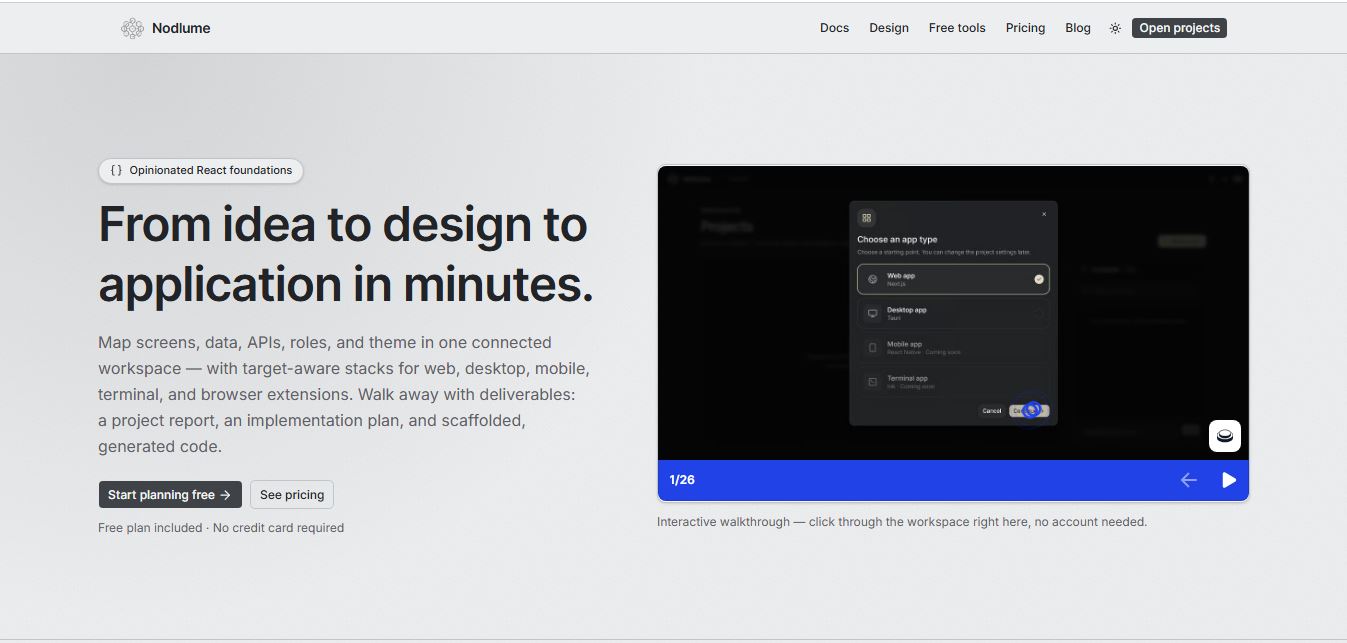
Nodlume is a visual application planning tool for React that lets you design your entire app—screens, components, data, APIs, and workflows—on a connected canvas, then export it as a real project skeleton. It helps teams plan, validate, and structure apps before writing code.
 4.8
4.8Trickle
Website Builders
Trickle is an AI-powered builder that turns simple text prompts into fully functional websites, apps, and landing pages. It handles design, code, database, and deployment in one place, helping creators launch ideas quickly without coding or complex setup.
 4.9
4.9Hostinger AI Website Builder
Website Builders
Hostinger AI Website Builder (hostinger.com/in/website-builder) is an all-in-one, no-code AI web design platform that generates fully responsive websites, copy, imagery, and eCommerce stores with bundled web hosting, free domain registration, and automated SEO tools.
 4.6
4.6MarsX
Code Assistant
MarsX is an innovative development platform that combines AI, low-code, standard code, and reusable MicroApps. It enables developers and non-technical founders to build full-stack web and mobile applications up to 10x faster while avoiding vendor lock-in.