
Elementor AI
Elementor AI Page Builder helps WordPress users create websites from simple prompts. It generates page structures, written content, images, and design elements, then lets you refine everything through Elementor’s drag-and-drop editor. Its responsive layouts, multilingual content generation, AI editing, and visual customization make website creation faster while retaining manual creative control.

What is Elementor AI?
Elementor AI Page Builder is a website creation tool that turns a written prompt into complete, editable website pages. It can generate layouts, copy, images, backgrounds, and multi-page structures while keeping the result editable inside Elementor’s visual editor. It is designed for WordPress users who want to move from an initial idea to a customizable website without building every element manually.
Elementor AI Page Builder can generate complete multi-page websites from a single prompt, including layouts, copy, images, and backgrounds. The builder supports content creation in 25+ languages and produces responsive designs for different devices. Elementor AI starts at $3.99 per month, while Elementor Pro starts at $59 per year on the referenced official pricing information. AI-generated pages remain fully editable in Elementor, helping users combine automated creation with manual design control.
- Developer: Elementor Ltd.
- Launch Year: 2023
Use Cases:
- Generating multi-page WordPress site structures and container layouts from text prompts
- Writing, translating, and refining localized marketing copy inside page widgets
- Creating original AI images, backgrounds, and generative image variations
- Writing custom CSS snippets and JavaScript code directly within element controls
Technology:
- Integrated generative text, image, and code models optimized for web design
- Native Flexbox Container and Grid wireframing engine
- Model Context Protocol (MCP) agentic AI integration
Target Users:
- WordPress designers and digital agencies scaling client production
- Small business owners and non-technical founders building professional sites
- Freelancers looking to streamline layout design, copywriting, and custom CSS
Ecosystem: Seamlessly integrated into Elementor Free, Elementor Pro, and Elementor Hosting with unified credit sharing.

Key features of Elementor AI
Elementor AI's key features are
- Full-Site AI Generator: Builds multi-page WordPress websites with matching color schemes, typography, structure, and copy from a single detailed prompt.
- Container & Wireframe Copilot: Generates responsive flexbox container layouts and section variations based on prompt descriptions or URL layout references.
- AI Content & Copywriter: Creates headline hooks, call-to-action buttons, and body text and translates content across 29+ languages natively.
- Generative Image Creation & Outpainting: Generates unique photos, changes visual backgrounds, and expands existing images directly inside the media library.
- Custom Code Generator: Writes custom CSS rules, HTML code, and custom JavaScript to extend layout styling without manual coding.
- Unified Credit Sharing: Applies account credits flexibly across AI text/image tasks, image optimization (WebP/AVIF compression), and accessibility compliance fixes.
Elementor AI Pricing
Elementor AI is accessible through a free trial in the Elementor editor, standalone add-on plans, or bundled with Elementor One subscriptions.
Free Trial:
- $0/month
- Free introductory AI credits included for all active Elementor users to test copy, layout, and image generation
Standalone AI Add-On Plan:
- Starting from $2.99/month ($35.88 billed annually)
- Includes dedicated credit allowance for AI copywriting, custom CSS generation, and image processing
Elementor One Unified Subscription:
- $15/month ($180 billed annually, renewing at $228/yr)
- Includes Elementor Pro, 25,000 monthly One credit shared across AI generation, image optimization, site accessibility scans, and priority support
Disclaimer: For the latest and most accurate pricing information, please visit the official Elementor AI website.
Is Elementor AI Worth It?
Elementor AI is extremely worth it for web designers, freelancers, and WordPress agencies who already rely on Elementor. By embedding generative text, image creation, and custom CSS directly into the visual editor canvas, it eliminates context-switching between external tools like ChatGPT or Midjourney, saving dozens of hours per project.
Real-World Use Cases
- Rapid Client Wireframing: Web agencies build responsive page prototypes in minutes during live client discovery meetings.
- E-Commerce Product Copy: WooCommerce store owners quickly generate localized product descriptions and promotional banners.
- Custom Component Styling: Designers write isolated custom CSS snippets to achieve unique animations or mobile responsiveness tweaks.
- Multilingual Website Localization: Global brands translate website sections into multiple languages directly within page widgets.
Who is using Elementor AI?
Elementor AI is designed for a broad spectrum of web creation professionals, including
- WordPress Web Designers: Creatives looking to accelerate section layout and image creation
- Digital Agencies & Freelancers: Service providers delivering high-converting client sites faster
- Small Business Owners: DIY site owners building professional websites without hiring a developer
- Content Marketers: Copywriters generating SEO-friendly page copy directly in WordPress
Best Elementor AI Alternatives
Some of the strongest Elementor AI alternatives include
- Divi AI
- Spectra Pro AI
- Kadence Blocks AI
- Breakdance
- SeedProd AI
Pros and Cons of Elementor AI
Pros
- Native integration eliminates switching between third-party AI tabs and WordPress
- Generates full multi-page sites, container layouts, copy, images, and custom CSS
- Supports over 29 languages with context-aware translation
- The unified credit pool works across AI, image optimization, and accessibility tools
- Works seamlessly with existing Elementor Pro widgets and themes
Cons
- Requires ongoing AI credits for heavy usage or large agency builds
- Full site generation may require fine-tuning for complex dynamic custom post types
- Requires an active Elementor environment (WordPress ecosystem lock-in)
Why Choose Elementor AI?
Elementor AI stands out because it operates directly inside the visual canvas you use to build websites. Rather than generating static code or raw text elsewhere, Elementor AI inserts fully customizable containers, widgets, styling, and copy directly into your active WordPress site.
- Creates production-ready layouts that remain 100% editable via drag-and-drop
- Understands site context to generate matching color schemes and brand tones
- Generates custom CSS directly targeted to specific element selectors
- Saves significant subscription costs compared to subscribing to separate copywriting and image generation tools
How Elementor AI Works
- Open Elementor Editor: Select any container, widget, or full site template prompt inside WordPress.
- Enter Prompt or Select Action: Describe your desired layout, image style, copy requirement, or custom CSS snippet.
- Generate & Preview: The AI engine produces live preview options matching your existing brand style.
- Insert & Customize: Apply the generated content or layout to your page and refine using drag-and-drop controls.
Elementor AI vs. Competitors
The main difference between Elementor AI, Divi AI, and Spectra Pro AI lies in ecosystem architecture and credit flexibility. While Divi AI operates exclusively inside the Divi theme with unlimited generation add-ons, and Spectra Pro focuses on lightweight Gutenberg blocks, Elementor AI provides a comprehensive workflow covering full-site builds, container wireframing, code generation, and unified credits across performance and accessibility tools.
| Feature | Elementor AI | Divi AI | Spectra Pro AI |
|---|---|---|---|
| Primary Environment | Elementor WordPress Builder | Divi Theme / Builder | Native WordPress Block Editor |
| Full-Site AI Generation | Yes (Multi-Page) | Yes | Pattern-Based |
| Custom Code Generation | Yes (CSS & JS) | Yes (CSS & Code) | Limited |
| Shared Credit Utilities | Yes (AI + Speed + Accessibility) | AI Generation Only | AI Credits Only |
| Starting Price | From $2.99/mo / Freemium | $228/year (Add-on) | $39/year (Add-on) |
How do we rate Elementor AI?
| Parameter | Rating (out of 5) |
|---|---|
| Ease of Use | 4.8 |
| Integration & Workflow | 4.9 |
| Feature Versatility | 4.8 |
| Value for Money | 4.7 |
| Code & Layout Quality | 4.7 |
| Overall Score | 4.8 |
Elementor AI Review
Elementor AI is one of the most mature and seamlessly integrated AI solutions in the WordPress ecosystem. By allowing users to generate full websites, individual container structures, copy, images, and custom CSS without leaving the visual canvas, it transforms how websites are built. It serves as an indispensable assistant for developers and non-technical creators alike.
Conclusion
Elementor AI Page Builder is a practical choice for WordPress users who want to accelerate website creation without giving up visual control. Its ability to generate multi-page structures, copy, images, and responsive layouts from prompts can significantly shorten the initial design process. The biggest advantage is that AI-generated output remains editable through Elementor. For freelancers, businesses, creators, and agencies, it offers a useful balance between automation and customization.
FAQ
What is Elementor AI Page Builder used for?
Elementor AI Page Builder is useful for creating complete WordPress websites faster. You can describe your business, preferred style, audience, and requirements, then receive generated pages with layouts, copy, and visuals. Afterward, you can manually adjust sections, typography, images, spacing, and other design elements using Elementor’s visual editor.
How does Elementor AI Page Builder work?
You start by describing the website you want in a natural-language prompt. Elementor uses that information to generate the site structure, design direction, content, and visuals. You can then choose from style variations and refine individual sections. Because the output is created for Elementor, you retain visual editing control after generation.
Can Elementor AI create a complete website?
Yes. Elementor’s AI website builder can generate multi-page websites rather than only individual sections. It can create page structures, written content, images, and backgrounds based on your description. This makes it particularly useful when you want to establish a complete website foundation quickly and then customize the generated pages to match your brand.
Can I edit websites generated by Elementor AI?
Yes. One of Elementor AI’s key advantages is that generated pages remain editable. You can open the output inside Elementor’s drag-and-drop editor and change layouts, text, images, spacing, colors, and other design elements. You can also regenerate specific sections with new prompts instead of rebuilding the entire website from scratch.
Does Elementor AI generate website content?
Yes. Elementor AI can generate headlines, paragraphs, calls to action, blog content, product descriptions, and other website copy. You can also specify the desired communication style, such as formal, friendly, bold, or concise. This makes it useful when you need an initial content draft while developing your website design.
Can Elementor AI generate images?
Yes. Elementor AI can generate images and backgrounds based on prompts. The builder can create visuals for different website sections, including areas such as hero sections, service pages, and about sections. Generated images can also be edited or regenerated using additional prompts, giving you more control over the visual direction.
Does Elementor AI support multiple languages?
Yes. Elementor states that its AI builder can generate content in 25+ languages. This can be helpful for businesses, creators, agencies, and organizations developing websites for audiences in different markets. You can provide instructions in your preferred language and use AI-generated copy as a starting point for multilingual website content.
User Reviews
No reviews yet for Elementor AI.
Featured Tools
Featured AI tools from TechShark

Melody Genie
MelodyGenie is an AI-powered music generator that creates original songs from simple text prompts. Users can choose styles, moods, and genres, then instantly generate melodies and full tracks, making it easy for creators, marketers, and hobbyists to produce custom music without musical expertise.
Freemium

Kimi AI
Kimi AI is an advanced AI assistant developed by Moonshot AI that helps you chat, research, write, code, and automate tasks in one place. It supports web search, file analysis, and multimodal inputs, and can even run autonomous “agent” workflows to complete complex tasks end-to-end.
Freemium

Fashion Diffusion AI
Fashion Diffusion is an AI-powered fashion design platform that helps brands and designers create clothing designs, virtual try-ons, AI models, product photos, and marketing visuals faster and cost-effectively.
Paid

Veo 4
Veo 4 AI is an AI video creation platform that generates dramatic videos from text, images, audio, and video prompts using realistic motion and synchronized sound.
Paid
Alternatives
Alternatives to Elementor AI
The best Elementor AI alternatives include Divi AI, Spectra Pro AI, Kadence Blocks AI, Breakdance, and SeedProd AI. Divi AI provides contextual text, image, and code generation within the Divi ecosystem. Spectra Pro and Kadence Blocks AI offer lightweight block-based AI patterns native to Gutenberg. Breakdance and SeedProd offer fast visual builder alternatives with specialized AI conversion tools.
 4.6
4.6Mixo
Website Builders
Mixo is a website builder designed to help small businesses, startups, consultants, and service providers create websites quickly. Describe your idea, review the generated site, customize text and visuals, and publish it. It also supports contact forms, SEO, custom domains, integrations, and AI-search-friendly website structures. No coding skills are required.
 4.9
4.9Wix
Website Builders
Wix is an all-in-one cloud website builder and web development platform featuring intuitive drag-and-drop design, the Wix Studio professional agency workspace, built-in eCommerce and booking engines, automated SEO tools, and comprehensive AI generation tools.
 4.9
4.9Dorik
Website Builders
Dorik is an AI-powered website builder and no-code CMS platform that enables creators, businesses, and agencies to generate responsive websites, landing pages, blogs, and client-billed white-label portals with native Airtable integration.
 4.9
4.9Squarespace
Website Builders
Squarespace is an all-in-one website building and eCommerce platform that combines designer-crafted templates, Fluid Engine drag-and-drop customization, and Squarespace Design Intelligence (Blueprint AI) to help businesses build, sell, and grow online.
 4.8
4.8DeepSite AI
Website Builders
DeepSite AI is an AI-powered website builder that turns simple text prompts into fully designed, live websites with layout, content, and basic functionality included. It handles design, copy, and structure automatically, helping users launch landing pages or sites quickly without coding or design skills.
 4.9
4.9Nodlume
Website Builders
Nodlume is a visual application planning tool for React that lets you design your entire app—screens, components, data, APIs, and workflows—on a connected canvas, then export it as a real project skeleton. It helps teams plan, validate, and structure apps before writing code.
 4.8
4.8Trickle
Website Builders
Trickle is an AI-powered builder that turns simple text prompts into fully functional websites, apps, and landing pages. It handles design, code, database, and deployment in one place, helping creators launch ideas quickly without coding or complex setup.
 4.9
4.9Hostinger AI Website Builder
Website Builders
Hostinger AI Website Builder (hostinger.com/in/website-builder) is an all-in-one, no-code AI web design platform that generates fully responsive websites, copy, imagery, and eCommerce stores with bundled web hosting, free domain registration, and automated SEO tools.
 4.6
4.6MarsX
Code Assistant
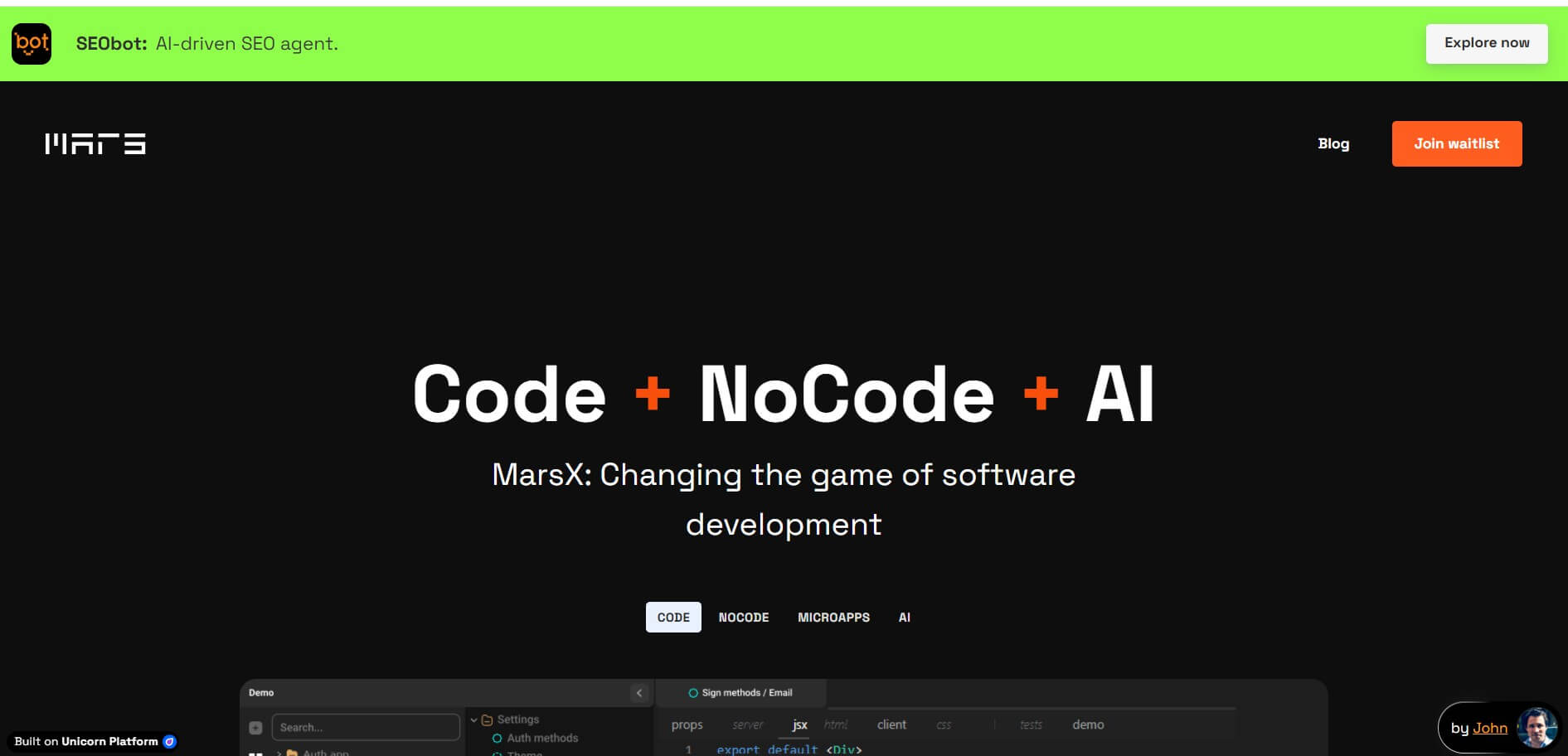
MarsX is an innovative development platform that combines AI, low-code, standard code, and reusable MicroApps. It enables developers and non-technical founders to build full-stack web and mobile applications up to 10x faster while avoiding vendor lock-in.