
Seedream 4.0
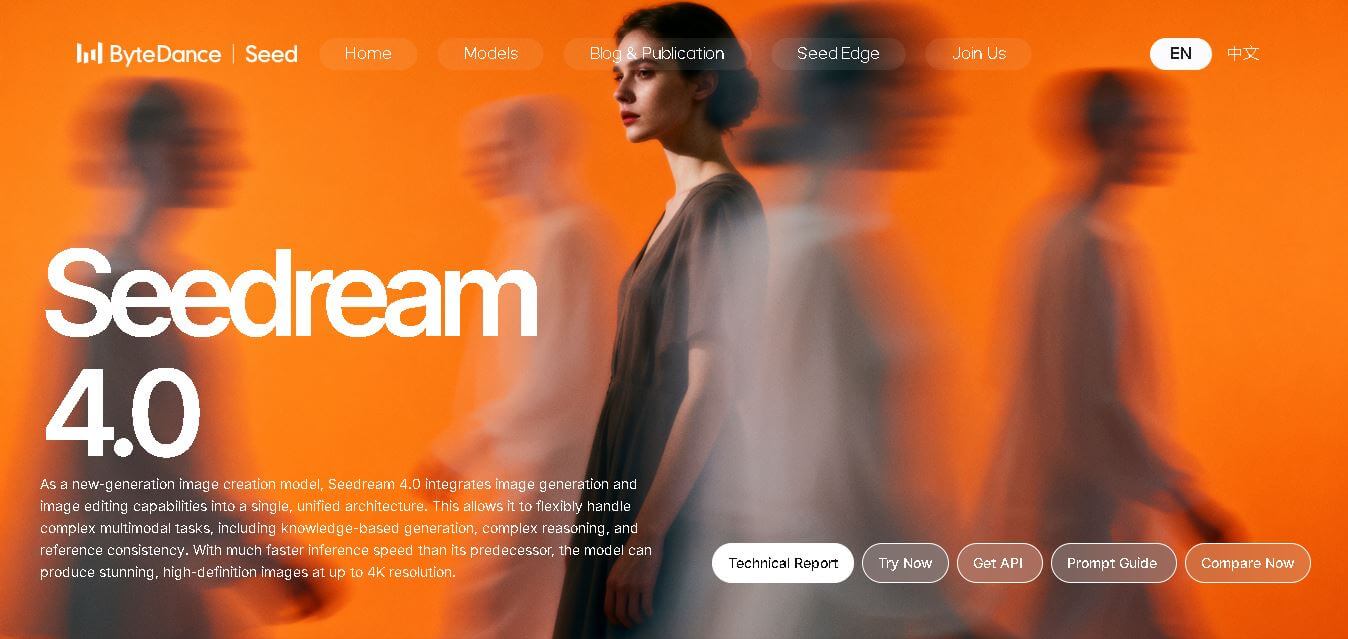
Seedream 4.0 is a multimodal image creation model from ByteDance Seed that combines image generation and editing in one architecture. It supports text and image inputs, multi-image composition, prompt-based editing, style transformation, knowledge-driven visuals, adaptive aspect ratios, and high-definition output reaching up to 4K resolution.
What is Seedream 4.0?
Seedream 4.0 is a next-generation image creation model developed by the ByteDance Seed team for generating, editing, transforming, and composing visual content. Its unified architecture combines text-to-image generation with general-purpose image editing, allowing users to work with text prompts, reference images, or combinations of both. The model supports multi-image references, batch outputs, precise prompt-based modifications, style transformations, knowledge-driven visual creation, and adaptive aspect ratios. It can also handle complex visual reasoning tasks while maintaining reference consistency. Seedream 4.0 supports image generation at resolutions reaching up to 4K, making it suitable for creative, educational, advertising, design, and other professional visual workflows.
Seedream 4.0 was officially released by ByteDance Seed on September 9, 2025. It combines generation and editing within 1 unified architecture and supports outputs reaching 4K resolution. ByteDance reports that its DiT image-generation inference speed is more than 10 times faster than Seedream 3.0. The model supports 8 core creative capabilities, including precise editing, flexible reference generation, multi-image references, multi-image output, advanced text rendering, and adaptive aspect ratios. Its internal evaluations also reported leading performance across several image-generation and editing dimensions.
- Core Focus: Unified AI Image Generation, Natural Language Image Editing, and High-Resolution Multi-Reference Batch Processing
- Launch Year: 2025
Use Cases:
- Generating high-definition 2K and 4K digital artwork from complex natural language prompts
- Performing targeted object insertion, removal, and background replacements via single-sentence edits
- Batch generating up to 9 character-consistent outputs using reference images
- Converting sketches, depth maps, and floor plans into photorealistic visual renders
Technology:
- 12-billion parameter Mixture of Experts (MoE) neural network architecture
- Native visual signal integration (Canny, depth, mask, and sketch-guided control)
- Lossless image-editing engine preserving underlying texture, lighting, and facial identity
Target Users:
- Digital artists, concept illustrators, and graphic designers
- E-commerce marketing teams and post-production studios
- AI developers building visual workflows via API integrations
Ecosystem: Web playground, ByteDance Seed research portal, API cloud platform (fal.ai and custom enterprise endpoints), and batch processing studio.

Key features of Seedream 4.0
Seedream 4.0's key features are
- Unified Multimodal Architecture: Integrates text-to-image synthesis and image editing capabilities within one model, eliminating the need for separate models.
- Ultra-Fast 4K Rendering: Powered by MoE technology to generate 2K images in 1.8 seconds and full 4K ultra-high-definition visuals in under 60 seconds.
- Lossless Natural Language Editing: Add, remove, or modify elements using natural text commands without losing original sharpness or texture.
- Batch & Reference Consistency: Input up to 6 reference images to generate up to 9 coordinated, style-consistent outputs simultaneously.
- Native Visual Signal Control: Accepts sketches, doodles, and structural floor plans directly to guide spatial orientation and geometry without external extensions.
- Advanced Spatial & Lighting Simulation: Models complex depth occlusion, realistic material reflections, and accurate lighting environments.
Seedream 4.0 Pricing
Seedream 4.0 is available via ByteDance's developer portal and partner API platforms under usage-based tiers.
Free Playground & Trial Access:
- Free trial credits available on research web playgrounds for testing text-to-image and editing capabilities
- Access to standard resolution testing and pre-set style options
API & Enterprise Pricing:
- Pay-as-you-go per generation/editing API request (priced per megapixel / resolution tier)
- Custom enterprise plans for high-throughput batch rendering, dedicated GPU nodes, and custom SLAs
Disclaimer: For the latest and most accurate pricing information, please visit the official Seedream 4.0 AI website.
Is Seedream 4.0 Worth It?
Seedream 4.0 is highly valuable for creators and production teams requiring both high-speed generation and lossless editing. By consolidating text prompting, image-to-image editing, and batch reference consistency into one model, it drastically streamlines creative visual workflows.
Real-World Use Cases
- E-Commerce Product Retouching: Swapping background scenes, modifying clothing colors, and retouching product photos using simple prompt commands.
- Architectural & UI Concept Design: Turning 2D floor plans and layout wireframes into 3D interior renders with accurate lighting and furniture placement.
- Character & Influencer Consistency: Generating character figurines and avatars across multi-pose scenes while preserving facial identity and stylistic features.
Who is using Seedream 4.0?
Seedream 4.0 is designed for visual creators and technical teams, including
- Digital Artists & Illustrators: Designers transforming conceptual ideas into 4K artwork
- Advertising Agencies & Media Teams: Marketing professionals creating multi-asset ad variations rapidly
- AI Product Developers: Software engineers integrating high-speed image editing capabilities into web applications
Best Seedream 4.0 Alternatives
Some of the strongest Seedream 4.0 alternatives include
- Midjourney v6
- FLUX.1 (Black Forest Labs)
- DALL-E 3 (OpenAI)
- Adobe Firefly
- Stable Diffusion 3
Pros and Cons of Seedream 4.0
Pros
- Unified model architecture supporting text-to-image and natural language editing
- Rapid generation speed powered by 12B Mixture of Experts (MoE) architecture
- High-definition output support up to native 4K resolution
- Strong multi-image batch consistency and reference image retention
- Native support for control signals such as sketches, depth maps, and layouts
Cons
- Requires API credits or cloud integration for high-volume production rendering
- Complex prompt multi-edits require clear instruction formatting for optimal precision
- Full open-source weights are not provided for standalone offline hosting
Why Choose Seedream 4.0?
Seedream 4.0 eliminates the fragmentation of traditional AI image workflows. Instead of relying on separate models for generation, inpainting, and ControlNet masking, Seedream 4.0 handles all tasks inside a single fast, MoE-based neural network.
- Generates 4K visuals with realistic lighting, textures, and depth
- Edits existing images directly with sentence-level prompt commands
- Maintains multi-reference consistency across up to 9 generated outputs
- Reduces rendering latency to as little as 1.8 seconds per frame
How Seedream 4.0 Works
- Enter Prompt or Upload Reference: Provide a text description or upload up to 6 reference images/sketches.
- Configure Output Mode: Select resolution (2K/4K), target aspect ratio, or batch generation count.
- AI Unified Synthesis: Seedream 4.0's MoE engine processes prompt semantics and visual constraints simultaneously.
- Refine or Export: Instantly download rendered visuals or run additional text-based edit passes on the generated output.
Seedream 4.0 vs. Competitors
While standalone generators like Midjourney and DALL-E 3 focus predominantly on text-to-image creation, Seedream 4.0 integrates native natural language editing and visual control signals directly into its core model architecture.
| Feature | Seedream 4.0 | Midjourney v6 | DALL-E 3 |
|---|---|---|---|
| Native Architecture | Unified Generation & Editing | Text-to-Image / Inpainting | Text-to-Image / Inpainting |
| Max Resolution Output | Up to 4K Native | 2K Upscale | 1024x1024 Standard |
| Batch Reference Consistency | Up to 9 outputs / 6 references | Character reference tag | Limited reference tracking |
| Prompt-Based Image Editing | Lossless Text-Driven Editing | Region Inpainting | Region Inpainting |
| Inference Speed | Ultra-Fast (1.8s for 2K) | Moderate (15–30s) | Moderate (10–20s) |
How do we rate Seedream 4.0?
| Parameter | Rating (out of 5) |
|---|---|
| Ease of Use | 4.8 |
| Generation Speed | 4.9 |
| Image Quality & Precision | 4.8 |
| Value for Money | 4.7 |
| Feature Versatility | 4.9 |
| Overall Score | 4.8 |
Seedream 4.0 Review
Seedream 4.0 represents a significant advancement in multimodal AI image generation. By combining fast MoE inference with natural language image editing, native visual control signals, and 4K output capabilities, ByteDance provides a powerful visual creation engine for both individual artists and high-throughput production teams.
Conclusion
Seedream 4.0 brings image generation and editing together into a single multimodal creative model, giving you more flexibility than a basic text-to-image workflow. Its support for reference images, multi-image composition, prompt-based editing, style transformation, advanced text rendering, knowledge-driven visuals, adaptive sizing, and up to 4K resolution makes it suitable for a broad range of creative tasks. ByteDance also reports more than 10-times faster inference than Seedream 3.0, helping make iterative creation more efficient. Whether you are developing marketing visuals, educational graphics, product concepts, storyboards, or creative experiments, Seedream 4.0 offers a versatile approach to modern image creation.
FAQ
What is Seedream 4.0 used for?
Seedream 4.0 is useful when you need to create or transform visual content from text, images, or both. You can use it for concept art, advertising visuals, product designs, educational illustrations, posters, storyboards, image restoration, style changes, and multi-image compositions. Its editing capabilities also make it useful when precise visual modifications are required.
Can Seedream 4.0 generate images from text prompts?
Yes. Seedream 4.0 supports text-to-image generation, allowing you to describe the scene, subject, style, composition, or visual concept you want. It is designed to understand complex instructions and improve prompt adherence, aesthetics, and text rendering. This makes it useful when you want to turn detailed creative ideas into finished visual concepts.
Can Seedream 4.0 edit existing images?
Yes. Seedream 4.0 combines image generation and editing within one architecture. You can provide an existing image and describe the changes you want using natural-language instructions. Examples from ByteDance include removing objects, replacing subjects, changing lighting, modifying text, restoring damaged photographs, and transforming visual styles while maintaining important elements of the original image.
What makes Seedream 4.0 different from earlier Seedream models?
The most significant improvement is its unified approach to image generation and editing. ByteDance says Seedream 4.0 combines capabilities associated with Seedream 3.0 and SeedEdit into one architecture while improving multimodal understanding, reasoning, reference consistency, speed, and resolution. It also increases maximum generation resolution from 2K to 4K and delivers more than 10-times faster DiT inference than Seedream 3.0.
Can Seedream 4.0 use multiple reference images?
Yes. Seedream 4.0 supports multiple reference images for visual creation and composition. ByteDance says the model can accept up to a dozen reference images and use information such as character identity, artistic style, and object structure to create a combined result. This can be particularly useful for product concepts, virtual try-ons, character design, and complex compositions.
Can Seedream 4.0 create multiple images at once?
Yes. Seedream 4.0 supports multi-image output, allowing you to generate several related visuals while maintaining overall contextual and stylistic consistency. This can help with storyboards, comic sequences, sticker collections, product variations, and branded design sets. Instead of creating every visual independently, you can develop a more cohesive collection from a shared creative direction.
User Reviews
No reviews yet for Seedream 4.0.
Featured Tools
Featured AI tools from TechShark

Melody Genie
MelodyGenie is an AI-powered music generator that creates original songs from simple text prompts. Users can choose styles, moods, and genres, then instantly generate melodies and full tracks, making it easy for creators, marketers, and hobbyists to produce custom music without musical expertise.
Freemium

Kimi AI
Kimi AI is an advanced AI assistant developed by Moonshot AI that helps you chat, research, write, code, and automate tasks in one place. It supports web search, file analysis, and multimodal inputs, and can even run autonomous “agent” workflows to complete complex tasks end-to-end.
Freemium

Fashion Diffusion AI
Fashion Diffusion is an AI-powered fashion design platform that helps brands and designers create clothing designs, virtual try-ons, AI models, product photos, and marketing visuals faster and cost-effectively.
Paid

Veo 4
Veo 4 AI is an AI video creation platform that generates dramatic videos from text, images, audio, and video prompts using realistic motion and synchronized sound.
Paid
Alternatives
Alternatives to Seedream 4.0
The best Seedream 4.0 alternatives include Midjourney v6, FLUX.1, DALL-E 3, Adobe Firefly, and Stable Diffusion 3. While traditional image models specialize solely in text-to-image or require external ControlNet pipelines, Seedream 4.0 unifies high-speed generation, lossless editing, batch processing, and native visual signal controls within a single MoE architecture.
 4.7
4.7ImgCreator AI
Image
ImgCreator AI is an AI-powered image generation tool that helps users create visuals from text prompts and reference images. It supports creative artwork, realistic portraits, product visuals, and image editing, making it useful for designers, marketers, content creators, and businesses seeking faster visual content production.
Neural.love
AI Image Enhancer
Neural.love is an AI-powered creative platform for generating images, editing photos, enhancing videos, restoring old media, and animating pictures. It combines multiple AI tools in a browser-based workspace, helping content creators, marketers, photographers, designers, and businesses improve visual content without relying entirely on traditional editing software.
 4.8
4.8Prisma AI
Image
Prisma AI turns everyday photos into artistic images with stylized filters and creative effects. It offers hundreds of art and portrait styles inspired by famous artists, allowing beginners to create distinctive visuals quickly. Users can capture or upload photos, apply a chosen style, and save or share the finished result.
 4.9
4.9Bria AI
Image
Bria helps businesses and teams generate and edit visual content using controllable generative AI. Its capabilities cover image generation, product visuals, background editing, video workflows, and developer integrations. With licensed training data, attribution, provenance, and enterprise deployment options, Bria is positioned for businesses that need scalable, commercially focused visual AI.
 4.7
4.7Unwatermark
Image
Unwatermark.ai helps creators, marketers, photographers, and businesses remove watermarks, logos, text, people, and unwanted objects from images and videos. Its automatic detection handles quick edits, while the manual brush provides precise control over difficult areas. With browser-based processing, format support, previews, and free usage, it simplifies everyday visual cleanup.
 4.9
4.9invideo Nano Banana
Image
Nano Banana is an AI image generation and editing model by Google (Gemini family) that helps users create, modify, and refine visuals using natural language prompts. It supports 4K outputs, consistent characters, accurate text rendering, and real-time editing, enabling fast, production-ready creative workflows.
 4.8
4.8Banana Nano
Image
BananaNano (Nano Banana AI) is an AI-powered image generation and editing platform that lets users create visuals from text or edit photos using natural language. It supports multi-image fusion, character consistency, and up to 4K output, enabling fast, flexible visual creation without complex design tools.
 4.8
4.8Vheer
Image
Vheer is a free AI image and video generator that helps users create visuals from text or photos instantly. It includes tools for image editing, background removal, and image-to-video conversion, offering unlimited generations without signup, making it ideal for quick, creative content production.
 4.9
4.9QOVES
Image
QOVES is an AI-powered facial analysis and beauty consulting platform that helps users understand their facial features and improve appearance through personalized, science-backed recommendations. It analyzes hundreds of facial markers and provides a non-surgical transformation plan, enabling informed decisions about aesthetics, skincare, and overall self-improvement.