
Rotor Videos
Rotor Videos is an AI-powered video creation platform that helps musicians and content creators turn audio into professional videos within minutes. By simply uploading a song, users can generate music videos, lyric videos, and social media clips using automated editing, styles, and stock footage—no prior editing skills required.
What is Rotor Videos?
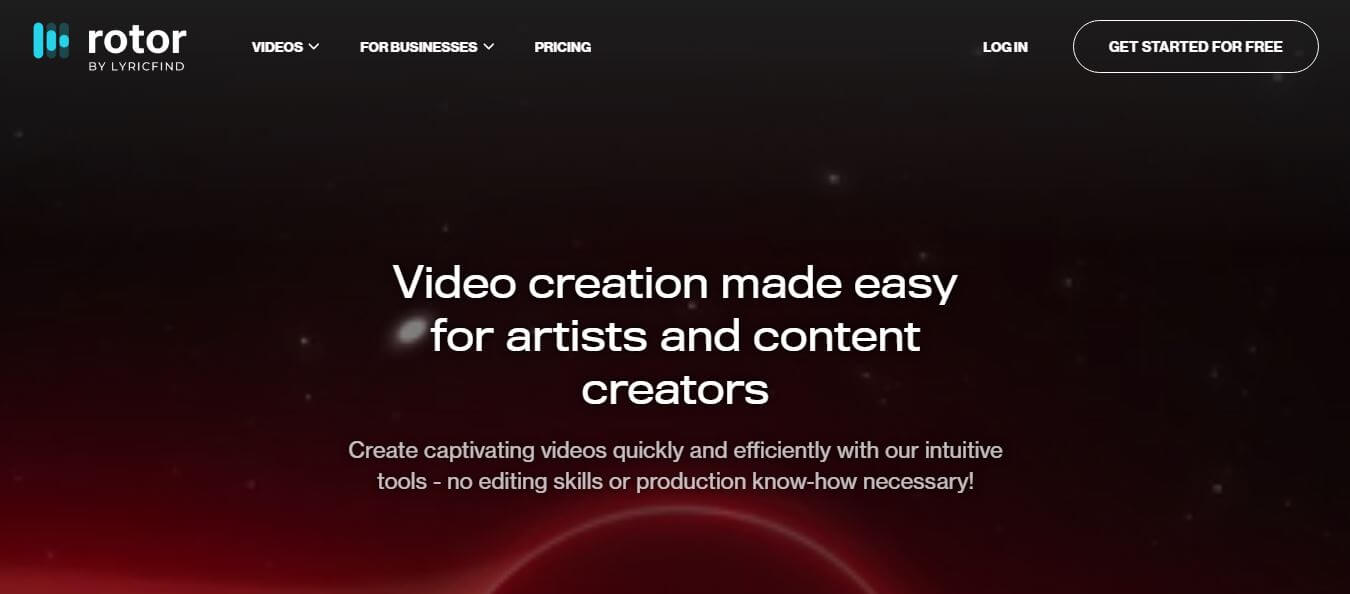
Rotor Videos is an AI-powered video generation platform designed to help musicians and creators turn their audio into professional-quality videos quickly and easily. Instead of spending hours on manual editing, users can simply upload a track, choose a style, and let the platform generate music videos, lyric videos, or promotional clips. It uses smart editing, stock footage, and visual effects to match the mood and rhythm of the music, creating engaging content with minimal effort. This makes it especially useful for independent artists, marketers, and social media creators who need high-quality visuals without advanced editing skills. With its simple interface and fast processing, Rotor Videos streamlines video production, helping users promote their content more effectively across multiple platforms.
Rotor Videos has helped independent artists and record labels create and export over 1 million music videos worldwide. The platform's AI audio engine analyzes song structure and matches visual transitions with beat-level precision in under 60 seconds. Musicians using Rotor Videos report saving up to 90 percent on visual production expenses compared to hiring freelance videographers. Supporting multiple aspect ratios including 9:16 vertical, 1:1 square, and 16:9 widescreen, artists release promotional visual content across Spotify, YouTube, TikTok, and Instagram over 5 times faster.
- Founder: Developed by Eamonn Carey, Diarmuid Moloney, and the Rotor Videos team
- Launch Year: 2017
- Use Cases:
- Automated music video generation for singles, EPs, and albums
- Spotify Canvas 9:16 vertical video loop creation
- Audio-reactive music visualizers and social media teasers
- Kinetic typography lyric videos for YouTube and social feeds
- Technology:
- Audio signal processing and acoustic transient analysis
- Automated beat, tempo, and song structure detection algorithms
- Cloud-based high-definition video rendering and formatting engine
- Target Users:
- Independent musicians, singers, songwriters, and bands
- Music producers, beatmakers, and electronic DJs
- Independent record labels and artist management agencies
- Digital music distributors and social media marketers
- Acquisition: Operates as an independent music technology company

Key features of Rotor Videos
Rotor Videos's key features are
- AI Audio & Beat-Sync Engine: Automatically listens to and analyzes track tempo, beats, and energy shifts to cut visual clips in perfect rhythm.
- Spotify Canvas & Vertical Loop Generator: Creates seamless 9:16 vertical video loops optimized specifically for Spotify Canvas and TikTok feeds.
- Extensive Stock Footage Library: Grants access to over 1 million high-definition, professionally filmed stock video clips organized by genre and mood.
- Audio-Reactive Effects & Overlays: Applies customizable visual filters, glitch effects, vintage film grain, and audio-reactive elements that pulse to the music.
- Kinetic Lyric Video Generator: Easily creates timed, animated on-screen lyrics synced to vocal tracks with customizable typography and color palettes.
- Multi-Format Aspect Ratio Resizer: Exports high-resolution videos in vertical (9:16), square (1:1), and widescreen (16:9) formats for diverse digital channels.
- Custom Footage Upload: Allows artists to upload their own live performance footage, B-roll, and personal clips to blend with stock assets.
- Free Previews Before Purchase: Renders full low-resolution draft previews for free, allowing artists to adjust styles before paying for final high-definition exports.
Rotor Videos Pricing
Rotor Videos operates on a flexible credit and subscription model, allowing users to pay per video or subscribe for monthly allowances.
Free Previews:
- $0
- Upload tracks and generate unlimited low-resolution preview drafts
- Experiment with styles, overlays, and cuts without upfront payment
Pay-As-You-Go Credits:
- Starts at approximately $18 – $25 per video credit
- Full high-definition watermark-free exports
- Full commercial usage rights included
Subscription Packages:
- Starts from approximately $19/month to $49/month
- Bundled monthly video credits and discounted export rates
- Priority cloud rendering queues
Label & Enterprise Tier:
- Custom pricing for record labels and agencies
- High-volume batch video generation and dedicated account support
Disclaimer: For the latest and most accurate pricing information, please visit the official Rotor Videos website.
Who is using Rotor Videos?
Rotor Videos is designed for a broad range of music industry creators and professionals, including
- Singers & Songwriters: Creating official music videos for digital releases without expensive film crews
- Electronic Producers & DJs: Generating reactive visualizer backgrounds for live sets and YouTube releases
- Record Label Marketers: Producing high volumes of Spotify Canvas clips and social promo teasers
- Hip-Hop & Pop Artists: Producing kinetic lyric videos to boost streaming engagement
- Content Creators: Using writing tools to adapt song concepts into engaging social media promo scripts
- Music Managers: Packaging artist visual deliverables across streaming platforms
Best Rotor Videos Alternatives
Some of the strongest Rotor Videos alternatives include
- Decoherence
- Kaiber AI
- Vizzy.io
- Specterr
- Canva Video Generator
- Renderforest
Pros and Cons of Rotor Videos
Pros
- Highly accurate automatic beat synchronization cuts clips to the song rhythm effortlessly
- Free unlimited video draft previews ensure you only pay when satisfied with the final result
- High-quality curated cinematic video library built specifically for musical aesthetics
- Optimized for essential music platforms, including Spotify, Canvas, YouTube, and TikTok
- No technical video editing skills or expensive hardware required
Cons
- Premium high-definition video exports require paid credits or subscription tiers
- Highly specific visual storytelling may still require shooting custom personal footage
- Rendering high-resolution 4K music video files can take several minutes during peak times
- Library search for niche music genres requires exploring multiple keyword filters
Why Choose Rotor Videos?
Rotor Videos is the premier choice for artists and labels who want professional, beat-synced visual assets without spending thousands on video production. It simplifies music promotion and maximizes streaming performance.
- Syncs footage to the beat and tempo of your song automatically in seconds
- Offers free unlimited previews so you only pay for videos you actually love
- Produces Spotify Canvas loops and TikTok clips that increase streaming engagement
- Provides access to over 1 million cinematic, royalty-free stock footage clips
- Eliminates the learning curve of complex timeline video editing software
Rotor Videos vs. Competitors
The main difference between Rotor Videos, Kaiber AI, Decoherence, and Specterr is that Rotor Videos focuses on rhythmic stock video editing, Spotify Canvas loops, and lyric video generation for music releases, while Kaiber and Decoherence focus on generative AI animation diffusion, and Specterr focuses on simple audio waveform spectrum visualizers. Rotor Videos stands out for its music marketing orientation and beat-synced cinematic stock library.
| Feature / Tool | Rotor Videos | Kaiber AI | Decoherence | Specterr |
|---|---|---|---|---|
| Core Focus | Music Videos & Spotify Canvas | AI Animation Diffusion | Generative AI Video | Audio Spectrum Visualizer |
| Beat-Sync Automation | Yes (Acoustic AI) | Prompt-based Motion | Audio-Reactive Prompts | Yes (Waveform Bars) |
| Curated Stock Footage | Yes (1M+ Clips) | No (Generative) | No (Generative) | No |
| Spotify Canvas Sizing | Yes (Native 9:16) | Yes | Yes | Yes |
| Free Preview Drafts | Yes (Unlimited) | Limited Trial | Free Credits | Watermarked Export |
| Best For | Musicians & Record Labels | Stylized AI Animations | Experimental Music Art | Simple Audio Waveforms |
How do we rate Rotor Videos?
| Parameter | Rating (out of 5) |
|---|---|
| Beat-Sync Precision | 4.9 |
| Stock Footage & Effect Quality | 4.8 |
| Ease of Use & Workflow | 4.9 |
| Video Generation Speed | 4.7 |
| Value for Money | 4.7 |
| Overall Score | 4.8 |
Rotor Videos Review
Rotor Videos is a fantastic tool for musicians and creators who want quick, professional-looking videos without complex editing. Its biggest strength is simplicity—you just upload a track, pick a style, and get a ready-to-use video in minutes. The automated visuals often match the music well, making it ideal for social media and promotions. However, customization can feel limited for advanced users who want full creative control. Overall, Rotor Videos serves as a dependable and efficient solution for rapid video production.
Conclusion
Rotor Videos is a practical and efficient solution for anyone looking to create music videos quickly without technical expertise. It simplifies the entire process by automating editing and matching visuals to audio, making it ideal for independent artists and content creators. While it may not offer deep customization for advanced users, its speed and ease of use make it highly valuable. Overall, Rotor Videos helps users produce engaging content faster, making it a strong choice for modern digital promotion.
FAQ
What exactly is Rotor, and how can Rotor help me?
Rotor is an AI-powered video creation platform designed mainly for musicians and content creators. Rotor allows you to turn your song into a professional-looking video in minutes without editing skills. Rotor analyzes your music and automatically syncs visuals, helping you create music videos, lyric videos, and social media content quickly.
Do I need video editing experience to use Rotor?
No, Rotor is built for beginners and professionals alike. Rotor automates complex editing tasks like syncing clips, transitions, and timing. This makes Rotor ideal for artists who want quality videos without learning editing software.
Does Rotor provide stock footage and styles?
Yes, Rotor includes a massive library of stock clips and visual styles. Rotor offers millions of clips and 150+ professionally designed editing styles, so you can match your video to your music genre and vibe.
Can I customize videos created by Rotor?
Yes, Rotor allows customization such as trimming audio, adding text overlays, applying filters, and resizing videos for platforms like Instagram or TikTok. Rotor gives you control while still handling the heavy editing work automatically.
Is Rotor free to use?
Rotor offers a free trial where you can create and preview videos. However, Rotor adds a watermark to previews. You only pay when you download the final high-resolution video without a watermark.
Can Rotor replace professional video production?
Rotor can replace basic and mid-level video production tasks, especially for promotional content. While high-end cinematic projects may still require professionals, Rotor offers a much faster and more affordable alternative for everyday content creation.
User Reviews
No reviews yet for Rotor Videos.
Featured Tools
Featured AI tools from TechShark

Melody Genie
MelodyGenie is an AI-powered music generator that creates original songs from simple text prompts. Users can choose styles, moods, and genres, then instantly generate melodies and full tracks, making it easy for creators, marketers, and hobbyists to produce custom music without musical expertise.
Freemium

Kimi AI
Kimi AI is an advanced AI assistant developed by Moonshot AI that helps you chat, research, write, code, and automate tasks in one place. It supports web search, file analysis, and multimodal inputs, and can even run autonomous “agent” workflows to complete complex tasks end-to-end.
Freemium

Fashion Diffusion AI
Fashion Diffusion is an AI-powered fashion design platform that helps brands and designers create clothing designs, virtual try-ons, AI models, product photos, and marketing visuals faster and cost-effectively.
Paid

Veo 4
Veo 4 AI is an AI video creation platform that generates dramatic videos from text, images, audio, and video prompts using realistic motion and synchronized sound.
Paid
Alternatives
Alternatives to Rotor Videos
The best Rotor Videos alternatives includes Decoherence, Kaiber AI, Vizzy.io, Specterr, Canva Video Generator, and Renderforest. These platforms offer AI video generation, music visualization, and social media creative tools. While Rotor Videos specializes in automated beat-synced stock editing and Spotify Canvas loop creation for musicians, alternatives like Kaiber and Decoherence focus on generative AI animation, and Specterr specializes in audio waveform spectrums. Choosing the ideal tool depends on whether you require cinematic beat-synced video editing, generative animation, or audio visualizer bars.
Neural.love
AI Image Enhancer
Neural.love is an AI-powered creative platform for generating images, editing photos, enhancing videos, restoring old media, and animating pictures. It combines multiple AI tools in a browser-based workspace, helping content creators, marketers, photographers, designers, and businesses improve visual content without relying entirely on traditional editing software.
 4.8
4.8Shuffll
Video Editing
Shuffll goes beyond traditional video creation by connecting personalized video directly to enterprise data and workflows. Its API-first infrastructure, 40+ AI models, automated production, and built-in brand governance make it suitable for organizations that need video at scale. For businesses seeking higher engagement without building large production teams, Shuffll offers a practical way to turn existing data into personalized, on-brand video experiences.
 4.8
4.8Opus Clip (Opus Pro)
Video Editing
OpusClip helps creators transform long-form videos into short, social-ready clips. It can identify engaging moments, generate captions, reframe footage, add B-roll, enhance audio, and support publishing across major social platforms. It is designed for creators, marketers, podcasters, businesses, and teams that want to scale video content production.
 4.8
4.8Dubbah
Video Editing
Dubbah helps Mac users translate and dub videos into 14 languages while preserving a familiar speaker voice. The app processes media locally, supports editing translated lines, and works offline after setup. With no account, subscription, or per-minute fee, it offers a simple, straightforward option for creators producing multilingual video content.
 4.9
4.9Clipchamp
Video Generator
Clipchamp is an AI-powered online video editor by Microsoft that helps users record, edit, and share videos directly from the browser. It offers templates, stock media, and AI tools like subtitles, voiceovers, and noise removal, enabling fast, professional video creation without advanced editing skills.
 4.9
4.9CapCut
Video Editing
CapCut is a popular video editing tool that helps creators produce engaging videos with effects, transitions, filters, templates, subtitles, and AI-powered features. Available on multiple platforms, CapCut makes it easy to edit videos for TikTok, Instagram Reels, YouTube Shorts, and other social media channels.
 4.9
4.9Media.io
Video Editing
Media.io is an AI-powered creative platform that helps users generate, edit, and enhance videos, images, audio, and ads from simple prompts or assets. It combines AI generation, editing, and workflows in one place, enabling creators to turn ideas into polished content quickly without switching tools.
 4.9
4.9Video Candy
Video Editing
Video Candy is a free online video editing platform that helps users trim, merge, compress, convert, and enhance videos directly in the browser. It offers 70+ tools with a simple drag-and-drop interface, making video editing fast, accessible, and efficient without installing complex software.
 4.8
4.8Vheer
Image
Vheer is a free AI image and video generator that helps users create visuals from text or photos instantly. It includes tools for image editing, background removal, and image-to-video conversion, offering unlimited generations without signup, making it ideal for quick, creative content production.