
RestorePhotos
RestorePhotos.io helps you bring old and blurry face photographs back to life by improving facial clarity and image quality. Its simple online workflow makes restoration accessible to people who want to enhance family portraits, childhood pictures, historical photographs, or memorable images without using complicated photo-editing software.
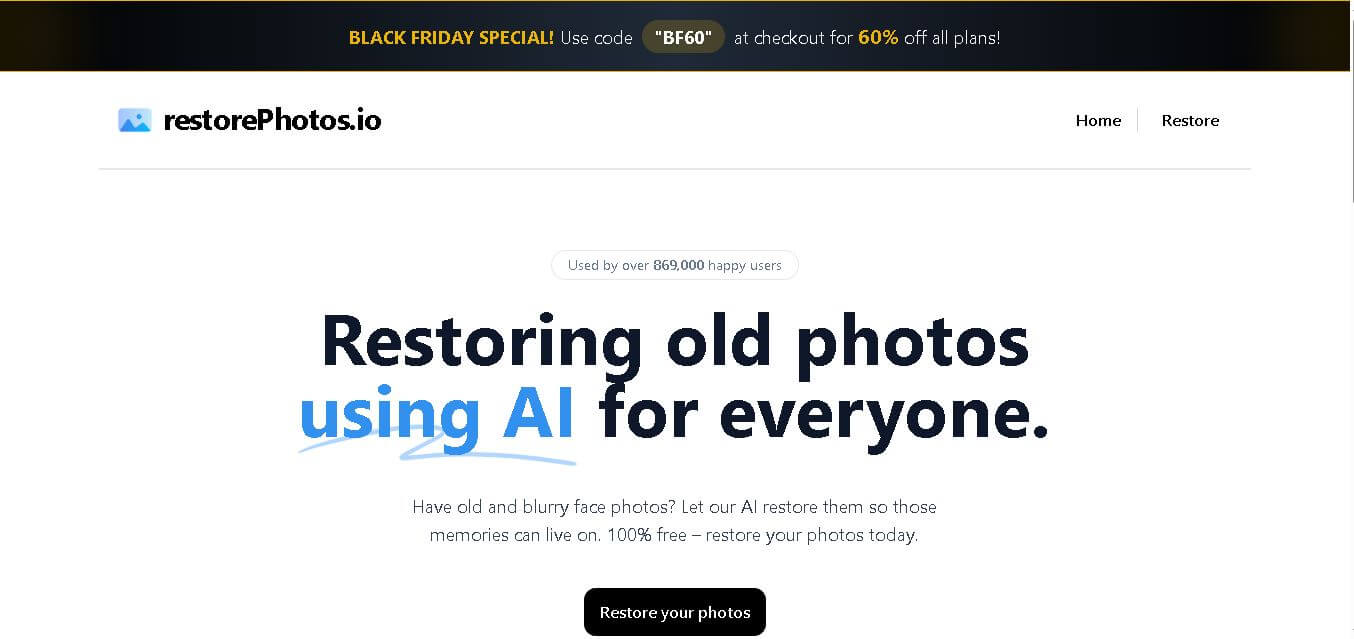
What is RestorePhotos.io?
RestorePhotos.io is an online photo restoration tool designed to improve old, blurry, and low-quality face photographs. It uses machine-learning technology to enhance facial details and make older images clearer and sharper. The tool focuses on making photo restoration simple, allowing users to upload a picture and receive an enhanced version without requiring advanced photo-editing skills.
RestorePhotos.io has been used by 869,000+ users according to its official website, showing significant interest in simple online photo restoration. The service focuses particularly on old and blurry face photographs and is presented as free to use. It was created by Hassan and has received positive feedback from technology professionals, including people associated with Vercel. Its underlying restoration technology has also been associated with the GFPGAN model through Replicate.
- Founder: Hassan El Mghari
- Launch Year: 2023
Use Cases:
- Enhancing blurry or low-resolution family portraits and archived photos
- Restoring vintage black-and-white or historical face photography
- Serving as an open-source template for AI developers using Next.js and Replicate
- Providing fast side-by-side image comparison for genealogy and family projects
Technology:
- Tencent ARC Lab GFPGAN model for real-world blind face restoration
- Next.js, TypeScript, and Tailwind CSS web stack deployed on Vercel
- Replicate API for low-latency machine learning model inference
Target Users:
- Family historians, genealogists, and individuals restoring personal memories
- Casual users seeking quick, account-free face enhancement
- Developers learning how to build and host AI micro-apps
Ecosystem: Fully open-source on GitHub with direct integration across modern web development tools and AI hosting infrastructure.

Key features of RestorePhotos.io
RestorePhotos.io's key features are
- GFPGAN Facial AI Enhancement: Leverages deep learning models to automatically reconstruct degraded facial details, eye shapes, and textures without altering facial identity.
- Interactive Side-by-Side Comparison: Provides a fluid visual comparison that shows the original blurry photo directly alongside the AI-enhanced output.
- Open-Source Transparency: Publicly accessible GitHub codebase allowing developers to fork, customize, or self-host their image restoration pipelines.
- Instant Web Processing: Generates restored photos in seconds with zero software installation or technical configuration required.
- Privacy-Conscious Architecture: Processed photos are retained only temporarily for session downloads and deleted to protect user privacy.
RestorePhotos.io Pricing
RestorePhotos.io offers an accessible free tier alongside paid upgrade options for high-volume processing.
Free Plan:
- $0/month
- Includes 10 free photo restorations per month, up to 1MB upload limit, and standard queue processing
Pro / Premium Plan:
- $99/year (or $99/month for short-term volume)
- Includes unlimited image restorations, no file size upload caps, a priority AI processing queue, and an ad-free experience
Disclaimer: For the latest and most accurate pricing information, please visit the official RestorePhotos AI website.
Is RestorePhotos.io Worth It?
RestorePhotos.io is extremely worth it on its free tier for anyone looking to quickly sharpen old or degraded portrait photos. Its simple design, speed, and open-source foundation make it an ideal tool for casual users and family archivists. While the $99 premium upgrade is steep for non-commercial users, the free plan provides ample value for everyday photo recovery.
Real-World Use Cases
- Genealogy & Family Archives: Genealogists unblur old portraits of ancestors to make family history books and digital archives clearer.
- Social Media Photo Revival: Content creators restore throw-back childhood pictures or vintage portraits for sharing online.
- Open-Source Developer Reference: Full-stack engineers use the public GitHub repository as a benchmark for building Vercel + Replicate AI applications.
- Gift Preparation: Users clean up blurry historical prints before framing them or printing custom photo albums.
Who is using RestorePhotos.io?
RestorePhotos.io is designed for a broad audience, including
- Everyday Individuals: Casual users seeking a quick way to restore family portraits
- Genealogists & Historians: Researchers improving visual quality in archival portrait scans
- Software Engineers: AI developers studying modern Next.js and open-source web application design
Best RestorePhotos.io Alternatives
Some of the strongest RestorePhotos.io alternatives include
- Remini
- PhotoFlip
- VanceAI
- Cutout.pro
- HitPaw Photo Enhancer
Pros and Cons of RestorePhotos.io
Pros
- Free monthly restoration credits without upfront credit card requirements
- Fully open-source code available on GitHub for self-hosting and modification
- Impressive AI face detail recovery powered by Tencent ARC's GFPGAN model
- Clean interface with instant side-by-side comparison slider
- Fast web-based processing completed in seconds
Cons
- Restricted primarily to facial restoration (does not fix background artifacts or non-human objects)
- Does not include native physical scratch repair, object removal, or colorization
- Free tier includes a 1MB file size cap and 10 monthly generation limits
Why Choose RestorePhotos.io?
RestorePhotos.io stands out for its simplicity, speed, and complete open-source transparency. While many photo enhancers hide behind aggressive paywalls or complicated editing suites, RestorePhotos.io delivers targeted, high-quality face enhancement instantly directly in the browser.
- Zero setup or software installation required—works on mobile and desktop web browsers
- Powered by battle-tested GFPGAN open-source machine learning models
- Provides developers with a transparent blueprint for integrating Replicate AI APIs into Next.js applications
- Delivers sharp, realistic facial enhancements without artificial distortions
How RestorePhotos.io Works
- Upload Photo: Drag and drop your blurry or old face photo onto the web interface.
- AI Processing: The app routes your image through the GFPGAN model hosted via the Replicate API.
- Compare Results: Use the interactive side-by-side slider to inspect the original versus restored output.
- Download: Save the high-definition restored image directly to your device.
RestorePhotos.io vs. Competitors
The main difference between RestorePhotos.io, Remini, and VanceAI is that RestorePhotos.io is an open-source, web-first tool dedicated specifically to fast face enhancement. While Remini offers mobile-first editing with heavy styling filters and VanceAI offers full-suite upscaling and scratch repair, RestorePhotos.io provides a lightweight, transparent alternative with open codebase access.
| Feature | RestorePhotos.io | Remini | VanceAI |
|---|---|---|---|
| Primary Focus | Open-Source Face Restoration | Mobile Photo & Portrait Enhancer | Full Image Upscaling & Repair |
| Open Source | Yes (GitHub) | No | No |
| AI Model | GFPGAN via Replicate | Proprietary Generative AI | Proprietary Deep Learning |
| Scratch & Damage Removal | Face Enhancement Only | Partial / Mobile Filters | Full Damage Repair |
| Starting Price | Free / $99/year | $6.99/week | $4.95/month (credits) |
How do we rate RestorePhotos.io?
| Parameter | Rating (out of 5) |
|---|---|
| Ease of Use | 4.9 |
| Restoration Quality (Faces) | 4.6 |
| Processing Speed | 4.8 |
| Value for Money | 4.4 |
| Open Source & Transparency | 5.0 |
| Overall Score | 4.5 |
RestorePhotos.io Review
RestorePhotos.io is one of the cleanest and most accessible open-source AI tools available for face restoration. By combining Next.js with the powerful GFPGAN model on Replicate, it delivers remarkable facial clarity improvements in seconds. While it lacks broad editing tools like scratch removal or scene-wide colorization, its specialized focus on facial recovery makes it an invaluable free asset for family photo projects.
Conclusion
RestorePhotos.io is a straightforward choice for anyone looking to improve old, blurry face photographs without learning complex editing software. Its focus on facial restoration makes it particularly useful for family portraits, childhood memories, and historical photographs where facial clarity matters most. With 869,000+ users reported on its official website, the tool has gained considerable attention. If you have an old portrait that needs clearer facial details, RestorePhotos.io is worth trying before moving to more advanced restoration software.
FAQ
What is RestorePhotos.io used for?
RestorePhotos.io is designed to improve old, blurry, or unclear face photographs. You can use it to enhance family portraits, childhood pictures, historical images, and other memorable photos where facial details have become difficult to see. The tool automatically processes your uploaded image, making restoration easier without requiring professional photo-editing knowledge.
Is RestorePhotos.io free to use?
Yes, the official RestorePhotos.io website currently presents the service as free to use. This makes it useful if you want to experiment with restoring an old photograph without immediately committing to a paid photo-editing service. However, pricing and usage policies can change, so checking the official website before extensive use is recommended.
Can RestorePhotos.io restore old family photos?
Yes, RestorePhotos.io can be particularly useful for old family photographs where faces appear blurry or lack detail. If you have photographs of parents, grandparents, relatives, or childhood memories, you can upload them and let the restoration process enhance visible facial details. Results can vary depending on the original photograph's quality and condition.
Does RestorePhotos.io work with blurry photos?
RestorePhotos.io is specifically promoted for restoring old and blurry face photos. Its restoration process attempts to improve facial clarity and recover more visible details from an unclear image. The effectiveness depends on how much usable information remains in the original photograph, so extremely damaged or severely blurred images may produce less accurate results.
Does RestorePhotos.io improve faces in old photographs?
Yes. Facial enhancement is one of RestorePhotos.io's main purposes. The service is designed around restoring face photographs and improving the visibility and sharpness of facial details. This makes it more suitable for portraits and people-focused images than for users looking for comprehensive restoration of landscapes, objects, or entire damaged photographs.
How does RestorePhotos.io restore old photos?
RestorePhotos.io uses machine-learning technology to process uploaded photographs and improve facial details. Information about the project identifies GFPGAN, a face-restoration model, as part of its technology stack, with processing through Replicate. The system analyzes the photograph and generates an enhanced version automatically rather than requiring users to manually edit individual facial details.
Do I need photo-editing skills to use RestorePhotos.io?
No. RestorePhotos.io is designed to keep the restoration process simple. Instead of requiring you to learn complicated editing software, you upload a photograph and allow the restoration system to process it. This makes the tool suitable for casual users, families, and anyone who wants to improve an old portrait without professional image-editing experience.
User Reviews
No reviews yet for RestorePhotos.
Featured Tools
Featured AI tools from TechShark

Melody Genie
MelodyGenie is an AI-powered music generator that creates original songs from simple text prompts. Users can choose styles, moods, and genres, then instantly generate melodies and full tracks, making it easy for creators, marketers, and hobbyists to produce custom music without musical expertise.
Freemium

Kimi AI
Kimi AI is an advanced AI assistant developed by Moonshot AI that helps you chat, research, write, code, and automate tasks in one place. It supports web search, file analysis, and multimodal inputs, and can even run autonomous “agent” workflows to complete complex tasks end-to-end.
Freemium

Fashion Diffusion AI
Fashion Diffusion is an AI-powered fashion design platform that helps brands and designers create clothing designs, virtual try-ons, AI models, product photos, and marketing visuals faster and cost-effectively.
Paid

Veo 4
Veo 4 AI is an AI video creation platform that generates dramatic videos from text, images, audio, and video prompts using realistic motion and synchronized sound.
Paid
Alternatives
Alternatives to RestorePhotos
The best RestorePhotos.io alternatives include Remini, PhotoFlip, VanceAI, Cutout.pro, and HitPaw Photo Enhancer. Remini provides industry-leading mobile photo and face enhancement with filter effects. PhotoFlip offers full-scene restoration, colorization, and damage repair beyond faces. VanceAI offers comprehensive AI upscaling and scratch removal, while Cutout.pro delivers automated web-based image retouching and background removal.
 4.7
4.7ImgCreator AI
Image
ImgCreator AI is an AI-powered image generation tool that helps users create visuals from text prompts and reference images. It supports creative artwork, realistic portraits, product visuals, and image editing, making it useful for designers, marketers, content creators, and businesses seeking faster visual content production.
Neural.love
AI Image Enhancer
Neural.love is an AI-powered creative platform for generating images, editing photos, enhancing videos, restoring old media, and animating pictures. It combines multiple AI tools in a browser-based workspace, helping content creators, marketers, photographers, designers, and businesses improve visual content without relying entirely on traditional editing software.
 4.8
4.8Prisma AI
Image
Prisma AI turns everyday photos into artistic images with stylized filters and creative effects. It offers hundreds of art and portrait styles inspired by famous artists, allowing beginners to create distinctive visuals quickly. Users can capture or upload photos, apply a chosen style, and save or share the finished result.
 4.9
4.9Bria AI
Image
Bria helps businesses and teams generate and edit visual content using controllable generative AI. Its capabilities cover image generation, product visuals, background editing, video workflows, and developer integrations. With licensed training data, attribution, provenance, and enterprise deployment options, Bria is positioned for businesses that need scalable, commercially focused visual AI.
 4.7
4.7Unwatermark
Image
Unwatermark.ai helps creators, marketers, photographers, and businesses remove watermarks, logos, text, people, and unwanted objects from images and videos. Its automatic detection handles quick edits, while the manual brush provides precise control over difficult areas. With browser-based processing, format support, previews, and free usage, it simplifies everyday visual cleanup.
 4.9
4.9invideo Nano Banana
Image
Nano Banana is an AI image generation and editing model by Google (Gemini family) that helps users create, modify, and refine visuals using natural language prompts. It supports 4K outputs, consistent characters, accurate text rendering, and real-time editing, enabling fast, production-ready creative workflows.
 4.8
4.8Banana Nano
Image
BananaNano (Nano Banana AI) is an AI-powered image generation and editing platform that lets users create visuals from text or edit photos using natural language. It supports multi-image fusion, character consistency, and up to 4K output, enabling fast, flexible visual creation without complex design tools.
 4.8
4.8Vheer
Image
Vheer is a free AI image and video generator that helps users create visuals from text or photos instantly. It includes tools for image editing, background removal, and image-to-video conversion, offering unlimited generations without signup, making it ideal for quick, creative content production.
 4.9
4.9QOVES
Image
QOVES is an AI-powered facial analysis and beauty consulting platform that helps users understand their facial features and improve appearance through personalized, science-backed recommendations. It analyzes hundreds of facial markers and provides a non-surgical transformation plan, enabling informed decisions about aesthetics, skincare, and overall self-improvement.