
PNG.AI
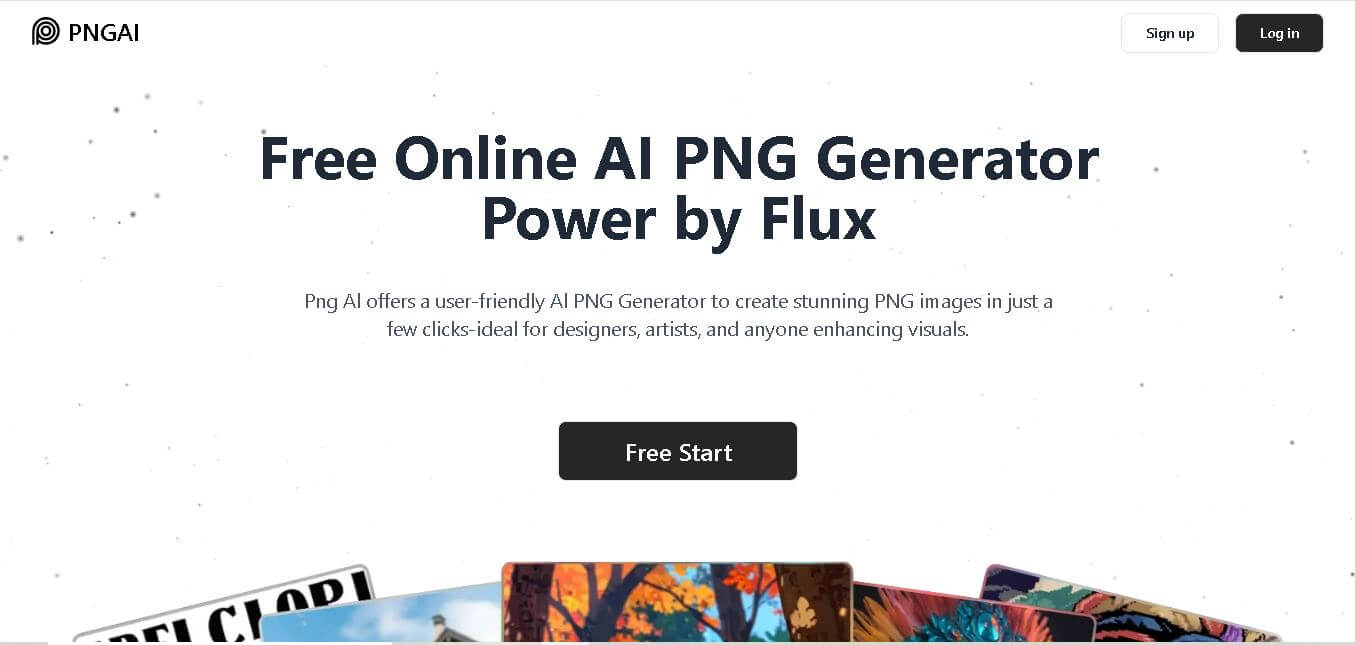
PNG AI is an online image generation tool that helps users create transparent PNG images from simple text prompts. It also supports image remixing, prompt extraction, image upscaling, and high-quality downloads, making visual content creation faster for designers, marketers, content creators, educators, and businesses without requiring advanced design skills.
What is PNG.AI?
PNG AI is a web-based image creation solution that enables users to generate transparent PNG images using natural language prompts. Instead of designing graphics manually, users describe what they need, and the platform produces downloadable PNG images suitable for websites, social media, branding, presentations, and marketing materials. It also includes tools for remixing existing images, extracting prompts from uploaded visuals, and enhancing image quality through upscaling. Built around multiple image generation models, including Flux, PNG AI simplifies creative workflows while allowing beginners and professionals to create customized graphics quickly with minimal technical knowledge.
PNG AI offers 3 pricing plans (Free, Basic, and Plus) designed for different user needs. The Basic plan provides 400 monthly priority credits and supports up to 200 image generations, while the Plus plan includes 800 monthly priority credits and allows users to generate up to 400 images. The platform also supports text-to-PNG generation, image remixing, prompt extraction, and image upscaling, helping users create professional-quality transparent graphics in just a few simple steps.
- Category: AI Image Generation & Transparent Asset Creation
- Launch Year: 2024
Use Cases:
- Generating transparent graphics, stickers, and overlays for social media and YouTube thumbnails
- Creating UI illustrations, badges, and vector-style icons for SaaS landing pages and apps
- Designing game items, characters, and props for 2D indie game development
- Extracting text prompts from uploaded visuals using the AI 'Image to Describe' feature
Technology:
- Flux diffusion core model optimized for high-detail prompt adherence and sharp edges
- Automated alpha channel background removal integrated directly into image generation
- AI image upscaling engine for high-resolution PNG asset exporting
Target Users:
- UI/UX designers looking for rapid mockup graphics and custom iconography
- Indie developers requiring transparent 2D assets for apps and games
- Content creators and marketers crafting clean overlays, stickers, and banners
Ecosystem: Web-based generation dashboard, community visual gallery, prompt converter tools, and downloadable high-res PNG file exports.

Key features of PNG.AI
PNG.AI's key features are
- Text-to-Transparent PNG Generator: Generates crisp images on a true transparent background from plain text prompts without needing explicit 'transparent' instructions.
- Powered by Flux Model: Leverages the Flux image generation model for high prompt accuracy, rich detail, and consistent style rendering.
- Image Remix & Variations: Upload existing images to remix them with AI parameters and produce fresh visual variations.
- Image to Describe: Analyzes uploaded images to extract detailed text descriptions that can be reused as AI prompts.
- AI Image Upscaling: Enhances generated assets to high-resolution standards suitable for print and HD web displays.
- Instant Browser Access: Generates rapid preview results directly in the browser with no software installation required.
PNG.AI Pricing
PNG.AI offers a freemium pricing structure that allows users to try core generation features for free before subscribing to paid tiers for high-res exports and priority credits.
Free Plan:
- $0/month
- Access to community gallery, image-to-text 'Describe' tool, and compressed JPG downloads
Basic Plan:
- $10/month
- 400 priority credits per month (up to 200 images), original quality transparent PNG exports, AI image upscaling, and advanced settings
Pro Plan:
- $20/month
- 800 priority credits per month (up to 400 images), private generation mode, image upload & remixing, fast priority queue, and asset management
Disclaimer: For the latest and most accurate pricing information, please visit the official PNG AI website.
Is PNG.AI Worth It?
PNG.AI is highly worth it for content creators, web designers, and developers who frequently need transparent graphics. By generating objects directly with alpha transparency, it eliminates the need to run images through secondary background remover tools or manual selection brushes in Photoshop.
Real-World Use Cases
- SaaS Marketing Assets: Developers generate clean, isolated 3D-style icons and illustrations to showcase product features on landing pages.
- YouTube Thumbnail Design: Video creators generate isolated character cutouts, emojis, and visual effects to layer onto eye-catching thumbnails.
- Game Development Prototyping: Indie game studios draft item sprites, badges, and environment props with transparent backgrounds to test in game engines.
- E-Commerce Banners: Online sellers generate custom decorative elements and thematic badges to layer over product photography.
Who is using PNG.AI?
PNG.AI is popular among a wide variety of creative and digital professionals, including
- Graphic & UI/UX Designers: Sourcing isolated visual components for website layouts and design systems
- Content Creators & Youtubers: Building branded stickers, thumbnail cutouts, and video overlays
- Indie App & Game Developers: Crafting game assets, UI buttons, and marketing illustrations
- Digital Marketers: Designing transparent promotional graphics for social ad campaigns
Best PNG.AI Alternatives
Some of the strongest PNG.AI alternatives include
- Photoroom
- PNG Maker (by PNG-Maker / Evoto)
- Canva
- Removal.ai
- Pixelcut
- Clipdrop by Stability AI
Pros and Cons of PNG.AI
Pros
- Outputs native transparent PNGs directly from prompts without extra background removal steps
- Powered by state-of-the-art Flux AI model for superior image detail and prompt precision
- Includes handy utility features like 'Image to Describe' for easy prompt engineering
- Clean, accessible web interface requiring no complex installation or prior design skills
- Generous credit-based pricing model with annual discount options
Cons
- Free tier restricts uncompressed transparent PNG exports and upscaling features
- Lacks advanced manual cutout fine-tuning brushes found in dedicated photo editing suites
- Generation credits are consumed quickly when generating high volumes of images
Why Choose PNG.AI?
Standard AI image generators typically produce full-frame rectangular images with solid backgrounds, forcing creators to spend time cutting out subjects. PNG.AI solves this by generating alpha-transparent assets natively, saving valuable time in graphic design workflows.
- Streamlines asset production by outputting ready-to-use transparent files
- Delivers sharp image quality and artistic flexibility using the Flux generation engine
- Offers built-in prompt discovery tools to help users refine visual outputs easily
- Eliminates multi-tool workflows by combining generation, prompt extraction, and upscaling
How PNG.AI Works
- 1. Input Your Text Prompt: Describe the object, character, or icon you want to generate in clear, simple language.
- 2. AI Generation via Flux: PNG.AI processes the prompt using its Flux model to create the image with automatic transparency.
- 3. Review & Upscale: Preview the generated result, refine the prompt if necessary, and apply AI upscaling for high-resolution clarity.
- 4. Download PNG: Export the clean transparent PNG file directly to drop into your design software, website, or presentation.
PNG.AI vs. Competitors
While traditional background removers like Photoroom focus on removing backdrops from pre-existing photos, PNG.AI focuses on generating brand-new transparent assets from text prompts using AI generation models.
| Feature | PNG.AI | Photoroom | Canva |
|---|---|---|---|
| Primary Focus | Text-to-Transparent PNG AI Generation | Photo Background Removal & Editing | All-in-One Graphic Design Suite |
| AI Generation Model | Flux Diffusion Model | Proprietary Studio AI | Magic Media / Multi-Model AI |
| Native Transparency Output | Yes (Built into generation) | Yes (Post-capture cutout) | Requires Pro Background Remover |
| Prompt Extraction (Describe) | Integrated Feature | None | None |
| Starting Price | Free / $10/mo | Free / $12.99/mo | Free / $15/mo |
How do we rate PNG.AI?
| Parameter | Rating (out of 5) |
|---|---|
| Ease of Use | 4.7 |
| Generation Quality | 4.6 |
| Transparency Accuracy | 4.5 |
| Value for Money | 4.4 |
| Features & Speed | 4.5 |
| Overall Score | 4.5 |
PNG.AI Review
PNG.AI offers an efficient solution for generating transparent graphic assets. By pairing the Flux image generation model with automatic alpha-channel background removal, it empowers creators to quickly generate custom cutouts, icons, and illustrations without leaving their web browser.
Conclusion
PNG AI makes creating transparent PNG graphics simple, fast, and accessible for everyone. Whether you need marketing visuals, website assets, social media graphics, product images, or creative illustrations, the platform combines AI-powered generation with practical features like image remixing, prompt extraction, and upscaling to simplify the design process. Flexible pricing plans allow both casual users and professionals to scale their usage as needed. By reducing design time while maintaining quality, PNG AI serves as a valuable tool for creators, businesses, educators, and marketers looking to produce customized visual content efficiently and consistently.ubject or object you wish to create.
FAQ
What is PNG AI used for?
PNG AI is designed to help users create transparent PNG images without traditional graphic design software. You simply enter a text prompt, and the tool generates custom visuals for websites, presentations, social media, branding, marketing campaigns, product listings, educational materials, and creative projects. It also supports image remixing and prompt extraction, making content creation quicker and more flexible.
Is PNG AI free to use?
Yes. PNG AI provides a free plan that allows users to experience its core image-generation features. Free users can access prompt description tools, browse the community gallery, and download compressed JPG images. Those needing original-quality PNG downloads, private generation, or higher usage limits can upgrade to one of the paid subscription plans.
Can I use PNG AI images for commercial projects?
Yes. PNG AI allows commercially generated images to be used for business purposes. However, users should review the platform's terms of service and ensure their prompts or uploaded content do not infringe on copyrights or violate applicable laws. Understanding the licensing terms helps avoid legal issues when using generated graphics professionally.
Who should use PNG AI?
PNG AI is suitable for graphic designers, marketers, content creators, bloggers, educators, business owners, developers, eCommerce sellers, and students. Anyone who needs transparent PNG graphics quickly can benefit from its AI-powered workflow. The simple interface makes it accessible even for beginners with little or no graphic design experience.
How can I generate better images with PNG AI?
The best results come from writing clear and descriptive prompts. Include details such as subject, colors, style, lighting, background, and composition. If the generated image isn't exactly what you need, modify your prompt and regenerate the image. Experimenting with prompt variations often produces more accurate and visually appealing results.
Does PNG AI support image editing?
Yes. Besides generating images from text, PNG AI allows users to upload existing images and remix them into new designs. It can also extract prompts from uploaded images and improve image quality through upscaling, giving users additional creative control without requiring advanced editing software.
Does PNG AI require design experience?
No. PNG AI is built for users of all experience levels. Its straightforward interface lets beginners create professional-looking transparent PNG graphics by simply describing what they want. Designers can also use it to speed up brainstorming, concept development, and asset creation without spending hours creating images manually.
User Reviews
No reviews yet for PNG.AI.
Featured Tools
Featured AI tools from TechShark

Melody Genie
MelodyGenie is an AI-powered music generator that creates original songs from simple text prompts. Users can choose styles, moods, and genres, then instantly generate melodies and full tracks, making it easy for creators, marketers, and hobbyists to produce custom music without musical expertise.
Freemium

Kimi AI
Kimi AI is an advanced AI assistant developed by Moonshot AI that helps you chat, research, write, code, and automate tasks in one place. It supports web search, file analysis, and multimodal inputs, and can even run autonomous “agent” workflows to complete complex tasks end-to-end.
Freemium

Fashion Diffusion AI
Fashion Diffusion is an AI-powered fashion design platform that helps brands and designers create clothing designs, virtual try-ons, AI models, product photos, and marketing visuals faster and cost-effectively.
Paid

Veo 4
Veo 4 AI is an AI video creation platform that generates dramatic videos from text, images, audio, and video prompts using realistic motion and synchronized sound.
Paid
Alternatives
Alternatives to PNG.AI
The best PNG.AI alternatives include Photoroom, PNG Maker, Canva, Removal.ai, Pixelcut, and Evoto. Photoroom and Removal.ai specialize in background removal for e-commerce, while Canva offers broader graphics design capabilities.
 4.7
4.7ImgCreator AI
Image
ImgCreator AI is an AI-powered image generation tool that helps users create visuals from text prompts and reference images. It supports creative artwork, realistic portraits, product visuals, and image editing, making it useful for designers, marketers, content creators, and businesses seeking faster visual content production.
Neural.love
AI Image Enhancer
Neural.love is an AI-powered creative platform for generating images, editing photos, enhancing videos, restoring old media, and animating pictures. It combines multiple AI tools in a browser-based workspace, helping content creators, marketers, photographers, designers, and businesses improve visual content without relying entirely on traditional editing software.
 4.8
4.8Prisma AI
Image
Prisma AI turns everyday photos into artistic images with stylized filters and creative effects. It offers hundreds of art and portrait styles inspired by famous artists, allowing beginners to create distinctive visuals quickly. Users can capture or upload photos, apply a chosen style, and save or share the finished result.
 4.9
4.9Bria AI
Image
Bria helps businesses and teams generate and edit visual content using controllable generative AI. Its capabilities cover image generation, product visuals, background editing, video workflows, and developer integrations. With licensed training data, attribution, provenance, and enterprise deployment options, Bria is positioned for businesses that need scalable, commercially focused visual AI.
 4.7
4.7Unwatermark
Image
Unwatermark.ai helps creators, marketers, photographers, and businesses remove watermarks, logos, text, people, and unwanted objects from images and videos. Its automatic detection handles quick edits, while the manual brush provides precise control over difficult areas. With browser-based processing, format support, previews, and free usage, it simplifies everyday visual cleanup.
 4.9
4.9invideo Nano Banana
Image
Nano Banana is an AI image generation and editing model by Google (Gemini family) that helps users create, modify, and refine visuals using natural language prompts. It supports 4K outputs, consistent characters, accurate text rendering, and real-time editing, enabling fast, production-ready creative workflows.
 4.8
4.8Banana Nano
Image
BananaNano (Nano Banana AI) is an AI-powered image generation and editing platform that lets users create visuals from text or edit photos using natural language. It supports multi-image fusion, character consistency, and up to 4K output, enabling fast, flexible visual creation without complex design tools.
 4.8
4.8Vheer
Image
Vheer is a free AI image and video generator that helps users create visuals from text or photos instantly. It includes tools for image editing, background removal, and image-to-video conversion, offering unlimited generations without signup, making it ideal for quick, creative content production.
 4.9
4.9QOVES
Image
QOVES is an AI-powered facial analysis and beauty consulting platform that helps users understand their facial features and improve appearance through personalized, science-backed recommendations. It analyzes hundreds of facial markers and provides a non-surgical transformation plan, enabling informed decisions about aesthetics, skincare, and overall self-improvement.