Lumiere AI by Google
Lumiere is an advanced video generation model that creates realistic, coherent motion videos from text, images, and styles using a unified space-time diffusion approach.
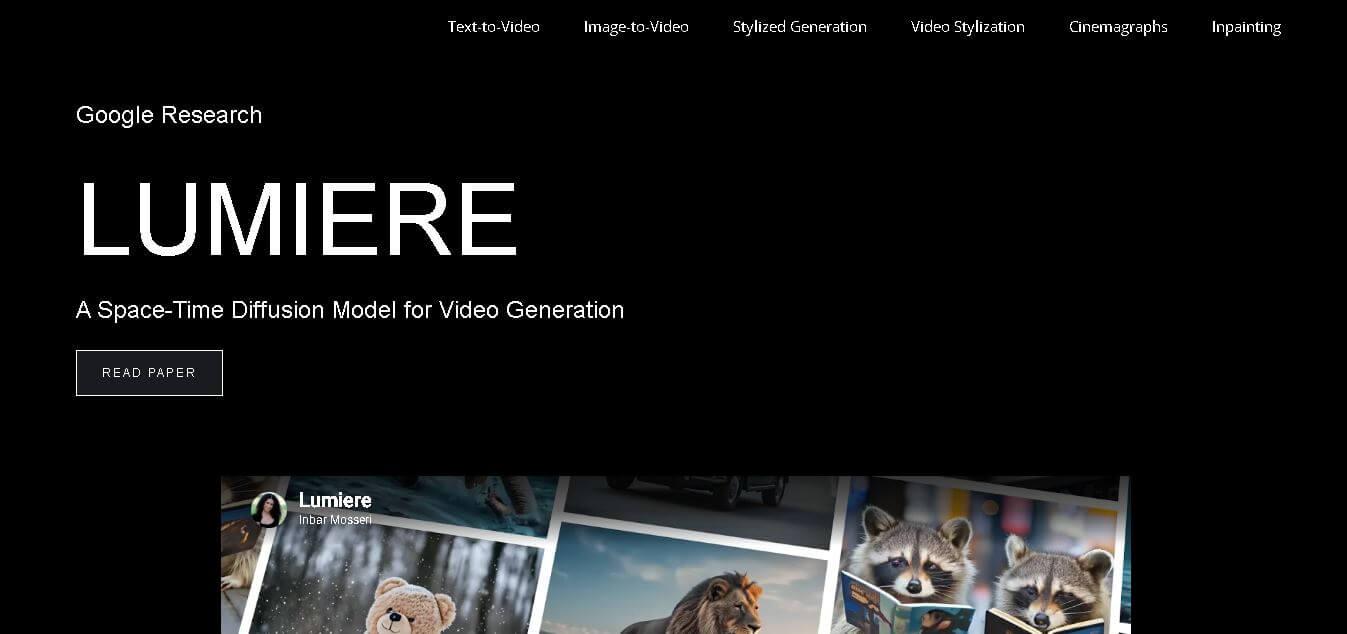
What is Lumiere?
Lumiere is a space-time diffusion model developed by Google Research for generating realistic videos from text and images. It produces full video sequences in a single pass, ensuring consistent motion and temporal coherence. Unlike traditional models that rely on keyframes, Lumiere processes both spatial and temporal data simultaneously using a space-time U-Net architecture. This enables high-quality outputs across multiple tasks such as text-to-video, image-to-video, stylized generation, and video editing. The model leverages pre-trained text-to-image diffusion systems and operates across multiple space-time scales to deliver state-of-the-art video synthesis with improved realism and flexibility.
Lumiere introduces a single-pass video generation process with a unified model architecture, eliminating the need for multi-stage pipelines. It supports 6+ core capabilities, including text-to-video, image-to-video, stylization, cinemagraphs, and inpainting. The model operates across multiple space-time scales to generate full-frame-rate videos with improved coherence. Developed by a team of 15+ researchers, Lumiere demonstrates state-of-the-art performance in video synthesis tasks. Its architecture replaces traditional keyframe-based systems, achieving 100% temporal consistency by generating sequences instead of fragmented frames.
- Founder / Team: Developed by the Google Research team, including Inbar Mosseri and multiple collaborators
- Launch: Introduced as a research model (around 2024, per paper release context)
Use Cases:
- Text-to-video generation
- Image-to-video transformation
- Video stylization
- Cinemagraph creation
- Video inpainting and editing
Technology:
- Space-Time Diffusion Model
- Space-Time U-Net architecture
- Multi-scale spatial and temporal processing
Target Users:
- AI researchers
- Content creators
- Video editors
- Creative professionals
Acquisition: Not applicable (developed internally by Google Research)

Key features of Lumiere AI
PolyBuzz AI's key features are
- Text-to-Video Generation: Converts written prompts into realistic videos with coherent motion and consistent temporal flow across the entire sequence.
- Image-to-Video Transformation: Turns static images into dynamic videos by adding motion while preserving the original visual context and structure.
- Stylized Video Generation: Generates videos in a specific artistic style using a single reference image and fine-tuned diffusion model weights.
- Single-Pass Video Synthesis: Produces full-length videos in one pass instead of multi-step keyframe generation, ensuring better temporal consistency.
- Space-Time U-Net Architecture: Uses a single model to process spatial and temporal data together, resulting in smoother and more realistic motion outputs.
- Video Stylization & Editing: Applies text-based editing techniques to transform existing videos into different styles while maintaining consistency.
- Cinemagraph Creation: Animates specific regions within an image using user-defined masks to create subtle motion effects.
- Video Inpainting: Edits or replaces selected parts of a video by generating new content within masked regions seamlessly.
Lumiere Pricing
Lumiere currently does not have a public pricing model because it is a research project by Google Research, not a commercial product.
- Pricing Model: Free (research/demo access only)
- Paid Plans: Not available
- Subscription: Not applicable
- Commercial Access: Not released yet
- Future Scope: May be integrated into Google products or APIs later
Disclaimer: For the latest and most accurate pricing information, please visit the official Lumiere AI website.
Who is using Lumiere?
Lumiere AI is designed for a broad range of presentation-heavy users, including
- AI Researchers: Exploring advanced video generation, diffusion models, and space-time architectures for next-gen AI development.
- Content Creators: Generating high-quality videos from text or images for creative storytelling and digital content.
- Video Editors & Designers: Using stylization, inpainting, and editing features to enhance and transform video content.
- Filmmakers & Media Professionals: Creating scenes that are difficult or impossible to shoot in real life.
- Developers & AI Engineers: Studying and building applications using text-to-video and image-to-video capabilities.
Best Lumiere Alternatives
Some of the strongest Lumiere AI alternatives include
- Runway ML Gen-2
- Pika Labs
- Stable Video Diffusion
- Sora (OpenAI)
- Kaiber AI
- DeepBrain AI
Why Choose Lumiere?
Lumiere stands out as a next-generation video generation model because it introduces a single-pass space-time diffusion approach, enabling highly realistic and temporally consistent videos. Unlike traditional models that rely on fragmented keyframes, Lumiere generates the entire video sequence at once, improving motion quality and coherence.
- Single-Pass Video Generation: Produces complete videos in one go, avoiding inconsistencies found in multi-step models
- Superior Motion Consistency: Maintains smooth and realistic motion across frames using space-time processing
- Multi-Use Capabilities: Supports text-to-video, image-to-video, stylization, cinemagraphs, and inpainting
- Advanced Architecture: Built on Space-Time U-Net for handling both spatial and temporal data simultaneously
- High Creative Flexibility: Allows users to generate, edit, and stylize videos with minimal input
- State-of-the-Art Research Model: Developed by Google Research with cutting-edge diffusion techniques
- Future-Ready Technology: Represents the direction of next-gen AI video generation systems
Lumiere vs. Competitors
The main difference between Lumiere, Runway Gen-2, Pika Labs, Stable Video Diffusion, and Sora is that Lumiere generates full videos in a single pass using a space-time model, ensuring superior motion consistency. While competitors rely on multi-step or keyframe-based generation, Lumiere processes temporal data holistically. This results in more coherent and realistic outputs, whereas others focus more on accessibility, speed, or creative flexibility rather than deep temporal consistency.
| Feature / Tool | Lumiere (Google Research) | Runway Gen-2 | Pika Labs | Stable Video Diffusion | Sora (OpenAI) |
|---|---|---|---|---|---|
| Core Technology | Space-Time Diffusion | Diffusion | Diffusion | Diffusion | Advanced Diffusion |
| Video Generation | Single-pass full video | Multi-step | Multi-step | Multi-step | End-to-end generation |
| Motion Consistency | Very High | High | Moderate | Moderate | Very High |
| Input Types | Text, Image, Style | Text, Image | Text | Image | Text |
| Editing Features | Advanced (inpainting, stylization) | Good | Limited | Limited | Advanced |
| Availability | Research only | Public | Public | Open-source | Limited access |
How do we rate Lumiere?
| Parameter | Rating (out of 5) |
|---|---|
| Video Quality | 5 |
| Motion Consistency | 5 |
| Features & Capabilities | 5 |
| Ease of Use | 3 |
| Accessibility | 2 |
| Innovation | 5 |
| Overall Score | 4.2 |
Lumiere Review
Lumiere represents a major breakthrough in AI video generation by introducing a space-time diffusion model that produces videos in a single pass. This approach significantly improves motion consistency and realism compared to traditional multi-step models. It supports a wide range of tasks such as text-to-video, image-to-video, stylization, and inpainting, making it highly versatile. However, its most significant limitation is accessibility, as it is still a research project and not available for public use. Overall, Lumiere sets a new benchmark in video synthesis technology with strong potential for future applications.
Conclusion
Lumiere stands out as a cutting-edge innovation in AI video generation, offering unmatched motion consistency through its single-pass space-time diffusion model. It addresses key challenges in video synthesis by generating coherent and realistic sequences across multiple use cases. While it is not yet publicly accessible, its capabilities demonstrate the future direction of AI-driven video creation. As research progresses, Lumiere has the potential to transform industries like filmmaking, content creation, and digital media with more advanced and efficient video generation solutions.
FAQ
What is Lumiere used for?
Lumiere is used for generating videos from text and images, along with tasks like video editing, stylization, and inpainting.
Is Lumiere available for public use?
No, Lumiere is currently a research model and is not publicly available for direct use or commercial access.
What makes Lumiere different from other video AI tools?
It uses a single-pass generation approach with a space-time model, improving motion consistency compared to multi-step models.
Can Lumiere create videos from images?
Yes, it supports image-to-video generation by adding motion to static visuals.
Who developed Lumiere?
Lumiere was developed by Google Research with contributions from multiple AI researchers.
User Reviews
No reviews yet for Lumiere AI by Google.
Featured Tools
Featured AI tools from TechShark

Melody Genie
MelodyGenie is an AI-powered music generator that creates original songs from simple text prompts. Users can choose styles, moods, and genres, then instantly generate melodies and full tracks, making it easy for creators, marketers, and hobbyists to produce custom music without musical expertise.
Freemium

Kimi AI
Kimi AI is an advanced AI assistant developed by Moonshot AI that helps you chat, research, write, code, and automate tasks in one place. It supports web search, file analysis, and multimodal inputs, and can even run autonomous “agent” workflows to complete complex tasks end-to-end.
Freemium

Fashion Diffusion AI
Fashion Diffusion is an AI-powered fashion design platform that helps brands and designers create clothing designs, virtual try-ons, AI models, product photos, and marketing visuals faster and cost-effectively.
Paid

Veo 4
Veo 4 AI is an AI video creation platform that generates dramatic videos from text, images, audio, and video prompts using realistic motion and synchronized sound.
Paid
Alternatives
Alternatives to Lumiere AI by Google
The best Lumiere alternatives includes Runway Gen-2, Pika Labs, Stable Video Diffusion, Sora by OpenAI, and Kaiber AI. These tools offer various video generation capabilities such as text-to-video, animation, and stylization. While they may not match Lumiere’s single-pass architecture, they are widely accessible and practical for real-world use. Each alternative focuses on usability, speed, or creative flexibility, making them suitable options depending on user needs and project requirements.
 4.7
4.7Kaiber
Video Generator
Kaiber is an AI-powered creative suite for generating videos, images, and audio. It helps musicians, content creators, and marketers turn text prompts, images, and music into engaging visuals. Its tools support image animation, beat-synced video creation, lip-sync, visual restyling, and timeline editing for social media and music videos.
Neural.love
AI Image Enhancer
Neural.love is an AI-powered creative platform for generating images, editing photos, enhancing videos, restoring old media, and animating pictures. It combines multiple AI tools in a browser-based workspace, helping content creators, marketers, photographers, designers, and businesses improve visual content without relying entirely on traditional editing software.
 4.8
4.8Shuffll
Video Editing
Shuffll goes beyond traditional video creation by connecting personalized video directly to enterprise data and workflows. Its API-first infrastructure, 40+ AI models, automated production, and built-in brand governance make it suitable for organizations that need video at scale. For businesses seeking higher engagement without building large production teams, Shuffll offers a practical way to turn existing data into personalized, on-brand video experiences.
 4.8
4.8Opus Clip (Opus Pro)
Video Editing
OpusClip helps creators transform long-form videos into short, social-ready clips. It can identify engaging moments, generate captions, reframe footage, add B-roll, enhance audio, and support publishing across major social platforms. It is designed for creators, marketers, podcasters, businesses, and teams that want to scale video content production.
 4.8
4.8Dubbah
Video Editing
Dubbah helps Mac users translate and dub videos into 14 languages while preserving a familiar speaker voice. The app processes media locally, supports editing translated lines, and works offline after setup. With no account, subscription, or per-minute fee, it offers a simple, straightforward option for creators producing multilingual video content.
 4.9
4.9Clipchamp
Video Generator
Clipchamp is an AI-powered online video editor by Microsoft that helps users record, edit, and share videos directly from the browser. It offers templates, stock media, and AI tools like subtitles, voiceovers, and noise removal, enabling fast, professional video creation without advanced editing skills.
 4.9
4.9CapCut
Video Editing
CapCut is a popular video editing tool that helps creators produce engaging videos with effects, transitions, filters, templates, subtitles, and AI-powered features. Available on multiple platforms, CapCut makes it easy to edit videos for TikTok, Instagram Reels, YouTube Shorts, and other social media channels.
 4.9
4.9Media.io
Video Editing
Media.io is an AI-powered creative platform that helps users generate, edit, and enhance videos, images, audio, and ads from simple prompts or assets. It combines AI generation, editing, and workflows in one place, enabling creators to turn ideas into polished content quickly without switching tools.
 4.9
4.9Video Candy
Video Editing
Video Candy is a free online video editing platform that helps users trim, merge, compress, convert, and enhance videos directly in the browser. It offers 70+ tools with a simple drag-and-drop interface, making video editing fast, accessible, and efficient without installing complex software.