
Jules
Jules is Google’s autonomous coding agent that connects with GitHub and handles software development tasks such as bug fixing, testing, dependency updates, migrations, documentation, and feature building. It works in cloud virtual machines, creates implementation plans, runs tests, and prepares code changes or pull requests for developer review.
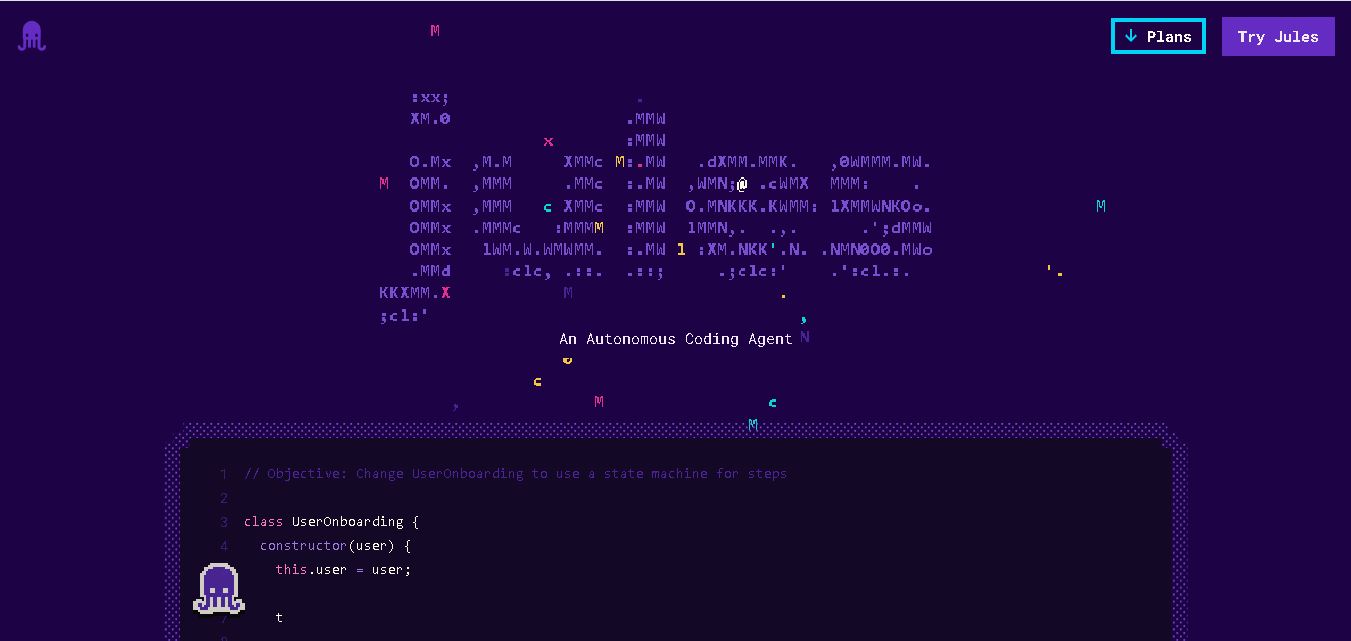
What is Jules by Google?
Jules is an asynchronous AI coding agent developed by Google Labs. Accessible at jules.google, Jules connects directly to GitHub repositories, spins up isolated Google Cloud virtual machines (VMs), reads codebase context, creates step-by-step execution plans, performs multi-file code modifications, and submits pull requests for developer review.
Jules launched publicly in May 2025 and moved out of beta in August 2025. Its current plans provide 15, 100, or 300 daily tasks, with 3, 15, or 60 concurrent tasks respectively. Jules supports GitHub repositories, cloud virtual machines, automated testing, pull requests, CLI workflows, and selected MCP integrations. In March 2026, Gemini 3.1 Pro became available to Google AI Pro users, replacing Gemini 3 Pro as the default model for that plan.
- Platform Role: Autonomous Asynchronous AI Coding Agent & GitHub Workflow Automation Engine
- Developer & Organization: Google Labs / Google
- Access Channels: Web Application (jules.google), GitHub Issue Integration, and Jules Tools CLI (`npm i -g @google/jules`)
Use Cases:
- Refactoring codebases, writing unit test suites, and resolving GitHub issues asynchronously
- Fixing bugs, updating project documentation, and handling routine dependency version bumps
- Piping assigned GitHub issues directly to isolated cloud environments to generate ready-to-review PRs
- Automating sprint recaps, commitment documentation, and codebase maintenance tasks
- Running multi-file feature implementations in the background while developers work on other projects
Technology:
- Powered by Google Gemini frontier reasoning models (Gemini Pro backends)
- Isolated Google Cloud Virtual Machines (VMs) with automated environment snapshotting and dependency setup
- Full GitHub App integration for repository cloning, branch management, and automated pull request creation
- Jules Tools command-line interface (CLI) for terminal scripting, pipeline composition, and interactive TUI task management
Target Users:
- Software engineers and developers seeking to offload tedious maintenance tasks, bug fixes, and unit testing
- Open-source maintainers managing incoming GitHub issues and repository updates
- DevOps and platform engineers automating repo maintenance routines through terminal scripts and CLI workflows
- Product teams looking for autonomous background coding agents to increase sprint velocity
Acquisition: Web app available directly at jules.google; CLI tool distributed via npm

What are the key features of Jules?
Jules's key platform features are
- Asynchronous Background Execution: Clones codebases into secure Google Cloud VMs and executes tasks without keeping local IDEs open.
- Step-by-Step Plan Generation: Analyzes repo context and proposes explicit, editable execution plans before making file modifications.
- GitHub Pull Request Automation: Automatically opens detailed PRs on target repositories with complete diff summaries and test results.
- Environment Snapshots: Caches setup and dependency bundles for fast task warm-ups across repeat sessions.
- Jules Tools CLI: Terminal companion allowing developers to spin up tasks, pipe GitHub issues, and manage agent runs from command line scripts.
- Granular Code Review & Diff Editing: Inspect every file edit, refine plan steps, or adjust code before approving pull requests.
How much does Jules cost?
Jules offers a free tier with daily task allowances, with higher-tier task limits accessible via Google AI subscription bundles.
Pricing & Access Overview:
- Free Tier ($0): Includes daily task allocations (e.g., 15 tasks per rolling 24 hours with 3 concurrent tasks) running on Gemini Pro models.
- Google AI Pro (~$19.99/month): Expands daily task caps (e.g., up to 100 tasks/day and 15 concurrent tasks) with priority model compute.
- Google AI Ultra (~$124.99/month): Designed for heavy developer workloads, providing higher concurrency and daily task limits.
Disclaimer: Tier allocations, concurrency limits, and subscription bundling details are managed by Google and subject to account eligibility.
Who should use Jules?
Jules is designed for developers, engineering teams, and maintainers, including
- Full-Stack Developers: Engineers who want to hand off multi-file refactoring, test creation, or bug fixes to run in the background.
- Terminal & CLI Power Users: Programmers who prefer orchestrating AI agent workflows using terminal commands and shell scripts.
- Open-Source Maintainers: Developers who need help triaging GitHub issues, writing documentation, and updating project dependencies.
What are the best alternatives to Jules?
Some of the strongest Jules alternatives include
- GitHub Copilot
- Devin (Cognition AI)
- OpenHands (formerly OpenDevin)
- Cursor AI
- OpenClaw
What are the pros and cons of Jules?
What are the pros of Jules?
- Fully asynchronous VM-based architecture—does not freeze or lock up local development machines
- Seamless GitHub integration with structured, editable planning phases prior to code execution
- Generous free tier with no local hardware dependencies or manual environment configuration
- First-party Jules Tools CLI for scripting and piping terminal workflows
What are the cons of Jules?
- Not designed for instant inline autocomplete within local IDE code editors
- Complex tasks or unusual build setups may require fine-tuning environment snapshots
- Execution speeds depend on cloud VM initialization and Gemini reasoning throughput
Why should you choose Jules?
While traditional inline autocomplete extensions assist while you type, Jules changes software development by taking over tasks asynchronously. By assigning work through a web dashboard, CLI, or GitHub issue, developers can let Jules spin up a cloud VM, analyze the entire project, plan the changes, write tests, and open a ready-to-merge pull request. It bridges the gap between conversational AI assistants and full-featured, autonomous software engineering teammates.
How does Jules compare to competitors?
The primary difference between Google Jules, GitHub Copilot Workspace, and IDE-based tools like Cursor lies in where and how execution happens. While Cursor focuses on real-time inline editing in local IDEs, Jules runs autonomously in cloud VMs and submits GitHub pull requests.
| Feature / Platform | Google Jules | GitHub Copilot Workspace | Cursor AI |
|---|---|---|---|
| Core Focus | Asynchronous Cloud-VM Coding Agent | Task-Based GitHub Development Environment | Real-Time AI-Powered Local IDE |
| Execution Environment | Google Cloud VM (Asynchronous) | Cloud Devcontainer / GitHub Platform | Local Machine / IDE Extension |
| Primary Interface | Web Dashboard, Terminal CLI & GitHub PRs | GitHub Web Interface & Copilot Tools | VS Code Fork / Desktop Editor |
| Interaction Style | Delegated Async Task (“Run while you sleep”) | Guided Plan & Spec Execution | Interactive Synchronous Autocomplete & Chat |
| Best For | Offloading discrete tasks, refactoring & PR generation | Issue-to-PR workflows within GitHub | Active, hands-on coding and real-time pair programming |
How do we rate Jules?
| Parameter | Rating (out of 5) |
|---|---|
| Autonomy & Async Execution | 4.9 |
| GitHub & Workflow Integration | 4.8 |
| CLI & Tooling Flexibility | 4.7 |
| Ease of Setup | 5.0 |
| Value for Money | 4.9 |
| Overall Score | 4.86 |
What is our review and verdict on Jules?
Google's Jules represents a major evolution in how software engineers interact with AI. Rather than tethering developers to an editor prompt, Jules delivers true delegation by taking a natural language requirement, analyzing repo context in a remote VM, drafting an execution plan, and delivering a clean pull request. With its robust web interface, terminal CLI, and free tier, Jules is a powerful addition to modern engineering workflows.
Conclusion
Jules brings Google’s Gemini models into an autonomous software development workflow, allowing developers to delegate coding tasks while maintaining review and GitHub-based control. Its capabilities cover bug fixing, testing, dependency upgrades, migrations, documentation, feature development, CLI workflows, and selected external integrations. With multiple usage plans and concurrent task limits, Jules can support both individual experimentation and higher-volume development workflows, while developers remain responsible for reviewing code and security before merging changes.
FAQ
What can Jules do for developers?
Jules can handle practical coding tasks such as fixing bugs, updating dependencies, adding tests, improving documentation, migrating code, and building scoped features. It works directly with GitHub repositories and can create pull requests containing its changes. This makes Jules useful when developers want to delegate well-defined engineering work while retaining control over review and merging.
How does Jules work with GitHub?
Jules connects to your GitHub account and lets you select a repository and branch before starting a task. It clones the repository into a cloud virtual machine, analyzes the codebase, creates a plan, makes the requested changes, and can open a pull request. You can review the resulting diff and decide whether to merge the changes.
Does Jules run and test the code?
Yes. Jules works inside a cloud-based virtual machine where it can install dependencies, modify files, and run existing tests. It can also create tests when appropriate. Jules is designed to verify its changes before presenting the completed work, while developers remain responsible for reviewing generated code and ensuring it meets their project’s requirements.
Can Jules fix bugs automatically?
Jules can work on clearly described bugs and produce test-verified patches. You provide a task through its interface or supported GitHub workflows, and Jules analyzes the repository before creating a plan and implementing changes. It can also respond to feedback during planning. This approach allows developers to delegate repetitive debugging work without abandoning code review.
Is Jules free to use?
Jules offers a plan available without cost, with paid options providing substantially higher usage limits. The current listed plans include Jules with 15 daily tasks and 3 concurrent tasks, while Pro provides 100 daily tasks and 15 concurrent tasks. Ultra provides 300 daily tasks and 60 concurrent tasks. Paid plans are accessed through Google AI subscriptions.
Which AI model does Jules use?
Jules uses Google’s Gemini models for coding tasks. The current Jules page lists Gemini 2.5 Pro for the standard plan, while higher plans provide greater access to newer models. Google’s March 2026 changelog states that Gemini 3.1 Pro became available for Google AI Pro users and replaced Gemini 3 Pro as their default model.
User Reviews
No reviews yet for Jules.
Featured Tools
Featured AI tools from TechShark

Melody Genie
MelodyGenie is an AI-powered music generator that creates original songs from simple text prompts. Users can choose styles, moods, and genres, then instantly generate melodies and full tracks, making it easy for creators, marketers, and hobbyists to produce custom music without musical expertise.
Freemium

Kimi AI
Kimi AI is an advanced AI assistant developed by Moonshot AI that helps you chat, research, write, code, and automate tasks in one place. It supports web search, file analysis, and multimodal inputs, and can even run autonomous “agent” workflows to complete complex tasks end-to-end.
Freemium

Fashion Diffusion AI
Fashion Diffusion is an AI-powered fashion design platform that helps brands and designers create clothing designs, virtual try-ons, AI models, product photos, and marketing visuals faster and cost-effectively.
Paid

Veo 4
Veo 4 AI is an AI video creation platform that generates dramatic videos from text, images, audio, and video prompts using realistic motion and synchronized sound.
Paid
Alternatives
Alternatives to Jules
The best Google Jules alternatives include GitHub Copilot Workspace, Devin by Cognition AI, Cursor AI, and OpenHands. While Google Jules operates as an asynchronous agent running in cloud VMs to submit GitHub PRs, tools like Cursor offer real-time inline IDE completion.
 4.7
4.7Spark Hire
AI Agent
Spark Hire helps recruitment teams simplify hiring through one-way video interviews, live interviews, applicant tracking, and candidate evaluations. It enables employers to screen applicants remotely, collaborate with hiring managers, and organize recruitment workflows. Its AI-assisted features support interview transcription, summaries, and candidate review while maintaining human involvement in hiring decisions.
 4.9
4.9Materiom
AI Agent
Materiom helps researchers, designers, and businesses discover and develop sustainable materials using renewable ingredients. Its resources include biomaterial recipes, material datasets, ingredient information, and AI-assisted research. By supporting experimentation and knowledge sharing, Materiom encourages innovation in bio-based packaging, textiles, and other products while helping users explore alternatives to conventional plastic materials.
 4.9
4.9Talkwalker
AI Agent
Talkwalker is a consumer intelligence and social listening solution that helps brands track online mentions, analyze audience sentiment, monitor competitors, and discover emerging trends. It combines social media analytics, media monitoring, customer feedback, and AI-powered insights to support marketing, public relations, reputation management, and data-driven business decisions across global markets.
 5.0
5.0AI4K12
AI Agent
AI4K12 is an educational initiative focused on bringing artificial intelligence into K–12 classrooms. It provides grade-level learning guidelines, curated teaching resources, and the Five Big Ideas framework. Designed for educators and curriculum developers, AI4K12 supports age-appropriate AI instruction and helps students understand how intelligent technologies work and affect society.
Kommunicate
AI Agent
Kommunicate (kommunicate.io) is an AI-powered customer service automation and live chat platform that unites no-code generative AI agents, Kompose chatbot builder, seamless human escalation, voice AI, and omnichannel messaging across WhatsApp, web, and mobile apps.
Text
AI Agent
Text is an AI-powered customer service platform that combines live chat, help desk ticketing, AI agents, and workflow automation. It helps businesses manage customer conversations, automate repetitive support tasks, answer questions, engage website visitors, and turn customer interactions into sales opportunities through a unified communication workspace.
DocsBot AI
AI Agent
DocsBot AI is an AI chatbot and agent platform that turns websites, documents, knowledge bases, and support tickets into conversational assistants. Businesses can use it to automate customer support, answer questions, share internal knowledge, connect workflows, and provide information through website widgets and supported integrations.
SiteGPT AI
AI Agent
SiteGPT is an AI chatbot platform that helps businesses automate customer support using their website content, documents, and knowledge sources. It answers visitor questions, supports lead generation, and integrates into websites, allowing teams to handle repetitive inquiries, improve customer experiences, and provide assistance around the clock.
 4.7
4.7Halcyon
AI Agent
Halcyon is an AI energy intelligence platform that helps professionals search regulatory filings, analyze energy-market information, monitor developments, and access structured datasets. It combines document search, natural-language queries, AI-powered alerts, and specialized data subscriptions to turn fragmented energy information into actionable intelligence for research, monitoring, planning, and faster decision-making.