
Evoto AI
Evoto AI is an AI-powered photo editing software designed for professional retouching, especially portraits. It automates skin smoothing, color correction, background cleanup, and facial adjustments while keeping results natural, helping photographers edit large batches quickly and maintain consistent, high-quality outputs with minimal manual work.
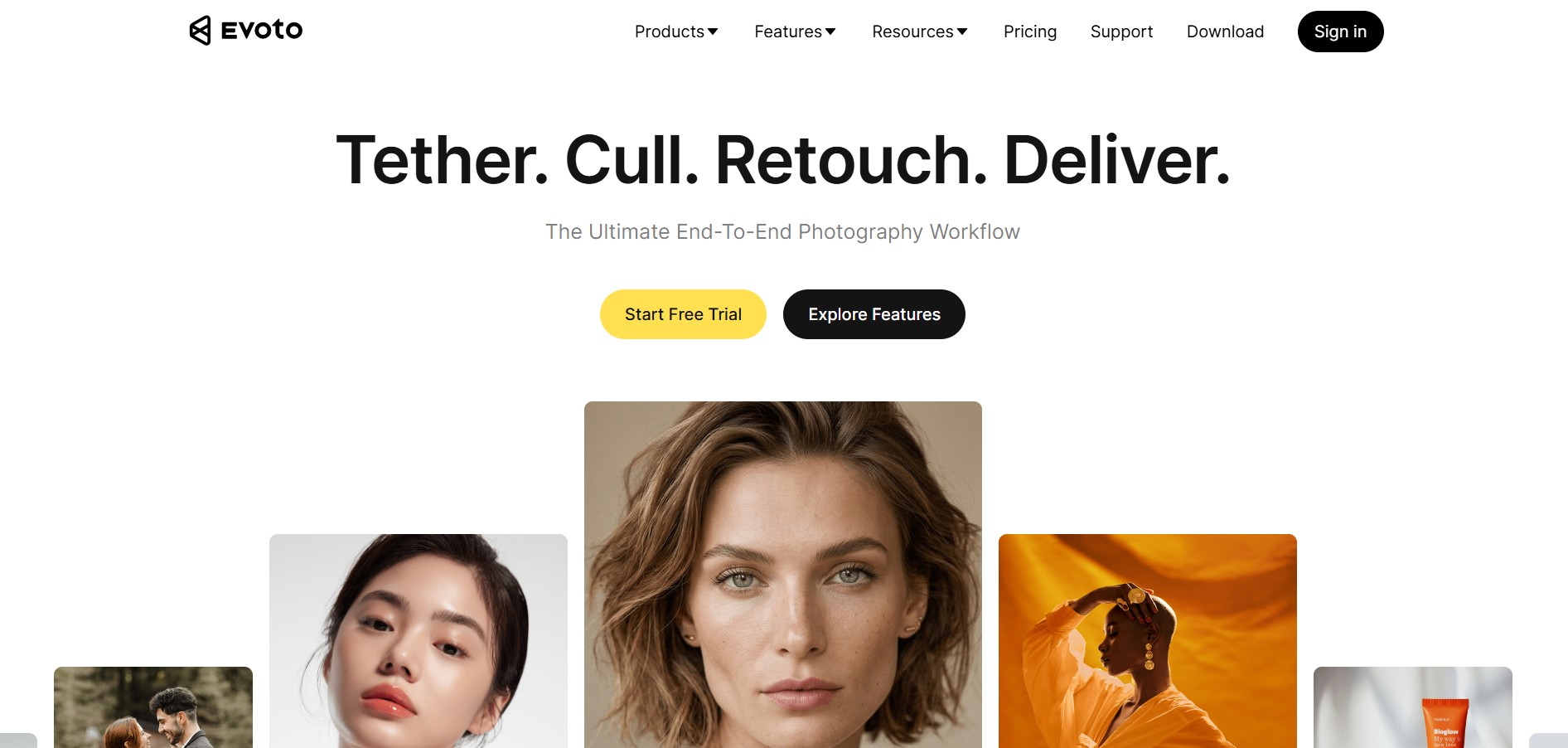
What is Evoto AI?
Evoto AI is an AI-powered image editing platform designed to streamline the entire photography workflow—from selecting images to retouching and final delivery—within a single tool. Built for photographers and creative teams, it automates time-consuming tasks like batch color grading, portrait retouching, background adjustments, and style matching across large photo sets while still giving users full creative control over the final output. The platform includes advanced features such as AI skin retouching, color matching, object removal, and batch editing, helping users process hundreds of images quickly and consistently. Designed to save time and reduce repetitive work, Evoto enables professionals to focus more on creativity while delivering high-quality, studio-grade results efficiently.
Developed by Truesight, Evoto AI has emerged as an industry-standard portrait tool for tens of thousands of professional photographers worldwide. Built on an all-in-one ecosystem spanning Windows, macOS, iPad, and Mobile, Evoto allows photographers to import camera RAW files, shoot live tethered in-studio, apply customized aesthetic presets across batches of hundreds of frames, and fine-tune facial details without plastic artifacts. Operating on a distinctive pay-per-export model where editing and previewing are completely free, Evoto provides 50 free trial credits with subscription plans starting from $80 to $89 per year (800 credits – ~$0.10/photo) alongside pay-as-you-go credit bundles.
- Developer / Company: Truesight (Evoto Inc.)
- Platform Availability: Desktop App (macOS & Windows), iPad, Mobile & Evoto Instant Cloud Gallery
- Core Architecture: Semantic Facial Computer Vision, Non-Destructive RAW Processing & Batch Sync
Use Cases:
- Culling and retouching thousands of wedding, school, and event photos in a fraction of the traditional turnaround time
- Removing flyaway and stray hairs across heads, faces, and backgrounds without blurry halo artifacts
- Smoothing wrinkles and creases on clothing fabrics (digital ironing) while preserving authentic textile folds
- Shooting tethered directly into Evoto Desktop during commercial studio headshot sessions with live preset rendering
- Automating backdrop cleanup, removing studio creases, eliminating eyeglass glare, and performing realistic digital makeup enhancement
Technology:
- Semantic facial and anatomical segmentation isolating skin texture, blemishes, freckles, eye vessels, and teeth independently
- High-precision texture preservation engine ensuring natural skin pores and micro-highlights remain crisp after smoothing
- Hardware-accelerated non-destructive RAW processing engine supporting Canon, Sony, Nikon, and Fujifilm camera profiles
Target Users:
- Wedding and event photographers handling massive galleries with tight client delivery deadlines
- Corporate headshot and commercial portrait photographers requiring uniform, professional skin tones
- School and volume sports photography labs automating multi-subject retouching across hundreds of students
- Retouching agencies and freelance digital artists looking to speed up the early proofing stages of client projects
Acquisition: Operates as an independent professional imaging software platform developed by Truesight

Key features of Evoto AI
Evoto AI's key platform features are
- Advanced Skin & Facial Blemish Retouching: Eliminates acne, dark eye circles, freckles (optional), and neck lines while strictly preserving original skin texture, natural pores, and facial contours.
- Stray Hair & Parting Line Cleanup: Automatically identifies and removes flyaway hairs outside and across the subject's face, while refining hairline volume and filling part lines.
- Clothes & Fabric De-Wrinkling: Digital fabric ironing tool that removes distracting wrinkles and creases from suits, shirts, and dresses while maintaining garment shape.
- Full-Body Reshaping & Posing: Natural body sculpting sliders for posture correction, neck slimming, waist adjustments, and head-to-body proportion refinement.
- Studio Backdrop & Sky Replacement: Automatically detects and cleans studio background wrinkles, eliminates dirty floor scuffs, and provides realistic sky replacement for outdoor portraits.
- Realistic Digital Makeup: Apply customizable eyebrow tinting, eyelashes, lipsticks, blush, and eyeliner adjustments with realistic blending and highlight reflections.
- Tethered Shooting (Wired & Wireless): Connect cameras (Canon, Nikon, Sony, Fujifilm) via USB or Wi-Fi to review images and auto-apply presets in real time as photos are taken.
- Batch Preset Synchronization: Copy and sync retouching recipes across hundreds of photos simultaneously, previewing results in real time before finalizing exports.
Evoto AI Pricing
Evoto AI operates on a pay-per-export credit system. Downloading the software, editing, and previewing adjustments are 100% free; credits are deducted only when an edited photo is exported at full resolution without watermarks. Free re-edits of previously exported photos consume zero additional credits within the same project.
Free Evaluation Tier:
- $0 / Free Trial: 50 free export credits upon signup to evaluate all pro features, presets, and RAW export quality
Annual Subscription Plans (Best Value):
- Starter Plan (800 Credits): $80.00 to $89.00 / year (~$0.10 per photo credit) | 2 device seats | Unused credits roll over upon renewal
- Basic Plan (1,600 Credits): $134.00 to $149.00 / year (~$0.08 per photo credit) | 3 device seats | Unused credits roll over
- Basic Plus Plan (3,600 Credits – Most Popular): $242.00 to $269.00 / year (~$0.07 per photo credit) | 4 device seats
- Standard Plan (9,000 Credits): $539.00 to $599.00 / year (~$0.06 per photo credit) | 5 device seats
- Standard Plus Plan (24,000 Credits): $1,205.00 to $1,339.00 / year (~$0.05 per photo credit) | 6 device seats
Pay-As-You-Go Credit Packs:
- Flexible standalone credit purchases starting from $49.00 flat rate for occasional retouchers (credits valid for up to 2 years)
Disclaimer: Exporting an image multiple times within Evoto does not cost extra credits; however, exporting, altering in Photoshop, and re-importing into a new Evoto project will deduct a new credit. For studio volume plans and cloud storage add-ons, visit evoto.ai/payment.
Who is using Evoto AI?
Evoto AI is used by tens of thousands of professional photographers worldwide, including
- Wedding Photographers: Retouching 1,500+ client gallery images in an evening to deliver polished skin and clean dresses weeks ahead of schedule
- Corporate & Executive Portrait Photographers: Applying consistent, subtle blemish and glare corrections across entire company leadership rosters
- High-Volume School & Senior Portrait Studios: Batch cleaning flyaway hairs, adjusting student postures, and removing backdrop scuffs across school classes
- Commercial Fashion & Maternity Studios: Smoothing garment wrinkles and evening out complex body skin tones with non-destructive control
Best Evoto AI Alternatives
Some of the strongest Evoto AI alternatives include
- Kumoo
- Retouch4me
- Adobe Lightroom
- Imagen AI
- Luminar Neo
- Capture One Pro
Pros and Cons of Evoto AI
Pros
- Remarkable portrait quality that preserves authentic skin pores and micro-texture without looking plastic
- Specialized tools like stray hair removal and clothing wrinkle ironing save hours of manual brushwork
- Risk-free editing model—you only spend credits when you export the final, high-resolution result
- Re-edits of previously exported photos within the same project cost zero additional credits
- Full studio support including RAW file ingestion, batch preset sync, and live tethered shooting
Cons
- Pay-per-export credit model can cause friction for photographers who shoot and deliver tens of thousands of frames per month
- Re-importing an image that was exported and modified in external software (Photoshop) consumes another credit
- Heavy batch AI rendering demands a modern desktop GPU to avoid processing slowdowns
Why Choose Evoto AI?
While traditional photo editors require photographers to manually brush blemishes or rely on imprecise global skin smoothing plugins, Evoto AI understands portrait anatomy.
- Automates hours of manual retouching into intuitive slider adjustments
- Handles difficult studio cleanup tasks like wrinkled clothing and messy flyaway hairs in seconds
- Allows complete freedom to experiment and preview edits without consuming credits until final export
- Lets studio photographers shoot directly into the software with real-time tethered preset rendering
Evoto AI vs. Competitors
The main difference between Evoto AI, Kumoo, Retouch4me, and Adobe Lightroom lies in feature specialization and billing architecture. While Lightroom serves as a general RAW cataloging and color-grading suite, and Retouch4me operates as expensive individual Photoshop plugins, Evoto AI provides a standalone portrait post-production powerhouse with dedicated tools for skin, hair, clothes, and backdrops under a flexible pay-per-export model.
| Feature / Tool | Evoto AI (evoto.ai) | Kumoo (kumoo.ai) | Retouch4me | Adobe Lightroom |
|---|---|---|---|---|
| Core Focus | AI Portrait Retouching Suite | High-Speed Batch Portrait Retouching | Modular Photoshop Retouch Plugins | Cloud RAW Catalog & Firefly AI |
| Billing Model | Pay-Per-Export Credits (~$0.05–$0.10/img) | Annual Subscription/Credits (~$0.03–$0.05/img) | Perpetual License (~$120–$150/plugin) | Monthly Subscription ($9.99–$19.99/mo) |
| Stray Hair Removal | Yes (Inside & outside subject head) | Yes (Flyaway cleanup) | No (Requires manual brushwork) | Generative Remove / Manual clone |
| Clothing De-Wrinkle | Yes (Dedicated digital fabric ironing) | Yes (Fabric ironing effect) | Yes (Clean Clothes plugin) | No dedicated tool |
| Tethered Shooting | Yes (Wired PTP & Wireless FTP) | Yes (Studio tethering) | No (Plugin host dependent) | Yes (Lightroom Classic only) |
| Best For | High-end portrait, wedding & studio shooters | Cost-conscious high-volume wedding labs | Photoshop users wanting individual panels | Comprehensive RAW grading & cloud sync |
How do we rate Evoto AI?
| Parameter | Rating (out of 5) |
|---|---|
| Portrait Quality & Texture Preservation | 5.0 |
| Specialized Tools (Hair, Wrinkles, Glare) | 4.9 |
| Batch Processing & Tethered Studio Workflow | 4.9 |
| Interface Ergonomics & Ease of Use | 4.9 |
| Value for Money (Credit Model) | 4.7 |
| Overall Score | 4.88 |
Evoto AI Review
Evoto AI has established itself as an indispensable productivity tool for modern portrait and wedding photography businesses. By solving the most time-consuming post-production bottlenecks—such as clearing stray hairs, smoothing wrinkled wardrobe fabrics, softening blemishes without blurring skin pores, and cleaning backdrops—it eliminates the tedious manual editing steps that often lead to photographer burnout. While the credit-per-export model requires thoughtful budgeting for high-volume shoots, the immense time savings and consistent professional output make Evoto AI one of the finest investments a portrait photographer can make.
Conclusion
Evoto AI is a powerful, workflow-focused photo editing platform built to help photographers automate time-consuming tasks like culling, retouching, and batch editing with high speed and consistency. It stands out for its advanced AI-driven portrait tools—handling skin smoothing, facial adjustments, background changes, and color grading—while still allowing manual control for fine-tuning, making it suitable for both beginners and professionals. Its biggest strength lies in massive productivity gains, as it can process large batches of images in minutes and significantly reduce editing time from hours to minutes, especially for high-volume work like weddings or events. With features like smart culling, presets, and cross-device editing (desktop, mobile, and web), it covers the entire photography workflow from import to delivery. While limitations like no layer-based editing and a credit-based pricing model may not suit everyone, the overall value is clear.
FAQ
What is Evoto AI and how does it work?
Evoto AI is a professional AI-powered photo editing and retouching software designed to automate complex editing workflows for photographers and studios. It uses advanced artificial intelligence to enhance portraits, adjust colors, remove imperfections, and improve image quality with minimal manual effort. The platform combines automation with precision, allowing users to achieve consistent, high-quality results across large photo collections while maintaining a non-destructive editing workflow.
Who should use Evoto AI?
Evoto AI is built primarily for professional photographers, photo studios, and creative teams that handle high-volume editing tasks. It is especially useful for wedding photographers, portrait artists, and e-commerce businesses that require fast turnaround times and consistent results. At the same time, beginners and freelancers can also use it effectively because many features are automated and do not require advanced editing skills.
What features does Evoto AI offer?
Evoto AI provides a wide range of features including portrait retouching tools like blemish removal, face reshaping, teeth correction, and hair adjustments, along with background editing tools such as sky replacement and background removal. It also includes AI color grading, image sharpening, denoising, and restoration features. Many tools are powered by AI recognition or generation systems, enabling users to produce studio-quality edits quickly and consistently.
Can Evoto AI edit photos in bulk?
Yes, Evoto AI is designed for high-volume workflows and supports batch editing of hundreds or thousands of images at once. Users can apply presets, sync edits across multiple photos, and automate repetitive tasks, which significantly reduces editing time. This makes it ideal for large projects like weddings, events, and commercial shoots where consistency and speed are critical.
How does Evoto AI pricing work?
Evoto AI uses a credit-based pricing model where users only pay when they export final edited images. Most editing tools can be used freely during the editing process, but exporting a finished image typically consumes one credit. The platform offers both pay-as-you-go credit packages and annual subscription plans, giving flexibility for occasional users as well as high-volume professionals.
How does Evoto AI improve photo editing workflow?
Evoto AI improves workflow by automating repetitive editing tasks, enabling batch processing, and integrating features like tethered shooting, auto import/export, and AI-based enhancements. It also offers cloud-based tools through its web editor, allowing users to edit images without installing software. These capabilities help photographers save time, increase productivity, and deliver consistent results across large projects.
User Reviews
No reviews yet for Evoto AI.
Featured Tools
Featured AI tools from TechShark

Melody Genie
MelodyGenie is an AI-powered music generator that creates original songs from simple text prompts. Users can choose styles, moods, and genres, then instantly generate melodies and full tracks, making it easy for creators, marketers, and hobbyists to produce custom music without musical expertise.
Freemium

Kimi AI
Kimi AI is an advanced AI assistant developed by Moonshot AI that helps you chat, research, write, code, and automate tasks in one place. It supports web search, file analysis, and multimodal inputs, and can even run autonomous “agent” workflows to complete complex tasks end-to-end.
Freemium

Fashion Diffusion AI
Fashion Diffusion is an AI-powered fashion design platform that helps brands and designers create clothing designs, virtual try-ons, AI models, product photos, and marketing visuals faster and cost-effectively.
Paid

Veo 4
Veo 4 AI is an AI video creation platform that generates dramatic videos from text, images, audio, and video prompts using realistic motion and synchronized sound.
Paid
Alternatives
Alternatives to Evoto AI
The best Evoto AI alternatives include Kumoo (kumoo.ai), Retouch4me, Adobe Lightroom (lightroom.adobe.com), Imagen AI, Luminar Neo (Skylum), and Capture One Pro. These platforms provide automated image enhancement, portrait retouching, and batch post-production tools. While Evoto AI specializes in an all-in-one desktop portrait workspace with natural skin texture preservation, clothing de-wrinkling, stray hair cleanup, and tethered shooting under a pay-per-export credit model (~$0.05–$0.10/image), competitors like Kumoo offer lower-cost batch processing tiers, and Adobe Lightroom provides broad cloud cataloging and RAW exposure grading.
 4.7
4.7ImgCreator AI
Image
ImgCreator AI is an AI-powered image generation tool that helps users create visuals from text prompts and reference images. It supports creative artwork, realistic portraits, product visuals, and image editing, making it useful for designers, marketers, content creators, and businesses seeking faster visual content production.
Neural.love
AI Image Enhancer
Neural.love is an AI-powered creative platform for generating images, editing photos, enhancing videos, restoring old media, and animating pictures. It combines multiple AI tools in a browser-based workspace, helping content creators, marketers, photographers, designers, and businesses improve visual content without relying entirely on traditional editing software.
 4.8
4.8Prisma AI
Image
Prisma AI turns everyday photos into artistic images with stylized filters and creative effects. It offers hundreds of art and portrait styles inspired by famous artists, allowing beginners to create distinctive visuals quickly. Users can capture or upload photos, apply a chosen style, and save or share the finished result.
 4.9
4.9Bria AI
Image
Bria helps businesses and teams generate and edit visual content using controllable generative AI. Its capabilities cover image generation, product visuals, background editing, video workflows, and developer integrations. With licensed training data, attribution, provenance, and enterprise deployment options, Bria is positioned for businesses that need scalable, commercially focused visual AI.
 4.7
4.7Unwatermark
Image
Unwatermark.ai helps creators, marketers, photographers, and businesses remove watermarks, logos, text, people, and unwanted objects from images and videos. Its automatic detection handles quick edits, while the manual brush provides precise control over difficult areas. With browser-based processing, format support, previews, and free usage, it simplifies everyday visual cleanup.
 4.9
4.9invideo Nano Banana
Image
Nano Banana is an AI image generation and editing model by Google (Gemini family) that helps users create, modify, and refine visuals using natural language prompts. It supports 4K outputs, consistent characters, accurate text rendering, and real-time editing, enabling fast, production-ready creative workflows.
 4.8
4.8Banana Nano
Image
BananaNano (Nano Banana AI) is an AI-powered image generation and editing platform that lets users create visuals from text or edit photos using natural language. It supports multi-image fusion, character consistency, and up to 4K output, enabling fast, flexible visual creation without complex design tools.
 4.8
4.8Vheer
Image
Vheer is a free AI image and video generator that helps users create visuals from text or photos instantly. It includes tools for image editing, background removal, and image-to-video conversion, offering unlimited generations without signup, making it ideal for quick, creative content production.
 4.9
4.9QOVES
Image
QOVES is an AI-powered facial analysis and beauty consulting platform that helps users understand their facial features and improve appearance through personalized, science-backed recommendations. It analyzes hundreds of facial markers and provides a non-surgical transformation plan, enabling informed decisions about aesthetics, skincare, and overall self-improvement.