
Artguru
Artguru is an online creative toolkit for improving and generating visual content. You can enhance photos, restore old images, upscale pictures to 4K or 8K, improve videos and PDFs, remove backgrounds, and create AI artwork. Its browser-based workflow is designed for beginners, creators, marketers, photographers, sellers, and teams.
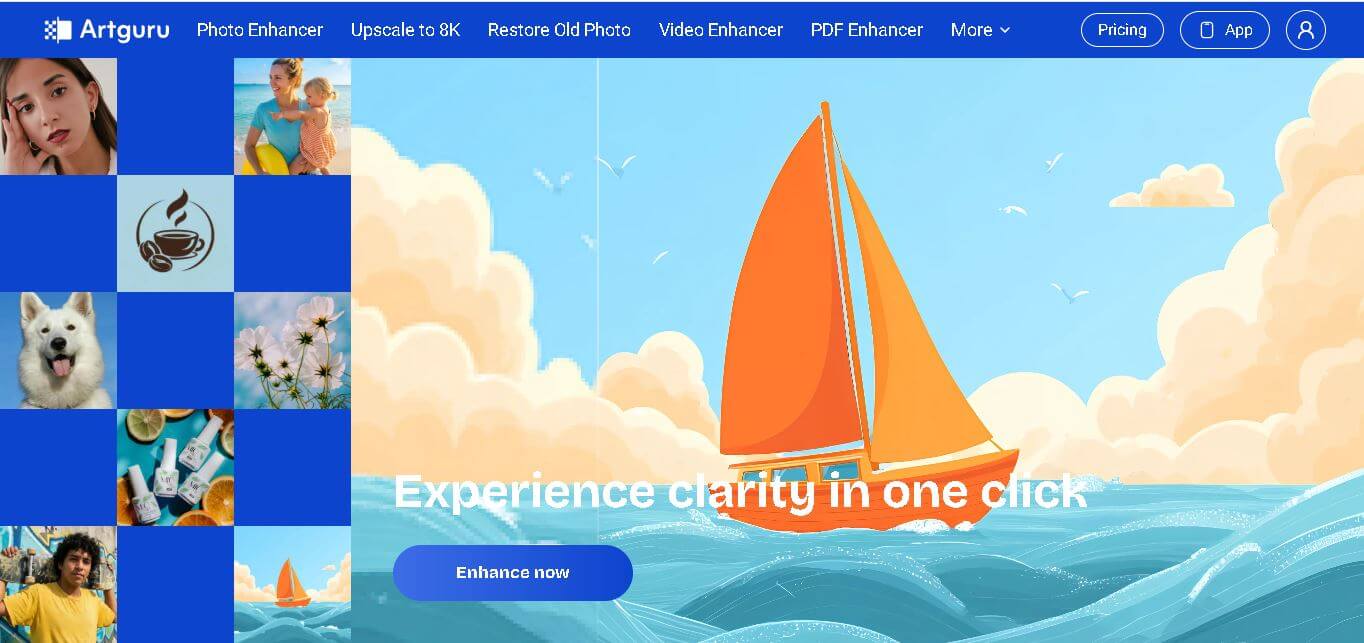
What is Artguru?
Artguru is a visual creation and enhancement toolkit that helps you generate, improve, upscale, restore, edit, and transform images online. It includes photo enhancement, 4K and 8K upscaling, old photo restoration, video enhancement, PDF enhancement, background removal, object removal, colorization, and AI image generation, making visual workflows simpler for creators, businesses, sellers, students, and professionals across many everyday creative needs.
Artguru combines multiple visual tools in one platform, including photo enhancement, 4K and 8K upscaling, old photo restoration, video enhancement, PDF enhancement, background removal, object removal, and AI image generation. Its pricing lists photo enhancement from 1 credit per image, 4K upscaling at 2 credits, 8K upscaling at 20 credits, PDF enhancement at 5 credits per page, and video enhancement at 10 credits per second for 1080p. The service also offers API access for teams processing large product-image volumes efficiently.
- Platform Role: AI Photo & Video Enhancer, Image Upscaler, AI Art Generator, and Document Clarity Tool
- Developer & Organization: Artguru AI
- Cross-Platform Access: Web Browser (artguru.ai), Mobile Application (Android via Google Play Store), and Developer API access for batch enterprise processing
Use Cases:
- Upscaling low-resolution digital photos, AI art, logos, and product catalog shots to print-ready 4K and 8K resolutions
- Restoring old or damaged family photographs by repairing scratches, color fading, and facial blur automatically
- Enhancing video recordings by removing compression noise, sharpening frame details, and upgrading resolution to 1080p/4K
- Clarifying scanned PDFs, documents, and historical research text to improve readability and OCR scanning accuracy
- Generating unique AI artworks, anime avatars, and headshots from text prompts or reference photos
Technology:
- Proprietary generative neural networks and computer vision models for automated super-resolution and frame interpolation
- Facial recognition algorithms designed for multi-face enhancement in group portraits and noisy snapshots
- AI-powered document processing for shadow removal, text deblurring, and DPI amplification
- Cloud-backed infrastructure supporting batch processing and developer API integrations for high-volume enterprise workflows
Target Users:
- E-commerce sellers needing quick product photo background removal, lighting optimization, and batch upscaling
- Photographers and digital creators looking to rescue soft-focus photos or convert graphics into high-DPI prints
- Social media managers and video editors upgrading low-quality stock footage or vintage clips
- Students, researchers, and print shop operators requiring crisp document scans and high-resolution print preparation
Acquisition: Self-operated cloud AI platform accessible via artguru.ai

What are the key features of Artguru?
Artguru's key platform features are
- One-Click AI Photo Enhancer: Automatically corrects noise, unblurs soft details, and enhances facial skin tones and expressions.
- 8K Image Upscaler: Converts small or compressed images into high-resolution 4K and 8K assets suitable for large-format printing.
- Old Photo Restorer: Removes scratches, creases, and discoloration from legacy paper photos while preserving natural textures.
- AI Video Enhancer: Cleans up grainy footage, reduces video compression artifacts, and sharpens visual frames online.
- Document & PDF Sharpening: Clears up blurry text, removes background shadows, and increases DPI on scanned documents.
- AI Background & Object Eraser: Easily separates subjects from backgrounds or removes unwanted elements in a single click.
- Generative AI Art Suite: Transforms text prompts or photos into AI-generated art, portraits, anime styles, and custom avatars.
- Batch Processing & API Integration: Enables high-volume e-commerce sellers and development teams to automate image polish at scale.
How much does Artguru cost?
Artguru follows a freemium pricing strategy combining free daily trial credits with premium credit packs and recurring subscription plans.
Free Plan:
- $0 / Free Trial: Limited free daily credits allowing basic image enhancement, generation, and low-resolution upscaling testing.
Premium Subscription Tiers:
- Weekly / Monthly Pro Plans: Subscription options providing high-priority credit refills, faster cloud generation speeds, full access to 8K upscaling, video enhancement, and batch downloading.
- Credit Refill Packs: Flexible pay-as-you-go credit options for occasional batch processing or high-resolution project needs.
Disclaimer: Advanced 8K upscaling, high-definition video rendering, batch processing, and commercial API consumption require a paid credit balance or an active subscription.
Who should use Artguru?
Artguru is tailored for content creators, merchants, and everyday users, including
- Online Merchants & Amazon Sellers: Store owners looking to polish product photos and batch-remove backgrounds in seconds.
- Print-on-Demand Designers: Creators preparing logos, AI art, and illustrations for 300 DPI physical canvas, poster, and merchandise printing.
- Family Historians & Photographers: Individuals restoring archived family albums or refining candid portraits affected by low lighting.
- Content Creators & Researchers: Video creators upscaling archive footage and students fixing difficult-to-read scanned academic PDF files.
What are the best alternatives to Artguru?
Some of the strongest Artguru alternatives include
- Topaz Gigapixel AI / Video AI
- Remini
- VanceAI
- Cutout.pro
- Let's Enhance
- Clipdrop
What are the pros and cons of Artguru?
What are the pros of Artguru?
- Comprehensive tool suite covering photos, videos, PDFs, background removal, and AI art generation under one platform
- Simple, browser-first design with one-click processing—no software downloads or complex installation required
- Strong multi-face enhancement capability for clear restoration of group portraits
- Offers API access and batch processing options for business workflows
What are the cons of Artguru?
- Free trial offers limited daily credits before requiring a paid top-up or subscription
- High-resolution video upscaling can take longer processing times depending on cloud server loads
- Web-based processing relies on a stable internet connection for large file uploads
Why should you choose Artguru?
Mastering complex desktop editing software like Photoshop or Premiere Pro takes significant time and technical expertise. Artguru eliminates these steep learning curves by offering fast, automated AI tools directly inside your web browser. Whether you need to restore an irreplaceable family heirloom photo, upscale digital artwork for a physical poster, or refine a batch of e-commerce product photos, Artguru delivers clear, high-quality visual results in just a few clicks.
How does Artguru compare to competitors?
The primary distinction between Artguru, Remini, VanceAI, and Topaz AI lies in platform access, feature breadth, and hardware requirements. While Topaz offers specialized, resource-heavy desktop software, Artguru provides a lightweight, cloud-based alternative that handles photo, video, PDF, and AI art generation without local GPU limitations.
| Feature / Platform | Artguru | Remini | VanceAI | Topaz Photo/Video AI |
|---|---|---|---|---|
| Core Focus | All-in-One AI Photo, Video, PDF & Art Suite | Facial Portrait Enhancement & Restoration | Web-Based Image Processing & Upscaling | Professional Desktop AI Enhancement |
| Deployment | Browser / Mobile App / API | Mobile App / Web App | Browser / Windows App | Desktop Software (High GPU Required) |
| Upscaling Capabilities | Up to 8K Ultra HD | Standard HD / 2K | Up to 8K / 400% | Unlimited (hardware dependent) |
| Video & PDF Support | Yes (Photo, Video & Document) | Video only (mobile focus) | Photo focus (limited PDF) | Dedicated Video AI standalone app |
| Best For | Creators & sellers wanting easy cloud-based photo/video/PDF tools | Quick selfie and mobile photo face restoration | E-commerce photo batch editing and graphic upscaling | Professional media studios requiring local offline processing |
How do we rate Artguru?
| Parameter | Rating (out of 5) |
|---|---|
| Ease of Use & Browser Interface | 4.9 |
| Image & Face Enhancement Clarity | 4.8 |
| Upscaling & Restoration Quality | 4.7 |
| Feature Variety (Photo, Video, PDF, Art) | 4.8 |
| Value for Money | 4.6 |
| Overall Score | 4.76 |
What is our review and verdict on Artguru?
Artguru provides an impressive, highly accessible ecosystem for AI-driven visual enhancements. By combining photo unblurring, 8K upscaling, document cleaning, and video enhancement into a single web app, it removes friction for users who need quick, professional visual polish without downloading heavy desktop applications. Its automatic multi-face preservation and intuitive controls make it a standout choice for creators, sellers, and everyday users alike.
Conclusion
Artguru brings photo enhancement, image upscaling, restoration, video improvement, PDF enhancement, background removal, and AI image generation together in one accessible toolkit. Its range of tools makes it relevant for creators, marketers, photographers, e-commerce sellers, students, and professionals working with visual content. With options extending to 4K and 8K output, batch product-image workflows, and API access, Artguru can support both individual creative tasks and larger visual production requirements.
FAQ
What can I use Artguru for?
Yes, Artguru can enhance photos, upscale images, restore old pictures, improve videos, sharpen PDFs, remove backgrounds, erase objects, colorize images, and generate AI artwork. The platform handles different visual tasks from one browser-based workspace, which is useful when you regularly switch between editing, enhancement, and creative generation workflows efficiently.
Is Artguru free to use?
Artguru offers free usage for several creative features through daily credits, although availability can vary by tool and current product terms. Its illustration page says users can create up to 5 AI art pictures without a watermark daily, while its image-to-image section mentions 4 free daily credits for eligible users.
Can Artguru upscale images to 4K or 8K?
Artguru supports high-resolution image enhancement and upscaling, including 4K and 8K outputs. Its homepage describes 4K photo enhancement and 8K image upscaling, while pricing lists separate credit costs for those outputs. Results can be useful for printing, marketing visuals, product listings, social content, and other projects requiring sharper visuals online.
Can I generate images with Artguru?
Yes, Artguru includes AI image generation from text prompts and supports reference images for greater creative control. You can describe a subject, environment, style, or visual concept, then choose an image size or style before generating. The tool supports portraits, landscapes, product visuals, illustrations, avatars, and social media graphics easily.
Can Artguru restore old photographs?
Artguru can help restore older photographs by repairing scratches, creases, spots, faded colors, and lost details. Its old-photo restoration tool is intended to preserve the original appearance while improving clarity. This makes it useful for family archives, historical pictures, scanned photographs, and personal memories that need digital cleanup and restoration.
Does Artguru support video enhancement?
Yes, Artguru provides video enhancement with sharpening, noise reduction, and HD or 4K upgrading. Its pricing page currently lists 1080p video enhancement at 10 credits per second and 4K enhancement at 40 credits per second. This can help creators improve older, compressed, noisy, or lower-quality footage for modern screens and online.
User Reviews
No reviews yet for Artguru.
Featured Tools
Featured AI tools from TechShark

Melody Genie
MelodyGenie is an AI-powered music generator that creates original songs from simple text prompts. Users can choose styles, moods, and genres, then instantly generate melodies and full tracks, making it easy for creators, marketers, and hobbyists to produce custom music without musical expertise.
Freemium

Kimi AI
Kimi AI is an advanced AI assistant developed by Moonshot AI that helps you chat, research, write, code, and automate tasks in one place. It supports web search, file analysis, and multimodal inputs, and can even run autonomous “agent” workflows to complete complex tasks end-to-end.
Freemium

Fashion Diffusion AI
Fashion Diffusion is an AI-powered fashion design platform that helps brands and designers create clothing designs, virtual try-ons, AI models, product photos, and marketing visuals faster and cost-effectively.
Paid

Veo 4
Veo 4 AI is an AI video creation platform that generates dramatic videos from text, images, audio, and video prompts using realistic motion and synchronized sound.
Paid
Alternatives
Alternatives to Artguru
The best Artguru alternatives include Remini, VanceAI, Topaz AI, Cutout.pro, and Let's Enhance. While Artguru provides a comprehensive cloud-based suite for photo, video, PDF enhancement, and AI art generation, tools like Remini excel in mobile photo facial restoration, and Topaz AI delivers dedicated desktop processing power.
Huru.ai
AI Agent
Huru.ai (huru.ai) is an AI-powered mock interview and career preparation platform that uses realistic AI simulations, multi-layered speech analysis, and job-specific practice sessions to help job seekers build interview confidence.
 4.9
4.9Materiom
AI Agent
Materiom helps researchers, designers, and businesses discover and develop sustainable materials using renewable ingredients. Its resources include biomaterial recipes, material datasets, ingredient information, and AI-assisted research. By supporting experimentation and knowledge sharing, Materiom encourages innovation in bio-based packaging, textiles, and other products while helping users explore alternatives to conventional plastic materials.
 4.9
4.9Talkwalker
AI Agent
Talkwalker is a consumer intelligence and social listening solution that helps brands track online mentions, analyze audience sentiment, monitor competitors, and discover emerging trends. It combines social media analytics, media monitoring, customer feedback, and AI-powered insights to support marketing, public relations, reputation management, and data-driven business decisions across global markets.
 5.0
5.0AI4K12
AI Agent
AI4K12 is an educational initiative focused on bringing artificial intelligence into K–12 classrooms. It provides grade-level learning guidelines, curated teaching resources, and the Five Big Ideas framework. Designed for educators and curriculum developers, AI4K12 supports age-appropriate AI instruction and helps students understand how intelligent technologies work and affect society.
Kommunicate
AI Agent
Kommunicate (kommunicate.io) is an AI-powered customer service automation and live chat platform that unites no-code generative AI agents, Kompose chatbot builder, seamless human escalation, voice AI, and omnichannel messaging across WhatsApp, web, and mobile apps.
Text
AI Agent
Text is an AI-powered customer service platform that combines live chat, help desk ticketing, AI agents, and workflow automation. It helps businesses manage customer conversations, automate repetitive support tasks, answer questions, engage website visitors, and turn customer interactions into sales opportunities through a unified communication workspace.
DocsBot AI
AI Agent
DocsBot AI is an AI chatbot and agent platform that turns websites, documents, knowledge bases, and support tickets into conversational assistants. Businesses can use it to automate customer support, answer questions, share internal knowledge, connect workflows, and provide information through website widgets and supported integrations.
SiteGPT AI
AI Agent
SiteGPT is an AI chatbot platform that helps businesses automate customer support using their website content, documents, and knowledge sources. It answers visitor questions, supports lead generation, and integrates into websites, allowing teams to handle repetitive inquiries, improve customer experiences, and provide assistance around the clock.
 4.7
4.7Halcyon
AI Agent
Halcyon is an AI energy intelligence platform that helps professionals search regulatory filings, analyze energy-market information, monitor developments, and access structured datasets. It combines document search, natural-language queries, AI-powered alerts, and specialized data subscriptions to turn fragmented energy information into actionable intelligence for research, monitoring, planning, and faster decision-making.