
ReRender AI
ReRender AI is an AI-powered architectural visualization platform that transforms 2D sketches, CAD screenshots, project photos, and 3D design concepts into photorealistic architectural renders and animations in seconds. Built for architects, interior designers, and real estate professionals.
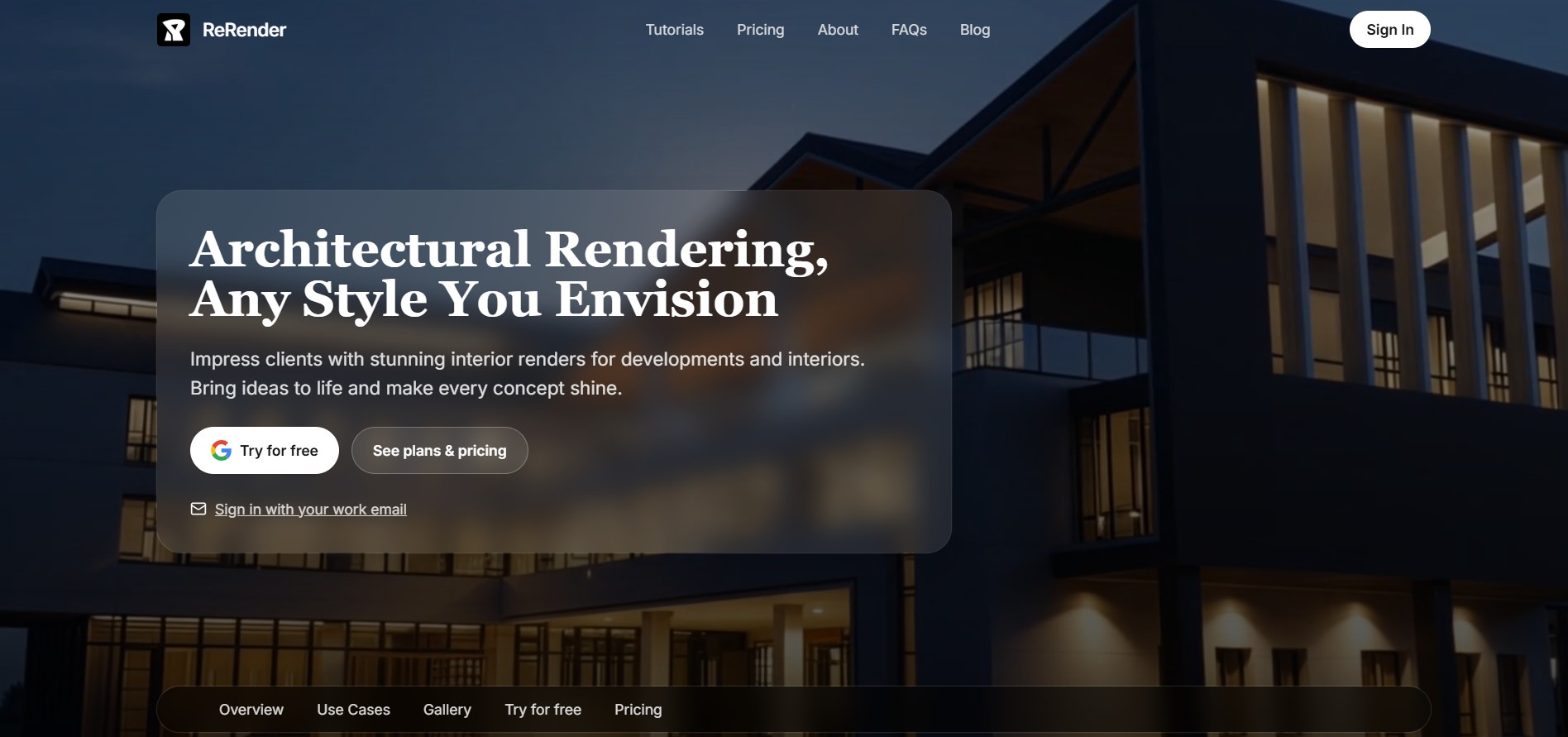
What is ReRender AI?
ReRender AI is an advanced generative AI platform designed specifically for architectural visualization. It allows architects, interior designers, and real estate developers to convert raw concept sketches, 3D model screenshots, CAD drawings, and site photos into photorealistic renders within seconds. By removing the need for complex, hours-long manual rendering setups in traditional software, ReRender AI drastically accelerates early-stage concept exploration and client presentation workflows.
ReRender AI supports over 20+ curated architectural and interior design styles, enabling creators to render exteriors, residential interiors, commercial spaces, and landscape developments effortlessly. With an intuitive web workspace and support for private studio team environments, ReRender AI has served users across 150+ countries with thousands of daily renders generated.
- Core Focus: AI Architectural Rendering, Interior Visualization, and Concept Design
- Launch Year: 2023
Use Cases:
- Converting hand sketches or CAD layouts into high-resolution photorealistic renders
- Generating interior staging variations for real estate listings and client decks
- Exploring rapid exterior facade and materials options during initial design stages
- Creating dynamic video walkthroughs and visual animations from static renders
Technology:
- Diffusion-based generative AI tailored for structural and spatial geometry consistency
- RenderChat conversational AI assistant for targeted prompt refinement
- Cloud-based high-performance rendering engine with upscaling pipelines
Target Users:
- Architects and urban planners looking for fast visual feedback loops
- Interior designers creating client-ready room renderings and moodboards
- Real estate developers showcasing unbuilt properties to investors
Ecosystem: Features specialized rendering engines, RenderChat, public/private design galleries, and team workspace collaboration tools.

Key features of ReRender AI
ReRender AI's key features are
- Multi-Input Visual Processing: Accepts hand sketches, 3D viewport screenshots (SketchUp, Revit, Archicad, Rhino), and photographs as visual anchors.
- 20+ Preset Architectural Styles: Offers instant styling presets spanning modern, minimalist, Scandinavian, industrial, biophilic, traditional, and luxury aesthetics.
- RenderChat Assistant: A natural language AI assistant that allows users to adjust lighting, weather, textures, and atmospheric moods conversationally.
- Private Workspace & Data Rights: Pro and Team subscriptions ensure renders remain completely private and are never used to train base AI models.
- High-Resolution Upscaling: Features built-in image enhancement tools to upscale output resolution up to 4x for client presentations and marketing materials.
- Video & Animation Credits: Translates static renders into dynamic video clips for social media, marketing, and client proposals.
ReRender AI Pricing
ReRender AI operates on a freemium model with flexible monthly, annual, and student plans.
Free Plan:
- $0/month
- Includes 3 daily watermarked renders, standard output resolution, and public gallery visibility.
Individual Pro Plan:
- $45/month (or $38/month when billed annually)
- Includes unlimited renders, full commercial license, 4x upscaling, watermark-free downloads, private mode, and video creation credits.
Team Plan:
- $55/month per user (or $46/month when billed annually)
- Adds centralized team billing, shared project spaces, role management, and collaborative moodboards.
Student Plan:
- $9 for 2 weeks or $15/month (requires educational email verification)
Is ReRender AI Worth It?
ReRender AI is well worth it for architecture firms, interior studios, and real estate professionals who need to produce high-volume visual concepts under tight deadlines. By replacing complex offline render setup times with 15-second AI generations, design studios save dozens of hours per project while expanding the visual choices presented to clients.
Real-World Use Cases
- Concept Pitching & Client Options: Architects generate multiple exterior material and lighting options for clients during initial design meetings.
- Interior Design Staging: Designers upload raw drywall photos or empty 3D room models to test furniture arrangements and color palettes.
- Real Estate Pre-Sales Marketing: Developers transform unbuilt CAD floor plans and site sketches into marketing-ready visual collateral.
- Competition & Portfolio Visuals: Architecture students and solo practitioners produce polished competition boards on budget.
Who is using ReRender AI?
ReRender AI is designed for design and building professionals, including
- Architects & Drafters: Professionals looking to bypass slow 3D render engine pipelines
- Interior Designers: Creators developing fast room aesthetics, material variants, and lighting schemes
- Real Estate Agents & Developers: Teams marketing properties prior to groundbreaking or renovation completion
- Architecture Students: Learners needing affordable, high-quality visuals for academic projects
Best ReRender AI Alternatives
Some of the strongest ReRender AI alternatives include
- D5 Render
- Enscape 3D
- Visualizee.ai
- MyArchitectAI
- Meshy
Pros and Cons of ReRender AI
Pros
- Rapid rendering times—generates high-quality visuals in 15 to 30 seconds
- Supports diverse inputs including rough hand sketches, CAD drawings, and 3D screenshots
- Guarantees private rendering and complete commercial ownership on paid plans
- RenderChat enables natural language iterations for lighting and mood adjustments
- Affordable dedicated student pricing tier
Cons
- Free tier renders include watermarks and are posted to the public gallery
- Lack of per-element masking/inpainting compared to specialized photo editors
- Requires paid Pro or Team plans to access un-watermarked high-resolution exports
Why Choose ReRender AI?
ReRender AI bridge the gap between initial ideation and photorealistic presentation. Instead of requiring costly GPU hardware or specialized rendering software expertise, it allows anyone in the studio to turn design ideas into compelling visuals instantaneously.
- Cuts visualization turnarounds from days to seconds
- Helps present multiple design options to clients early in the sales cycle
- Protects studio intellectual property through private mode rendering
- Eliminates steep learning curves associated with traditional 3D rendering suites
How ReRender AI Works
- 1. Upload Design Input: Drag and drop a sketch, CAD drawing, room photo, or 3D viewport screenshot into the platform.
- 2. Choose Style & Atmosphere: Select from architectural style presets (e.g., Scandinavian interior, modern exterior) or type a prompt.
- 3. Fine-Tune with RenderChat: Instruct the AI assistant to refine specific lighting conditions, time of day, or material textures.
- 4. Export & Upscale: Download high-resolution watermark-free renders or export short video animations for presentation decks.
ReRender AI vs. Competitors
The primary difference between ReRender AI, D5 Render, and Visualizee.ai lies in their operational workflow. D5 Render is a heavy real-time CAD plug-in engine suited for full BIM models, whereas ReRender AI is a light web-based AI assistant that operates instantly on any visual screenshot or sketch without heavy GPU dependencies. Visualizee.ai provides per-element inpainting, while ReRender AI focuses on fast style exploration and RenderChat prompt adjustments.
| Feature | ReRender AI | D5 Render | Visualizee.ai |
|---|---|---|---|
| Primary Focus | AI Architectural Rendering | Real-time BIM 3D Rendering | AI Image & 4K Visualization |
| Hardware Requirement | Cloud-Based (Any Device) | High-End GPU Required | Cloud-Based (Any Device) |
| Input Types | Sketches, Photos, 3D Views | Full 3D CAD/BIM Files | Sketches, Photos, 3D Models |
| Private Rendering | Included in Pro/Team | Native Desktop Local | Included in All Plans |
| Starting Price | Free / $45 per month | Free tier / $30+ per month | Free tier / $15 per month |
How do we rate ReRender AI?
| Parameter | Rating (out of 5) |
|---|---|
| Ease of Use | 4.8 |
| Rendering Speed | 4.7 |
| Visual Quality | 4.5 |
| Value for Money | 4.3 |
| Feature Flexibility | 4.4 |
| Overall Score | 4.5 |
ReRender AI Review
ReRender AI provides a fast, intuitive solution for converting early design concepts into production-grade architectural visuals. By eliminating complex material setups and lighting adjustments, it empowers design studios to iterate effortlessly. Its combination of sketch support, style presets, RenderChat conversational editing, and private team mode makes it an ideal companion for contemporary architecture and design workflows.
Conclusion
ReRender AI stands out as a powerful visual accelerator for architects, interior designers, and real estate professionals. Its ability to generate clean, styled renders from simple sketches or 3D viewport captures speeds up creative exploration while cutting client revision cycles. For teams looking to enhance their presentation pipeline without heavy hardware overhead, ReRender AI offers a reliable and efficient platform.
Frequently Asked Questions (FAQs)
Can I use ReRender AI outputs for commercial client projects?
Yes, all images generated on paid plans (Individual Pro and Team) include full commercial rights and are kept private.
What input file formats does ReRender AI support?
ReRender AI supports standard image uploads including PNG, JPG, and WEBP formats exported from CAD tools, SketchUp, or hand drawings.
Does ReRender AI use uploaded client work to train its AI models?
No, paid workspace user content and private renders are strictly protected and are not used to train proprietary base AI models.
Does ReRender AI offer a free version?
Yes, ReRender AI provides a free trial plan that allows users to generate 3 daily watermarked renders.
User Reviews
No reviews yet for ReRender AI.
Featured Tools
Featured AI tools from TechShark

Melody Genie
MelodyGenie is an AI-powered music generator that creates original songs from simple text prompts. Users can choose styles, moods, and genres, then instantly generate melodies and full tracks, making it easy for creators, marketers, and hobbyists to produce custom music without musical expertise.
Freemium

Kimi AI
Kimi AI is an advanced AI assistant developed by Moonshot AI that helps you chat, research, write, code, and automate tasks in one place. It supports web search, file analysis, and multimodal inputs, and can even run autonomous “agent” workflows to complete complex tasks end-to-end.
Freemium

Fashion Diffusion AI
Fashion Diffusion is an AI-powered fashion design platform that helps brands and designers create clothing designs, virtual try-ons, AI models, product photos, and marketing visuals faster and cost-effectively.
Paid

Veo 4
Veo 4 AI is an AI video creation platform that generates dramatic videos from text, images, audio, and video prompts using realistic motion and synchronized sound.
Paid
Alternatives
Alternatives to ReRender AI
The best ReRender AI alternatives include D5 Render, Enscape 3D, Visualizee.ai, MyArchitectAI, and Meshy. D5 Render and Enscape 3D offer real-time photorealistic rendering directly within CAD and BIM software. Visualizee.ai provides 4K rendering and inpainting for selective element edits. MyArchitectAI provides rapid browser-based visual generation, while Meshy offers 3D model generation from text and image prompts.
InterviewBit
AI Agent
InterviewBit (interviewbit.com) is a prominent technical interview preparation and coding practice platform that helps software engineers master data structures, algorithms, and system design through structured learning tracks and peer mock interviews.
Acedit AI
AI Agent
Acedit AI (acedit.ai) is a browser-based AI interview preparation platform and real-time copilot Chrome extension that delivers personalized mock interviews, instant answer suggestions, and live coaching for job seekers.
Interviews Chat
AI Agent
Interviews Chat (interviews.chat) is an AI-powered job interview prep and live copilot platform that provides real-time audio transcription, instant STAR-formatted answer suggestions, online assessment coding help, and tailored mock interview practice.
LeetCode
AI Agent
LeetCode (leetcode.com) is the premier global online platform for technical interview preparation, algorithm practice, and software engineering skill development, featuring thousands of coding challenges, company-tagged question sets, and real-time execution environments.
Gainlo
AI Agent
Gainlo (gainlo.co) is a mock interview and career preparation platform that connects software engineers and tech professionals with experienced mock interviewers from top-tier tech companies like FAANG to provide real-world simulation and feedback.
Pramp
AI Agent
Pramp (pramp.com) is a popular peer-to-peer mock interview platform and technical community that allows software engineers, product managers, and data scientists to practice live, bi-directional mock interviews for free.
Interview Kickstart
AI Agent
Interview Kickstart (interviewkickstart.com/in) is a premier, high-intensity technical interview preparation and career acceleration bootcamp founded in 2014, designed to help experienced engineers and tech professionals land senior roles at FAANG and top-tier tech companies.
CodeSignal
AI Agent
CodeSignal (codesignal.com) is a comprehensive technical skills assessment and talent evaluation platform that empowers engineering and recruiting teams to screen candidates using certified tests, AI interviewers, and live interactive coding environments.
HackerRank
AI Agent
HackerRank (hackerrank.com) is the premier global technical hiring and developer skill assessment platform, empowering engineering teams to screen, evaluate, and interview candidates through automated take-home coding challenges, pair-programming modules, and AI-driven screening tools.