
PimEyes
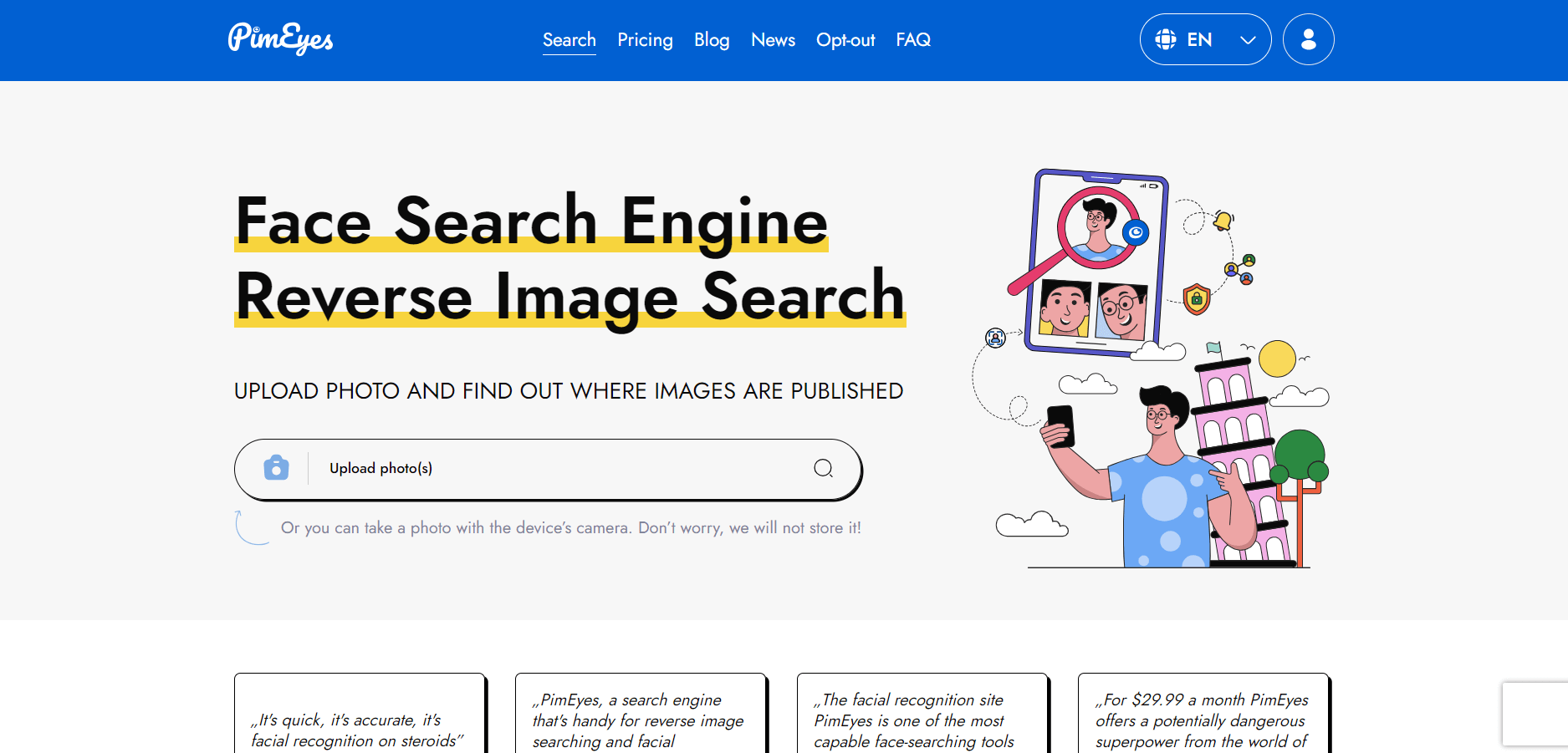
PimEyes is an AI-powered face search engine that helps users find visually similar images across publicly accessible websites. It offers facial search, monitoring alerts, source links, and takedown assistance for people who want to understand and manage their online image presence.
What is PimEyes?
PimEyes is an AI-powered facial recognition search engine that helps users discover where visually similar images of a face appear across publicly accessible websites. Unlike traditional reverse image search tools that primarily compare entire images, PimEyes focuses on facial features to find matching or similar faces in different photographs. Users upload a face photo, and the platform analyzes its visual characteristics before searching its index of publicly available web images. Results can include photographs taken in different settings, with different backgrounds, or with changes in hairstyle and appearance. Users can then review matching results and, depending on their subscription, access the original source websites.
PimEyes is primarily designed for personal image monitoring, copyright research, and understanding one's online presence. It does not identify individuals by name or verify someone's identity. Instead, it returns visually similar face matches and links to the websites where those images appear.
PimEyes is a privacy-focused AI face search engine founded in 2017 that allows users to upload a photo and find visually similar images across publicly available websites using advanced pattern-matching technology. It scans 900M+ indexed pages and delivers results within seconds, with ~99.5% search accuracy and temporary image storage (deleted within minutes to hours). The platform attracts 8.8M+ monthly visits with ~9:36 average session time, and offers plans supporting 75 to unlimited daily searches and up to 500 alerts, helping users monitor and protect their digital identity online.
- Platform Role: AI Facial Recognition Search Engine, Reverse Image Finder & Digital Risk Protection Platform
- Core Focus: Biometric facial matching, unauthorized image discovery, automated web presence alerts, and legal DMCA/GDPR takedown notices
- Deployment: Fast browser-based web application with no software installation required
Use Cases:
- Discovering instances where personal photos have been posted on external websites without explicit consent
- Investigating copyright infringement and unauthorized commercial use of creative portrait photography
- Conducting passive Open Source Intelligence (OSINT) and identity verification during background investigations
- Setting up automated visual alerts to monitor whenever a specific face appears in newly indexed web pages
- Submitting structured DMCA and GDPR takedown notices to external website administrators to remove infringing photos
Technology:
- Deep-learning biometric engine extracting multi-dimensional facial vector embeddings independent of hair style, makeup, or lighting
- High-throughput web indexing crawler scanning and indexing public news sites, stock archives, discussion boards, and open forums
- Deep Search algorithm performing comprehensive secondary passes on archived records and less-frequently crawled databases
- Automated legal notice builder streamlining the generation of DMCA and GDPR removal demands for hosting providers
Target Users:
- Individuals and public figures seeking to audit and protect their personal likeness across the internet
- Photographers, models, and visual creators tracking unauthorized commercial distribution of their likeness
- OSINT analysts, investigative journalists, and researchers verifying image sources and biographical provenance
- Legal and corporate reputation management teams managing executive digital footprints and risk mitigation
Acquisition: Specialized facial recognition search engine and monitoring tool
What are the key features of PimEyes?
PimEyes offers several features for searching, reviewing, and monitoring publicly available photographs.
- AI-Powered Facial Search: Upload a photograph to search for visually similar faces across publicly accessible websites. The system focuses on facial features rather than matching only the complete image.
- Direct Source URLs: Access links to websites where matching photographs appear. Source access is available through eligible paid plans.
- PimEyes Alerts: Set up alerts to monitor newly detected matching images in the platform's index.
- Takedown Assistance: PROtect users can access takedown-related services that help prepare and submit removal requests to external websites.
- Deep Search: Advanced subscribers can access additional search functionality for more extensive research.
- AI-Generated Reports: Eligible plans provide reports and tools to help organize search findings.
- Result Management: Manage and review search results through the platform's account features.
- Opt-Out Option: Submit a request to exclude matching facial results from public PimEyes searches through its opt-out process.
The platform's search coverage is limited to publicly accessible websites that allow indexing. PimEyes states that it does not search social media platforms or private databases.
PimEyes Pricing
PimEyes offers limited free access and paid subscriptions for users who need additional searches, source links, monitoring alerts, and other features. The available plans include Open Plus, PROtect, and Advanced.
Pricing Plans:
- Free Preview ($0): Perform basic demo searches returning blurred match thumbnails and result counts without source URLs or links.
- Open Plus ($29.99 / month): Up to 75 daily searches, unblurred image matches, direct source website URLs, and up to 10 active PimEyes monitoring alerts.
- PROtect ($34.99 - $79.99 / month depending on takedown package): Up to 125 daily searches, unblurred source URLs, up to 20 alerts, result management, and automated DMCA/GDPR takedown agent support to help remove photos from external hosts.
- Advanced ($299.99 / month): Unlimited daily searches, 500 active monitoring alerts, full Deep Search functionality, dedicated support, and exportable PDF/CSV reports.
Is PimEyes Worth Paying For?
PimEyes may be worth paying for if you regularly need to monitor publicly indexed photographs, access original source links, or manage a large number of search alerts. The PROtect plan may be more suitable for users who also need takedown assistance. For occasional searches, the free option may be enough to evaluate the platform. However, users should understand that a search result does not prove identity, and a takedown request does not guarantee removal from an external website.
Disclaimer: Subscriptions renew automatically and provide discounts of approximately 20% to 25% on annual commitments. Core consumer plans start at $29.99/mo. Check pimeyes.com/en/pricing for current tier structures and regional currencies.
Who should use PimEyes?
PimEyes is designed for individuals and professionals who need facial search and online image monitoring capabilities.
- Individuals and Privacy-Conscious Users: People can use PimEyes to investigate where their publicly indexed photographs appear and monitor their online image presence.
- Photographers and Models: Visual creators can search for potential unauthorized use of their portraits and review the source websites.
- Journalists and Researchers: Researchers can use facial search results as one part of an image-source investigation, while independently verifying the information.
- Reputation Management Specialists: Professionals can monitor publicly accessible images associated with clients and executives.
- Legal and Copyright Professionals: Teams investigating potential image misuse can use search results to identify relevant source websites for further review.
PimEyes should not be treated as a standalone identity verification or background-check system. Its results are visual matches, not proof that two photographs show the same person.
What are the best alternatives to PimEyes?
Some of the strongest PimEyes alternatives include
- FaceCheck.ID
- TinEye
- Google Images (Google Lens)
- Lenso.ai
- Bing Visual Search
- Yandex Visual Search
Which PimEyes Alternative Should You Choose?
- Choose FaceCheck.ID if you specifically want to explore another face-search service.
- Choose TinEye if your main requirement is finding copies or modified versions of a particular image.
- Choose Google Lens for general-purpose visual searches, products, places, and objects.
- Choose Lenso.ai if you want to explore AI-powered image search options.
- Choose Bing Visual Search for general image discovery within Microsoft's search ecosystem.
The best choice depends on whether you need facial matching, exact-image discovery, or general visual search.
What are the pros and cons of PimEyes?
Pros of PimEyes:
- Face-Focused Search: Searches for visually similar faces instead of relying exclusively on exact image matching.
- Source Website Links: Paid plans provide access to links showing where matching images appear.
- Monitoring Alerts: Users can receive notifications about newly detected matching results.
- Takedown Assistance: Eligible users can access tools for preparing and submitting image removal requests.
- Browser-Based Access: The platform can be accessed through a web browser without installing desktop software.
- Multiple Subscription Options: Different plans accommodate occasional searches and more extensive monitoring needs.
Cons of PimEyes:
- Limited Free Access: Free searches do not provide the same source access and features as paid subscriptions.
- Incomplete Search Coverage: It only searches content available in its index, so it cannot guarantee that every photograph will be found.
- No Social Media Search: PimEyes states that it does not index social media platforms or private databases.
- Subscription Costs: Advanced monitoring and research features require paid plans.
- Privacy Considerations: Facial recognition involves sensitive biometric information, so users should carefully consider consent and lawful use.
- External Removal Limitations: PimEyes cannot directly control or guarantee the removal of photographs hosted on other websites.
Why should you choose PimEyes?
PimEyes offers a face-focused search approach for people who want to investigate where their photographs appear online. Traditional reverse image search tools may focus on finding copies or visually related versions of an entire image. PimEyes instead analyzes facial features to find similar faces across different photographs. This makes the platform useful for online image monitoring and investigating potential misuse of personal photographs.
Key reasons to consider PimEyes include:
- Find Visually Similar Faces: Search for photographs that contain a similar face, even when the background or appearance has changed.
- Review Original Sources: Access source website links through eligible paid subscriptions.
- Monitor New Results: Set up alerts to track newly detected matching images.
- Manage Search Findings: Use available account features to review and organize results.
- Request Image Removal: Access takedown assistance for eligible cases and submit requests to external website administrators.
- Control Search Visibility: Use the opt-out process to request exclusion from public PimEyes search results.
Users should remember that facial matches are not identity verification. Search results should always be reviewed carefully before taking action.
How PimEyes Works
PimEyes follows a straightforward search process. Users upload a face photograph, review the matching results, and access additional monitoring or removal features depending on their plan.
Step 1: Upload a Photograph
Visit the official PimEyes website and upload a clear photograph of the face you want to search. The platform uses the image to perform a facial search.
Step 2: AI-Powered Face Search
PimEyes analyzes facial characteristics and compares them with images in its index of publicly accessible websites.
Step 3: Review Matching Results
The platform displays visually similar images. Users can review available results and, with eligible subscriptions, access the original source URLs.
Step 4: Monitor Your Online Presence
Users with supported subscriptions can configure PimEyes Alerts to receive notifications when new matching images are detected.
Step 5: Explore Removal Options
If you find an image that you believe has been published without permission, you can contact the website hosting it or explore the platform's available takedown assistance and opt-out processes.
Keep in mind that opting out of PimEyes search results does not remove the original photograph from the external website.
How does PimEyes compare to competitors?
While Google Lens and TinEye focus on general object recognition and duplicate image files, and FaceCheck.ID caters to pay-per-search safety verification, PimEyes leads in persistent biometric indexing across the open web with integrated takedown automation.
| Feature / Platform | PimEyes | FaceCheck.ID | Google Lens | TinEye |
|---|---|---|---|---|
| Search Methodology | Biometric facial landmark mapping | Facial recognition matching | General computer vision & OCR | Exact & modified image hashing |
| Free Tier Usability | Blurred preview thumbnails only | Free previews with confidence scores | 100% Free with open links | Free for individual image lookups |
| Takedown Assistance | Yes (PROtect plan DMCA/GDPR agent) | No (Self-removal from index only) | Manual webmaster contact | No takedown tools |
| Automated Alerts | Yes (10 to 500 active alerts) | No | Google Alerts (text only) | TinEye Alerts (enterprise) |
| Pricing Model | Subscription from $29.99/mo | Pay-per-search credits from ~$7 | Free / Ad-supported | Free / Paid API pricing |
| Best For | Auditing face exposure & takedowns | One-time identity verification checks | Everyday visual shopping & landmarks | Tracking image copyright duplication |
How do we rate PimEyes?
At TechShark, we evaluate AI tools based on their functionality, ease of use, feature availability, practical applications, and overall value. The following ratings are TechShark editorial assessments, not independently measured accuracy benchmarks or verified customer ratings.
| Parameter | Rating (out of 5) |
|---|---|
| Facial Recognition Accuracy | 4.9 |
| Open Web Index Depth | 4.8 |
| Alerts & Monitoring Infrastructure | 4.7 |
| Takedown Tools & Legal Assistance | 4.7 |
| Value for Money | 4.4 |
| Overall Score | 4.70 |
What is our review and verdict on PimEyes?
PimEyes is a specialized facial search platform that provides a different approach to reverse image search. Instead of focusing only on matching an entire image, it analyzes facial characteristics to find visually similar photographs across publicly accessible websites. Its main strengths are facial search, source links, monitoring alerts, and takedown-related assistance. These features make it useful for people who want to investigate their online image presence or identify potential unauthorized uses of their photographs.
However, PimEyes is not a complete solution for online privacy protection. Its results depend on the websites and images available in its index, and it cannot guarantee that every photograph will be discovered. It also does not directly remove images from external websites. Users must contact the relevant website or follow the available removal process. Another important consideration is privacy. Facial recognition technology can be misused, so searches should be conducted responsibly, with appropriate consent and for lawful purposes. Users should not rely on matching results as proof of someone's identity.
Our Verdict: PimEyes is a useful option for people who specifically need facial search and online image monitoring. Its paid features provide additional functionality for frequent searches and ongoing monitoring. However, users should evaluate the subscription cost, understand the limitations of its search index, and consider the privacy implications before uploading photographs.
Conclusion
PimEyes is an AI-powered face search engine that helps users discover visually similar photographs across publicly accessible websites. Its facial search technology, source links, monitoring alerts, and takedown assistance make it a specialized tool for online image monitoring and copyright-related research. However, it is important to understand that PimEyes does not guarantee complete search coverage, verify identities, or automatically remove photographs from external websites. Its facial search results should be treated as potential matches rather than confirmed identities.
Overall, PimEyes is worth exploring if you need a dedicated face-search platform. For general reverse image searches, tools such as Google Lens and TinEye may be more suitable.
FAQ
What is PimEyes and what does it do?
PimEyes is an AI-powered face search engine that helps you find where your photos appear online. You upload a picture of a face, and the tool scans publicly available websites to locate matching or similar images. It’s mainly used to track image usage, detect impersonation, or monitor your digital footprint across the web.
How does PimEyes work?
PimEyes works by analyzing facial features in an uploaded image and converting them into a kind of “face fingerprint.” It then compares this against billions of indexed images across the open web to find matches. Instead of relying on text or metadata, it focuses purely on visual similarity, which allows it to find the same face even in different photos, angles, or lighting conditions.
Does PimEyes search social media platforms?
No, PimEyes does not search social media platforms like Instagram or Facebook. It only indexes publicly accessible websites that allow search engine crawling, such as blogs, news sites, and company pages. This means results are limited to content available on the open web, not private or restricted platforms.
Is PimEyes free or paid?
PimEyes offers a limited free search where you can see that matches exist, but full access—like viewing source links or using monitoring tools—requires a paid subscription. Plans vary depending on usage, with higher tiers offering more searches, alerts, and advanced features for tracking your online presence.
Is PimEyes safe and private to use?
PimEyes emphasizes privacy and security. Uploaded images are processed securely, stored temporarily, and automatically deleted after a short period (up to around 48 hours). The platform also uses encryption and does not permanently store or share your photos, giving users control over their data.
Can PimEyes remove my photos from the internet?
No, PimEyes cannot directly remove images because it does not host them. However, it provides tools and guidance to help you request removal from the original websites where the images appear. The success of removal depends on the website owner and their policies.
Who should use PimEyes?
PimEyes is useful for individuals, creators, journalists, and security professionals who want to track image usage online. It’s commonly used for protecting personal privacy, monitoring brand or copyright usage, detecting fake profiles, and verifying where images are being published.
User Reviews
No reviews yet for PimEyes.
Featured Tools
Featured AI tools from TechShark

LandAtlas
LandAtlas is a land investing platform that combines parcel research, skip tracing, buyer matching, contracts, and deal management. It helps land wholesalers and acquisition teams organize property leads, evaluate opportunities, connect with potential buyers, and manage transactions from one workspace.
Paid

Klap
Klap is an AI video clipping platform that transforms long videos into short-form social media content. It automatically identifies highlights, creates captions, reframes speakers, and schedules clips, helping creators, podcasters, and marketing teams repurpose existing videos with less manual editing.
Free

Melody Genie
MelodyGenie is an AI-powered music generator that creates original songs from simple text prompts. Users can choose styles, moods, and genres, then instantly generate melodies and full tracks, making it easy for creators, marketers, and hobbyists to produce custom music without musical expertise.
Freemium

Fashion Diffusion AI
Fashion Diffusion is an AI-powered fashion design platform that helps brands and designers create clothing designs, virtual try-ons, AI models, product photos, and marketing visuals faster and cost-effectively.
Paid
Alternatives
Alternatives to PimEyes
The best PimEyes alternatives include FaceCheck.ID, TinEye, Google Lens, and Lenso.ai. While PimEyes specializes in biometric facial recognition across billions of open web pages with continuous alerts and automated DMCA takedown assistance starting at $29.99/month, alternatives like Google Lens focus on general visual object lookups and FaceCheck.ID provides pay-per-search credits.
 4.8
Identomat
Compliance
Identomat is an AI-powered digital identity verification, biometric liveness detection, and KYC/AML compliance platform that automates customer onboarding across 165+ countries with no-code workflow builders, iBeta Level 2 anti-spoofing, and flexible cloud or on-premises deployment.
TinFace AI
Identity Check
TinFace AI is an AI-powered facial recognition search engine and reverse image matching platform that helps users find matching photos, discover look-alikes across the web, audit their digital footprint, and verify where their pictures are hosted online.
Google Lens
Identity Check
Google Lens is Google's multimodal visual search and computer vision tool that identifies real-world objects, translates text in real time, solves homework equations, finds products to shop, and copies physical text to digital devices using camera frames and image uploads.
FaceAge AI
Identity Check
FaceAge AI is an AI-powered facial age estimator, beauty metric calculator, and facial harmony analysis platform that determines your perceived facial age in seconds from a single selfie while offering deep facial symmetry, jaw angle, and aesthetic measurement reports.
 4.9
Oak
Identity Check
Oak is an AI-powered identity and compliance platform that helps businesses verify users, manage KYC/AML processes, and prevent fraud through automated checks and risk monitoring. It combines document verification, biometrics, and real-time screening into one system.
 4.9
Veriff
Identity Check
Veriff is an AI-powered identity verification platform that helps businesses confirm users are real, prevent fraud, and stay compliant with regulations like KYC and AML. It uses document checks, facial recognition, and behavioral signals to verify identities in seconds with high accuracy.
 4.9
Sumsub
Identity Check
Sumsub is an identity verification and compliance platform that helps businesses verify customers, screen companies, monitor transactions, and detect fraud. Its tools support KYC, KYB, AML screening, biometric verification, liveness detection, and customizable onboarding workflows for fintech companies, crypto platforms, marketplaces, and regulated businesses worldwide.
 4.9
Jumio
Identity Check
Jumio is an AI-powered identity verification and compliance platform that helps businesses verify users using ID documents, facial recognition, and liveness detection. It prevents fraud, supports KYC/AML compliance, and delivers real-time risk insights across the entire customer lifecycle.
 4.6
FaceCheck.ID
Identity Check
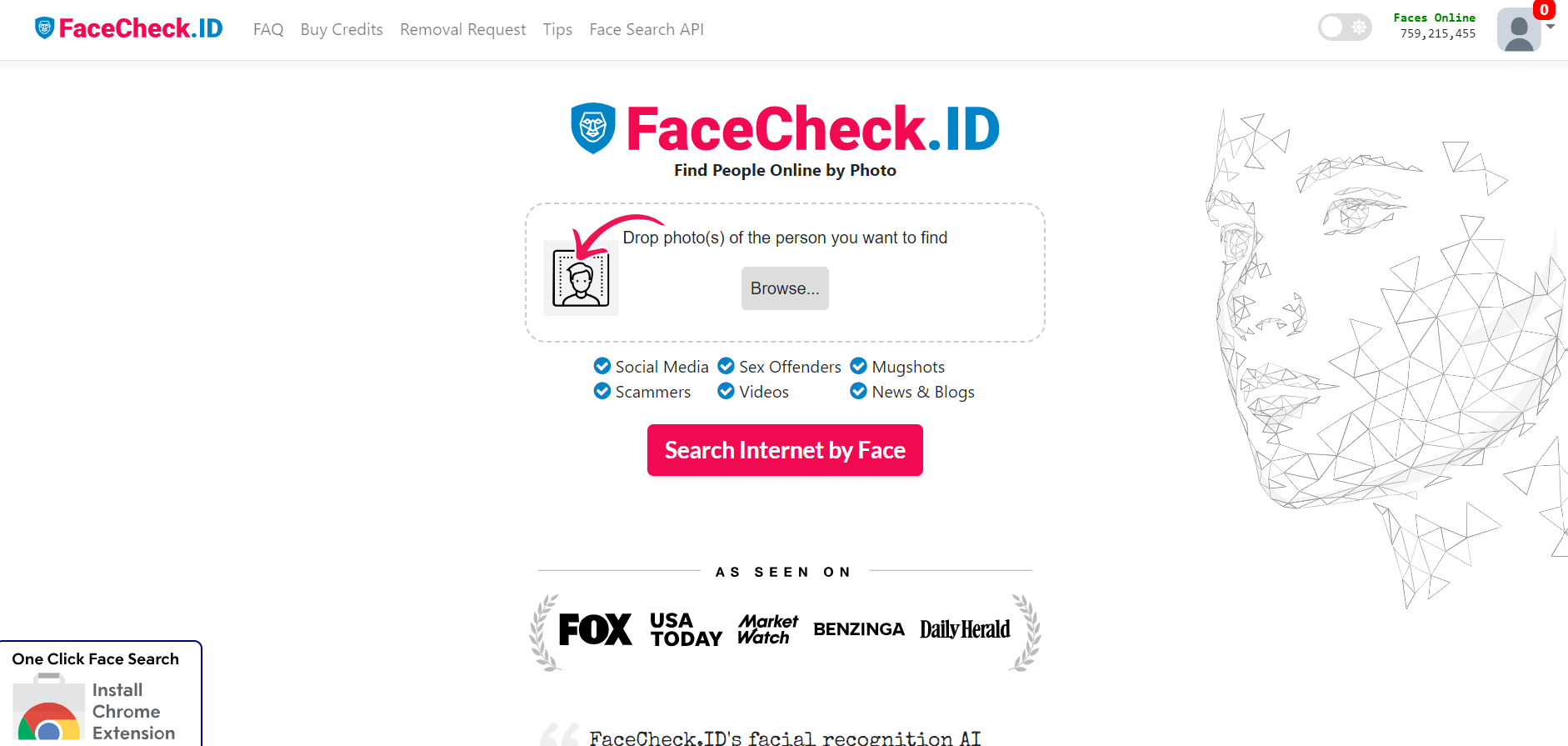
FaceCheck.ID is an AI-powered reverse face search engine that compares an uploaded face photo with images indexed from publicly accessible websites. It can help users find similar images, investigate impersonation, and review online exposure, but matches are not identity proof.