
MusicRemover.ai
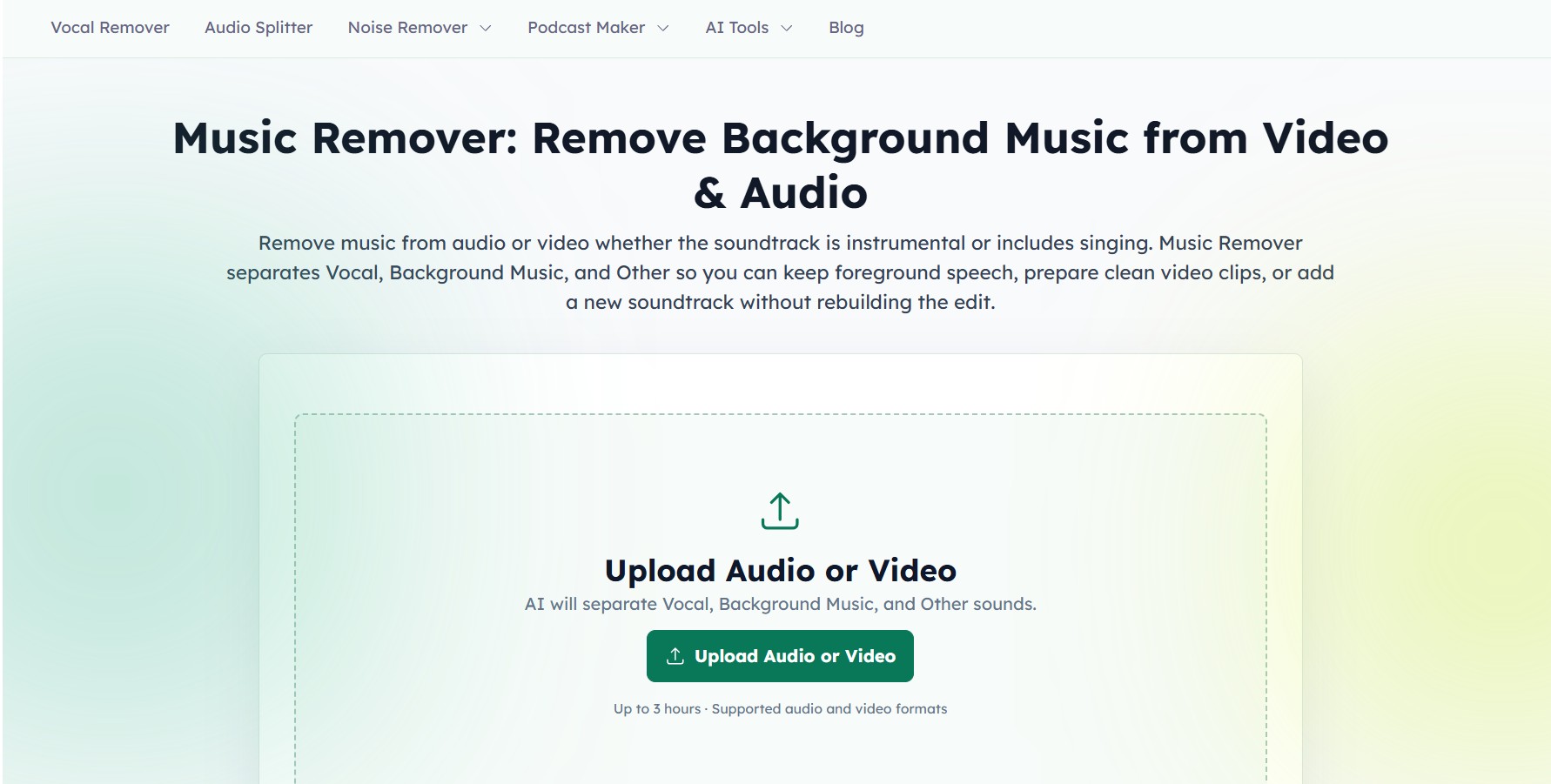
MusicRemover AI is an AI-powered audio tool that removes background music from videos or audio while keeping clear speech or vocals. It separates files into vocal, background music, and other sound layers, making it easy to clean audio, edit videos, or replace soundtracks without complex editing.
What is MusicRemover.ai?
MusicRemover is an AI-powered audio and video editing tool that helps you remove background music while keeping clear vocals or dialogue intact. You simply upload a file, and the AI separates it into different tracks like voice, background music, and other sounds, so you can edit, replace, or reuse each part independently. It works directly in the browser without needing software, supports common file formats, and is useful for creators, podcasters, educators, and marketers who want cleaner audio, better edits, or new soundtracks without rebuilding the entire project.
Engineered around the concept of practical audio and video preparation, MusicRemover.ai allows users to upload local files, record audio or screens directly, or paste cloud media URLs to separate soundtracks into distinct Vocal, Background Music, and Other stems. The platform cleanly extracts dialogue from videos with musical scores—even when background songs include singing vocals—allowing creators to preserve foreground speech, replace soundtracks without rebuilding video edits, and produce clean voice tracks for transcription. Capable of handling long-form recordings up to 3 hours in duration with real-time waveform previewing and stem rebalancing, MusicRemover.ai provides a free online preview alongside flexible credit and subscription options.
- Platform Role: AI Audio & Video Background Music Remover, Stem Separator & Dialogue Isolator
- Separation Engine: Multi-stem separation splitting foreground vocals, background music (scoring/songs), and Other sounds
- Supported Inputs: Audio uploads (MP3, WAV), video files (MP4, MOV), direct media links, and online screen/audio recording
Use Cases:
- Stripping copyrighted background music from video clips and interviews before cutting highlights for social media
- Isolating spoken dialogue from noisy podcast recordings to improve speech clarity and automated transcription accuracy
- Replacing licensed soundtracks on existing video edits while keeping original actor speech and picture intact
- Extracting clean instrumental backing tracks or acapella vocals for music practice, karaoke, and remixes
- Separating long-form webinar, lecture, and livestream recordings up to 3 hours in length with minimal setup
Technology:
- Deep neural network audio source separation algorithms isolating complex polyphonic acoustic layers
- Dialogue preservation models trained to distinguish spoken human voice from musical accompaniment and background singing
- Client-accessible web player providing synchronized multi-stem comparison and custom mix rebalancing
Target Users:
- Video editors and YouTubers wanting to repurpose footage without retaining copyrighted audio
- Podcasters and interviewers cleaning up background music and ambient sounds from dialogue tracks
- Musicians, DJs, and remixers seeking clean vocal acapellas or instrumental backing stems
- Transcriptionists and localization teams needing isolated speech for subtitle generation and dubbing
Acquisition: Operates as an independent private audio AI platform

What are the key features of MusicRemover.ai?
MusicRemover.ai's key platform features are
- Three-Stem Intelligent Separation: Automatically divides recordings into foreground vocal, background music, and other acoustic elements.
- Removes Songs with Vocals: Separates background tracks even if the soundtrack includes singing vocals, keeping foreground speech clean.
- Video and Audio Compatibility: Works seamlessly with video containers (MP4, MOV) and pure audio formats (MP3, WAV) in one interface.
- Handles Up to 3 Hours: Supports processing long-form podcasts, livestream captures, and conference recordings up to three hours long.
- Direct URL & Screencast Ingestion: Upload files from local storage, paste online media links, or record system audio and screencasts directly.
- Custom Mix & Live Stem Preview: Compare Original, Vocal, Background Music, and Other tracks in real time or adjust stem volume levels before downloading.
- Individual or Batch Stem Download: Download only the isolated voice track or the instrumental score, or export all separated stems together.
- No DAW Required: Complete the full stem extraction workflow inside a modern web browser without installing heavy software.
How much does MusicRemover.ai cost?
MusicRemover.ai operates on a freemium model with free web previews alongside paid credit packages and subscription options.
Free Evaluation:
- $0 / Free Web Preview: Upload files, preview three separated stems, test stem rebalancing, and evaluate separation quality without paying upfront
Paid Options & Packages:
- Pay-As-You-Go / Pro Plans: Unlocks full-length high-bitrate audio/video downloads, priority server processing, long-form 3-hour capacity, and uncompressed stem export options
Disclaimer: Separation processing speeds depend on uploaded file duration and server queue traffic. For the latest credit options and package details, visit musicremover.ai.
Who should use MusicRemover.ai?
MusicRemover.ai is designed for creators and audio professionals, including
- Video Editors & Social Creators: Extracting dialogue from videos to swap out background tracks and avoid copyright claims
- Podcasters & Audio Producers: Cleaning up guest interviews where background music or environmental noise interferes with speech
- Remixers & DJs: Isolating clean vocal lines and instrumental sections for creative audio production
- Transcriptionists & Translators: Producing clear speech tracks to improve automated caption and subtitle accuracy
What are the best alternatives to MusicRemover.ai?
Some of the strongest MusicRemover.ai alternatives include
- LALAL.AI
- VocalRemover.org
- Moises.ai
- Adobe Podcast
- Kapwing
- Media.io
What are the pros and cons of MusicRemover.ai?
What are the pros of MusicRemover.ai?
- Separates instrumental music and background songs containing singing vocals while preserving dialogue
- Handles both video and audio files directly inside the browser without third-party converter tools
- Supports recordings up to 3 hours in duration, making it suitable for long interviews and webinars
- Allows previewing and rebalancing individual stems before committing to an export
- Offers direct link pasting and browser screen recording as input sources
What are the cons of MusicRemover.ai?
- Downloading full-length uncompressed stem tracks requires purchasing paid credits or plans
- Does not provide full multi-track DAW timeline editing tools like cutting or splicing audio
- Heavy vocal overlap over loud background music can occasionally leave subtle acoustic artifacts
Why should you choose MusicRemover.ai?
Most vocal removal tools are built solely for songs, failing when asked to isolate spoken dialogue from videos that have background music and sound effects. MusicRemover.ai addresses this specific workflow challenge.
- Distinguishes spoken dialogue from musical accompaniment to give you usable vocal assets
- Processes video files directly so you can keep the picture and replace only the audio track
- Enables long-form separation for podcasts, lectures, and webinars up to 3 hours long
- Provides real-time previews to verify stem clarity before downloading files
How does MusicRemover.ai compare to competitors?
The main difference between MusicRemover.ai, LALAL.AI, VocalRemover.org, and Adobe Podcast lies in workflow intent and format versatility. While VocalRemover.org focuses primarily on short 2-track song splitting and Adobe Podcast centers on dialogue voice clarity, MusicRemover.ai combines multi-stem extraction for both audio and video files, handling up to 3-hour long recordings with direct URL and screen recording inputs.
| Feature / Platform | MusicRemover.ai | LALAL.AI | VocalRemover.org | Adobe Podcast |
|---|---|---|---|---|
| Core Focus | Audio & Video Music Removal & Stem Split | High-Precision Stem Extraction | Simple Web Vocal/Instrumental Split | Speech Cleanup & Voice Enhancement |
| Video File Input | Yes (Direct video upload & links) | Yes (Video supported) | Audio primarily | Audio (MP3/WAV) |
| Max Duration | Up to 3 hours | Tier-dependent | Short clips (~10 min) | Up to 1 hour (per file) |
| Separated Stem Count | 3 Stems (Vocal, Music, Other) | Up to 10 stems (Pro) | 2 Stems (Vocal / Instrumental) | Voice track enhancement |
| Starting Price | Free preview / Paid plans | From ~$15 (one-time packs) | Free with ads / Patron model | Free basic / Express Premium $9.99/mo |
| Best For | Video editors stripping music from long interviews | Musicians wanting clean instrument-specific stems | Quick karaoke track creation from songs | Removing noise and room echo from spoken voice |
How do we rate MusicRemover.ai?
| Parameter | Rating (out of 5) |
|---|---|
| Voice Isolation & Music Separation Quality | 4.8 |
| Video & Audio Input Flexibility | 4.9 |
| Long-Form File Handling (Up to 3 Hours) | 4.9 |
| Ease of Use & Live Stem Preview | 4.8 |
| Value for Money | 4.8 |
| Overall Score | 4.84 |
What is our review and verdict on MusicRemover.ai?
MusicRemover.ai is a capable stem separation tool tailored specifically for real-world video and audio production workflows. By isolating foreground dialogue from background music—even in complex situations where the soundtrack contains sung lyrics—it solves a common headache for content creators and video editors. Its ability to process video files directly, accept recordings up to 3 hours long, and provide instant multi-stem previewing makes it a dependable, browser-based asset for cleaning up audio before your next edit.
Conclusion
MusicRemover.ai simplifies background music removal and stem separation for creators of all levels. With support for both audio and video files, three-stem separation, 3-hour file capacity, and an intuitive web interface, MusicRemover.ai gives editors and podcasters an efficient platform to isolate vocals and prepare clean soundtracks with minimal effort.
FAQ
What is MusicRemover.ai and what does it do?
MusicRemover.ai is an AI-powered audio and video editing tool that separates different sound layers from a file, such as vocals, background music, and other sounds. It allows users to remove background music while keeping speech or dialogue intact, making it useful for content creators, podcasters, educators, and video editors who want cleaner audio without rebuilding their entire project.
How does MusicRemover.ai actually work?
The platform uses AI to analyze uploaded audio or video and split it into three main tracks: vocal (speech or main voice), background music, and other ambient sounds. This separation is based on the role each sound plays in the mix, allowing users to isolate or remove specific elements and then preview or download the results for further editing.
Can I remove music from a video but keep the voice clear?
Yes, one of the main features of MusicRemover.ai is its ability to remove background music while preserving spoken dialogue as much as possible. This makes it especially useful for interviews, YouTube videos, webinars, and podcasts where the voice needs to remain clear and usable after editing.
What types of files and formats does it support?
MusicRemover.ai supports a wide range of common audio and video formats, including MP3, WAV, MP4, MOV, and more. It also allows uploads of long recordings (up to a few hours), making it suitable for both short clips and full-length podcasts or videos.
Is MusicRemover.ai free to use?
Yes, the tool is currently available for free and does not require a paid subscription to access its core features. Users can upload files, process them, and download separated tracks without upfront costs, although the platform may change features or limits over time.
What are the main use cases for MusicRemover.ai?
Common use cases include removing music from interviews for better clarity, preparing audio for transcription, creating clean voice tracks for dubbing or translation, and replacing soundtracks in videos. It is also used by musicians and editors to separate vocals or instrumentals for remixing and production workflows.
Is it safe to upload files to MusicRemover.ai?
MusicRemover.ai states that it uses secure processing and does not sell user data, with files handled through encrypted workflows and used only to provide the service. However, users remain responsible for the content they upload and should ensure they have the rights to process or reuse any audio or video files.
User Reviews
No reviews yet for MusicRemover.ai.
Featured Tools
Featured AI tools from TechShark

Melody Genie
MelodyGenie is an AI-powered music generator that creates original songs from simple text prompts. Users can choose styles, moods, and genres, then instantly generate melodies and full tracks, making it easy for creators, marketers, and hobbyists to produce custom music without musical expertise.
Freemium

Kimi AI
Kimi AI is an advanced AI assistant developed by Moonshot AI that helps you chat, research, write, code, and automate tasks in one place. It supports web search, file analysis, and multimodal inputs, and can even run autonomous “agent” workflows to complete complex tasks end-to-end.
Freemium

Fashion Diffusion AI
Fashion Diffusion is an AI-powered fashion design platform that helps brands and designers create clothing designs, virtual try-ons, AI models, product photos, and marketing visuals faster and cost-effectively.
Paid

Veo 4
Veo 4 AI is an AI video creation platform that generates dramatic videos from text, images, audio, and video prompts using realistic motion and synchronized sound.
Paid
Alternatives
Alternatives to MusicRemover.ai
The best MusicRemover.ai alternatives include LALAL.AI, VocalRemover.org, Moises.ai, Adobe Podcast Enhance, Kapwing, and Media.io.
 4.8
4.8Spotalike
Music
Spotalike helps music lovers discover songs that match the style and feel of a favorite track. Enter a song, and the service generates a collection of similar recommendations. Users can explore playlists, discover lesser-known artists, vote on recommendations, and export playlists, making music discovery more personalized and exploratory.
4.8Melody Genie
Music
MelodyGenie is an AI-powered music generator that creates original songs from simple text prompts. Users can choose styles, moods, and genres, then instantly generate melodies and full tracks, making it easy for creators, marketers, and hobbyists to produce custom music without musical expertise.
 4.9
4.9Artlist
Image
Artlist is a subscription-based platform that provides high-quality royalty-free music, sound effects, and video assets for creators. It helps filmmakers, YouTubers, and marketers access unlimited creative resources, making it easy to produce professional content without worrying about licensing issues.
 4.8
4.8Cassette AI
Music
Cassette AI helps creators and developers generate music and sound effects using simple text prompts. It supports fast audio generation, 44.1 kHz stereo output, deterministic controls, and API integration. The tool is particularly suited to games, interactive applications, creator software, and production workflows requiring dynamically generated audio.
 4.7
4.7Jamahook Sound Assistant
Music
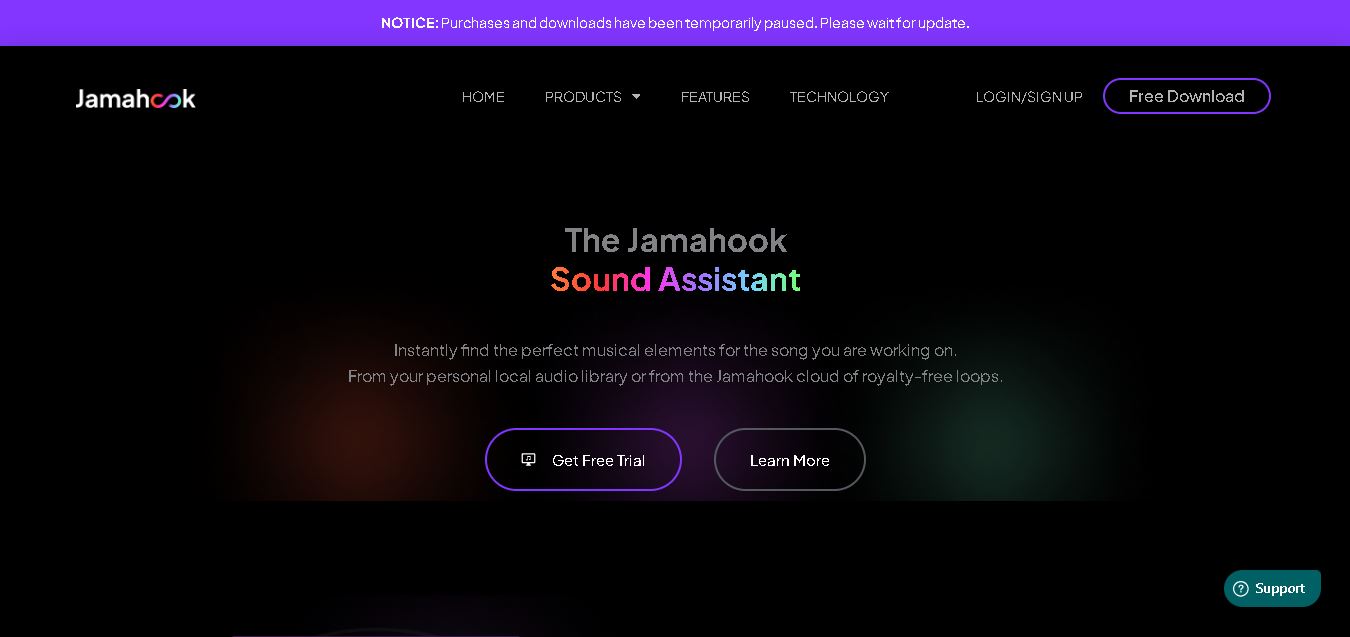
Jamahook helps music producers find compatible loops, samples, and sounds by analyzing their existing music. Its Sound Assistant can search cloud-based sounds or a producer’s own library, using harmonic, rhythmic, drum, mood, genre, and instrument matching. Recommended sounds can be auditioned and added directly to compatible DAWs.
 4.5
4.5SongR AI
Music
SongR helps you turn simple ideas into personalized songs in just a few clicks. You can generate lyrics from keywords, choose a genre, add vocals and accompaniment, and create music for social posts, celebrations, gifts, family moments, audience engagement, or personal entertainment without requiring musical experience or formal music skills.
 4.9
4.9Suno v6
Music
Suno v6 is the sixth-generation AI music creation family by Suno, co-developed with major industry partners like Warner Music Group and BMG, featuring three specialized models (v6, v6-wild, and v6-mini) with multimodal inputs, natural-language section editing, single-lyric replacement, and multi-source mashup workflows.
BeMusic AI
Music
BeMusic AI is an all-in-one generative AI music platform and audio toolkit that transforms text prompts into complete, royalty-free songs in under 30 seconds across 50+ genres, featuring stem splitting, vocal removal, MIDI editing, track extension, and AI singing photo creation.
Wondera
Music
Wondera is an agentic AI music creation and vocal synthesis platform that transforms chat prompts, text lyrics, and reference audio into studio-quality songs, AI voice covers, and multitrack stems with integrated mastering and commercial licensing.