
Maestro Labs
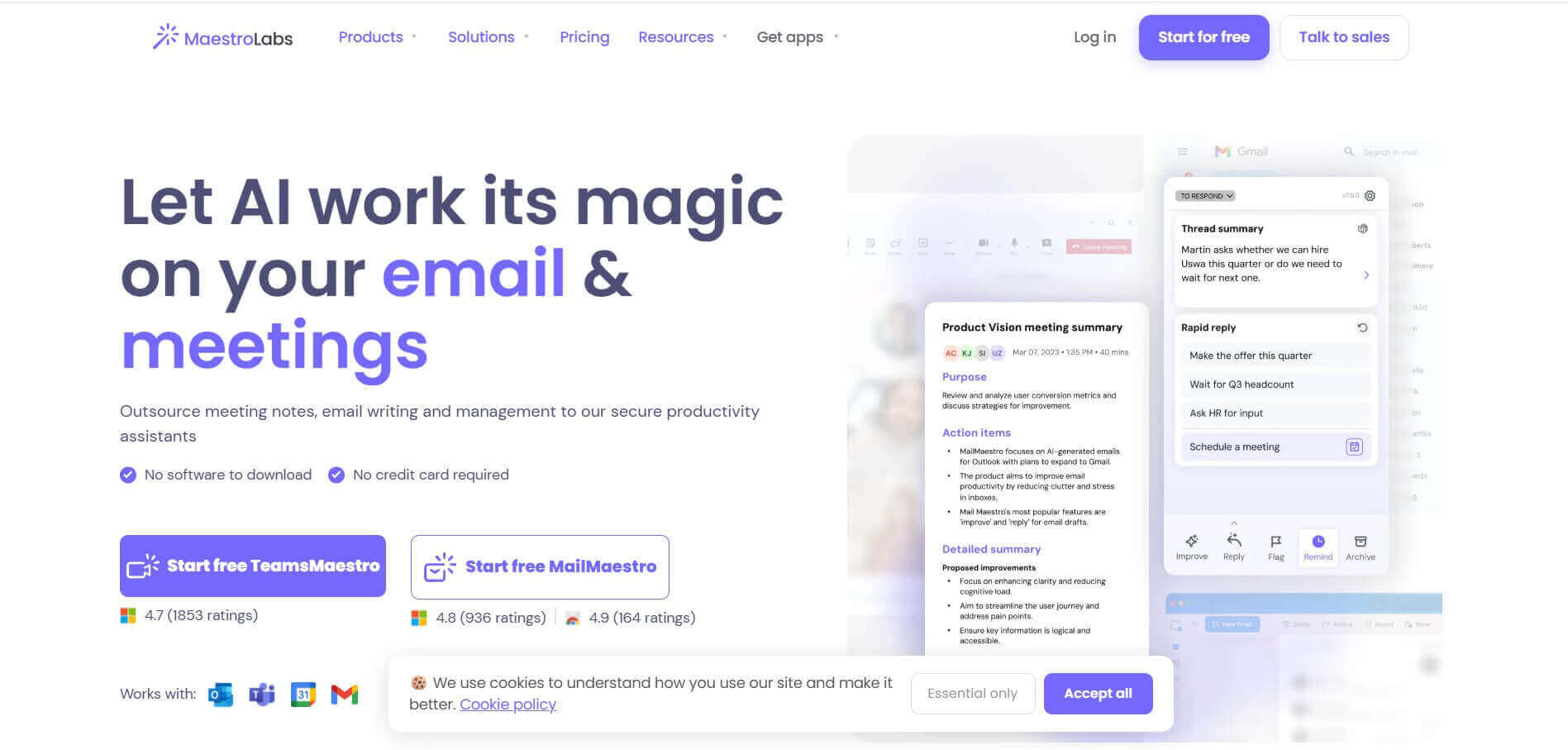
Maestro Labs is an AI-powered productivity software suite that includes MailMaestro and TeamsMaestro. It automates email composition, thread summarization, and meeting transcription directly inside Microsoft Outlook, Gmail, and Microsoft Teams with enterprise-grade security.
What is Maestro Labs?
Maestro Labs is a technology company building next-generation AI productivity assistants designed to streamline email and meeting workflows. Its flagship solutions—MailMaestro, TeamsMaestro, and WordMaestro—integrate directly into everyday workplace applications like Microsoft Outlook, Gmail, and Microsoft Teams. By generating context-aware email replies, summarizing complex email threads, transcribing real-time meeting audio, and extracting action items, Maestro Labs helps busy professionals eliminate repetitive communication overhead without leaving their primary tools.
Trusted by over 400,000 teams and professionals worldwide, Maestro Labs enables users to save up to 8+ hours per week on daily communication tasks. The platform prioritizes enterprise safety with SOC 2 Type II, GDPR, and HIPAA compliance (including BAA agreements), ensuring zero-data-retention options for sensitive enterprise information.
- Core Focus: Enterprise AI Productivity, AI Email Writer, and Meeting Automation
- Launch Year: 2022
Use Cases:
- Drafting professional, context-aware email responses and newsletters in seconds
- Summarizing long email chains and extracting key action items
- Automating real-time meeting note-taking, transcription, and follow-up drafts in Teams
- Translating and drafting internal communication across 20+ supported languages
Technology:
- Advanced generative LLMs fine-tuned for professional tone and context preservation
- Native add-in architecture for Microsoft 365, Google Workspace, and web browsers
- Enterprise security architecture featuring zero-data retention policies and HIPAA BAA
Target Users:
- Executives and managers managing high email volumes
- Sales and customer support representatives requiring rapid, personalized replies
- Project managers needing instant meeting recaps and task assignments
Ecosystem: Seamlessly unifies MailMaestro (email assistant), TeamsMaestro (meeting bot), and WordMaestro (document helper) into a centralized enterprise portal.

Key features of Maestro Labs
Maestro Labs's key features are
- MailMaestro AI Email Assistant: Instantly summarizes long email threads and generates polished, customized responses directly inside Outlook and Gmail.
- TeamsMaestro Meeting Bot: Automatically joins Teams meetings to record real-time transcriptions, generate concise meeting summaries, and create follow-up task lists.
- Custom Tone & Style Matching: Adapts generated text to reflect your unique writing style or custom brand voice across single emails or templates.
- Multi-Language Support: Summarizes and composes emails or meeting transcriptions in over 20 global languages with automatic language detection.
- Enterprise Security & Compliance: SOC 2 Type II certified, GDPR compliant, and HIPAA compliant with available BAA options to protect confidential data.
- Template & Custom Prompt Integration: Combines reusable email templates with AI variables to standardise repetitive communication processes.
Maestro Labs Pricing
Maestro Labs operates on a freemium model with affordable monthly subscription plans for individual professionals and custom enterprise tiers.
Free Plan / Trial:
- $0/month (14-day full feature free trial, followed by basic weekly email credits)
- Includes essential email drafting, basic thread summaries, and standard templates
Professional Plan (MailMaestro + TeamsMaestro Suite):
- $17 to $25 per seat/month
- Unlimited AI email generations, full meeting summaries, custom tone controls, and priority support
Enterprise Plan:
- Custom pricing for large organizations
- Dedicated account management, custom LLM fine-tuning, HIPAA BAA signing, and single sign-on (SSO)
Is Maestro Labs Worth It?
Maestro Labs is highly worth it for professionals, executives, and customer-facing teams who spend hours daily handling email and attending virtual meetings. Compared to generic AI chatbots, its native integration inside Outlook and Teams allows users to draft emails and generate meeting recaps without copy-pasting text across browser tabs. Furthermore, its enterprise-grade security standards make it a safe pick for data-sensitive industries.
Real-World Use Cases
- Executive Inbox Triage: Senior leaders quickly summarize 20-email threads and send contextual replies in seconds instead of minutes.
- Client Success & Sales Follow-ups: Account managers generate tailored client check-ins using pre-saved prompt templates and tone profiles.
- Automated Meeting Recaps: TeamsMaestro transcribes internal alignment calls and auto-distributes action items to meeting attendees.
- Cross-Border Communication: Global operations teams write emails in English while automatically translating and receiving responses in regional languages.
Who is using Maestro Labs?
Maestro Labs is designed for a broad spectrum of busy professionals, including
- Corporate Executives & Business Founders: Leaders looking to clear inbox clutter and streamline daily decisions
- Sales & Customer Support Teams: Reps needing fast, accurate, and empathetic email replies
- Project Managers & Coordinators: Professionals tasked with keeping detailed notes and follow-ups across multiple meetings
- Legal, Finance & Healthcare Consultants: Practitioners who require strict HIPAA and SOC 2 security compliance
Best Maestro Labs Alternatives
Some of the strongest Maestro Labs alternatives include
- Microsoft Copilot
- Grammarly
- Shortwave
- Fathom
- Otter.ai
Pros and Cons of Maestro Labs
Pros
- Native integration with Microsoft Outlook, Gmail, and MS Teams eliminating tool switching
- Top-tier enterprise security including SOC 2 Type II, GDPR, and HIPAA compliance
- Combines both email management and meeting transcription in one unified subscription
- Accurate thread summarization that picks up key context and action points
- Significantly lower price point compared to broader enterprise AI suites like Copilot
Cons
- Free plan usage limits require upgrading for heavy daily email users
- Focused primarily on communication workflows rather than full workspace doc creation
- May require fine-tuning custom prompts to perfectly mimic niche company jargon
Why Choose Maestro Labs?
Maestro Labs stands out by offering specialized, high-performing AI tools tailored specifically to daily communication channels. Rather than forcing users into a complex separate platform, it embeds directly inside your existing email client and video call setup.
- Saves 8+ hours per week by handling thread reading and draft generation
- Protects enterprise data privacy through strict zero-data retention standards
- Provides unified billing for email assistance and meeting note-taking
- Delivers predictable, specialized performance optimized for inbox triage
How Maestro Labs Works
- 1. Install the Add-In: Add MailMaestro to Outlook/Gmail or TeamsMaestro to Microsoft Teams with one click.
- 2. Open an Email or Meeting: Open any email thread or launch a virtual Teams call to activate the assistant ribbon.
- 3. Prompt or Summarize: Click 'Summarize' for thread recaps, or choose 'Reply'/'Compose' and select your preferred tone.
- 4. Review and Send: Select from generated options, tweak the output if necessary, and send directly.
Maestro Labs vs. Competitors
The key difference between Maestro Labs, Microsoft Copilot, and Grammarly is that Maestro Labs offers a dedicated, cost-effective communication assistant specifically tailored for fast email responses and meeting recaps. While Microsoft Copilot covers the entire Microsoft 365 ecosystem at a higher price and Grammarly focuses primarily on grammar and style checking, Maestro Labs delivers specialized thread summarization, 1-click replies, and meeting transcription at an affordable price point.
| Feature | Maestro Labs | Microsoft Copilot | Grammarly |
|---|---|---|---|
| Primary Focus | AI Email & Meeting Assistant | Full Suite Enterprise AI | Writing & Grammar Assistant |
| Native Extensions | Outlook, Gmail, Teams | Microsoft 365 Native | Browser Extension & Desktop |
| Thread Summarization | Advanced 1-Click Summary | Built-in Outlook Summary | Basic Text Overview |
| Meeting Notetaking | Included (TeamsMaestro) | Included (Teams Copilot) | Not Available |
| Starting Price | Freemium / $17-$25/mo | $30 per user/month | Freemium / $12/mo |
How do we rate Maestro Labs?
| Parameter | Rating (out of 5) |
|---|---|
| Ease of Use | 4.9 |
| Output Quality & Accuracy | 4.8 |
| Security & Compliance | 4.9 |
| Value for Money | 4.7 |
| Native Integration | 4.9 |
| Overall Score | 4.8 |
Maestro Labs Review
Maestro Labs delivers a fast, highly practical AI experience for teams overwhelmed by modern communication overload. By focusing on deep, frictionless integrations with Outlook, Gmail, and Microsoft Teams, MailMaestro and TeamsMaestro make drafting emails and capturing meeting action items effortless. Combined with enterprise-grade privacy standards (SOC 2 Type II, GDPR, HIPAA BAA), it represents an outstanding investment for corporate productivity.
Conclusion
Maestro Labs is an essential productivity suite for any professional or business looking to optimize email management and meeting efficiency. Its intuitive native plugins, high-quality thread summaries, multi-language support, and rigorous data protection framework make it a top choice for modern digital workplaces. Whether you are an indie founder or part of a global enterprise, Maestro Labs helps you reach inbox zero faster and stay focused on high-impact work.
FAQ
What is MailMaestro?
MailMaestro is an AI email assistant that helps you write, reply to, improve, and summarize emails directly within your inbox. It works with platforms such as Microsoft Outlook and Gmail, helping you spend less time writing emails and managing a busy inbox.
How does MailMaestro help with writing emails?
You can give MailMaestro a short instruction about what you want to say, and it can generate multiple email drafts. You can choose the language, tone, and length to make the message fit your situation, whether you're writing a professional reply, follow-up, introduction, or everyday email.
Can MailMaestro summarize long email threads?
Yes. MailMaestro can summarize complete email conversations and attachments, helping you understand the important points without reading every message individually. You can also use the summarized context to generate relevant responses more quickly.
Does MailMaestro work with Gmail and Outlook?
Yes. MailMaestro is available for Microsoft Outlook, including the web and newer Outlook versions, and can be used with Gmail through its Chrome extension. This lets you access its AI writing and email-management features without constantly switching between different applications.
Can MailMaestro help manage my inbox?
Yes. MailMaestro includes features designed to make inbox management easier, including AI-powered email summaries, priority labeling, email reminders, and smart filters. These tools can help you identify important messages and keep track of follow-ups more efficiently
Is MailMaestro free to use?
Yes. MailMaestro has a free plan that includes AI composing, replying, improving drafts, and magic templates, although AI writing requests are limited to three per week. It also offers a 14-day full-feature trial, while paid plans add features such as email summaries, reminders, smart scheduling, and team functionality.
Is MailMaestro safe for professional emails?
MailMaestro says it uses enterprise-grade security and is SOC 2 Type II, GDPR, and HIPAA compliant, with a BAA available for HIPAA use cases. It also states that sensitive information is protected through measures such as encryption and anonymization before being processed by language models. Businesses should still review the current privacy and data-retention policies before using it for highly sensitive information.
User Reviews
No reviews yet for Maestro Labs.
Featured Tools
Featured AI tools from TechShark

Melody Genie
MelodyGenie is an AI-powered music generator that creates original songs from simple text prompts. Users can choose styles, moods, and genres, then instantly generate melodies and full tracks, making it easy for creators, marketers, and hobbyists to produce custom music without musical expertise.
Freemium

Kimi AI
Kimi AI is an advanced AI assistant developed by Moonshot AI that helps you chat, research, write, code, and automate tasks in one place. It supports web search, file analysis, and multimodal inputs, and can even run autonomous “agent” workflows to complete complex tasks end-to-end.
Freemium

Fashion Diffusion AI
Fashion Diffusion is an AI-powered fashion design platform that helps brands and designers create clothing designs, virtual try-ons, AI models, product photos, and marketing visuals faster and cost-effectively.
Paid

Veo 4
Veo 4 AI is an AI video creation platform that generates dramatic videos from text, images, audio, and video prompts using realistic motion and synchronized sound.
Paid
Alternatives
Alternatives to Maestro Labs
The best Maestro Labs alternatives include Microsoft Copilot, Grammarly, Shortwave, Fathom, and Otter.ai. Microsoft Copilot offers broad enterprise integration across the entire Microsoft 365 suite. Grammarly excels at real-time grammar checking, tone adjustments, and copy refinement. Shortwave provides an AI-native email experience designed specifically for Gmail, while Fathom and Otter.ai specialize in automated meeting transcription, summaries, and action item tracking.
 4.9
4.9Materiom
AI Agent
Materiom helps researchers, designers, and businesses discover and develop sustainable materials using renewable ingredients. Its resources include biomaterial recipes, material datasets, ingredient information, and AI-assisted research. By supporting experimentation and knowledge sharing, Materiom encourages innovation in bio-based packaging, textiles, and other products while helping users explore alternatives to conventional plastic materials.
 4.9
4.9Talkwalker
AI Agent
Talkwalker is a consumer intelligence and social listening solution that helps brands track online mentions, analyze audience sentiment, monitor competitors, and discover emerging trends. It combines social media analytics, media monitoring, customer feedback, and AI-powered insights to support marketing, public relations, reputation management, and data-driven business decisions across global markets.
 5.0
5.0AI4K12
AI Agent
AI4K12 is an educational initiative focused on bringing artificial intelligence into K–12 classrooms. It provides grade-level learning guidelines, curated teaching resources, and the Five Big Ideas framework. Designed for educators and curriculum developers, AI4K12 supports age-appropriate AI instruction and helps students understand how intelligent technologies work and affect society.
Kommunicate
AI Agent
Kommunicate (kommunicate.io) is an AI-powered customer service automation and live chat platform that unites no-code generative AI agents, Kompose chatbot builder, seamless human escalation, voice AI, and omnichannel messaging across WhatsApp, web, and mobile apps.
Text
AI Agent
Text is an AI-powered customer service platform that combines live chat, help desk ticketing, AI agents, and workflow automation. It helps businesses manage customer conversations, automate repetitive support tasks, answer questions, engage website visitors, and turn customer interactions into sales opportunities through a unified communication workspace.
DocsBot AI
AI Agent
DocsBot AI is an AI chatbot and agent platform that turns websites, documents, knowledge bases, and support tickets into conversational assistants. Businesses can use it to automate customer support, answer questions, share internal knowledge, connect workflows, and provide information through website widgets and supported integrations.
SiteGPT AI
AI Agent
SiteGPT is an AI chatbot platform that helps businesses automate customer support using their website content, documents, and knowledge sources. It answers visitor questions, supports lead generation, and integrates into websites, allowing teams to handle repetitive inquiries, improve customer experiences, and provide assistance around the clock.
 4.7
4.7Halcyon
AI Agent
Halcyon is an AI energy intelligence platform that helps professionals search regulatory filings, analyze energy-market information, monitor developments, and access structured datasets. It combines document search, natural-language queries, AI-powered alerts, and specialized data subscriptions to turn fragmented energy information into actionable intelligence for research, monitoring, planning, and faster decision-making.
 4.5
4.5Enhancv
AI Agent
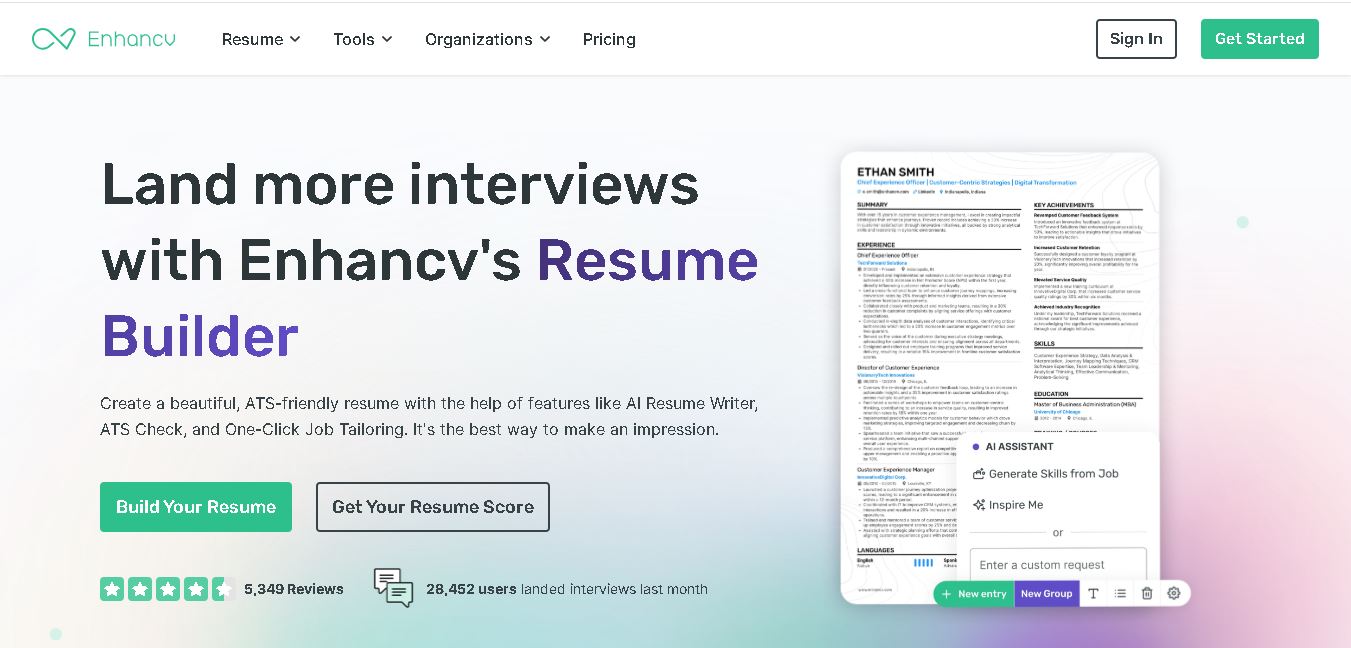
Enhancv helps job seekers build ATS-friendly resumes using customizable templates, AI writing assistance, resume checking, and job-specific tailoring. It also supports cover letters, application tracking, interview preparation, and resume translation. The platform is designed for candidates who want a polished application while keeping control over their experience, wording, and presentation.