
Lensa AI
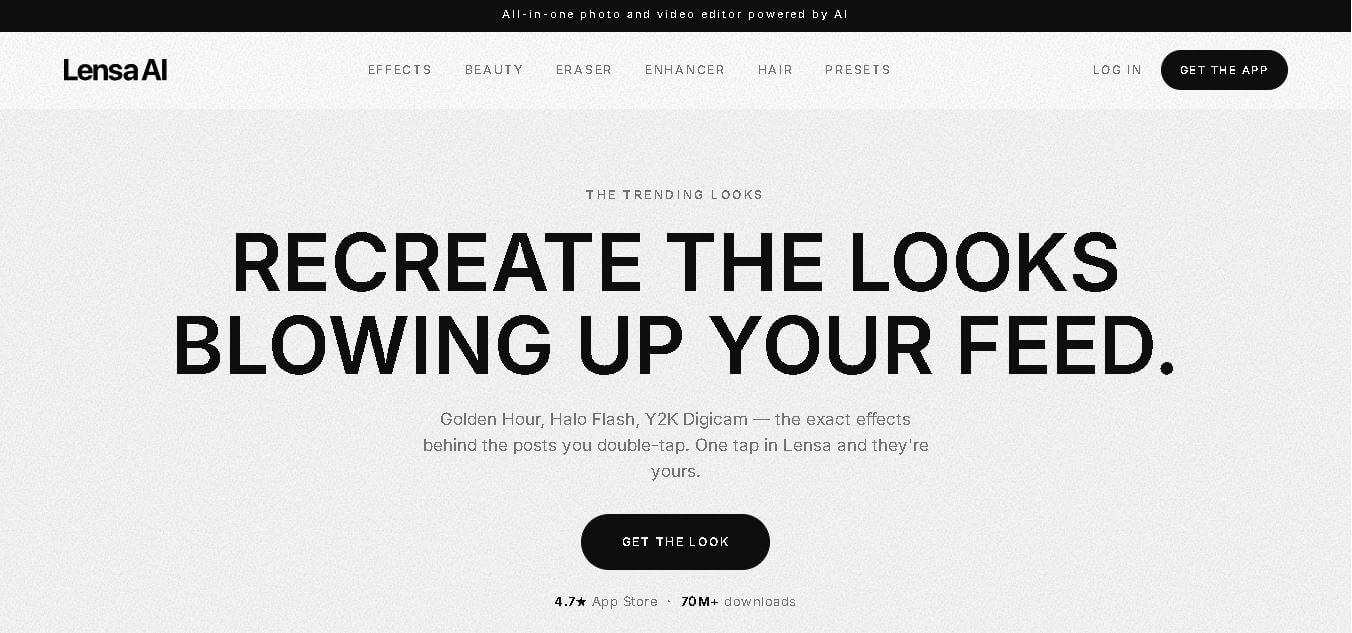
Lensa is a photo and video editing app for creating polished, social-media-ready visuals with automated editing tools. It offers creative effects, beauty adjustments, object removal, photo enhancement, hair try-ons, presets, and personalized image generation. The app is designed for users who want attractive results without advanced photo-editing knowledge or complicated workflows.
What is Lensa AI?
Lensa is a photo and video editing application designed to help users enhance, transform, and personalize visual content with automated editing and generative features. It combines photo enhancement, beauty adjustments, creative effects, object removal, image upscaling, hair try-ons, and presets in one mobile-focused experience. Users can improve everyday photographs without advanced editing skills, while creators can apply recognizable visual styles for social media content. Lensa also offers Magic Avatars and other AI-generated effects that transform uploaded photos into personalized visuals. Its current feature set helps everyday users and social media creators make professional-looking edits faster, simpler, and more accessible.
Lensa has reached 70M+ downloads and currently displays a 4.7-star App Store rating on its official website. The app provides 6 major feature areas prominently, including Effects, Beauty, Eraser, Enhancer, Hair, and Presets. Its Magic Avatars feature uses approximately 5 uploaded photos according to the current privacy policy, while Art Styles and Eraser processing can store uploaded images for up to 24 hours before deletion. Lensa is developed by Prisma Labs, Inc., which has operated the product since 2016.
- Core Focus: AI-Powered Photo Retouching, Portrait Editing, and Magic Avatars
- Launch Year: 2018
Use Cases:
- Enhancing selfie photos with natural skin smoothing, eye whitening, and blemish removal
- Generating stylized digital avatars and AI headshots for social media profiles
- Erasing unwanted photobombers, objects, and distracting background elements
- Rescuing dark, low-resolution, or heavily cropped photographs with AI upscaling
Technology:
- Computer vision and deep learning models fine-tuned for facial segmentation
- AI background rebuilding and generative object removal engines
Target Users:
- Social media influencers and content creators building aesthetic Instagram and TikTok feeds
- Casual smartphone photographers wanting quick, polished selfie retouches
- Professionals needing high-quality digital avatars or polished profile headshots
Ecosystem: Mobile apps for iOS and Android, desktop availability, and web-based Lensa tools.
Key features of Lensa AI
Lensa AI's key features include:
- Magic Avatars: Generates dozens of personalized artistic avatars across fantasy, sci-fi, anime, and pop-art styles from a batch of reference selfies.
- One-Tap Portrait Retouching: Smooths skin tone, removes acne, whitens teeth, and reduces dark eye circles automatically while retaining natural textures.
- AI Object & Background Eraser: Brush over unwanted photobombers, power lines, or background clutter to remove them seamlessly.
- AI Photo Upscaling & Low-Light Rescue: Enhances blurry, low-res, or underexposed shots to restore sharpness, color accuracy, and fine detail.
- Hair Try-On & Face Styling: Experiment with new haircuts, hair colors, and makeup looks prior to changing real-world styles.
- Preset Color Grading: Applies trendy color and lighting presets (e.g., Golden Hour, Y2K Digicam, Halo Flash) to give feeds a cohesive vibe.
Lensa AI Pricing
Lensa AI operates on a freemium model. Core tools can be sampled with a 7-day free trial, while premium access and specialized Magic Avatar packs are offered as subscription or one-time purchases.
Free Version / Trial:
- 7-day free trial with full premium tool access
- Limited basic daily editing features on the free tier
Lensa Premium Subscription:
- Monthly Plan: $7.99 / month
- Annual Plan: $29.99 / year
- Includes unlimited photo editing, high-resolution exports, and complete access to all AI retouching tools
Magic Avatars (In-App Purchase Packs):
- Available in packs starting from ~$3.99 - $7.99 per 50 to 200 unique avatar generations
Is Lensa AI Worth It?
For creators and everyday social media users who prioritize high-quality portrait edits without mastering manual Photoshop retouching, Lensa AI is worth every penny. Its automated skin refinement, object eraser, and trendy presets save immense editing time.
Real-World Use Cases
- Social Media Profile Building: Crafting distinctive AI avatars and headshots for LinkedIn, X (Twitter), and Instagram.
- Quick Photo Cleanup: Removing background strangers or distracting signs from vacation photos in seconds.
- Selfie Touch-Ups: Adjusting lighting, brightening eyes, and correcting blemishes for profile photos.
- Virtual Hair & Style Previews: Testing out new hair colors and bob cuts virtually before making haircut decisions.
Who is using Lensa AI?
- Digital Creators & Influencers: Maintaining an aesthetically unified aesthetic across social channels.
- Everyday Smartphone Photographers: Enhancing casual snapshots into shareable photos.
- Gamers & Community Members: Creating custom avatars and stylized profile pictures for Discord and forums.
Best Lensa AI Alternatives
- Photoleap
- Facetune
- Remini
- Pixelup
- Prequel
Pros and Cons of Lensa AI
Pros
- Automates complex portrait retouching into single-tap actions.
- High quality AI face segmentation avoids unrealistic plastic-looking edits.
- Includes versatile features: eraser, upscaler, hair restyler, and presets in one app.
- Huge variety of creative and artistic Magic Avatar themes.
Cons
- Magic Avatars require separate in-app purchases or subscription credits.
- Free features are limited without activating the 7-day trial or paid tier.
- Heavy AI rendering can occasionally drain mobile battery during large batches.
Why Choose Lensa AI?
Lensa AI stands out because it balances subtle, natural portrait enhancement with bold, artistic AI tools. Instead of requiring users to juggle multiple single-purpose apps for erasing, skin smoothing, and color grading, Lensa houses the complete creator toolset under one roof.
How Lensa AI Works
- 1. Download and Open: Launch the Lensa app on iOS, Android, or desktop.
- 2. Upload Photo: Select a selfie, portrait, or photo from your camera roll.
- 3. Choose AI Tool: Select Auto-Adjust, Magic Retouch, Object Eraser, or Presets.
- 4. Refine & Export: Fine-tune facial sliders or background effects, then save high-res output directly to your device.
Lensa AI vs. Competitors
| Feature | Lensa AI | Facetune | Photoleap |
|---|---|---|---|
| Price | Freemium ($29.99/yr) | Freemium ($35.99/yr) | Freemium ($39.99/yr) |
| AI Magic Avatars | Yes (Industry Standard) | Limited AI Styles | Yes (AI Generator) |
| Portrait Auto-Retouch | One-Tap AI | Manual & Preset AI | Layered AI |
| AI Object Removal | Yes | Yes | Yes |
How do we rate Lensa AI?
| Parameter | Rating (out of 5) |
|---|---|
| Ease of Use | 4.8 |
| Retouching & AI Quality | 4.7 |
| Processing Speed | 4.6 |
| Value for Money | 4.5 |
| Feature Variety | 4.9 |
| Overall Score | 4.7 |
Lensa AI Review
Lensa AI continues to lead as a premier mobile and web photo editing suite. Combining state-of-the-art AI facial segmentation with powerful object erasing and custom avatar generation, Prisma Labs has crafted an app that gives everyone access to studio-level photo editing without professional skills.
Conclusion
Lensa is a practical choice for users who want to turn ordinary photographs into polished, creative visuals without mastering complicated editing software. Its combination of effects, beauty tools, object removal, enhancement, hairstyle previews, presets, and personalized image generation covers a wide range of everyday editing needs. Its 70M+ downloads and 4.7-star App Store rating indicate substantial user adoption. For Instagram creators and casual photographers, Lensa can significantly simplify the editing process and encourage experimentation with different visual styles. However, users should review its current subscription terms and privacy practices before uploading personal images or purchasing premium features.
FAQ
What is Lensa used for?
Lensa is useful when you want to improve, retouch, or creatively transform photos without spending time on complex editing software. You can enhance image quality, remove unwanted objects, apply trending effects, adjust beauty elements, experiment with hairstyles, and create consistent looks using presets. It is particularly suitable for social media content.
Is Lensa free to use?
Lensa offers some functionality free of charge, but it also provides subscriptions and in-app purchases for enhanced services, features, and virtual items. Because available plans and prices can change, you should check the current options inside the app before subscribing. Some subscriptions may also include trial periods.
Can Lensa remove unwanted objects from photos?
Yes. The lens includes an eraser feature designed to remove unwanted elements such as photobombers, signs, crowds, power lines, and larger objects. You brush over the area you want removed, and the technology reconstructs the surrounding background. This makes the tool useful for quickly cleaning up travel, lifestyle, and social media photographs.
Can Lensa improve blurry or low-quality photos?
Yes. Lensa's Enhancer feature is designed to improve photographs affected by low resolution, heavy cropping, poor lighting, or lost detail. It can upscale images while attempting to restore clarity, lighting, and color. This makes it particularly useful when an original photograph is too dark, blurry, or tightly cropped for comfortable social media use.
Does Lensa offer AI-generated avatars?
Yes. Lensa offers Magic Avatars, which create personalized visual representations from uploaded photographs. Its current privacy policy states that users generally provide around five photos for Magic Avatar generation. The feature uses a Stable Diffusion-based model to personalize the generated results. Lensa also provides other image effects using separate generative models.
How many photos are needed for Lensa Magic Avatars?
Lensa's current privacy policy states that generating Magic Avatars requires approximately five uploaded photographs, along with selecting a gender associated with the avatar. Requirements can change as Lensa updates the feature, so users should check the in-app instructions at the time they create an avatar for the most accurate requirements.
User Reviews
No reviews yet for Lensa AI.
Featured Tools
Featured AI tools from TechShark

Melody Genie
MelodyGenie is an AI-powered music generator that creates original songs from simple text prompts. Users can choose styles, moods, and genres, then instantly generate melodies and full tracks, making it easy for creators, marketers, and hobbyists to produce custom music without musical expertise.
Freemium

Kimi AI
Kimi AI is an advanced AI assistant developed by Moonshot AI that helps you chat, research, write, code, and automate tasks in one place. It supports web search, file analysis, and multimodal inputs, and can even run autonomous “agent” workflows to complete complex tasks end-to-end.
Freemium

Fashion Diffusion AI
Fashion Diffusion is an AI-powered fashion design platform that helps brands and designers create clothing designs, virtual try-ons, AI models, product photos, and marketing visuals faster and cost-effectively.
Paid

Veo 4
Veo 4 AI is an AI video creation platform that generates dramatic videos from text, images, audio, and video prompts using realistic motion and synchronized sound.
Paid
Alternatives
Alternatives to Lensa AI
Top Lensa AI alternatives include Photoleap, Facetune, Remini, Pixelup, and Prequel. Photoleap offers advanced AI image generation and layered editing, Facetune provides detailed manual facial retouching tools, while Remini specializes in AI image upscaling and photo restoration.
 4.7
4.7ImgCreator AI
Image
ImgCreator AI is an AI-powered image generation tool that helps users create visuals from text prompts and reference images. It supports creative artwork, realistic portraits, product visuals, and image editing, making it useful for designers, marketers, content creators, and businesses seeking faster visual content production.
Neural.love
AI Image Enhancer
Neural.love is an AI-powered creative platform for generating images, editing photos, enhancing videos, restoring old media, and animating pictures. It combines multiple AI tools in a browser-based workspace, helping content creators, marketers, photographers, designers, and businesses improve visual content without relying entirely on traditional editing software.
 4.8
4.8Prisma AI
Image
Prisma AI turns everyday photos into artistic images with stylized filters and creative effects. It offers hundreds of art and portrait styles inspired by famous artists, allowing beginners to create distinctive visuals quickly. Users can capture or upload photos, apply a chosen style, and save or share the finished result.
 4.9
4.9Bria AI
Image
Bria helps businesses and teams generate and edit visual content using controllable generative AI. Its capabilities cover image generation, product visuals, background editing, video workflows, and developer integrations. With licensed training data, attribution, provenance, and enterprise deployment options, Bria is positioned for businesses that need scalable, commercially focused visual AI.
 4.7
4.7Unwatermark
Image
Unwatermark.ai helps creators, marketers, photographers, and businesses remove watermarks, logos, text, people, and unwanted objects from images and videos. Its automatic detection handles quick edits, while the manual brush provides precise control over difficult areas. With browser-based processing, format support, previews, and free usage, it simplifies everyday visual cleanup.
 4.9
4.9invideo Nano Banana
Image
Nano Banana is an AI image generation and editing model by Google (Gemini family) that helps users create, modify, and refine visuals using natural language prompts. It supports 4K outputs, consistent characters, accurate text rendering, and real-time editing, enabling fast, production-ready creative workflows.
 4.8
4.8Banana Nano
Image
BananaNano (Nano Banana AI) is an AI-powered image generation and editing platform that lets users create visuals from text or edit photos using natural language. It supports multi-image fusion, character consistency, and up to 4K output, enabling fast, flexible visual creation without complex design tools.
 4.8
4.8Vheer
Image
Vheer is a free AI image and video generator that helps users create visuals from text or photos instantly. It includes tools for image editing, background removal, and image-to-video conversion, offering unlimited generations without signup, making it ideal for quick, creative content production.
 4.9
4.9QOVES
Image
QOVES is an AI-powered facial analysis and beauty consulting platform that helps users understand their facial features and improve appearance through personalized, science-backed recommendations. It analyzes hundreds of facial markers and provides a non-surgical transformation plan, enabling informed decisions about aesthetics, skincare, and overall self-improvement.