
Illustroke
Illustroke transforms written ideas into editable vector illustrations that can be used for websites, apps, presentations, branding, and marketing materials. Instead of drawing manually, users simply describe their concept, choose a preferred illustration style, and download scalable SVG or PNG files. The platform simplifies professional illustration creation for everyone.
What is Illustroke?
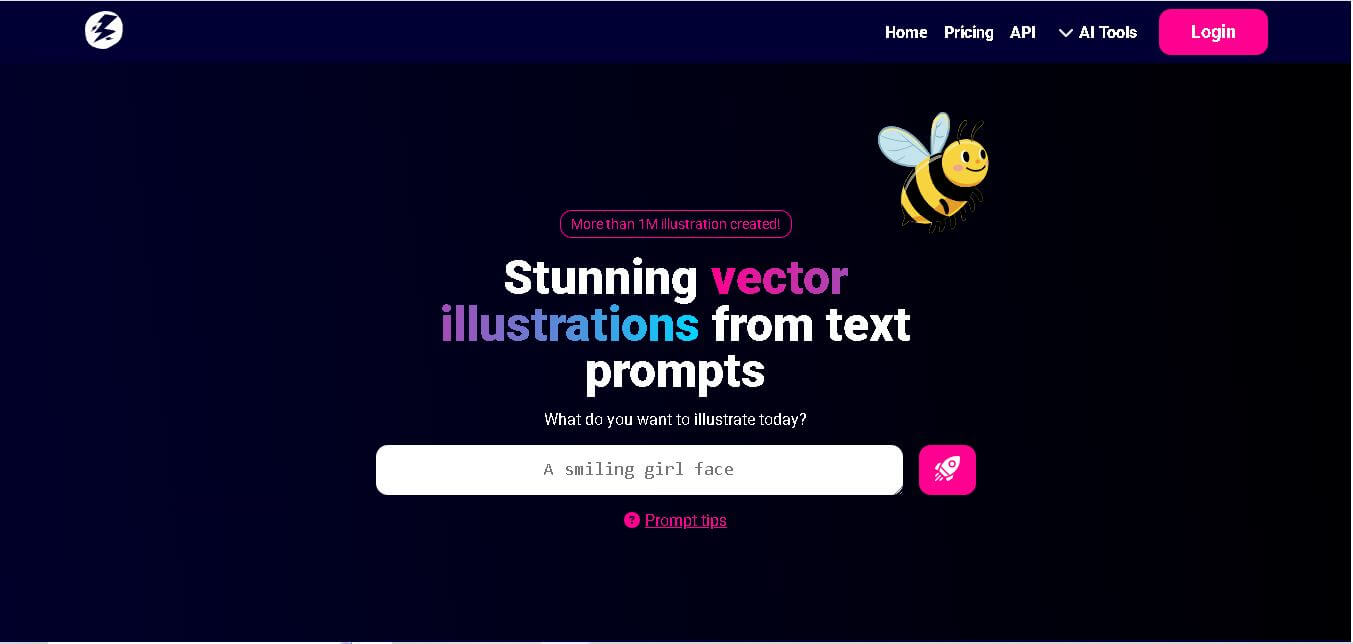
Illustroke is a text-to-vector illustration generator designed to convert written descriptions into scalable SVGs within minutes. It helps individuals and businesses create custom illustrations without requiring advanced graphic design skills. Users can select from multiple illustration styles, edit generated graphics, and export them in SVG or PNG formats. Its focus on vector output makes the illustrations suitable for websites, branding, presentations, print materials, and digital products where high-quality, resizable graphics are essential.
Illustroke solves a major limitation of traditional AI image generators by producing clean, resolution-independent SVG vector files. With over 40+ curated style presets and built-in vector editing, creators can generate, customize, and export production-ready vector assets in seconds.
-
Launch Year: 2022
- Core Focus: Text-to-SVG Vector Illustration Generation, Scalable Graphics, and UI Design Assets
Use Cases:
- Generating clean vector illustrations and hero images for websites and landing pages
- Creating custom icons, logos, and UI components for mobile and web applications
- Producing scalable marketing graphics for newsletters, blog headers, and social media posts
- Rapid prototyping of graphic assets during early-stage brand design workflows
Technology:
- Generative AI engine optimized for vector path synthesis and stroke extraction
- Automated SVG path optimization for lightweight, web-ready file exports
- In-browser vector manipulation and layer customization interface
Target Users:
- UI/UX designers, product designers, and web developers needing scalable SVG assets
- Digital marketers, blog editors, and social media content creators
- Startups, agencies, and freelancers building visually consistent digital products
Ecosystem: Cloud-based web application with built-in vector editing tools, cloud project saving, direct SVG/PNG export options, and REST API access for automated design workflows.

Key features of Illustroke
Illustroke's key features are
- Native Text-to-SVG Generation: Converts descriptive text prompts directly into layered vector illustrations that can be scaled infinitely without pixelation.
- Multiple Variants Per Request: Generates 3 distinct visual variations for every prompt token used, giving creators multiple creative options to choose from.
- 40+ Pre-Defined Style Presets: Choose from flat design, isometric, minimal line art, 3D vector, watercolor, and vintage illustration styles to maintain visual consistency.
- In-Browser Vector Editor: Customize colors, adjust layers, and fine-tune path elements directly on the platform before downloading.
- Full Commercial Rights: All generated vector assets are 100% royalty-free and approved for commercial use without attribution requirements.
- REST API Integration: Enables software applications and design tools to automate vector asset generation programmatically.
Illustroke Pricing
Illustroke operates on a pay-per-credit token model where 1 token corresponds to 1 text generation request that delivers 3 SVG design variations.
Free Starter Tokens:
- Free starter tokens provided upon account creation to test prompt generation and vector quality
Personal Bundle:
- $6 one-time (50 tokens)
- Includes 50 generation requests (150 vector variations), basic editing tools, and commercial licenses
Growth Bundle:
- $18 one-time (200 tokens)
- Includes 200 generation requests (600 vector variations), priority generation speeds, advanced editing, and API access
Is Illustroke Worth It?
Illustroke is well worth it for web designers, developers, and creators who specifically require clean SVG files rather than raster images. Its pay-as-you-go credit system provides a cost-effective alternative to hiring freelance illustrators or searching through generic stock illustration libraries.
Real-World Use Cases
- Web Design & Hero Sections: Web developers generate matching flat vector illustrations for landing pages and feature sections.
- Mobile App Graphics: Product designers create custom vector icons and onboarding screen graphics directly in SVG format.
- Content Marketing: Bloggers and content strategists create custom header graphics that align with specific article topics.
- Brand Identity Prototyping: Agencies quickly test various visual styles and icon ideas during client discovery phases.
Who is using Illustroke?
Illustroke is built for designers and content creators, including
- UI/UX & Web Designers: Professionals needing lightweight, resolution-independent site illustrations
- Frontend Developers: Engineers looking for quick SVG graphic assets that can be easily styled via CSS
- Digital Marketers: Teams producing custom visuals for ad campaigns, eBooks, and social channels
- Solopreneurs & Founders: Indie hackers building clean web applications without a dedicated design team
Best Illustroke Alternatives
Some of the top Illustroke alternatives include
- Recraft
- Vector Image AI
- Kittl
- Paint Potion
- neoSVG
Pros and Cons of Illustroke
Pros
- Outputs genuine, clean SVG vector graphics rather than upscaled raster images
- Generates 3 style variants per prompt token to maximize output choice
- Over 40+ curated illustration style presets to match different brand aesthetics
- Includes built-in vector editing tools to adjust colors and path layers
- Full commercial usage rights included with no attribution requirements
Cons
- The token-based pricing model requires purchasing credit top-ups for continuous use
- Complex prompt nuances are better suited to simple illustration styles rather than hyper-detailed scenes
- Requires an internet connection for cloud generation and vector export
Why Choose Illustroke?
While generic AI image generators produce static pixels, Illustroke instead delivers production-grade vector code. By combining fast text-to-SVG conversion, rich style controls, and a lightweight web editor, it enables designers to create scalable graphics without standard vector drawing tools.
- Eliminates manual raster-to-vector tracing in Adobe Illustrator
- Delivers lightweight, web-optimized SVG files with minimal node clutter
- Offers transparent pay-as-you-go credit packages without recurring lock-in
- Ensures full commercial ownership for commercial products and client work
How Illustroke Works
- 1. Input Text Prompt: Describe the object, character, or scene you want to illustrate in simple words.
- 2. Select Style Preset: Choose from over 40 vector styles (e.g., Flat, Line Art, Isometric, 3D Vector).
- 3. Generate & Review Variants:generates 3 custom SVG variations intions within seconds.
- 4. Edit & Export: Fine-tune colors in the built-in editor and download your scalable SVG or PNG file.
Illustroke vs. Competitors
While tools like Midjourney excel at photorealistic raster artwork, Illustroke specializes strictly in scalable vector illustrations. Platforms like Recraft offer broader canvas editing, while Illustroke focuses on rapid, direct text-to-SVG generation.
| Feature | Illustrated | Recraft | Midjourney |
|---|---|---|---|
| Primary Output Format | Native SVG Vector Graphics | SVG Vector & Raster Artwork | Raster (PNG / JPEG) |
| Style Control | 40+ Pre-set Vector Styles | Custom Style Training & Palette Editor | Prompt-based Style Parameters |
| In-Browser Vector Editor | Yes (Color & Path Tweaks) | Yes (Infinite Canvas) | No (Web/Discord Upscaler) |
| Pricing Structure | Freemium / Tokens from $6 | Freemium / Monthly Plans | Paid / From $10/mo |
How do we rate Illustroke?
| Parameter | Rating (out of 5) |
|---|---|
| Ease of Use | 4.8 |
| SVG Cleanliness & Scalability | 4.6 |
| Style Diversity | 4.4 |
| Generation Speed | 4.7 |
| Value for Money | 4.3 |
| Overall Score | 4.5 |
Illustroke Review
Illustroke is a focused, highly practical design tool that bridges the gap between text prompts and professional vector graphic creation. By delivering clean SVG exports, multiple style presets, and a simple token pricing system, it provides web designers and marketers with an efficient shortcut for generating scalable visuals.
Conclusion
Illustroke offers a practical way to create professional vector illustrations using simple text descriptions. Its SVG output, multiple illustration styles, commercial licensing, and one-time payment model make it useful for marketers, designers, entrepreneurs, educators, and content creators. Whether you need graphics for websites, branding, presentations, or digital products, Illustroke simplifies illustration creation while maintaining scalable quality and editing flexibility for both personal and business projects.
FAQ
What is Illustroke mainly used for?
Illustroke is commonly used to create custom vector illustrations for websites, blogs, mobile apps, presentations, social media posts, marketing campaigns, logos, and business documents. Instead of spending hours designing graphics manually, users simply describe their idea in text and receive editable SVG illustrations that can be resized without losing quality, making them suitable for both digital and print projects.
Can beginners use Illustroke without design experience?
Yes. Illustroke is designed for users with little or no graphic design knowledge. The platform relies on simple text prompts instead of complicated design tools, allowing beginners to create professional-looking illustrations quickly. Users can also choose from different styles, edit the generated vectors, and download ready-to-use graphics without learning advanced illustration software.
Which file formats does Illustroke support?
Illustroke primarily generates illustrations in SVG format, making every graphic fully scalable without reducing image quality. Users can also download PNG versions whenever a raster image is preferred. SVG files are especially useful for websites, logos, presentations, and printed materials because they remain sharp at any size and can be edited in compatible vector design software.
Can I use Illustroke illustrations for commercial projects?
Yes. Illustrations created with Illustroke include a commercial license, allowing businesses, freelancers, marketers, and creators to use them in commercial and personal projects. The platform states that you can use generated illustrations without requesting additional permission, making them suitable for branding, websites, advertising, presentations, and client work.
How does Illustroke's pricing work?
Illustroke follows a one-time payment model instead of monthly subscriptions. Users purchase token bundles, with each token generating two vector illustrations. The Personal Bundle includes 50 tokens, while the Growth Bundle offers 200 tokens. This flexible pricing structure allows users to pay only for the illustrations they actually create.
User Reviews
No reviews yet for Illustroke.
Featured Tools
Featured AI tools from TechShark

Melody Genie
MelodyGenie is an AI-powered music generator that creates original songs from simple text prompts. Users can choose styles, moods, and genres, then instantly generate melodies and full tracks, making it easy for creators, marketers, and hobbyists to produce custom music without musical expertise.
Freemium

Kimi AI
Kimi AI is an advanced AI assistant developed by Moonshot AI that helps you chat, research, write, code, and automate tasks in one place. It supports web search, file analysis, and multimodal inputs, and can even run autonomous “agent” workflows to complete complex tasks end-to-end.
Freemium

Fashion Diffusion AI
Fashion Diffusion is an AI-powered fashion design platform that helps brands and designers create clothing designs, virtual try-ons, AI models, product photos, and marketing visuals faster and cost-effectively.
Paid

Veo 4
Veo 4 AI is an AI video creation platform that generates dramatic videos from text, images, audio, and video prompts using realistic motion and synchronized sound.
Paid
Alternatives
Alternatives to Illustroke
The best Illustroke alternatives include Recraft, Vector Image AI, Kittl, neoSVG, and Paint Potion. Recraft provides an infinite AI canvas for vector art and 3D graphics, while Vector Image AI offers free SVG generation integrated with Figma.
 4.7
4.7ImgCreator AI
Image
ImgCreator AI is an AI-powered image generation tool that helps users create visuals from text prompts and reference images. It supports creative artwork, realistic portraits, product visuals, and image editing, making it useful for designers, marketers, content creators, and businesses seeking faster visual content production.
Neural.love
AI Image Enhancer
Neural.love is an AI-powered creative platform for generating images, editing photos, enhancing videos, restoring old media, and animating pictures. It combines multiple AI tools in a browser-based workspace, helping content creators, marketers, photographers, designers, and businesses improve visual content without relying entirely on traditional editing software.
 4.8
4.8Prisma AI
Image
Prisma AI turns everyday photos into artistic images with stylized filters and creative effects. It offers hundreds of art and portrait styles inspired by famous artists, allowing beginners to create distinctive visuals quickly. Users can capture or upload photos, apply a chosen style, and save or share the finished result.
 4.9
4.9Bria AI
Image
Bria helps businesses and teams generate and edit visual content using controllable generative AI. Its capabilities cover image generation, product visuals, background editing, video workflows, and developer integrations. With licensed training data, attribution, provenance, and enterprise deployment options, Bria is positioned for businesses that need scalable, commercially focused visual AI.
 4.7
4.7Unwatermark
Image
Unwatermark.ai helps creators, marketers, photographers, and businesses remove watermarks, logos, text, people, and unwanted objects from images and videos. Its automatic detection handles quick edits, while the manual brush provides precise control over difficult areas. With browser-based processing, format support, previews, and free usage, it simplifies everyday visual cleanup.
 4.9
4.9invideo Nano Banana
Image
Nano Banana is an AI image generation and editing model by Google (Gemini family) that helps users create, modify, and refine visuals using natural language prompts. It supports 4K outputs, consistent characters, accurate text rendering, and real-time editing, enabling fast, production-ready creative workflows.
 4.8
4.8Banana Nano
Image
BananaNano (Nano Banana AI) is an AI-powered image generation and editing platform that lets users create visuals from text or edit photos using natural language. It supports multi-image fusion, character consistency, and up to 4K output, enabling fast, flexible visual creation without complex design tools.
 4.8
4.8Vheer
Image
Vheer is a free AI image and video generator that helps users create visuals from text or photos instantly. It includes tools for image editing, background removal, and image-to-video conversion, offering unlimited generations without signup, making it ideal for quick, creative content production.
 4.9
4.9QOVES
Image
QOVES is an AI-powered facial analysis and beauty consulting platform that helps users understand their facial features and improve appearance through personalized, science-backed recommendations. It analyzes hundreds of facial markers and provides a non-surgical transformation plan, enabling informed decisions about aesthetics, skincare, and overall self-improvement.