
Twistly AI
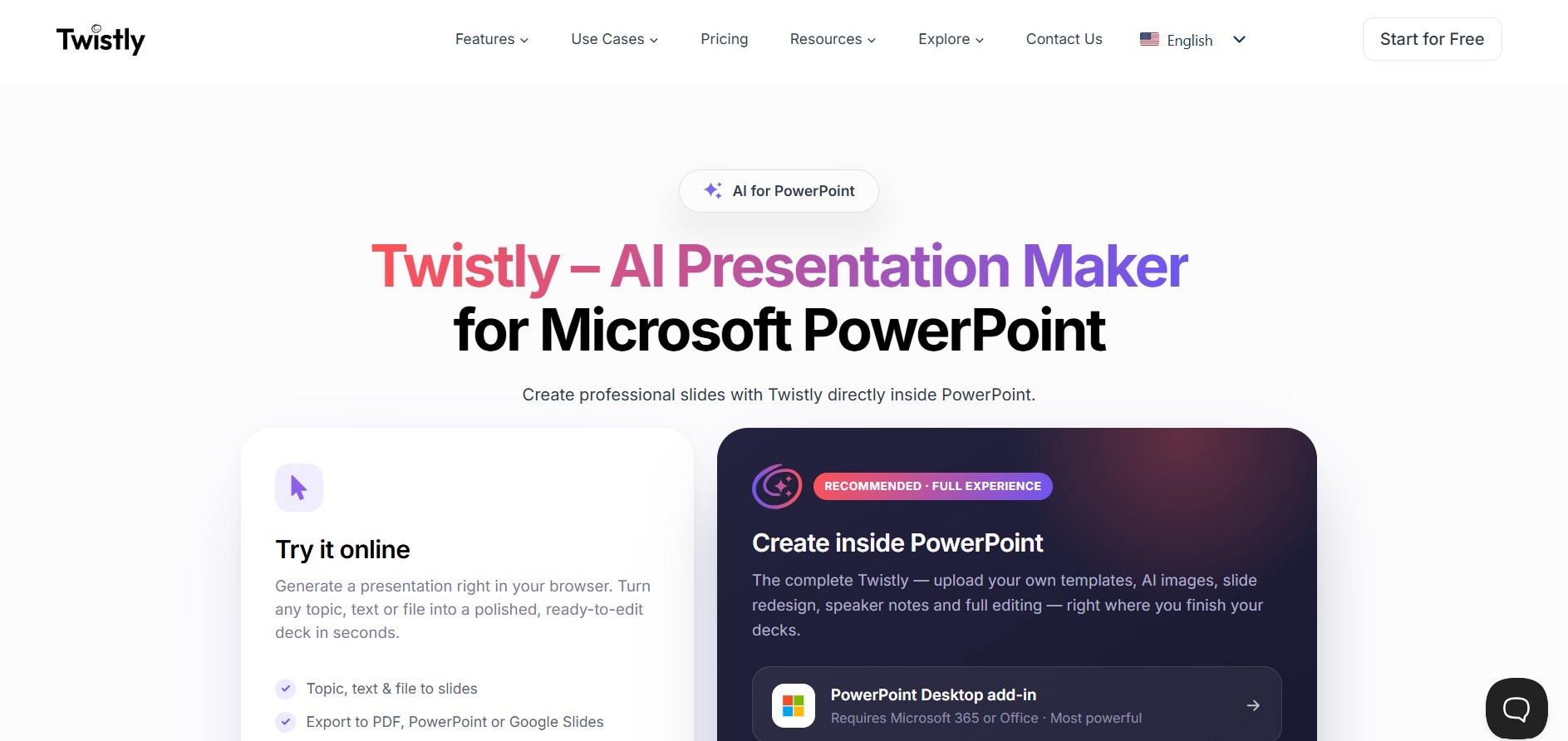
Twistly AI is an AI-powered presentation maker add-in designed for Microsoft PowerPoint. It transforms plain text, PDFs, Word documents, and topics into slides with automatic formatting, AI image generation, speaker notes, and multi-language translation.
What is Twistly AI?
Twistly AI is an artificial intelligence add-in that integrates with Microsoft PowerPoint. Built to operate inside the native PowerPoint environment, Twistly allows users to generate, rewrite, and design presentations without leaving the software or switching tabs.
Twistly AI enables students, educators, and business professionals to transform raw text, documents, and prompts into PowerPoint slides within seconds.
- Platform Role: Microsoft PowerPoint AI Add-In & Presentation Generator
- Core Capabilities: Text/Document-to-PPT, AI Image Generation, Slide Redesign, Speaker Notes & Translation
- Deployment: Native Microsoft PowerPoint Extension / Add-In
Use Cases:
- Generating business pitch decks, sales proposals, and corporate reports directly inside PowerPoint
- Converting PDF documents, Word files, and raw text outlines into structured presentation slides
- Creating automated speaker notes and translating deck content into multiple languages for international audiences
- Redesigning existing slide layouts and generating custom AI images to complement presentation themes
Technology:
- ChatGPT Power Driver: Leverages advanced LLMs to outline, summarize, and draft presentation content
- Native PowerPoint Integration: Modifies native PowerPoint elements, layout boxes, and themes directly
- AI Image & Media Engine: Generates contextual images and searches stock assets to populate slides
- Twistly Agent Chat: In-app AI assistant for real-time text editing, restructuring, and prompt refinement
Target Users:
- Business executives, sales reps, and marketers producing client-facing decks
- Educators and students creating academic lectures, project slides, and research presentations
- Consultants and freelancers looking to speed up deck creation
Acquisition: Web application & Office Store Add-In (twistly.ai)
What are the key features of Twistly AI?
Twistly AI's key platform features are
- Direct PowerPoint Integration: Functions as a PowerPoint add-in, eliminating the need to import/export files from web platforms.
- Multi-Format Content Import: Build presentations from topics, plain text, Word documents (.docx), or PDFs.
- AI Visuals & Image Generation: Creates custom AI images and provides built-in access to stock and web images.
- Automated Speaker Notes: Generates talk tracks and speaker notes for each created slide automatically.
- Multi-Language Translation & Redesign: Translates presentation text into multiple languages and offers one-click slide redesign options.
How much does Twistly AI cost?
Twistly AI operates on a freemium model with free credits and monthly subscription options.
Pricing Overview:
- Free Plan ($0 / month): Includes 3 free full presentations (60 initial credits), up to 10 slides per presentation, and essential editing tools.
- Starter Plan ($10 / month): Unlimited presentation generation, up to 35 slides per presentation, AI image generation, speaker notes, and watermark removal.
- Pro Plan ($20 / month): All Starter features plus custom templates, advanced AI models, team features, and API access.
Disclaimer: Plan rates, credit allotments, and feature allocations may change over time. Visit twistly.ai for official pricing updates.
Who should use Twistly AI?
Twistly AI is tailored for professionals and students, including
- Corporate Executives & Sales Teams: Creating sales pitches and business reports directly inside PowerPoint.
- Students & Educators: Rapidly turning lecture notes, articles, and research documents into clean slide decks.
- Marketing Professionals: Draft campaign briefs and visual presentations without starting from blank templates.
What are the best alternatives to Twistly AI?
Some of the top alternatives to Twistly AI include
- Plus AI (PowerPoint & Google Slides Add-in)
- Presentations.AI
- Beautiful.ai
- Gamma App
- SlidesAI.io
What are the pros and cons of Twistly AI?
What are the pros of Twistly AI?
- Operates natively inside Microsoft PowerPoint, preserving native file formatting and animations
- Supports converting multiple file types (PDF, Word, Text) directly into structured slides
- Generates both slide content and detailed speaker notes simultaneously
- Includes AI image generation, stock photo search, and translation features
What are the cons of Twistly AI?
- Requires Microsoft PowerPoint installed to access full add-in functionality
- Free plan limits generated presentations to 10 slides each
- Custom template uploading is restricted to higher-tier subscriptions
Why should you choose Twistly AI?
Unlike standalone web-based presentation builders, Twistly AI works directly within Microsoft PowerPoint. This means you can generate slides using AI while keeping full editing capabilities in your native presentation software without file conversion hassles.
- Create complete PowerPoint slide decks from prompts or uploaded files
- Maintain total control over your presentation files without leaving PowerPoint
- Generate custom speaker notes and AI visuals automatically
How do we rate Twistly AI?
| Parameter | Rating (out of 5) |
|---|---|
| Native PowerPoint Integration | 4.9 |
| Content Generation & Parsing | 4.7 |
| Speed & Ease of Use | 4.8 |
| Visual & Template Quality | 4.6 |
| Value for Money | 4.7 |
| Overall Score | 4.74 |
What is our review and verdict on Twistly AI?
Twistly AI is an effective productivity tool for dedicated PowerPoint users. By putting generative AI inside PowerPoint's native interface, it saves time on draft creation, content summarization, and formatting while keeping your standard presentation workflow intact.
What is the final conclusion on Twistly AI?
Whether you need to turn a lengthy PDF into a presentation or draft slides with speaker notes in under a minute, Twistly AI provides a smooth, PowerPoint-native solution to speed up presentation design.
FAQ
What is Twistly AI?
Twistly AI is an AI-powered presentation tool built specifically for Microsoft PowerPoint. It helps users create, edit, redesign, translate, and improve presentations directly inside PowerPoint instead of moving between different applications.
How does Twistly AI create presentations?
Users can provide a topic, prompt, text, file, or other supported source, and Twistly organizes the information into structured presentation slides. It can generate headings, bullet points, layouts, visuals, and other slide elements automatically.
Can Twistly convert PDFs and documents into PowerPoint presentations?
Yes. Twistly can analyze PDFs, Word documents, text files, and other supported content and convert the important information into editable PowerPoint slides. Its AI extracts key ideas and restructures lengthy material into a presentation-ready format.
Can Twistly AI improve an existing PowerPoint presentation?
Yes. Twistly provides AI features for rewriting, summarizing, expanding, redesigning, and improving existing slide content. Users can also generate speaker notes and modify visual elements without leaving PowerPoint.
Can Twistly generate images for PowerPoint slides?
Yes. Twistly includes AI image generation and an integrated image library that can provide visuals directly inside PowerPoint. It can also recommend relevant images based on slide content and automatically fit them into the slide layout.
does Twistly support PowerPoint translation?
Yes. Twistly can translate presentation content into multiple languages while keeping the existing slide layout and formatting intact. Its website currently states that presentations can be translated into 38 languages.
Is Twistly AI free to use?
Twistly offers a free option with limited access, while paid plans provide additional presentation capacity and advanced features. The current plans include Starter, Pro, and Team, with features such as custom templates, AI images, speaker notes, and team collaboration depending on the plan.
User Reviews
No reviews yet for Twistly AI.
Featured Tools
Featured AI tools from TechShark

Melody Genie
MelodyGenie is an AI-powered music generator that creates original songs from simple text prompts. Users can choose styles, moods, and genres, then instantly generate melodies and full tracks, making it easy for creators, marketers, and hobbyists to produce custom music without musical expertise.
Freemium

Kimi AI
Kimi AI is an advanced AI assistant developed by Moonshot AI that helps you chat, research, write, code, and automate tasks in one place. It supports web search, file analysis, and multimodal inputs, and can even run autonomous “agent” workflows to complete complex tasks end-to-end.
Freemium

Fashion Diffusion AI
Fashion Diffusion is an AI-powered fashion design platform that helps brands and designers create clothing designs, virtual try-ons, AI models, product photos, and marketing visuals faster and cost-effectively.
Paid

Veo 4
Veo 4 AI is an AI video creation platform that generates dramatic videos from text, images, audio, and video prompts using realistic motion and synchronized sound.
Paid
Alternatives
Alternatives to Twistly AI
Top alternatives to Twistly AI include Plus AI, Presentations.AI, Beautiful.ai, and Gamma. While standalone web generators require working outside of Microsoft Office, Twistly AI functions directly as a PowerPoint add-in.
Alpha Progression
AI Agent
Alpha Progression (alphaprogression.com) is an AI-powered workout planner, gym log, and progressive overload strength training app for iOS and Android that designs personalized training routines and calculates intelligent weight and rep recommendations for every set.
AZcaptcha
AI Agent
AZcaptcha (azcaptcha.com) is an automated AI-powered CAPTCHA solving API and browser extension service that provides fast, low-cost resolution of reCAPTCHA v2/v3/Enterprise, Cloudflare Turnstile, FriendlyCaptcha, ALTCHA, and image OCR challenges.
NextCaptcha
AI Agent
NextCaptcha (nextcaptcha.com) is a high-speed, automated CAPTCHA solving API service that utilizes machine learning and neural networks to bypass reCAPTCHA v2/v3/Enterprise, Cloudflare Turnstile, and mobile verification challenges with sub-6-second resolution.
TrueCaptcha
AI Agent
TrueCaptcha (truecaptcha.org) is an automated and human-assisted CAPTCHA solving API service that provides fast, low-cost optical character recognition (OCR) for standard text and image verification challenges.
DeathByCaptcha
AI Agent
DeathByCaptcha (deathbycaptcha.com) is a veteran hybrid CAPTCHA solving API service operating for over 17 years, providing automated AI-OCR and human-verified resolution of reCAPTCHA, Cloudflare Turnstile, GeeTest, DataDome, and Amazon WAF for web scraping and automation.
NopeCHA
AI Agent
NopeCHA (nopecha.com) is a multimodal AI-powered CAPTCHA solving API and browser extension service that utilizes deep learning and online reinforcement learning to automatically bypass reCAPTCHA, Cloudflare Turnstile, FunCAPTCHA, GeeTest, and AWS WAF challenges in real time.
CapSolver
AI Agent
CapSolver (capsolver.com) is an AI-powered CAPTCHA solving and agent automation platform that provides fast, machine-learning-driven resolution of reCAPTCHA, Cloudflare Turnstile, AWS WAF, and GeeTest for web scraping and AI agents.
Anti-Captcha
AI Agent
Anti-Captcha (anti-captcha.com) is a veteran human-powered and automated CAPTCHA solving API service operating since 2007, enabling developers and automation engineers to bypass reCAPTCHA, Cloudflare Turnstile, GeeTest, Arkose Labs, and Prosopo in real time.
2Captcha
AI Agent
2Captcha (2captcha.com) is a human-powered and automated CAPTCHA recognition API service that allows developers, web scrapers, and QA automation engineers to bypass reCAPTCHA, Cloudflare Turnstile, GeeTest, Arkose Labs, and traditional image challenges in real time.