Jotform AI Data Assistant
Jotform AI Data Assistant is an intelligent conversational data analysis tool that enables businesses and creators to query, analyze, summarize, and transform form submissions and survey data using natural language prompts.
What is Jotform AI Data Assistant?
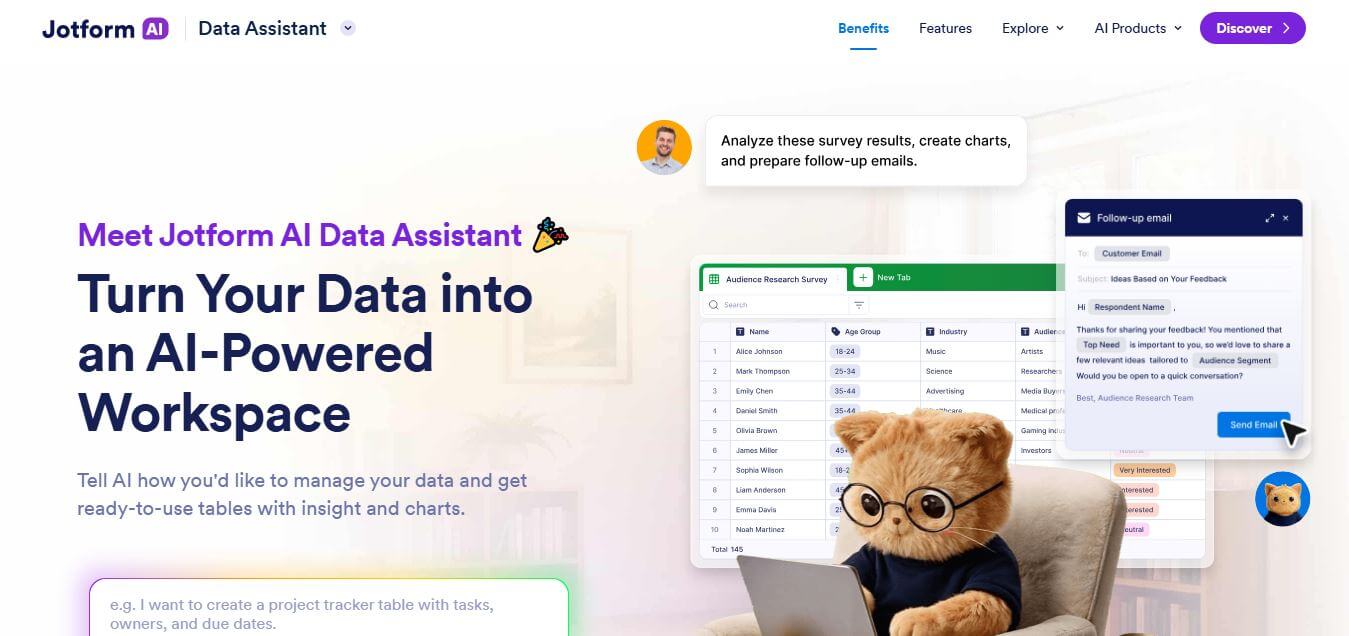
Jotform AI Data Assistant is a powerful productivity tool designed to simplify how you collect, analyze, and act on data. Instead of manually sorting through responses, it uses artificial intelligence to instantly interpret form submissions, generate insights, and answer questions based on your data. Whether you're managing customer feedback, survey results, or business reports, this tool helps you save time and speed up smarter decisions. Its intuitive interface makes it accessible even for non-technical users, turning complex datasets into clear, actionable information. With Jotform AI Data Assistant, data becomes less overwhelming and far more useful for everyday decision-making and business growth.
Engineered for seamless form data processing, Jotform AI Data Assistant turns raw submission data into structured visual charts, instant answers, and actionable operational insights in seconds.
- Core Focus: Conversational Form Analysis, Automated Reporting, Survey Summarization
- Launch Year: 2024
- Use Cases:
- Asking natural language questions about customer feedback and survey responses
- Summarizing long-form qualitative form responses into executive bullet points
- Generating visual pie charts and bar graphs directly from form submission datasets
- Tracking key metrics like revenue, registration numbers, and sentiment across submissions
- Technology:
- Native Generative AI LLM integration mapped directly to Jotform Tables and Form Builder
- Natural Language Processing (NLP) optimized for structured and unstructured form fields
- Enterprise-grade data encryption and strict HIPAA/GDPR compliance options
- Target Users:
- HR managers analyzing employee feedback, job applications, and exit surveys
- Event organizers tracking attendee RSVPs, dietary needs, and ticket sales
- Healthcare providers reviewing patient intake forms and survey evaluations
- Ecosystem: Seamlessly works across Jotform Tables, Jotform Report Builder, Jotform Apps, and 100+ native integrations, including Google Sheets, Zapier, and Salesforce.
Key features of Jotform AI Data Assistant
Jotform AI Data Assistant's key features are
- Conversational Querying: Ask questions like "What is our average rating this month?" and get instant, accurate answers.
- Automated Summary Reports: Summarize thousands of form text responses into concise key insights instantly.
- Dynamic Visualizations: Automatically creates visual charts, graphs, and tables based on your chat queries.
- Filter & Segmentation: Isolate specific data subsets, demographics, or date ranges with simple conversational commands.
- HIPAA & GDPR Compliance: Protects sensitive form data with medical-grade security guardrails.
Jotform AI Data Assistant Pricing
Jotform AI Data Assistant is available across Jotform's standard pricing tiers (available monthly or with up to 20% annual savings).
Starter (Free):
- $0/month
- 5 active forms, 100 monthly submissions, and basic AI data assistant features included
Bronze Plan:
- $34/month (billed annually)
- 25 active forms, 1,000 monthly submissions, full AI data assistant capabilities
Silver Plan:
- $39/month (billed annually)
- 50 active forms, 2,500 monthly submissions, HIPAA compliance options
Gold Plan:
- $99/month (billed annually)
- 100 active forms, 10,000 monthly submissions, higher storage, and priority support
Is Jotform AI Data Assistant Worth It?
Jotform AI Data Assistant is extremely valuable for teams collecting high-volume form responses who need to extract quick insights without spending hours manually sifting through spreadsheets or configuring complex pivot tables.
Real-World Use Cases
- Customer Satisfaction Monitoring: Instant sentiment checks across thousands of CSAT survey entries.
- Lead Qualification & Scoring: Querying registration forms to find high-budget enterprise prospects instantly.
- Academic Research: Analyzing qualitative survey feedback across diverse student populations.
Who is using Jotform AI Data Assistant?
Jotform AI Data Assistant is designed for
- Marketing & Product Teams: Teams collecting user feedback and market research data
- Operations Managers: Professionals tracking inventory requests, maintenance tickets, and workflows
- Non-Profits & Educators: Organizations processing volunteer applications and event sign-ups
Best Jotform AI Data Assistant Alternatives
Some of the top alternatives include
- Typeform AI
- Formstack
- SurveyMonkey Genius
- Fillout AI
- ChatGPT Data Analysis
Pros and Cons of Jotform AI Data Assistant
Pros
- Direct zero-setup integration with Jotform submission tables
- Saves hours of manual spreadsheet filtering and chart creation
- Generates instant visual graphics from plain English questions
- Included in standard Jotform plans without expensive separate add-ons
Cons
- Requires existing Jotform forms and submission data to function
- Advanced usage bounded by overall monthly submission limits of your plan
Why Choose Jotform AI Data Assistant?
It eliminates the friction between data collection and data analysis. Instead of exporting CSV files to external tools, users can analyze, report, and act on their form data directly where it lives.
How Jotform AI Data Assistant Works
- Create Form: Build and publish a form using Jotform's drag-and-drop builder.
- Collect Submissions: Gather responses from customers, employees, or leads.
- Launch AI Assistant: Open the AI Data Assistant inside Jotform Tables or Reports.
- Ask & Discover: Type queries, request charts, and export instant AI summary reports.
Jotform AI Data Assistant vs. Competitors
| Feature | Jotform AI Data Assistant | Typeform AI | SurveyMonkey Genius |
|---|---|---|---|
| Primary Focus | Conversational Form Data Analysis | Conversational Form Building | Survey Design & Benchmarking |
| Auto Chart Generation | Yes (Instant AI Visuals) | Limited | Yes |
| Free Tier Available | Yes (Freemium) | Limited Free Trial | Limited Free Tier |
| Starting Price | Free ($34/mo paid) | $25/month | $25/month |
How do we rate Jotform AI Data Assistant?
| Parameter | Rating (out of 5) |
|---|---|
| Ease of Use | 4.9 |
| Output Quality & Accuracy | 4.8 |
| Security & Compliance | 4.9 |
| Value for Money | 4.7 |
| Integration Capability | 4.8 |
| Overall Score | 4.82 |
Jotform AI Data Assistant Review
Jotform AI Data Assistant seamlessly brings artificial intelligence directly into response tables, turning plain text questions into analytical charts and summaries. It provides immense time savings for teams that rely heavily on online forms and surveys.
Conclusion
Jotform AI Data Assistant transforms the way individuals and businesses interact with their data by making analysis faster, simpler, and more accessible. It removes the complexity of manual data handling and delivers meaningful insights in seconds. Whether you're aiming to improve decision-making, understand customer behavior, or streamline workflows, this tool provides a practical and efficient solution. By combining automation with intelligence, it empowers users to focus more on strategy and growth rather than data processing. Ultimately, Jotform AI Data Assistant is not just a tool, but a smart companion for turning raw data into valuable outcomes.
FAQ
What exactly is Jotform AI Data Assistant, and how can it help me?
Jotform AI Data Assistant is like having a smart data analyst inside your workspace. Instead of manually sorting spreadsheets or building reports, you can simply ask questions in plain language and it will organize, analyze, and visualize your data for you. Whether you're managing leads, survey responses, or orders, it turns raw submissions into actionable insights quickly and effortlessly.
Do users need technical or data analysis skills to use Jotform AI Data Assistant?
Jotform AI Data Assistant does not require any technical knowledge or data expertise. Users can simply type questions such as “show top responses” or “create a summary,” and Jotform AI Data Assistant handles the entire process. This approach makes Jotform AI Data Assistant ideal for beginners while still saving valuable time for professionals.
What kind of tasks can Jotform AI Data Assistant automate?
Jotform AI Data Assistant can automate repetitive data-related tasks such as summarizing responses, categorizing feedback, generating reports, and sending follow-up messages. For example, Jotform AI Data Assistant can label customer feedback as positive or negative or trigger reminders for incomplete submissions. This automation reduces manual workload and improves efficiency.
Can Jotform AI Data Assistant create reports and visualizations?
Jotform AI Data Assistant can instantly generate charts, tables, and summaries from collected data. Users no longer need to manually design graphs or select data ranges. Jotform AI Data Assistant presents information in a clear visual format, making reports easier to understand and more effective for presentations or decision-making.
How does Jotform AI Data Assistant handle large datasets?
Jotform AI Data Assistant is designed to process large volumes of data quickly and efficiently. Instead of reviewing hundreds of entries one by one, users can ask Jotform AI Data Assistant to highlight trends, identify patterns, or summarize key insights. This capability helps users focus on important information without getting overwhelmed.
Is Jotform AI Data Assistant suitable for different industries?
Jotform AI Data Assistant works across various industries such as marketing, HR, education, healthcare, and operations. Businesses can use Jotform AI Data Assistant to analyze surveys, manage registrations, track performance, or identify trends. Flexibility makes Jotform AI Data Assistant a valuable solution for almost any data-driven workflow.
User Reviews
No reviews yet for Jotform AI Data Assistant.
Featured Tools
Featured AI tools from TechShark

Melody Genie
MelodyGenie is an AI-powered music generator that creates original songs from simple text prompts. Users can choose styles, moods, and genres, then instantly generate melodies and full tracks, making it easy for creators, marketers, and hobbyists to produce custom music without musical expertise.
Freemium

Kimi AI
Kimi AI is an advanced AI assistant developed by Moonshot AI that helps you chat, research, write, code, and automate tasks in one place. It supports web search, file analysis, and multimodal inputs, and can even run autonomous “agent” workflows to complete complex tasks end-to-end.
Freemium

Fashion Diffusion AI
Fashion Diffusion is an AI-powered fashion design platform that helps brands and designers create clothing designs, virtual try-ons, AI models, product photos, and marketing visuals faster and cost-effectively.
Paid

Veo 4
Veo 4 AI is an AI video creation platform that generates dramatic videos from text, images, audio, and video prompts using realistic motion and synchronized sound.
Paid
Alternatives
Alternatives to Jotform AI Data Assistant
Top Jotform AI Data Assistant alternatives include Typeform AI, Formstack, SurveyMonkey Genius, Fillout AI, and ChatGPT Data Analysis. Typeform AI excels at conversational form creation, while SurveyMonkey Genius specializes in deep survey polling insights.
Vervoe
AI Agent
Vervoe (vervoe.com) is an AI-powered skills assessment and remote hiring platform that evaluates job candidates based on merit through automated job simulations, coding challenges, and interactive skills trials.
TestGorilla
AI Agent
TestGorilla (testgorilla.com) is a pre-employment skills assessment and candidate screening platform that offers a library of over 350 job-specific, cognitive, coding, personality, and AI-scored video interview assessments.
Retorio
AI Agent
Retorio (retorio.com) is an AI-powered behavioral intelligence and video coaching platform that combines artificial intelligence, video simulations, and psychological insights to assess and train sales, customer service, and leadership teams.
Interviews by AI
AI Agent
Interviews by AI (interviewsby.ai) is an AI-powered interview preparation platform that generates custom job interview questions from job descriptions and provides audio/text response practice with instant feedback.
Hello Interview
AI Agent
Hello Interview (hellointerview.com) is a specialized interview preparation platform for software engineers that delivers interactive system design courses, Low-Level Design (LLD), coding tracks, guided practice problems, and AI-powered mock interviews.
RoundAlpha
AI Agent
RoundAlpha (roundalpha.com) is an AI-powered mock interview and technical practice platform that provides spoken, on-camera roleplay, live follow-up questions, coding and system design tasks, and detailed scored evaluation reports.
 4.9
4.9Materiom
AI Agent
Materiom helps researchers, designers, and businesses discover and develop sustainable materials using renewable ingredients. Its resources include biomaterial recipes, material datasets, ingredient information, and AI-assisted research. By supporting experimentation and knowledge sharing, Materiom encourages innovation in bio-based packaging, textiles, and other products while helping users explore alternatives to conventional plastic materials.
 4.9
4.9Talkwalker
AI Agent
Talkwalker is a consumer intelligence and social listening solution that helps brands track online mentions, analyze audience sentiment, monitor competitors, and discover emerging trends. It combines social media analytics, media monitoring, customer feedback, and AI-powered insights to support marketing, public relations, reputation management, and data-driven business decisions across global markets.
 5.0
5.0AI4K12
AI Agent
AI4K12 is an educational initiative focused on bringing artificial intelligence into K–12 classrooms. It provides grade-level learning guidelines, curated teaching resources, and the Five Big Ideas framework. Designed for educators and curriculum developers, AI4K12 supports age-appropriate AI instruction and helps students understand how intelligent technologies work and affect society.