Fotor Background Remover
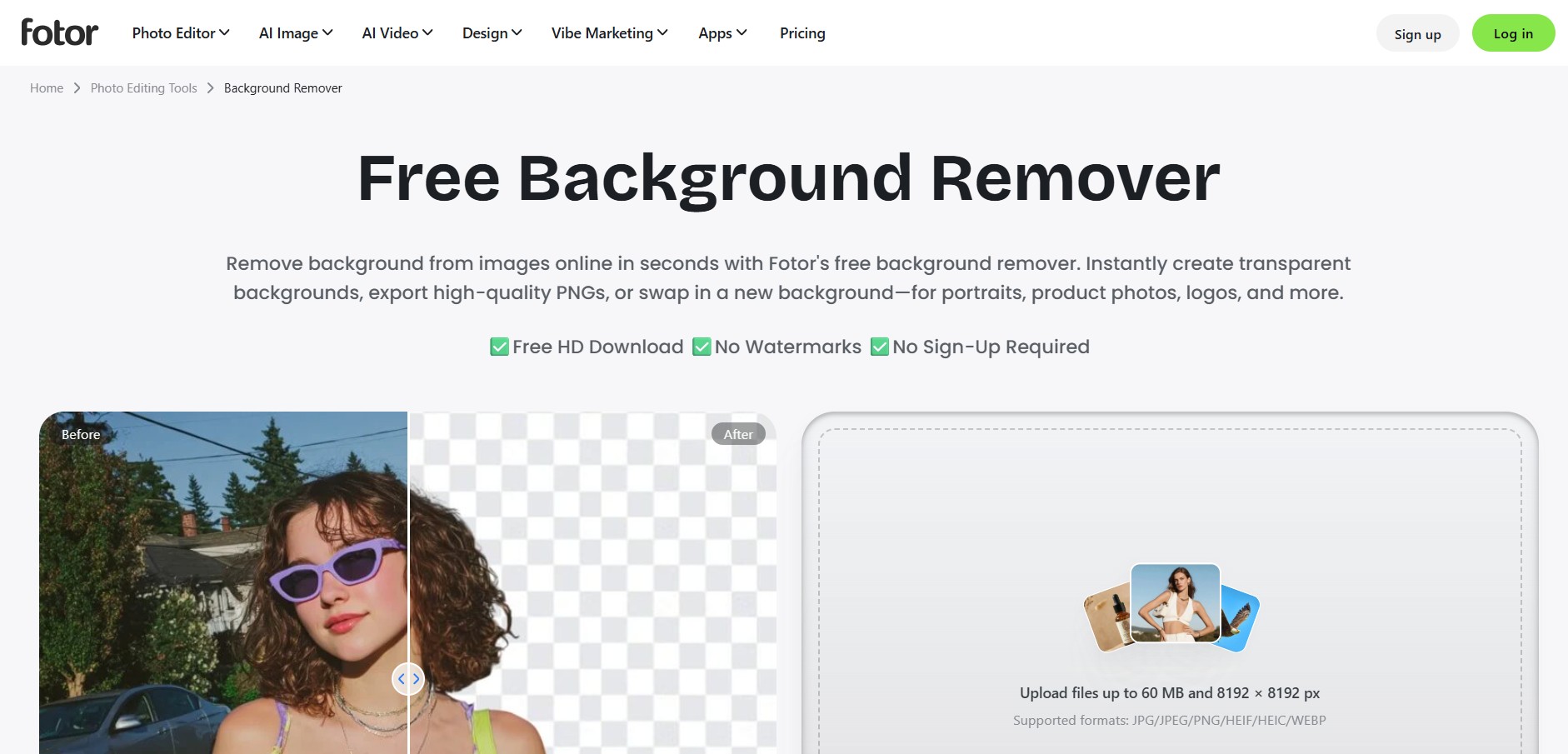
Fotor Background Remover is an AI-driven online image editing feature that automatically strips image backgrounds, generates transparent PNG cutouts, and replaces backdrops for product photography and portraiture.
What is Fotor Background Remover?
Fotor Background Remover is a specialized feature within the Fotor AI image editing suite designed to instantly delete backdrops from photos. Utilizing trained computer vision algorithms, it isolates humans, products, animals, and graphic elements with high precision, creating transparent cutouts in seconds without manual selection tools.
Fotor Background Remover allows creators, e-commerce sellers, and marketers to isolate subjects, generate transparent cutouts, and apply custom AI backdrops seamlessly within a full-featured photo editing suite.
- Platform Role: AI Image Background Removal & Cutout Tool
- Core Capabilities: Automatic Object Segmentation, Transparent PNG Cutout Creation, HD Image Downloads, Background Replacement, Integrated Photo Editing Suite
- Deployment: Web Application, Desktop Client (Windows/Mac), and Mobile Apps (iOS/Android)
Use Cases:
- Creating clean product catalog photos with white or transparent backgrounds for e-commerce stores
- Isolating portraits and headshots for professional resumes, profile photos, and ID cards
- Designing marketing banners, social media posts, and visual collage art using custom backgrounds
- Batch processing multiple product images simultaneously to streamline e-commerce workflows
Technology:
- Deep Learning Edge Detection: AI models trained to accurately distinguish subject boundaries, including complex edges like hair strands, fur, and clothing folds
- Generative AI Scene Studio: Integrated AI backdrop generator that creates custom realistic environments matching subject lighting
Target Users:
- E-commerce store owners, social media managers, and digital content creators
- Graphic designers and marketing teams requiring quick cutout capabilities paired with standard editing tools
- Casual users seeking fast image cleanup and profile photo edits
Acquisition: Web application feature (fotor.com/features/background-remover)
What are the key features of Fotor Background Remover?
Fotor Background Remover's key platform features are
- 1-Click AI Removal: Automatically detects subject foregrounds and removes backgrounds in seconds with zero manual effort.
- Hair & Fine Detail Precision: Intelligently handles challenging edges such as fine hair, animal fur, transparent objects, and complex silhouettes.
- Integrated AI Background Generator: Replace deleted backgrounds with solid colors, stock imagery, or custom text-to-image generated backgrounds.
- Batch Background Removal: Process dozens of photos at once on web and desktop applications to save time on large catalogs.
- Full Design Suite Integration: Instantly apply filters, text overlays, crop dimensions, and graphic elements without switching platforms.
How much does Fotor Background Remover cost?
Fotor operates on a freemium model using a credit system, offering free preview downloads along with Pro subscription options.
Pricing Overview:
- Free Plan ($0): Basic web editing with unlimited low-resolution downloads and basic background removal previews.
- Fotor Pro (~$8.99/mo or $3.33/mo billed annually): Includes 100 monthly credits, high-definition HD downloads, batch background removal, and ad-free editing.
- Fotor Pro+ (~$19.99/mo or $7.49/mo billed annually): Includes 300 monthly credits, advanced AI editing tools, and priority processing.
Disclaimer: Plan pricing and credit allocations are subject to promotional variations. Visit fotor.com/pricing for current details.
Who should use Fotor Background Remover?
Fotor Background Remover is tailored for digital creators and marketers, including
- E-Commerce Retailers: Preparing clean, high-resolution product photography for online storefronts.
- Content Creators & Marketers: Designing YouTube thumbnails, ad banners, and promotional social graphics rapidly.
- Casual Editors: Isolating subjects and creating professional headshots without needing advanced software like Photoshop.
What are the best alternatives to Fotor Background Remover?
Some of the top alternatives to Fotor Background Remover include
- remove.bg
- Photoroom
- Canva (Background Remover)
- Clipdrop (by Stability AI)
- Adobe Express
What are the pros and cons of Fotor Background Remover?
What are the pros of Fotor Background Remover?
- Fast automatic background detection with clean edge separation for hair and products
- Seamless integration with Fotor's broader graphic design and photo editing suite
- Supports batch editing and HD downloads across web, desktop, and mobile platforms
What are the cons of Fotor Background Remover?
- Full high-resolution HD exports require a paid subscription or credit consumption
- Free tier includes watermarks or resolution limits on certain export options
Why should you choose Fotor Background Remover?
Fotor Background Remover provides a comprehensive solution by embedding automated background removal directly inside a full design suite. Rather than relying on a single-purpose cutout tool, users can strip backdrops, generate new AI scenes, add graphics, and resize layouts all in one place.
- Remove backgrounds automatically in seconds using single-click AI automation
- Replace backdrops with AI-generated scenes, stock images, or solid colors
- Access a complete graphic design and photo editing ecosystem directly after cutting out subjects
How do we rate Fotor Background Remover?
| Parameter | Rating (out of 5) |
|---|---|
| AI Cutout Precision & Edge Handling | 4.7 |
| Processing Speed | 4.8 |
| Feature Ecosystem & Design Tools | 4.9 |
| Ease of Use | 4.9 |
| Value for Money | 4.7 |
| Overall Score | 4.80 |
What is our review and verdict on Fotor Background Remover?
Fotor Background Remover is a powerful, user-friendly tool that excels at combining background removal with robust photo editing features. Its speed, edge handling, and integration with Fotor's broader design platform make it an ideal choice for creators and online business owners.
What is the final conclusion on Fotor Background Remover?
Whether you need to quickly clear product image backdrops or build complete marketing graphics from scratch, Fotor Background Remover offers an efficient, AI-powered toolkit for all your photo editing needs.
FAQ
What is Fotor Background Remover?
Fotor Background Remover is an AI-powered tool that automatically detects the main subject in an image and removes its background. It can create transparent PNGs and is designed for portraits, product photos, logos, signatures, animals, real estate images, and other visual content.
How does Fotor Background Remover work?
Users simply upload an image, and Fotor's AI automatically identifies the foreground subject and separates it from the background. The result can then be downloaded as a transparent image or edited further by adding a new background, text, effects, or other design elements.
What image formats and sizes does Fotor Background Remover support?
Fotor supports JPG, JPEG, PNG, HEIF, HEIC, and WEBP files. The online Background Remover accepts images up to 60 MB and a maximum resolution of 8192 × 8192 pixels.
Can Fotor remove backgrounds from hair, fur, and other fine details?
Yes. Fotor's AI is designed to handle detailed edges such as individual hair strands, animal fur, and semi-transparent objects. If the automatic cutout needs adjustment, users can fine-tune the result with editing brushes to restore or remove specific areas.
Can I change the background after removing it with Fotor?
Yes. After removing the original background, users can make the image transparent, choose a preset background, upload their own image, or create an AI-generated background. This makes the tool useful for product photos, social media graphics, professional portraits, and marketing visuals.
Can Fotor remove backgrounds from multiple images at once?
Yes. Fotor supports batch background removal, allowing users to process up to 50 images in one batch. This can be particularly useful for e-commerce sellers, photographers, agencies, and businesses working with large numbers of product or catalog images.
Is Fotor Background Remover free to use?
Yes. Fotor currently offers its online Background Remover for free, with no sign-up required for the basic tool. Fotor also has paid Pro and Pro+ plans that provide additional AI and editing capabilities, including advanced background tools, batch editing, and HD transparent PNG exports.
User Reviews
No reviews yet for Fotor Background Remover.
Featured Tools
Featured AI tools from TechShark

Melody Genie
MelodyGenie is an AI-powered music generator that creates original songs from simple text prompts. Users can choose styles, moods, and genres, then instantly generate melodies and full tracks, making it easy for creators, marketers, and hobbyists to produce custom music without musical expertise.
Freemium

Kimi AI
Kimi AI is an advanced AI assistant developed by Moonshot AI that helps you chat, research, write, code, and automate tasks in one place. It supports web search, file analysis, and multimodal inputs, and can even run autonomous “agent” workflows to complete complex tasks end-to-end.
Freemium

Fashion Diffusion AI
Fashion Diffusion is an AI-powered fashion design platform that helps brands and designers create clothing designs, virtual try-ons, AI models, product photos, and marketing visuals faster and cost-effectively.
Paid

Veo 4
Veo 4 AI is an AI video creation platform that generates dramatic videos from text, images, audio, and video prompts using realistic motion and synchronized sound.
Paid
Alternatives
Alternatives to Fotor Background Remover
Top alternatives to Fotor Background Remover include remove.bg, Photoroom, Canva, and Clipdrop. While remove.bg focuses purely on background removal API capabilities, Fotor integrates cutout features directly into a versatile photo editing suite.
 4.7
4.7Spark Hire
AI Agent
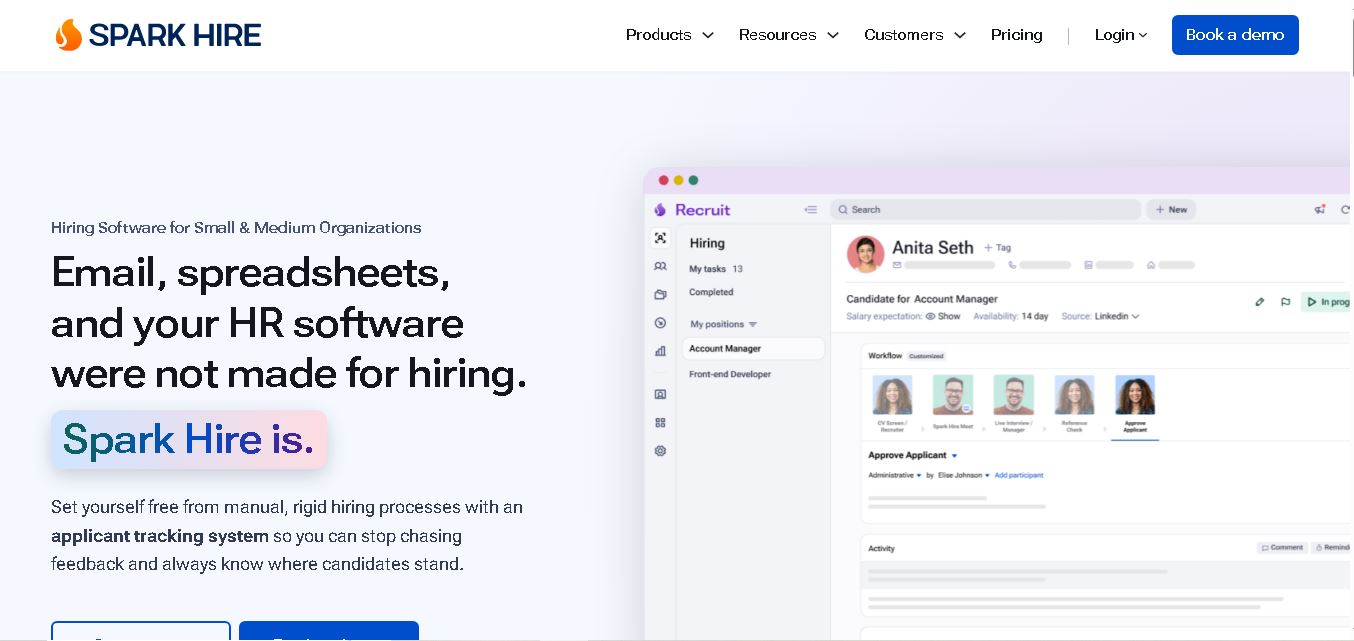
Spark Hire helps recruitment teams simplify hiring through one-way video interviews, live interviews, applicant tracking, and candidate evaluations. It enables employers to screen applicants remotely, collaborate with hiring managers, and organize recruitment workflows. Its AI-assisted features support interview transcription, summaries, and candidate review while maintaining human involvement in hiring decisions.
 4.9
4.9Materiom
AI Agent
Materiom helps researchers, designers, and businesses discover and develop sustainable materials using renewable ingredients. Its resources include biomaterial recipes, material datasets, ingredient information, and AI-assisted research. By supporting experimentation and knowledge sharing, Materiom encourages innovation in bio-based packaging, textiles, and other products while helping users explore alternatives to conventional plastic materials.
 4.9
4.9Talkwalker
AI Agent
Talkwalker is a consumer intelligence and social listening solution that helps brands track online mentions, analyze audience sentiment, monitor competitors, and discover emerging trends. It combines social media analytics, media monitoring, customer feedback, and AI-powered insights to support marketing, public relations, reputation management, and data-driven business decisions across global markets.
 5.0
5.0AI4K12
AI Agent
AI4K12 is an educational initiative focused on bringing artificial intelligence into K–12 classrooms. It provides grade-level learning guidelines, curated teaching resources, and the Five Big Ideas framework. Designed for educators and curriculum developers, AI4K12 supports age-appropriate AI instruction and helps students understand how intelligent technologies work and affect society.
Kommunicate
AI Agent
Kommunicate (kommunicate.io) is an AI-powered customer service automation and live chat platform that unites no-code generative AI agents, Kompose chatbot builder, seamless human escalation, voice AI, and omnichannel messaging across WhatsApp, web, and mobile apps.
Text
AI Agent
Text is an AI-powered customer service platform that combines live chat, help desk ticketing, AI agents, and workflow automation. It helps businesses manage customer conversations, automate repetitive support tasks, answer questions, engage website visitors, and turn customer interactions into sales opportunities through a unified communication workspace.
DocsBot AI
AI Agent
DocsBot AI is an AI chatbot and agent platform that turns websites, documents, knowledge bases, and support tickets into conversational assistants. Businesses can use it to automate customer support, answer questions, share internal knowledge, connect workflows, and provide information through website widgets and supported integrations.
SiteGPT AI
AI Agent
SiteGPT is an AI chatbot platform that helps businesses automate customer support using their website content, documents, and knowledge sources. It answers visitor questions, supports lead generation, and integrates into websites, allowing teams to handle repetitive inquiries, improve customer experiences, and provide assistance around the clock.
 4.7
4.7Halcyon
AI Agent
Halcyon is an AI energy intelligence platform that helps professionals search regulatory filings, analyze energy-market information, monitor developments, and access structured datasets. It combines document search, natural-language queries, AI-powered alerts, and specialized data subscriptions to turn fragmented energy information into actionable intelligence for research, monitoring, planning, and faster decision-making.