
Construct Computer
Construct Computer (construct.computer) is a cloud-native AI employee platform that provides autonomous AI coworkers with their own dedicated browser-based desktop OS, long-term memory, MCP skill integrations, and multi-channel messaging across Slack, Telegram, Discord, and email.
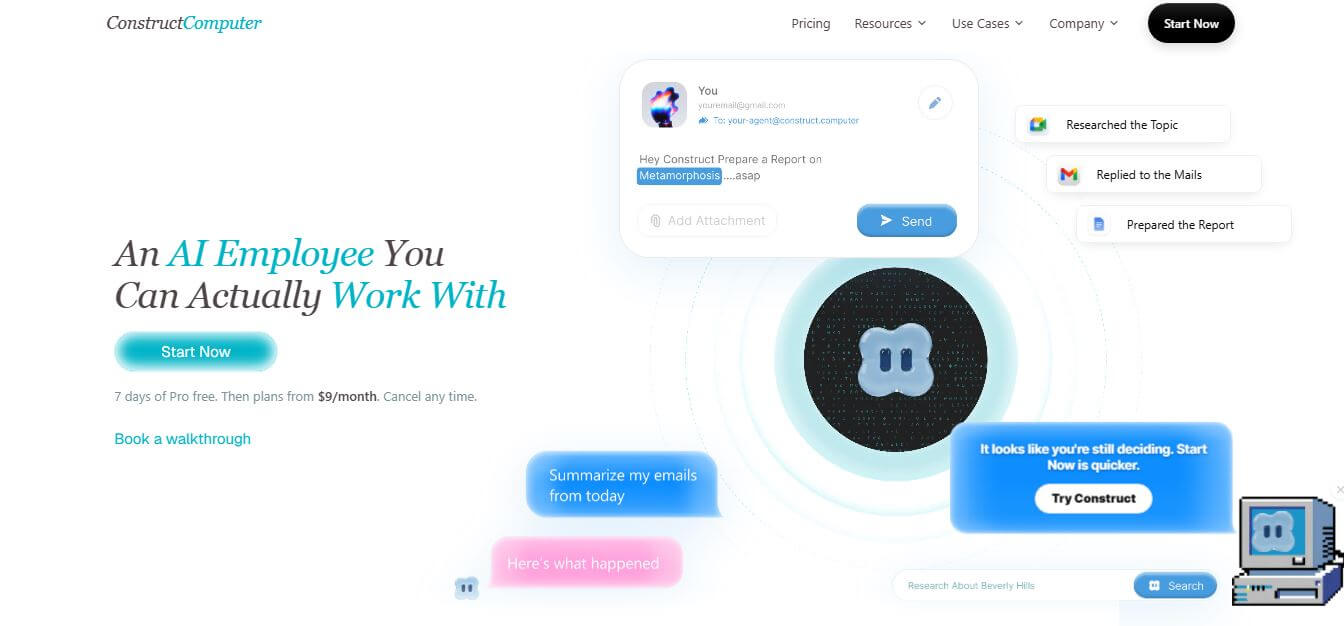
What is Construct Computer?
Construct Computer is an autonomous AI coworker and cloud-native agent platform designed for solo founders, small businesses, and agile product teams. It provides AI employees with their own cloud-hosted operating system equipped with persistent memory, terminal access, browser automation, and an MCP-powered app registry. Featuring multi-channel communication (Slack, Telegram, Discord, email), versioned workflow automation, live human-in-the-loop desktop observability, and zero data training policies, Construct Computer handles multi-step operational tasks end to end.
Construct Computer was launched in 2026 by Ankush Singh and Nischal Naik to provide dedicated cloud compute environments for autonomous AI agents. Built on a serverless Cloudflare Workers and Durable Objects architecture, the platform supports complex agent runs of up to 1,000 steps per task and allows users to manage up to 15 concurrent AI agents. Plans start at an accessible $9 per month (with a 7-day free trial), and all user workspaces operate in isolated cloud sandbox containers with strict zero-training privacy guarantees.
- Founder / Leadership: Ankush Singh and Nischal Naik
- Launch Year: 2026
- Use Cases:
- Delegating asynchronous deep web research, market intelligence, and structured report preparation
- Automating email inbox triage, customer follow-ups, and calendar scheduling workflows
- Building, validating, and publishing custom internal tools and MCP server integrations
- Converting complex multi-step processes into locked, versioned, and schedulable background tasks
- Technology:
- Serverless edge agent backend running on Cloudflare Workers, Durable Objects, and Vectorize
- Interactive browser-based desktop operating system built with React and TypeScript
- Model Context Protocol (MCP) server architecture with persistent vector memory profiles
- Target Users:
- Solo startup founders, indie hackers, and digital entrepreneurs
- Operations managers, Chief of Staff, and business process automation leads
- Small digital marketing agencies and boutique consulting firms
- Software developers and engineering teams seeking automated cloud-based task runners
- Acquisition: Operates as an independent developer and autonomous AI platform

Key features of Construct Computer
Construct Computer's key features are
- Dedicated Browser-Based Cloud Desktop: Gives your AI coworker an interactive windowed OS where you can watch live progress, inspect open windows, and take over tasks manually.
- Multi-Platform Team Delegation: Assign tasks and collaborate with your AI employee directly from the web desktop, Slack, Telegram, Discord slash commands, or a dedicated agent email address.
- Versioned Workflow Automation: Turn any successful multi-step agent run into a locked, versioned, and schedulable workflow to eliminate redundant token planning costs.
- MCP App Registry & Custom Tool Builder: Install pre-built Model Context Protocol (MCP) integrations or have your AI coworker write, validate, and publish custom internal tools directly inside the cloud environment.
- Transparent, Inspectable Long-Term Memory: Review, correct, or delete retained project context, user preferences, and business decisions with full historical evidence.
- 20+ Native System Tools: Equips agents with terminal access, code execution, live browser scraping, file storage, email send/receive, and calendar management out of the box.
- Live Observability & Error Alerts: Receive instant DM/email failure notifications if a step breaks, allowing users to guide the agent to re-plan or fix broken endpoints.
- Isolated Security & BYOK Support: Every workspace operates in an isolated environment with support for Bring-Your-Own-Key (BYOK) model routing, ensuring private data is never used for LLM training.
Construct Computer Pricing
Construct Computer operates on a tiered subscription model backed by a 7-day free trial on Pro plans.
Lite Plan:
- $9/month ($7.50/month billed annually)
- Up to 2 AI agents and up to 50 steps per task
- 2 parallel background jobs, 5-minute command runtime, and 100 MB cloud storage
Starter Plan:
- Starts at approximately $29/month
- Up to 5 AI agents and 6x the usage of Lite
- Agent email address, background & scheduled tasks, 30-minute command runtime, and 1 GB cloud storage
Pro Plan:
- Starts at approximately $79/month
- Up to 15 AI agents and deep runs up to 1,000 steps per task
- 1-hour command runtime, 3 GB cloud storage, and Bring Your Own Model Keys (BYOK)
Enterprise Tier:
- Custom pricing
- Unlimited agent seats, dedicated VPC cloud infrastructure, custom SLAs, and custom MCP tool security audits
Disclaimer: For the latest feature rollouts and pricing options, please visit the official Construct Computer website at construct.computer.
Who is using Construct Computer?
Construct Computer is designed for a broad range of founders, operators, and technical teams, including
- Solo Founders: Delegating daily competitor research, market tracking, and inbox management to an autonomous AI employee
- Operations Managers: Encoding standard operating procedures (SOPs) into scheduled, repeatable background workflows
- Digital Marketing Agencies: Automating data collection, client reporting, and multi-channel campaign asset preparation
- Remote Development Teams: Using AI agents with terminal and browser access to test endpoints, scrape data, and build internal tools
- Indie Hackers: Running continuous automation without maintaining complex local scripts or VM infrastructure
Best Construct Computer Alternatives
Some of the strongest Construct Computer alternatives include
- Manus AI
- Relay.app
- Devin
- MultiOn
- AutoGPT / CrewAI
- Lindy.ai
Pros and Cons of Construct Computer
Pros
- Provides agents with a real, visible cloud desktop environment rather than a blind black-box chat window
- Reusable workflow freezing prevents AI from wasting credits re-planning already solved tasks
- Direct multi-channel messaging via Slack, Telegram, Discord, and native email addresses
- Extensible ecosystem using standard Model Context Protocol (MCP) apps and tools
- Strict privacy architecture ensures workspace data and outputs are never used to train third-party AI models
Cons
- Setting up highly customized multi-app MCP workflows may require initial prompt framing and configuration
- Cloud command runtimes are capped per tier (5 min on Lite, 30 min on Starter, 1 hr on Pro)
- Web-based desktop interface requires modern browser performance and stable internet connectivity
- Complex workflows with external APIs require monitoring if third-party endpoints change their schemas
Why Choose Construct Computer?
Construct Computer is the ideal choice for founders and small teams who want an autonomous AI employee capable of doing real work in a transparent cloud environment.
- Gives your AI coworker a complete desktop OS with browser, terminal, and file tools
- Automates complex multi-step processes via Slack, Telegram, Discord, and email
- Freezes successful actions into locked workflows to save on token costs
- Expands capabilities endlessly through installable MCP server apps
- Guarantees complete data privacy with isolated workspaces and zero AI model training
Construct Computer vs. Competitors
The main difference between Construct Computer, Manus AI, Relay.app, and Lindy.ai is that Construct Computer offers an observable, interactive cloud desktop OS with terminal access, persistent memory, and MCP tool extensibility, while Manus AI focuses on general agent web browsing, Relay.app specializes in human-in-the-loop SaaS workflow triggers, and Lindy.ai mainly serves as a conversational email/calendar assistant. Construct Computer stands out for its full cloud desktop environment and workflow freezing architecture.
| Feature / Tool | Construct Computer (construct.computer) | Manus AI | Relay.app | Lindy.ai |
|---|---|---|---|---|
| Core Focus | Autonomous AI Coworker & Cloud OS | General Web Action Agent | Human-in-the-Loop Workflows | AI Executive Assistant |
| Dedicated Cloud Desktop OS | Yes (Windowed Desktop & Terminal) | Browser Sandbox | No (SaaS Canvas) | No (Chat/Email UI) |
| Multi-Channel Support | Slack, Telegram, Discord, Email | Web Interface | Slack & SaaS Connectors | Email, Slack, WhatsApp |
| MCP App Store & Custom Tools | Yes (Standard MCP Ecosystem) | Built-In Web Tools | App Integrations | Native Integrations |
| Workflow Freezing (Cost Saver) | Yes (Turn Runs into Workflows) | Re-plans on run | Visual Trigger Flows | Template Triggers |
| Best For | Solo Founders & Ops Teams | General Web Tasks | Team SaaS Automations | Inbox & Meeting Triage |
How do we rate Construct Computer?
| Parameter | Rating (out of 5) |
|---|---|
| Cloud Desktop & Agent Capabilities | 4.9 |
| Multi-Channel & Team Collaboration | 4.8 |
| Workflow Automation & MCP App Store | 4.9 |
| Privacy, Security & BYOK Support | 5.0 |
| Value for Money | 4.8 |
| Overall Score | 4.88 |
Construct Computer Review
Construct Computer marks a significant advance in the autonomous AI agent market. By moving away from the fragile chat-box model and giving AI agents a real, dedicated cloud computer—complete with a browser, terminal, file system, and long-term memory—it bridges the gap between conversational AI and genuine autonomous work. The ability to watch the agent work live, step in when needed, and freeze successful runs into permanent, schedulable workflows solves the unpredictability and cost inefficiencies that plague early agent frameworks. For solo founders, indie hackers, and small teams looking to multiply their output with an AI employee, Construct Computer is an outstanding platform.
Conclusion
Construct Computer is a bold and innovative platform that reimagines AI as a true “employee” rather than just a chatbot. By giving AI agents their own cloud-based computer—with a browser, terminal, files, memory, and integrations—it enables them to complete real tasks autonomously, from research and document creation to workflow automation. Its biggest strength lies in persistence and autonomy. Unlike traditional AI tools, Construct agents can continue working in the background, manage long-term tasks, and even build internal tools to streamline workflows. While it’s still an evolving platform and requires careful supervision for critical actions, its potential is significant. Construct Computer represents a major shift toward agentic AI systems—where AI doesn’t just assist but actively executes work—making it a powerful solution for founders and teams aiming to scale productivity with minimal manual effort.
FAQ
What is Construct and how can Construct help me?
Construct is an AI-powered “AI employee” platform that gives you a cloud-based workspace where an AI agent can actually perform tasks for you. Instead of just answering questions, Construct can research, write, manage files, send emails, and complete workflows—helping founders and teams automate real work and save time.
How does Construct actually work?
Construct works by assigning tasks to an AI agent that operates inside its own cloud computer. The agent can browse the web, run code, manage files, and interact with apps while you monitor or guide it. You give it a goal, and Construct decides the steps and tools needed to complete it.
What makes Construct different from ChatGPT or Claude?
Construct is not just a chatbot—it’s a full working environment for AI agents. While tools like ChatGPT generate responses, Construct executes tasks using a browser, terminal, email, calendar, and workflows, making it more action-oriented rather than conversation-focused.
What kind of tasks can Construct perform?
Construct can perform tasks like research, writing reports, managing emails, updating spreadsheets, scheduling jobs, building internal tools, and automating workflows. It can also delegate subtasks to multiple temporary agents to complete complex projects faster.
What features does Construct include?
Construct includes a browser-based desktop with chat, files, browser, terminal, email, calendar, workflows, and integrations with external apps. It also supports scheduling, automation, and internal tool creation directly inside your workspace.
Is Construct free to use?
Construct offers a free trial (typically 7 days), after which paid plans start around $9/month and scale based on usage, number of agents, and features like background tasks and storage.
Who should use Construct?
Construct is ideal for solo founders, startups, small teams, and professionals who want to automate repetitive work, manage operations, and scale productivity without hiring additional staff.
User Reviews
No reviews yet for Construct Computer.
Featured Tools
Featured AI tools from TechShark

Melody Genie
MelodyGenie is an AI-powered music generator that creates original songs from simple text prompts. Users can choose styles, moods, and genres, then instantly generate melodies and full tracks, making it easy for creators, marketers, and hobbyists to produce custom music without musical expertise.
Freemium

Kimi AI
Kimi AI is an advanced AI assistant developed by Moonshot AI that helps you chat, research, write, code, and automate tasks in one place. It supports web search, file analysis, and multimodal inputs, and can even run autonomous “agent” workflows to complete complex tasks end-to-end.
Freemium

Fashion Diffusion AI
Fashion Diffusion is an AI-powered fashion design platform that helps brands and designers create clothing designs, virtual try-ons, AI models, product photos, and marketing visuals faster and cost-effectively.
Paid

Veo 4
Veo 4 AI is an AI video creation platform that generates dramatic videos from text, images, audio, and video prompts using realistic motion and synchronized sound.
Paid
Alternatives
Alternatives to Construct Computer
The best Construct Computer alternatives include Manus AI, Relay.app, Devin, MultiOn, AutoGPT / CrewAI, and Lindy.ai. These platforms provide AI agent orchestration, workflow automation, and conversational assistant tools. While Construct Computer specializes in a dedicated cloud desktop OS with terminal access, persistent memory, multi-channel messaging (Slack, Telegram, Discord, email), and MCP app support, alternatives like Relay.app focus on human-in-the-loop SaaS triggers, and Manus AI provides general web browser automation. Choosing the right tool depends on whether you require an all-in-one cloud coworker with an OS, a visual SaaS workflow builder, or specialized coding agents.
InterviewBit
AI Agent
InterviewBit (interviewbit.com) is a prominent technical interview preparation and coding practice platform that helps software engineers master data structures, algorithms, and system design through structured learning tracks and peer mock interviews.
Acedit AI
AI Agent
Acedit AI (acedit.ai) is a browser-based AI interview preparation platform and real-time copilot Chrome extension that delivers personalized mock interviews, instant answer suggestions, and live coaching for job seekers.
Interviews Chat
AI Agent
Interviews Chat (interviews.chat) is an AI-powered job interview prep and live copilot platform that provides real-time audio transcription, instant STAR-formatted answer suggestions, online assessment coding help, and tailored mock interview practice.
LeetCode
AI Agent
LeetCode (leetcode.com) is the premier global online platform for technical interview preparation, algorithm practice, and software engineering skill development, featuring thousands of coding challenges, company-tagged question sets, and real-time execution environments.
Gainlo
AI Agent
Gainlo (gainlo.co) is a mock interview and career preparation platform that connects software engineers and tech professionals with experienced mock interviewers from top-tier tech companies like FAANG to provide real-world simulation and feedback.
Pramp
AI Agent
Pramp (pramp.com) is a popular peer-to-peer mock interview platform and technical community that allows software engineers, product managers, and data scientists to practice live, bi-directional mock interviews for free.
Interview Kickstart
AI Agent
Interview Kickstart (interviewkickstart.com/in) is a premier, high-intensity technical interview preparation and career acceleration bootcamp founded in 2014, designed to help experienced engineers and tech professionals land senior roles at FAANG and top-tier tech companies.
CodeSignal
AI Agent
CodeSignal (codesignal.com) is a comprehensive technical skills assessment and talent evaluation platform that empowers engineering and recruiting teams to screen candidates using certified tests, AI interviewers, and live interactive coding environments.
HackerRank
AI Agent
HackerRank (hackerrank.com) is the premier global technical hiring and developer skill assessment platform, empowering engineering teams to screen, evaluate, and interview candidates through automated take-home coding challenges, pair-programming modules, and AI-driven screening tools.