
Atomic Bot
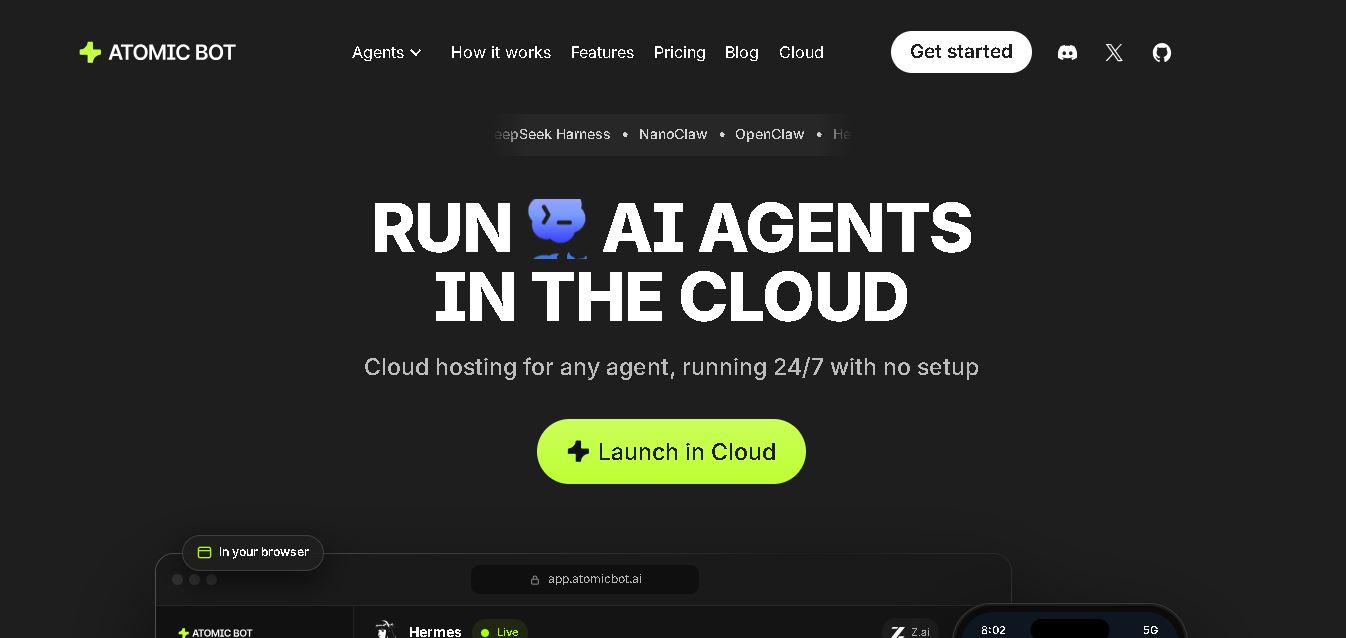
Atomic Bot helps you run AI agents locally or in the cloud for everyday automation. It supports multiple agents, 100+ AI models, 100+ connected apps, scheduled workflows, and 24/7 cloud operation. You can automate emails, calendars, documents, browser tasks, coding workflows, monitoring, and repetitive productivity activities.
What is Atomic Bot?
Atomic Bot is a free, open-source personal AI agent desktop and mobile application engineered to simplify the setup and execution of advanced AI agent backends like OpenClaw and Hermes Agent. Built by AtomicBot-ai, Atomic Bot packages complex command-line agent frameworks into a polished, one-click GUI installer, enabling non-technical users and developers alike to run 24/7 personal AI assistants capable of browser automation, email triage, file manipulation, and workflow execution.
Engineered around the concept of “The fastest and most accessible way to run open-source AI personal assistants,” Atomic Bot removes the terminal complexity, dependency management, and script configuration traditionally required to deploy agentic frameworks. It allows users to run agents locally at zero cost using open-weight models or host them on dedicated cloud infrastructure for always-on background execution.
- Platform Role: Open-Source AI Agent Client, Desktop/Mobile GUI Harness & Personal Automation Assistant
- Developer & Organization: AtomicBot-ai (Open-Source under MIT License)
- Cross-Platform Access: Native Desktop App (macOS, Windows), iOS App Store, and Cloud Hosted Infrastructure
Use Cases:
- Automating repetitive browser tasks such as web scraping, form filling, data extraction, and multi-step site navigation
- Managing inbox triage, email responses, calendar scheduling, and follow-ups through connected accounts
- Reading, editing, and summarizing long local documents, PDFs, code files, and research packets
- Connecting custom LLM API keys (Claude, GPT-4o, Gemini) or running fully local offline models via Ollama/Hugging Face
- Executing scheduled background tasks, monitoring events, and broadcasting proactive notifications to Slack, Telegram, or Discord
Technology:
- GUI wrapper packaging the open-source OpenClaw agent architecture and Hermes Agent backend engine
- Playwright/Puppeteer browser automation engine enabling direct web interaction, click sequences, and form input
- Persistent local memory and vector storage for long-term context retention across multiple conversations
- Granular permission controls for file system reading/writing and sandboxed local shell command execution
Target Users:
- Indie hackers and developers looking for a fast, hassle-free installer to run open-source AI agent frameworks
- Solo founders and knowledge workers wanting an autonomous personal assistant for email, calendar, and web tasks
- Privacy-conscious users who require complete local data control by running agents offline on local open-weight LLMs
- Operations and support teams automating multi-app workflows across web tools and SaaS platforms
Acquisition: Open-source client project developed and maintained by AtomicBot-ai
What are the key features of Atomic Bot?
Atomic Bot's key platform features are
- One-Click OpenClaw Setup: Replaces command-line setup with a guided onboarding wizard to configure agent backends in seconds.
- Autonomous Browser Control: Drives web browsers to click, search, fill out forms, and pull dynamic web data based on plain text prompts.
- Local or Cloud Execution: Run fully offline on your own device against open-weight models (Llama, Gemma, Qwen) or deploy to cloud compute.
- Persistent Context & Memory: Remembers past interactions, preferences, project details, and scheduled tasks across sessions.
- Multi-LLM Backend Support: Connects seamlessly with OpenAI (GPT), Anthropic (Claude), Google (Gemini), or local Ollama models.
- File System & Tool Integrations: Reads, edits, and creates files locally while connecting to third-party tools like Gmail, Calendar, and messaging channels.
How much does Atomic Bot cost?
Atomic Bot is free and open-source for local use, with optional paid cloud compute plans for users who want always-on hosted execution.
Pricing & Access Overview:
- Free / Local Plan ($0): 100% free open-source (MIT license) app. Run locally on macOS, Windows, or iOS using your own API keys or local LLMs.
- Base Cloud Compute (~$19/month): Hosted cloud server setup (~4 vCPU / 8 GB RAM) for always-on execution with included AI credit allowances.
- Pro Cloud Compute (~$39/month): Higher-tier cloud infrastructure (~8 vCPU / 16 GB RAM) with larger credit limits for heavy background workloads.
Disclaimer: The Atomic Bot application is free to download and run locally. Users using third-party APIs (OpenAI, Anthropic) or optional cloud hosting are responsible for their respective usage costs.
Who should use Atomic Bot?
Atomic Bot is designed for technical builders, freelancers, and privacy-focused professionals, including
- Developers & AI Enthusiasts: Builders who want the power of OpenClaw or Hermes Agent without spending hours configuring environments manually.
- Privacy-Conscious Users: Individuals who prefer running agents entirely locally on personal hardware with offline open-weight models.
- Productivity Power Users: Professionals needing an autonomous agent to handle browser tasks, inbox clearing, and document analysis.
What are the best alternatives to Atomic Bot?
Some of the strongest Atomic Bot alternatives include
What are the pros and cons of Atomic Bot?
What are the pros of Atomic Bot?
- Eliminates terminal setup complexity by packaging OpenClaw and Hermes into a clean, graphical desktop and mobile app
- Completely free and open-source under the MIT license for local deployments
- Supports both cloud LLM API providers and fully offline, local open-weight models
- Real agent capabilities, including browser automation, file editing, and persistent cross-session memory
What are the cons of Atomic Bot?
- Local browser automation can require elevated system permissions and setup tuning
- Heavy background agent runs using cloud APIs can accumulate third-party token costs quickly
- Mobile capabilities (iOS) are more restricted in file and system execution compared to the desktop versions
Why should you choose Atomic Bot?
Setting up open-source AI agents usually requires cloning GitHub repositories, managing Python environments, and configuring API backends through command-line tools. Atomic Bot bridges this gap by bundling powerful open-source frameworks like OpenClaw into an intuitive desktop app. Whether you want a free, private agent running locally on your computer or an always-on assistant in the cloud, Atomic Bot gives you full agentic web automation and file access without technical friction.
How does Atomic Bot compare to competitors?
The primary difference between Atomic Bot, raw OpenClaw, Operator, and Claude Computer Use lies in packaging and accessibility. While raw OpenClaw requires CLI expertise and tools like OpenAI Operator are closed commercial services, Atomic Bot provides a transparent, open-source GUI that combines local privacy with one-click usability.
| Feature / Platform | Atomic Bot | OpenClaw (Raw CLI) | OpenAI Operator | Claude Computer Use |
|---|---|---|---|---|
| Core Focus | One-Click App Wrapper for Open-Source Agents | Command-Line Personal Agent Framework | Closed-Source Browser Automation Agent | API-Driven Desktop Computer Control |
| User Interface | Native Graphical App (macOS, Windows, iOS) | Terminal / CLI / Custom Web UI | Web Application Interface | Developer API / Custom Integration |
| Local Offline Execution | Yes (Supports Ollama / Local Models) | Yes (local Python / Node environment) | No (Cloud Only) | No (Requires Cloud API) |
| Licensing | Open Source (MIT) | Open Source (MIT) | Proprietary SaaS | Proprietary API |
| Best For | Users wanting easy, GUI-based access to open-source personal agents | Developers and terminal users building custom scripts | Consumers seeking a managed browser agent service | Developers building programmatic computer-use workflows |
How do we rate Atomic Bot?
| Parameter | Rating (out of 5) |
|---|---|
| Ease of Setup & Onboarding | 4.9 |
| Agent Functionality & Browser Control | 4.7 |
| Local Privacy & Model Flexibility | 5.0 |
| Open-Source Transparency | 5.0 |
| Value for Money | 4.9 |
| Overall Score | 4.90 |
What is our review and verdict on Atomic Bot?
Atomic Bot provides a much-needed bridge between powerful open-source AI agent frameworks and everyday usability. By turning projects like OpenClaw into an intuitive, click-to-install app, it makes real autonomous assistance—from web browsing to local file editing—accessible to everyone. Combined with zero cost for local usage and full offline support, Atomic Bot is a top-tier tool for open-source AI productivity.
Conclusion
Atomic Bot brings AI agents into practical workflows by combining cloud hosting, local deployment, connected applications, model selection, and recurring automation. Its support for agents such as OpenClaw, Hermes, and Codex gives users different ways to handle productivity, research, coding, and communication tasks. With 100+ models, 100+ app integrations, and 24/7 cloud availability, Atomic Bot provides a flexible environment for experimenting with and deploying AI-agent workflows.
FAQ
What does Atomic Bot do?
Atomic Bot lets you run AI agents that can perform actions instead of simply generating chat responses. Depending on the agent and connected apps, it can manage emails, schedule calendar events, summarize documents, browse websites, organize files, monitor information, and perform recurring workflows. It can operate locally or continuously in the cloud.
Which AI agents are available through Atomic Bot?
Atomic Bot currently offers several agents, including OpenClaw, Hermes, Codex, NanoClaw, Mercury Agent, and DeepSeek Harness. Each is designed around different workflows. For example, Codex focuses on coding tasks, while OpenClaw can handle inbox and calendar activities. Users can select the agent that matches their particular automation requirements.
Can Atomic Bot run AI agents 24/7?
Yes, Atomic Bot can host agents in the cloud so they remain available continuously, even when your computer is switched off. Cloud agents can perform scheduled tasks, respond to messages, and continue workflows without depending on your laptop staying connected. This makes the service suitable for recurring automations and monitoring tasks.
Does Atomic Bot support multiple AI models?
Yes. Atomic Bot states that users can choose from more than 100 AI models from providers including Anthropic, OpenAI, Google, Meta, DeepSeek, Qwen, Z.ai, MoonshotAI, MiniMax, and xAI. Models can be switched for an agent through the interface without reinstalling the agent or managing separate provider accounts.
What apps can Atomic Bot connect with?
Atomic Bot supports more than 100 connected apps. Examples include Gmail, Slack, Notion, GitHub, Telegram, WhatsApp, Google Calendar, Discord, Google Drive, Microsoft Teams, Reddit, Jira, Asana, Salesforce, Google Sheets, LinkedIn, Outlook, Trello, HubSpot, and Airtable. This allows agents to work directly across tools used for communication and productivity.
Does Atomic Bot require coding knowledge?
No. Atomic Bot is designed to make agent deployment accessible without requiring users to work through terminal commands or complicated configuration files. Users can sign up, select an agent, and begin using it. Terminal access remains available for advanced users who prefer greater technical control over their setup.
User Reviews
No reviews yet for Atomic Bot.
Featured Tools
Featured AI tools from TechShark

Melody Genie
MelodyGenie is an AI-powered music generator that creates original songs from simple text prompts. Users can choose styles, moods, and genres, then instantly generate melodies and full tracks, making it easy for creators, marketers, and hobbyists to produce custom music without musical expertise.
Freemium

Kimi AI
Kimi AI is an advanced AI assistant developed by Moonshot AI that helps you chat, research, write, code, and automate tasks in one place. It supports web search, file analysis, and multimodal inputs, and can even run autonomous “agent” workflows to complete complex tasks end-to-end.
Freemium

Fashion Diffusion AI
Fashion Diffusion is an AI-powered fashion design platform that helps brands and designers create clothing designs, virtual try-ons, AI models, product photos, and marketing visuals faster and cost-effectively.
Paid

Veo 4
Veo 4 AI is an AI video creation platform that generates dramatic videos from text, images, audio, and video prompts using realistic motion and synchronized sound.
Paid
Alternatives
Alternatives to Atomic Bot
The best Atomic Bot alternatives include raw OpenClaw CLI, OpenAI Operator, Claude Computer Use, and AutoGPT. While Atomic Bot packages open-source agent frameworks like OpenClaw into an easy desktop application with local LLM support, alternatives like OpenAI Operator provide closed-source cloud-managed browser agent services.
 4.7
4.7Spark Hire
AI Agent
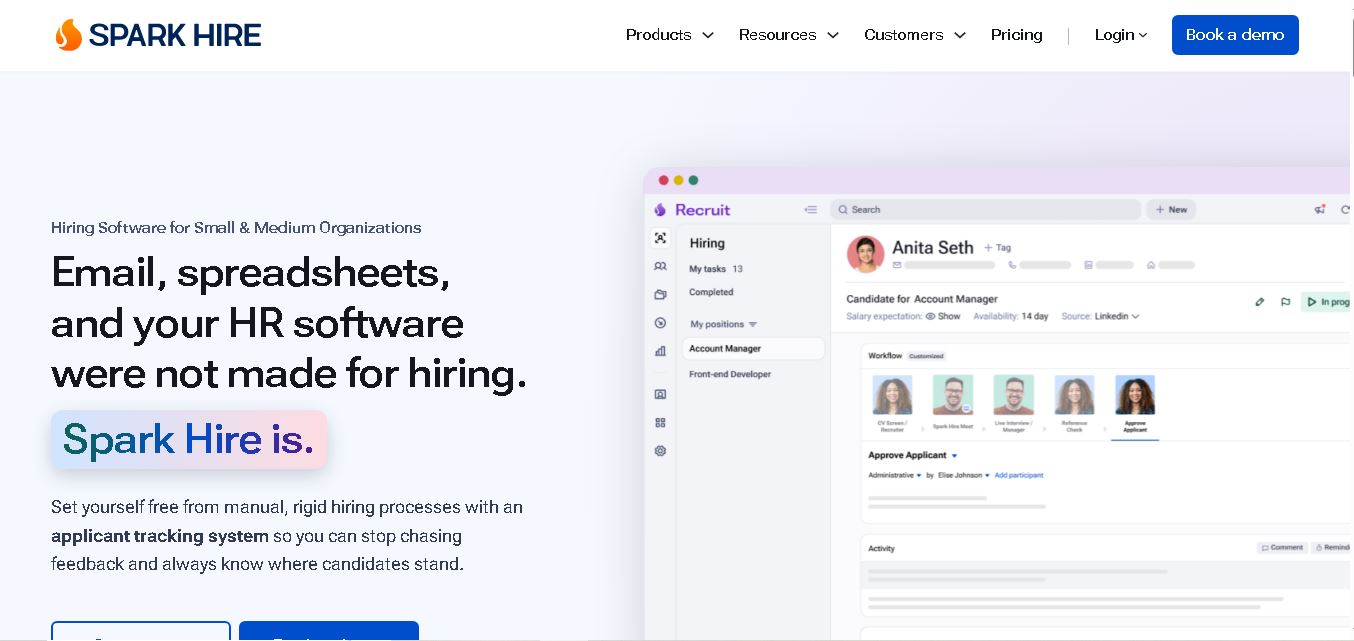
Spark Hire helps recruitment teams simplify hiring through one-way video interviews, live interviews, applicant tracking, and candidate evaluations. It enables employers to screen applicants remotely, collaborate with hiring managers, and organize recruitment workflows. Its AI-assisted features support interview transcription, summaries, and candidate review while maintaining human involvement in hiring decisions.
 4.9
4.9Materiom
AI Agent
Materiom helps researchers, designers, and businesses discover and develop sustainable materials using renewable ingredients. Its resources include biomaterial recipes, material datasets, ingredient information, and AI-assisted research. By supporting experimentation and knowledge sharing, Materiom encourages innovation in bio-based packaging, textiles, and other products while helping users explore alternatives to conventional plastic materials.
 4.9
4.9Talkwalker
AI Agent
Talkwalker is a consumer intelligence and social listening solution that helps brands track online mentions, analyze audience sentiment, monitor competitors, and discover emerging trends. It combines social media analytics, media monitoring, customer feedback, and AI-powered insights to support marketing, public relations, reputation management, and data-driven business decisions across global markets.
 5.0
5.0AI4K12
AI Agent
AI4K12 is an educational initiative focused on bringing artificial intelligence into K–12 classrooms. It provides grade-level learning guidelines, curated teaching resources, and the Five Big Ideas framework. Designed for educators and curriculum developers, AI4K12 supports age-appropriate AI instruction and helps students understand how intelligent technologies work and affect society.
Kommunicate
AI Agent
Kommunicate (kommunicate.io) is an AI-powered customer service automation and live chat platform that unites no-code generative AI agents, Kompose chatbot builder, seamless human escalation, voice AI, and omnichannel messaging across WhatsApp, web, and mobile apps.
Text
AI Agent
Text is an AI-powered customer service platform that combines live chat, help desk ticketing, AI agents, and workflow automation. It helps businesses manage customer conversations, automate repetitive support tasks, answer questions, engage website visitors, and turn customer interactions into sales opportunities through a unified communication workspace.
DocsBot AI
AI Agent
DocsBot AI is an AI chatbot and agent platform that turns websites, documents, knowledge bases, and support tickets into conversational assistants. Businesses can use it to automate customer support, answer questions, share internal knowledge, connect workflows, and provide information through website widgets and supported integrations.
SiteGPT AI
AI Agent
SiteGPT is an AI chatbot platform that helps businesses automate customer support using their website content, documents, and knowledge sources. It answers visitor questions, supports lead generation, and integrates into websites, allowing teams to handle repetitive inquiries, improve customer experiences, and provide assistance around the clock.
 4.7
4.7Halcyon
AI Agent
Halcyon is an AI energy intelligence platform that helps professionals search regulatory filings, analyze energy-market information, monitor developments, and access structured datasets. It combines document search, natural-language queries, AI-powered alerts, and specialized data subscriptions to turn fragmented energy information into actionable intelligence for research, monitoring, planning, and faster decision-making.