
ArchSynth
ArchSynth helps architects, interior designers, and creative professionals transform sketches, images, and ideas into polished visualizations. It supports rendering, image enhancement, text-to-image creation, 3D model generation, CAD conversion, textures, virtual staging, and AI-assisted editing, making architectural visualization faster and easier for professionals handling multiple design concepts.
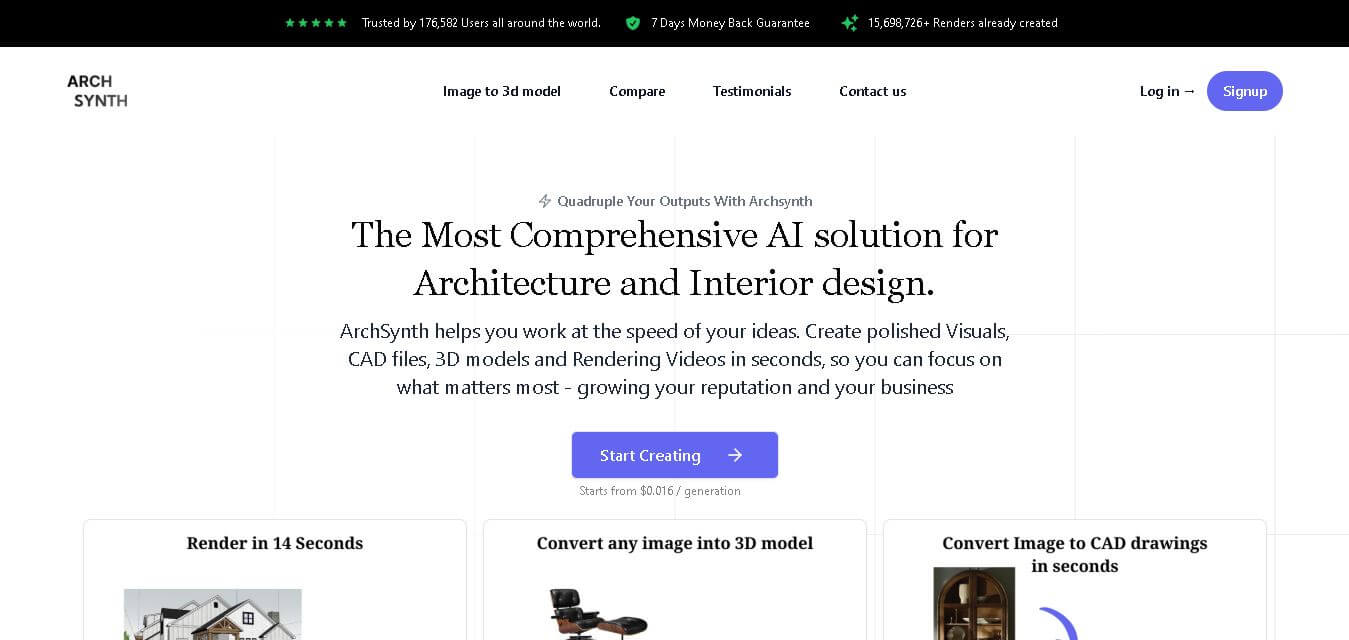
What is ArchSynth?
ArchSynth is a design visualization tool created for architects, interior designers, and creative professionals who need faster ways to turn concepts into polished visuals. It can transform sketches into renders, generate images from text, create 3D models from 2D images, produce CAD files, enhance visuals, and support image editing. ArchSynth also includes features such as style references, texture generation, AI-assisted image analysis, and rendering tools, helping professionals visualize ideas and prepare compelling presentations more efficiently.
ArchSynth reports 176,582 users, more than 15,698,726 renders, and users across 140+ countries. The platform says its rendering costs can start at $0.016 per generation. Its capabilities include sketch-to-render, image-to-3D, image-to-CAD, text-to-image, virtual staging, AI landscaping, generative fill, and image-to-video. ArchSynth also states that more than 150,000 clients have been served. Its tools are designed particularly for architecture and interior design workflows where speed, visualization quality, and rapid iteration are important.
- Platform Role: AI Architectural Rendering Engine, 2D-to-3D Model Generator & Design Visualization Suite
- Developer & Organization: ArchSynth
- Cross-Platform Access: Web Browser (zero-install on Chrome, Safari, Edge, and Firefox) and Desktop Wrapper Applications (macOS and Windows)
Use Cases:
- Converting conceptual hand-drawn sketches and conceptual wireframes into photorealistic exterior and interior renderings
- Transforming 2D flat architectural floor plans and elevation photos into editable 3D models and CAD files
- Generating virtual staging, AI landscaping, and material variations for real estate listings and client presentations
- Performing precise AI inpainting, background removal, and style reference transfers across existing building photos
- Creating seamless tileable textures and presentation illustrations for architectural moodboards
Technology:
- Custom-tuned architectural generative AI diffusion models for precise perspective, lighting, and spatial geometry handling
- 2D-to-3D mesh generation algorithms exporting directly to SketchUp (.skp), Rhino (.3dm), Revit, and 3ds Max formats
- AI Inpainting and natural language image editing engine (“Edit with Words”) for localized architectural alterations
- High-speed upscaling algorithms providing production-ready render resolutions without structural distortion
Target Users:
- Architects and architectural firms seeking rapid conceptual rendering and quick client iteration workflows
- Interior designers needing fast virtual staging, material swaps, and atmospheric interior visualization
- Real estate agents, developers, and staging professionals showcasing property potential prior to construction
- Architecture students and educators building academic portfolios and presentation board graphics affordably
Acquisition: Self-contained web service accessible via archsynth.com.

What are the key features of ArchSynth?
ArchSynth's key platform features are
- Sketch-to-Render Engine: Instantly translates rough hand drawings, line art, or digital wireframes into fully lit 3D architectural renders.
- Image-to-3D & CAD Conversion: Generates 3D models and CAD-ready geometries from 2D images, compatible with SketchUp, Rhino, and Revit.
- AI Inpainting & Text Editing: Modify specific structural sections, add furniture, or alter landscape elements using simple text commands.
- Style Reference Rendering: Match project aesthetics by applying lighting, color palettes, and material textures from reference moodboards.
- Tileable Texture Generator: Creates seamless, repeatable material textures (stone, brick, wood, concrete) for 3D modeling software.
- AI Image Analysis Assistant: Built-in visual assistant capable of analyzing uploaded architectural photos and answering structural design queries.
How much does ArchSynth cost?
ArchSynth operates on a tiered subscription pricing model starting from low cost-per-generation rates, offering discounted tiers for students and commercial packages for firms.
Pricing Overview:
- Student Plan (~$9.99/month or $120/year): Includes 200 monthly generation credits, educational usage rights, AI masking brush, and watermark-free downloads.
- Pro Plan (~$24 - $29/month or $390/year): Includes 1,000 monthly credits, full commercial usage license, priority fast rendering, and high-res upscaling.
- Business Plan (~$1,999/year or customized tier): Designed for large architectural firms requiring 5,000+ monthly credits, multi-seat team management, and dedicated support.
Disclaimer: Tiered credit limits, annual billing discounts, and credit top-up packages may vary depending on promotion cycles.
Who should use ArchSynth?
ArchSynth is designed for architectural creators and property professionals, including
- Architectural Firms: Studios looking to shorten client ideation phases and cut high V-Ray / Corona rendering costs.
- Interior Designers: Creators who want to present multiple furniture layouts, lighting setups, and color palettes instantly.
- Architecture Students: Students needing fast, budget-friendly high-quality renders for studio crits and final design boards.
What are the best alternatives to ArchSynth?
Some of the strongest ArchSynth alternatives include
- Architect Render
- LookX AI
- Arko.ai
- Veras (by EvolveLab)
- Renderair AI
- PromeAI
What are the pros and cons of ArchSynth?
What are the pros of ArchSynth?
- Ultra-fast render speed (generates polished outputs in under 15 seconds)
- Direct export compatibility with major CAD and 3D modeling suites like SketchUp and Revit
- Comprehensive feature set combining 2D-to-3D, inpainting, texturing, and style transfers in one app
- Cost-effective credit tiering compared to traditional cloud rendering farms
What are the cons of ArchSynth?
- Requires an active, high-speed internet connection for real-time cloud processing
- May require manual touch-ups for highly complex structural engineering tolerances or exact Bim parameters
- Free trial credits are limited and subject to watermark restrictions
Why should you choose ArchSynth?
Traditional 3D architectural rendering often demands expensive hardware setups, complex lighting configurations, and hours of software processing per frame. ArchSynth streamlines this workflow by using specialized architectural AI models to transform simple sketches and text prompts into production-quality renders instantly, saving designers time and enabling faster client approvals.
How does ArchSynth compare to competitors?
While general generative AI image tools like Midjourney or DALL-E focus on art style creation without geometric control, ArchSynth is tailored specifically for spatial architectural integrity, supporting direct line-sketch control and CAD software export workflows.
| Feature / Platform | ArchSynth | Architect Render | Veras (EvolveLab) | Midjourney |
|---|---|---|---|---|
| Core Focus | AI Architectural Rendering & 2D-to-3D Export | Quick Exterior & Interior AI Staging | Direct Revit/Rhino Plugin Rendering | General Concept Art & Image Generation |
| CAD & 3D Export Support | Yes (SketchUp, Rhino, Revit, 3ds Max) | Limited (image outputs only) | Yes (plugin integrated) | No (Image raster outputs only) |
| Best For | Architects & designers needing rapid sketch-to-render and 3D modeling | Real estate agents needing fast image overlays | BIM specialists working inside Revit/Rhino environments | Conceptual moodboard generation without exact geometry bounds |
How do we rate ArchSynth?
| Parameter | Rating (out of 5) |
|---|---|
| Rendering Speed & Efficiency | 4.9 |
| Architectural Detail & Visual Quality | 4.7 |
| 3D & CAD Integration Capabilities | 4.6 |
| Value for Money | 4.8 |
| Overall Score | 4.75 |
What is our review and verdict on ArchSynth?
ArchSynth is a powerful AI asset for architectural and interior design visualization. By taking raw sketches or building photos and converting them into photorealistic renders and 3D assets in seconds, it eliminates rendering bottlenecks and enhances design presentation capabilities.
Conclusion
ArchSynth is a practical choice for architects and interior designers who want to accelerate visualization without managing multiple specialized tools. Its combination of sketch-to-render, image-to-3D, image-to-CAD, text-to-image, enhancement, textures, and AI-assisted features makes it suitable for both conceptual exploration and presentation workflows. With millions of renders already created and plans for individuals, students, and businesses, ArchSynth offers a flexible way to bring architectural ideas from rough concepts to polished visuals more efficiently.
FAQ
What is ArchSynth used for?
ArchSynth is mainly used for architectural visualization and interior design workflows. You can turn sketches into realistic renders, generate images from text, enhance existing visuals, create 3D models from 2D images, and develop textures. It is particularly useful when you want to present design concepts quickly without spending excessive time on manual visualization work.
Can ArchSynth turn a sketch into a realistic render?
Yes. ArchSynth includes a sketch-to-image capability that transforms hand-drawn sketches and wireframes into polished digital visuals. This can help architects communicate early concepts more effectively, especially when a simple drawing needs to become a presentation-ready visualization. The platform also supports style references, allowing users to explore different visual directions.
Can ArchSynth create 3D models from images?
Yes. ArchSynth supports image-to-3D functionality that can transform 2D architectural images into detailed 3D models. According to its website, generated models can be used with software including SketchUp, Rhino, Revit, and 3ds Max. This makes the feature useful for professionals who want to move from visual references toward editable 3D workflows.
Does ArchSynth support text-to-image generation?
Yes. ArchSynth includes text-to-image functionality, allowing you to describe a visual concept using text and generate an image from that description. This can be useful during brainstorming, conceptual design, presentation preparation, or when exploring architectural styles before committing to a detailed design direction.
Can ArchSynth enhance architectural images?
Yes. ArchSynth provides image enhancement and upscaling capabilities for improving visual quality and resolution. Its toolkit also includes AI inpainting, background removal, and editing through text commands. These features can help you clean up architectural visuals, modify selected elements, or prepare images for client presentations and other professional applications.
Is ArchSynth useful for interior designers?
ArchSynth can be particularly useful for interior designers because its features include interior design tools, rendering, style transfer, text-to-image generation, texture creation, and image editing. These capabilities allow designers to experiment with different visual concepts and communicate room designs more effectively before finalizing a project.
Does ArchSynth offer an AI assistant?
Yes. ArchSynth includes an AI assistant capable of analyzing uploaded images. You can upload an image and ask the assistant questions about it, with responses generated within the platform. This can provide an additional way to inspect visual references while working through architectural or design concepts.
User Reviews
No reviews yet for ArchSynth.
Featured Tools
Featured AI tools from TechShark

Melody Genie
MelodyGenie is an AI-powered music generator that creates original songs from simple text prompts. Users can choose styles, moods, and genres, then instantly generate melodies and full tracks, making it easy for creators, marketers, and hobbyists to produce custom music without musical expertise.
Freemium

Kimi AI
Kimi AI is an advanced AI assistant developed by Moonshot AI that helps you chat, research, write, code, and automate tasks in one place. It supports web search, file analysis, and multimodal inputs, and can even run autonomous “agent” workflows to complete complex tasks end-to-end.
Freemium

Fashion Diffusion AI
Fashion Diffusion is an AI-powered fashion design platform that helps brands and designers create clothing designs, virtual try-ons, AI models, product photos, and marketing visuals faster and cost-effectively.
Paid

Veo 4
Veo 4 AI is an AI video creation platform that generates dramatic videos from text, images, audio, and video prompts using realistic motion and synchronized sound.
Paid
Alternatives
Alternatives to ArchSynth
The best ArchSynth alternatives include Architect Render, LookX AI, Veras, and PromeAI. While ArchSynth excels at rapid sketch-to-render creation and exporting 3D geometries to SketchUp and Revit, alternatives like Veras integrate directly inside BIM software like Revit and Rhino as dedicated plugins.
 4.8
4.8Perfomir
Real-Estate
Perfomir helps construction and infrastructure teams turn complex contracts into actionable risk intelligence. Through Contriqo, users can review clauses, identify obligations, monitor notice deadlines, detect emerging claim exposure, and track commercial risk throughout project delivery, giving project leaders and commercial teams earlier visibility for more informed contract decisions and actions.
 4.8
4.8Edensign
Real-Estate
Edensignis an AI-powered real estate virtual staging and photo intelligence platform founded by Harvard GSD alumni George Zheng. It offers multi-view spatial consistency across room angles, automated decluttering, virtual renovation, 2D to 3D floor plan conversion, and listing enhancement tools in 15 seconds.
Anyone.com
Real-Estate
Anyone.com is an AI-powered global real estate transaction platform and digital workspace that connects home buyers, sellers, and agents across 30+ countries to streamline property discovery, agent matching, viewings, offers, digital contracts, and closings.
Virtual Staging AI
Real-Estate
Virtual Staging AI is an automated real estate virtual staging tool developed by Harvard alumni. It uses generative AI to digitally furnish empty property photos in under 10 seconds across various room types and interior design styles.
AIHomeDesign Virtual Staging
Real-Estate
AIHomeDesign Virtual Staging is a specialized AI-powered virtual staging solution that automatically furnishes empty or under-furnished real estate photos in under 30 seconds with photorealistic 3D furniture and decor across multiple interior design styles.
AIHomeDesign
Real-Estate
AIHomeDesign is an AI-powered real estate photo editing and virtual staging platform that enables real estate agents, photographers, and interior designers to transform property photos with virtual staging, item removal, day-to-dusk conversions, and floor plan generation in seconds.
Collov AI
Real-Estate
Collov AI is an AI-powered interior design and real estate virtual staging platform that enables designers, real estate agents, and furniture brands to transform empty or furnished space photos into photorealistic, 3D-rendered room designs in seconds.
reAlpha
Real-Estate
reAlpha is an AI-powered real estate homebuying super app and technology-driven brokerage platform. It features an AI real estate agent named Claire, AI document analysis, integrated brokerage/mortgage services, and closing cost cashback credits up to 1.5%.
TeamSystem Hospitality
Real-Estate
TeamSystem is a comprehensive cloud-based property management (PMS) and hospitality software suite designed for hotels, B&Bs, agriturismos, and vacation rentals to automate bookings, streamline front-desk operations, manage rates with AI, and integrate channel distribution.