
Speechify
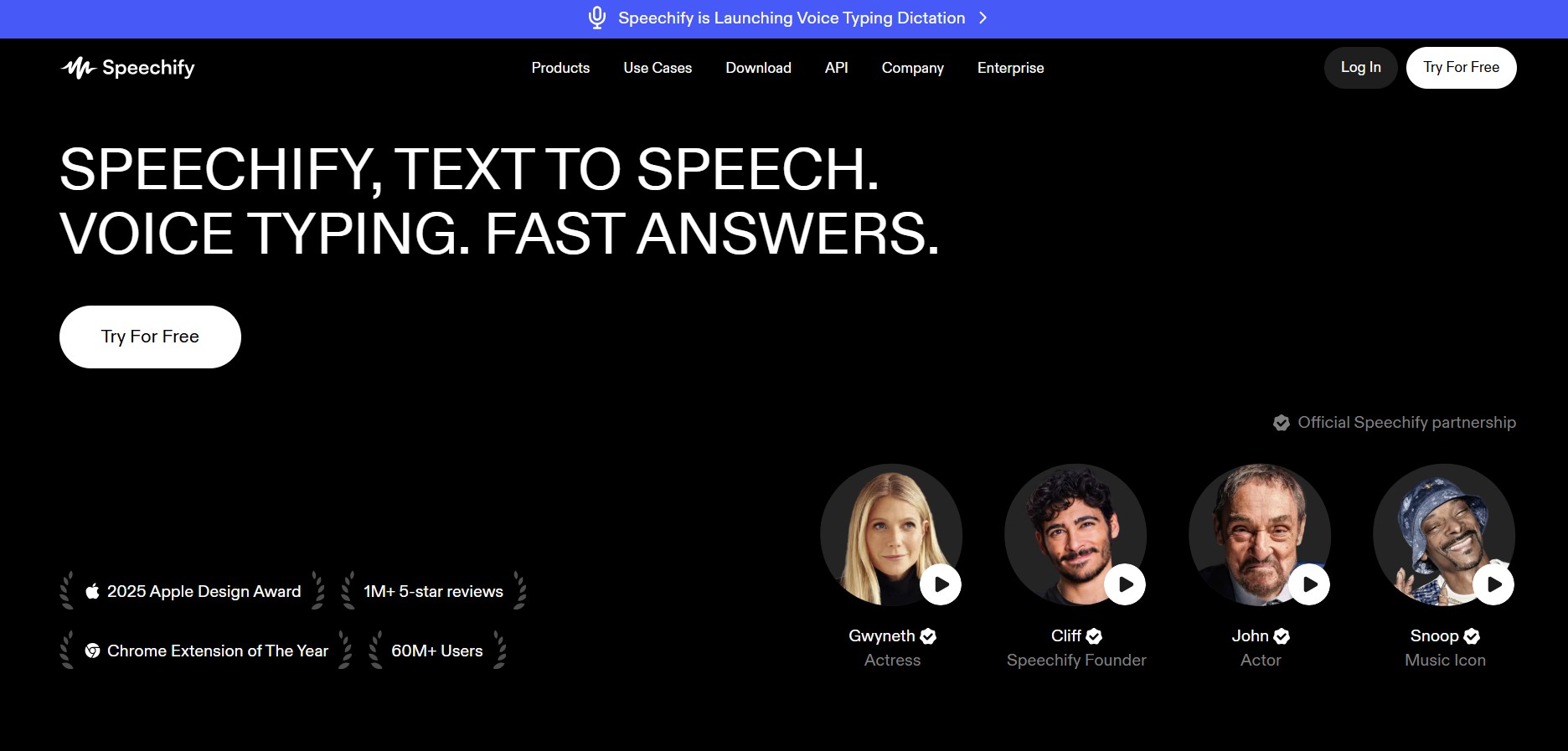
Speechify is an AI-powered text-to-speech (TTS) reader and voice productivity workspace that converts web pages, PDFs, physical documents, ebooks, and emails into high-speed, human-sounding spoken audio.
What is Speechify?
Speechify is a cross-platform text-to-speech (TTS) application and accessibility platform created by Cliff Weitzman to assist individuals with dyslexia, heavy reading workloads, and visual fatigue. Using AI neural voices, Speechify converts written text—including digital documents, web articles, PDFs, physical books via Optical Character Recognition (OCR), and emails—into natural-sounding audio at customizable playback speeds.
Speechify allows students, professionals, and accessibility-focused users to turn written documents, web pages, and scanned physical books into human-like audio tracks playable at up to 4.5x speed.
- Platform Role: AI Text-to-Speech Reader & Productivity Assistant
- Core Capabilities: Neural Text-to-Speech, OCR Physical Document Scanning, High-Speed Playback (up to 4.5x), AI Summarization, Voice AI Assistant, Cross-Platform Cloud Sync
- Deployment: Web Application (speechify.com), Google Chrome Extension, Mobile Apps (iOS / Android), Desktop App (Mac / Windows), and Developer API
Use Cases:
- Listening to long research papers, PDFs, legal documents, and textbooks while multitasking or commuting
- Supporting readers with dyslexia, ADHD, or visual impairments through visual text highlighting paired with audio sync
- Scanning printed books and physical paper documents using mobile camera OCR to generate instant read-aloud audio
- Converting web articles and email threads into audio playlists via browser extensions
Technology:
- Deep Neural Voice Models: Generates natural cadence, emotional intonation, and human pauses across 1,000+ AI voices and 60+ languages
- Vision OCR & Text Extraction Engine: Extracts clean typography from physical photographs and complex multi-column document formats
- Cross-Device Sync Protocol: Automatically synchronizes playback progress, bookmarks, and document libraries across desktop, web, and mobile
Target Users:
- Students, researchers, and academics processing heavy reading assignments
- Professionals, executives, and lawyers consuming reports and industry news on the go
- Individuals with dyslexia, ADHD, low vision, or auditory learning preferences
Acquisition: Web platform, browser extensions, and app stores (speechify.com)
What are the key features of Speechify?
Speechify's key platform features are
- 1,000+ AI Voices & Celebrity Narrators: Access natural neural voices across 60+ languages, including exclusive celebrity voice options.
- High-Speed Listening (up to 4.5x): Accelerate reading speed with natural pitch retention to consume content faster without voice distortion.
- OCR Mobile Camera Scanner: Snap photos of physical book pages or print documents to instantly extract and listen to the text.
- Visual Text Highlighting: Follow along with synchronous word-by-word visual highlighting to improve reading comprehension and retention.
- 1-Click Chrome Extension: Turn any webpage, Google Doc, or web email into spoken audio with a single click.
- AI Summaries & Voice Assistant: Ask questions about uploaded documents and generate automated bullet-point summaries.
How much does Speechify cost?
Speechify uses a freemium pricing structure with basic standard voices available for free and advanced neural voices under annual premium subscriptions.
Pricing Overview:
- Free Plan ($0): Standard robotic TTS voices, capped at 1x–1.5x listening speed with basic web listening features.
- Speechify Premium (~$139/year): Unlocks HD neural voices, up to 4.5x playback speed, OCR scanning, unlimited downloads, AI summarization, and cross-platform sync.
- Speechify Studio / Enterprise: Custom licensing for voice cloning, commercial voiceovers, video dubbing, and team API integrations.
Disclaimer: Subscription costs and annual promotional pricing details are subject to change. Visit speechify.com/pricing for official current plans.
Who should use Speechify?
Speechify is tailored for high-volume readers and accessibility needs, including
- Students & Academics: Covering extensive textbook assignments and academic journals in less time.
- Busy Professionals & Commuters: Turning unread web articles, industry reports, and emails into portable audio podcasts.
- Neurodivergent & Accessibility Readers: Improving comprehension through paired visual and auditory reading tools.
What are the best alternatives to Speechify?
Some of the top alternatives to Speechify include
- NaturalReader
- ElevenLabs
- Voice Dream Reader
- ReadSpeaker
- Murf.ai
What are the pros and cons of Speechify?
What are the pros of Speechify?
- Highly realistic AI voice quality with smooth intonation and high-speed controls
- Seamless ecosystem sync between mobile apps, web dashboard, and browser extensions
- Powerful OCR scanner turns printed paper books into clear audio instantly
What are the cons of Speechify?
- Premium tier requires an upfront annual subscription commitment (~$139/year)
- Free version offers basic, robotic voices with restricted playback speeds
Why should you choose Speechify?
Speechify excels as an end-to-end reading accelerator. By pairing natural-sounding AI neural voices with OCR document scanning and high-speed playback options, Speechify helps users overcome reading barriers, eliminate eye strain, and consume written content significantly faster.
- Listen to web pages, PDFs, emails, and physical paper books in 60+ languages
- Increase playback speed up to 4.5x while keeping speech clear and natural
- Sync progress seamlessly across iOS, Android, macOS, Windows, and Chrome
How do we rate Speechify?
| Parameter | Rating (out of 5) |
|---|---|
| Voice Quality & Naturalness | 4.8 |
| OCR & Document Extraction | 4.7 |
| Cross-Platform Integration | 4.9 |
| Speed & Accessibility Tools | 4.9 |
| Value for Money | 4.3 |
| Overall Score | 4.72 |
What is our review and verdict on Speechify?
Speechify is a premier AI text-to-speech reader for listening productivity. Its human-sounding voice quality, mobile OCR capabilities, and polished Chrome extension make it an invaluable asset for students, professionals, and users with dyslexia or reading challenges.
What is the final conclusion on Speechify?
Whether you need to convert physical textbooks into audio, clear unread browser tabs on your commute, or boost your reading speed, Speechify provides a powerful personal audio-reading solution.
FAQ
What is Speechify?
Speechify is an AI-powered text-to-speech and voice productivity platform that can read PDFs, documents, books, web pages, and other written content aloud using natural-sounding AI voices. It also includes voice typing, AI summaries, podcasts, and a Voice AI Assistant for research and productivity.
How does Speechify convert text into speech?
Users can upload or open written content such as PDFs, documents, web pages, or images, select an AI voice, and listen to the content as audio. Speechify also provides speed controls, synchronized text highlighting, and OCR for scanning physical text from photos or documents.
How many AI voices and languages does Speechify support?
Speechify currently offers more than 1,000 AI voices across 60+ languages and accents. Users can choose different voices and adjust the listening experience depending on the content and language they are using.
Can Speechify create AI voiceovers and clone voices?
Yes. Speechify Studio provides AI voiceover and voice-cloning features for creating narrated content. Its voice-cloning technology can create a custom voice from a short recording, while the Studio also provides controls for pitch, tone, emotion, pace, and pronunciation.
Can Speechify dub videos into other languages?
Yes. Speechify Studio includes AI dubbing that can translate and dub videos into more than 60 languages, with options designed to preserve the speaker's voice characteristics, intonation, and speaking speed. This can be useful for YouTube videos, training content, educational material, and marketing videos.
Does Speechify provide an API for developers?
Yes. Speechify provides a Text-to-Speech API that developers can integrate into applications and voice-based products. The API supports features such as multiple languages, streaming, SSML, emotional control, speech marks, and voice cloning capabilities.
Is Speechify free to use?
Speechify offers free options for both its text-to-speech reader and Studio. The current reader pricing lists a free plan with basic text-to-speech features, while Speechify Studio has a free plan with 600 Studio credits; paid plans unlock additional voices, higher usage, voice cloning, and commercial usage rights.
User Reviews
No reviews yet for Speechify.
Featured Tools
Featured AI tools from TechShark

Melody Genie
MelodyGenie is an AI-powered music generator that creates original songs from simple text prompts. Users can choose styles, moods, and genres, then instantly generate melodies and full tracks, making it easy for creators, marketers, and hobbyists to produce custom music without musical expertise.
Freemium

Kimi AI
Kimi AI is an advanced AI assistant developed by Moonshot AI that helps you chat, research, write, code, and automate tasks in one place. It supports web search, file analysis, and multimodal inputs, and can even run autonomous “agent” workflows to complete complex tasks end-to-end.
Freemium

Fashion Diffusion AI
Fashion Diffusion is an AI-powered fashion design platform that helps brands and designers create clothing designs, virtual try-ons, AI models, product photos, and marketing visuals faster and cost-effectively.
Paid

Veo 4
Veo 4 AI is an AI video creation platform that generates dramatic videos from text, images, audio, and video prompts using realistic motion and synchronized sound.
Paid
Alternatives
Alternatives to Speechify
Top alternatives to Speechify include NaturalReader, ElevenLabs, Voice Dream Reader, and Murf.ai. While ElevenLabs focuses on voice cloning and studio generation, Speechify specializes in cross-platform document reading, OCR paper scanning, and high-speed listening.
 4.7
4.7Spark Hire
AI Agent
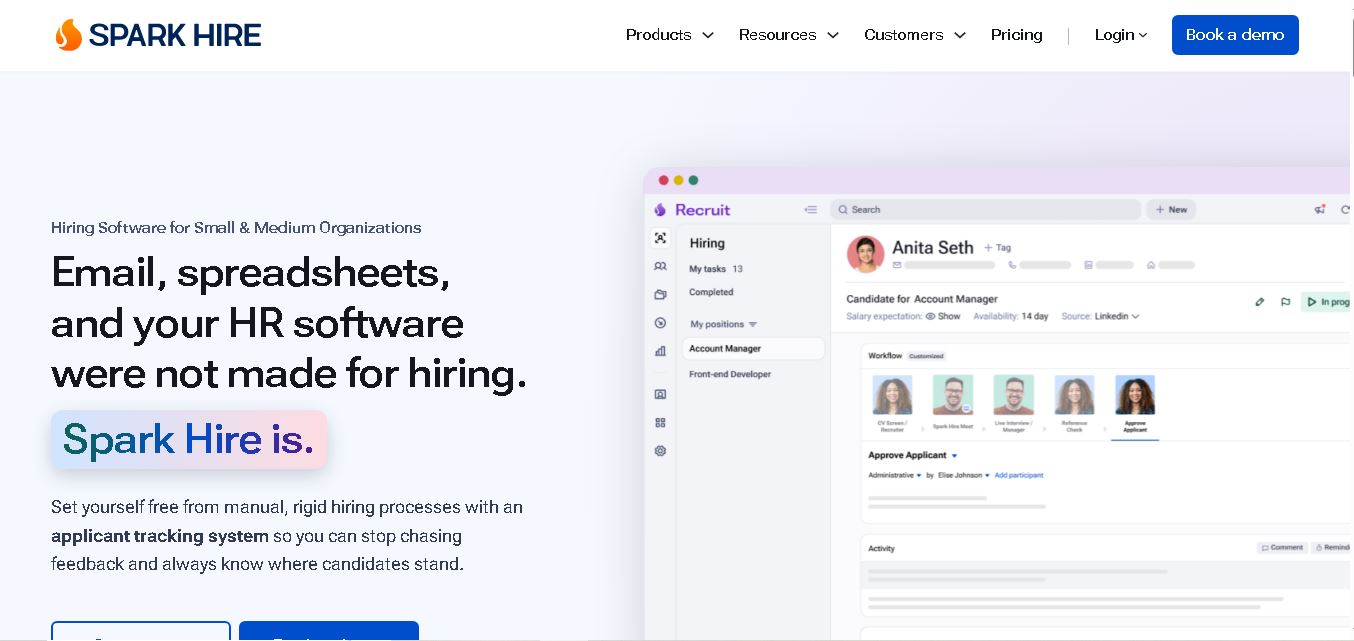
Spark Hire helps recruitment teams simplify hiring through one-way video interviews, live interviews, applicant tracking, and candidate evaluations. It enables employers to screen applicants remotely, collaborate with hiring managers, and organize recruitment workflows. Its AI-assisted features support interview transcription, summaries, and candidate review while maintaining human involvement in hiring decisions.
 4.9
4.9Materiom
AI Agent
Materiom helps researchers, designers, and businesses discover and develop sustainable materials using renewable ingredients. Its resources include biomaterial recipes, material datasets, ingredient information, and AI-assisted research. By supporting experimentation and knowledge sharing, Materiom encourages innovation in bio-based packaging, textiles, and other products while helping users explore alternatives to conventional plastic materials.
 4.9
4.9Talkwalker
AI Agent
Talkwalker is a consumer intelligence and social listening solution that helps brands track online mentions, analyze audience sentiment, monitor competitors, and discover emerging trends. It combines social media analytics, media monitoring, customer feedback, and AI-powered insights to support marketing, public relations, reputation management, and data-driven business decisions across global markets.
 5.0
5.0AI4K12
AI Agent
AI4K12 is an educational initiative focused on bringing artificial intelligence into K–12 classrooms. It provides grade-level learning guidelines, curated teaching resources, and the Five Big Ideas framework. Designed for educators and curriculum developers, AI4K12 supports age-appropriate AI instruction and helps students understand how intelligent technologies work and affect society.
Kommunicate
AI Agent
Kommunicate (kommunicate.io) is an AI-powered customer service automation and live chat platform that unites no-code generative AI agents, Kompose chatbot builder, seamless human escalation, voice AI, and omnichannel messaging across WhatsApp, web, and mobile apps.
Text
AI Agent
Text is an AI-powered customer service platform that combines live chat, help desk ticketing, AI agents, and workflow automation. It helps businesses manage customer conversations, automate repetitive support tasks, answer questions, engage website visitors, and turn customer interactions into sales opportunities through a unified communication workspace.
DocsBot AI
AI Agent
DocsBot AI is an AI chatbot and agent platform that turns websites, documents, knowledge bases, and support tickets into conversational assistants. Businesses can use it to automate customer support, answer questions, share internal knowledge, connect workflows, and provide information through website widgets and supported integrations.
SiteGPT AI
AI Agent
SiteGPT is an AI chatbot platform that helps businesses automate customer support using their website content, documents, and knowledge sources. It answers visitor questions, supports lead generation, and integrates into websites, allowing teams to handle repetitive inquiries, improve customer experiences, and provide assistance around the clock.
 4.7
4.7Halcyon
AI Agent
Halcyon is an AI energy intelligence platform that helps professionals search regulatory filings, analyze energy-market information, monitor developments, and access structured datasets. It combines document search, natural-language queries, AI-powered alerts, and specialized data subscriptions to turn fragmented energy information into actionable intelligence for research, monitoring, planning, and faster decision-making.