
Spacely AI
Spacely AI helps architects, interior designers, realtors, and property owners create realistic interior and exterior visualizations quickly. Users can transform sketches, room photos, or 3D models into polished renders, experiment with styles, modify designs, adjust lighting, and prepare client-ready visuals without relying entirely on traditional rendering workflows.
What is Spacely AI?
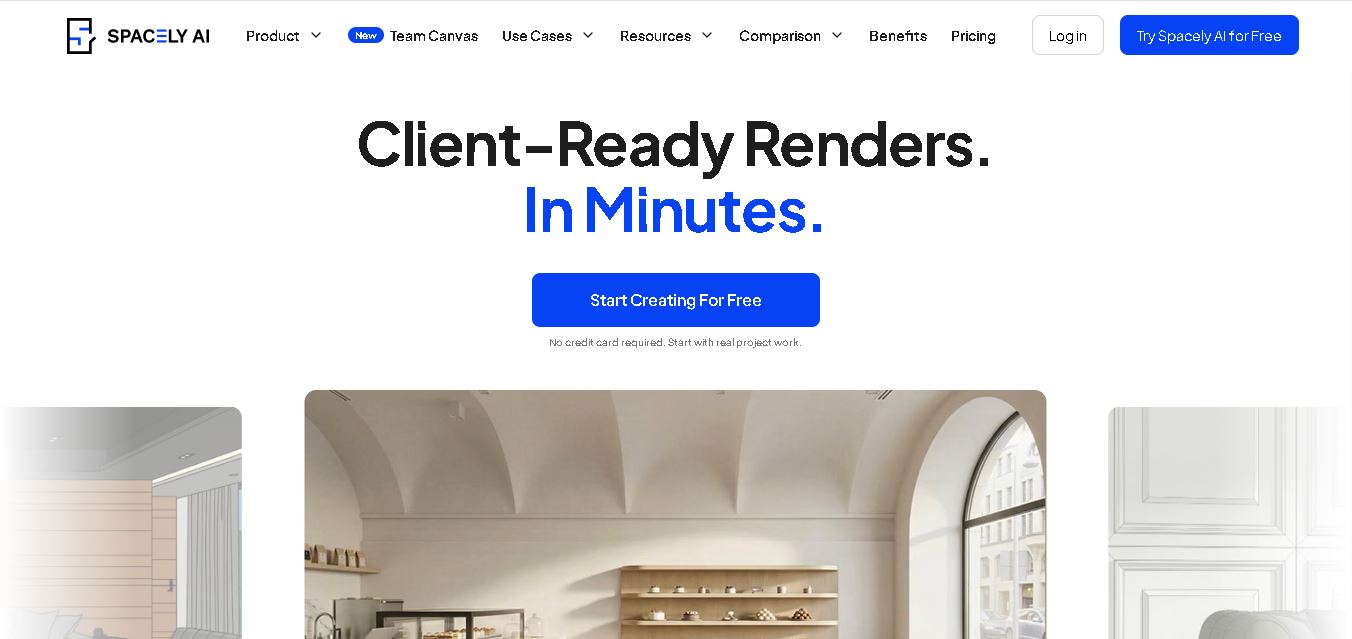
Spacely AI is a spatial design and rendering tool that helps interior designers, architects, realtors, and space owners turn sketches, 3D models, and room images into realistic visualizations. It supports interior and exterior design workflows, allowing users to explore styles, adjust lighting, furniture, materials, and layouts, and create presentation-ready renders. Spacely AI also offers integrations such as SketchUp, Revit, AutoCAD, and Rhino, making it suitable for professional design workflows.
Spacely AI has been explored by more than 580,000 users worldwide and reports a 4.8/5 rating from 1,407 reviews on its website. The company says its technology can generate photorealistic renders in under 60 seconds. Its current paid plans include 500, 1,500, and 3,500 monthly credits, while the free plan provides 40 trial credits. Spacely AI supports integrations with 4 major design applications: SketchUp, Revit, AutoCAD, and Rhino.
- Platform Role: AI Interior Design Generator, Architectural Rendering Suite & Design Collaboration Hub
- Developer & Organization: Spacely AI Team
- Cross-Platform Access: Web Browser (cloud-based web application) and dedicated native SketchUp Extension
Use Cases:
- Transforming 2D hand sketches, floor plans, or raw CAD/3D line drawings into fully textured photorealistic 3D renders
- Performing targeted object, material, lighting, and furniture edits without re-rendering or rebuilding entire 3D project files
- Virtually staging residential and commercial real estate properties to help prospective buyers visualize space potential
- Rendering SketchUp models directly within the SketchUp desktop environment via the official Spacely AI extension
- Collaborating on live design canvases where multiple team members can edit, annotate, and review renders simultaneously
Technology:
- Advanced generative AI diffusion models fine-tuned specifically for spatial awareness, architectural lighting, and interior geometry preservation
- 'Team Canvas' real-time multi-user synchronization engine enabling multi-cursor editing and live review sessions
- SketchUp Extension Warehouse integration enabling direct background rendering from native 3D viewport models
- Selective image-to-image editing, depth-map analysis, and high-definition generative upscaling pipelines
Target Users:
- Interior designers and studio teams creating rapid client mood boards and concept proposals
- Architects and architectural firms needing fast concept visualization during schematic design phases
- Real estate agents, staging professionals, and property developers managing listing visual assets
- Homeowners and space owners planning room renovations, interior refurnishing, or DIY remodeling
Acquisition: Self-serve SaaS platform and enterprise architecture service operated at spacely.ai

What are the key features of Spacely AI?
Spacely AI's key platform features are
- Realistic Render Generator: Converts sketches, images, or 3D viewport screenshots into photorealistic renders in under a minute.
- Selective Editing & Inpainting: Allows designers to swap materials, adjust lighting, or replace specific furniture items without altering structural room boundaries.
- Team Canvas: A shared multi-user workspace where entire teams can view, edit, and review design renders in real time without version control issues.
- Native SketchUp Integration: Official extension available in the SketchUp Extension Warehouse for rendering directly inside SketchUp models.
- Commercial Usage License: Generates high-resolution renders that are suitable for commercial proposals, client presentations, and real estate marketing.
- Style Transfer & Custom Prompts: Offers pre-built interior aesthetics (Modern Classic, Minimalist, Japandi, Industrial) and custom text prompting controls.
How much does Spacely AI cost?
Spacely AI operates on a freemium model with free trial credits, structured monthly/yearly subscription plans, and enterprise team tiers.
Free Trial Tier:
- $0 / Free Trial: Includes initial generation credits upon signup with no credit card required to test render workflows.
Commercial Subscription Tiers:
- Pro / Individual Plans: Subscription tiers providing monthly rendering credits, high-definition image exports, and full commercial usage rights.
- Team Canvas / Enterprise Plans: Shared team workspaces with pooled credit allocation, multi-seat access controls, and priority rendering queues.
Disclaimer: Free trial credits allow basic evaluation. Continued high-resolution rendering, Team Canvas collaboration, and SketchUp extension features require a active subscription plan.
Who should use Spacely AI?
Spacely AI is designed for design professionals and real estate specialists, including
- Interior Design Studios: Professionals looking to accelerate concept creation and handle client revisions without expensive 3D studio outsourcing.
- Architectural Firms: Teams needing quick spatial visualization during early-stage client discussions.
- Realtors & Property Marketers: Brokers virtually staging empty or outdated properties for faster listing turnover.
What are the best alternatives to Spacely AI?
Some of the strongest Spacely AI alternatives include
- Interior AI
- REimagineHome
- Midjourney
- RoomsGPT
- Planner 5D AI
- Veras (by EvolveLAB)
What are the pros and cons of Spacely AI?
What are the pros of Spacely AI?
- Generates realistic interior renders in under 60 seconds while keeping base spatial geometry intact
- Native extension for SketchUp allows rendering without switching between multiple software packages
- Team Canvas enables real-time collaborative editing and immediate client feedback loops
- Reduces turnaround time and high costs associated with traditional 3D rendering software (3ds Max, V-Ray)
What are the cons of Spacely AI?
- Highly custom or non-standard architectural elements may require manual prompt adjustments
- Continuous high-volume rendering requires a recurring credit top-up or paid plan subscription
- Requires stable internet access for cloud rendering processing
Why should you choose Spacely AI?
Traditional 3D architectural rendering workflows often require hours of setup, complex lighting adjustments, and expensive rendering hardware. Spacely AI simplifies this process by allowing designers to upload raw sketches or SketchUp models and generate realistic visuals in under a minute. With selective editing controls and a collaborative team canvas, design teams can execute revisions on the fly and win client approvals significantly faster.
How does Spacely AI compare to competitors?
The primary distinction between Spacely AI, Interior AI, REimagineHome, and Veras lies in software integration and team collaboration. While general consumer tools like Interior AI focus on basic room restyling, Spacely AI offers professional workflow integrations, including a native SketchUp extension and real-time multiplayer editing.
| Feature / Platform | Spacely AI | Interior AI | REimagineHome | Veras |
|---|---|---|---|---|
| Core Focus | AI Interior Design, Rendering & Team Canvas | Consumer & Staging Room Redesign | Virtual Staging & Property Remodeling | BIM/CAD Rendering Plugin (Revit/SketchUp) |
| SketchUp Extension Integration | Yes (Official Warehouse Extension) | No | No | Yes |
| Real-Time Team Canvas | Yes | No | No | No |
| Selective Material & Object Editing | Yes | Limited | Yes | Yes |
| Best For | Interior design studios and architects needing team collaboration and CAD/SketchUp workflow rendering | Individual homeowners and agents looking for quick room ideas | Real estate agents staging residential property listings | BIM architects seeking direct AI rendering inside Revit or Rhino |
How do we rate Spacely AI?
| Parameter | Rating (out of 5) |
|---|---|
| Render Quality & Realism | 4.8 |
| Ease of Use & Interface | 4.7 |
| CAD & Extension Integration (SketchUp) | 4.9 |
| Team Collaboration Capabilities | 4.8 |
| Value for Money | 4.6 |
| Overall Score | 4.76 |
What is our review and verdict on Spacely AI?
Spacely AI is a highly effective, professional tool for accelerating architectural and interior design visualization. By combining rapid photorealistic rendering, a native SketchUp extension, and a collaborative multi-user canvas, it connects initial 2D ideas with final client-ready presentations. It is an excellent asset for design studios and real estate professionals seeking to cut rendering times without sacrificing visual quality.
Conclusion
Spacely AI brings AI-assisted visualization to practical architecture, interior design, real estate, and spatial design workflows. Its combination of realistic rendering, editing, lighting, furnishing, style exploration, software integrations, and collaborative features can help professionals move from concepts to presentation-ready visuals faster. With a free option and paid plans based on monthly credits, users can start experimenting before choosing a subscription that matches their rendering requirements.
FAQ
What can I use Spacely AI for?
Spacely AI can help you visualize interiors, exteriors, and property concepts from sketches, photographs, or 3D models. You can experiment with styles, furniture, materials, lighting, and layouts while developing design ideas. It is particularly useful for preparing client presentations, exploring alternatives, communicating concepts, and creating realistic visuals during architecture or interior design projects.
Can I use Spacely AI for interior design?
Yes, Spacely AI is designed for interior design workflows. You can upload a room image, sketch, or 3D design and explore different visual directions. Its tools support realistic rendering, furnishing, editing, lighting adjustments, enhancement, and style exploration. This makes it useful for creating mood boards, design proposals, client presentations, and alternative concepts quickly.
Can Spacely AI create photorealistic renders?
Yes. Spacely AI is specifically designed to produce photorealistic visualizations from sketches, 3D models, and room photographs. According to its official website, users can generate renders in under 60 seconds. The platform also provides tools for enhancing images, modifying materials, adjusting lighting, and making design changes while retaining the original work.
Does Spacely AI work with SketchUp?
Yes. Spacely AI provides a SketchUp extension that lets users render their existing 3D models without leaving SketchUp. The official workflow involves finding Spacely AI in the SketchUp Extension Warehouse, installing the extension, selecting a model, choosing a style, and generating a photorealistic render. The company says rendering can take under 60 seconds.
Is Spacely AI free to use?
Yes, Spacely AI offers a free plan. The current pricing page lists 40 free trial credits, along with access to features such as high-resolution downloads, private mode, commercial licensing, and watermark-free output. Paid plans provide larger monthly credit allowances and additional professional capabilities. Users can therefore test the service before committing to a subscription.
How much does Spacely AI cost?
Spacely AI currently lists a Free plan at $0, while annual billing shows Personal at $20/month, Studio at $40/month, and Agency at $80/month. The plans provide 500, 1,500, and 3,500 monthly credits respectively. Monthly pricing displayed separately on the site is higher, so users should check the current pricing page before subscribing.
User Reviews
No reviews yet for Spacely AI.
Featured Tools
Featured AI tools from TechShark

Melody Genie
MelodyGenie is an AI-powered music generator that creates original songs from simple text prompts. Users can choose styles, moods, and genres, then instantly generate melodies and full tracks, making it easy for creators, marketers, and hobbyists to produce custom music without musical expertise.
Freemium

Kimi AI
Kimi AI is an advanced AI assistant developed by Moonshot AI that helps you chat, research, write, code, and automate tasks in one place. It supports web search, file analysis, and multimodal inputs, and can even run autonomous “agent” workflows to complete complex tasks end-to-end.
Freemium

Fashion Diffusion AI
Fashion Diffusion is an AI-powered fashion design platform that helps brands and designers create clothing designs, virtual try-ons, AI models, product photos, and marketing visuals faster and cost-effectively.
Paid

Veo 4
Veo 4 AI is an AI video creation platform that generates dramatic videos from text, images, audio, and video prompts using realistic motion and synchronized sound.
Paid
Alternatives
Alternatives to Spacely AI
The best Spacely AI alternatives include Interior AI, REimagineHome, Veras, and RoomsGPT. While Spacely AI provides professional 3D geometry rendering, a SketchUp extension, and real-time team collaboration, alternatives like Interior AI offer quick consumer room staging and Veras provides BIM rendering plugins for Autodesk Revit and Rhino.
 4.8
4.8Perfomir
Real-Estate
Perfomir helps construction and infrastructure teams turn complex contracts into actionable risk intelligence. Through Contriqo, users can review clauses, identify obligations, monitor notice deadlines, detect emerging claim exposure, and track commercial risk throughout project delivery, giving project leaders and commercial teams earlier visibility for more informed contract decisions and actions.
 4.8
4.8Edensign
Real-Estate
Edensignis an AI-powered real estate virtual staging and photo intelligence platform founded by Harvard GSD alumni George Zheng. It offers multi-view spatial consistency across room angles, automated decluttering, virtual renovation, 2D to 3D floor plan conversion, and listing enhancement tools in 15 seconds.
Anyone.com
Real-Estate
Anyone.com is an AI-powered global real estate transaction platform and digital workspace that connects home buyers, sellers, and agents across 30+ countries to streamline property discovery, agent matching, viewings, offers, digital contracts, and closings.
Virtual Staging AI
Real-Estate
Virtual Staging AI is an automated real estate virtual staging tool developed by Harvard alumni. It uses generative AI to digitally furnish empty property photos in under 10 seconds across various room types and interior design styles.
AIHomeDesign Virtual Staging
Real-Estate
AIHomeDesign Virtual Staging is a specialized AI-powered virtual staging solution that automatically furnishes empty or under-furnished real estate photos in under 30 seconds with photorealistic 3D furniture and decor across multiple interior design styles.
AIHomeDesign
Real-Estate
AIHomeDesign is an AI-powered real estate photo editing and virtual staging platform that enables real estate agents, photographers, and interior designers to transform property photos with virtual staging, item removal, day-to-dusk conversions, and floor plan generation in seconds.
Collov AI
Real-Estate
Collov AI is an AI-powered interior design and real estate virtual staging platform that enables designers, real estate agents, and furniture brands to transform empty or furnished space photos into photorealistic, 3D-rendered room designs in seconds.
reAlpha
Real-Estate
reAlpha is an AI-powered real estate homebuying super app and technology-driven brokerage platform. It features an AI real estate agent named Claire, AI document analysis, integrated brokerage/mortgage services, and closing cost cashback credits up to 1.5%.
TeamSystem Hospitality
Real-Estate
TeamSystem is a comprehensive cloud-based property management (PMS) and hospitality software suite designed for hotels, B&Bs, agriturismos, and vacation rentals to automate bookings, streamline front-desk operations, manage rates with AI, and integrate channel distribution.