Rise Calendar
Rise (risecalendar.com) was a modern, smart calendar and task management platform designed to optimize time, protect focus blocks, and streamline team scheduling through autonomous event rescheduling.
What was Rise Calendar?
Rise Calendar was an intelligent, browser and desktop calendar application built to help individuals and teams protect their time, reduce schedule fragmentation, and unify tasks and calendar management into a single interface.
Built with the mission to deliver “A calendar that helps you have more time for important things,” Rise combined native calendar capabilities with smart scheduling algorithms. It featured FocusGuard to automatically reserve focus time, Flexible Events (Autopilot) to autonomously optimize non-critical meetings, and unified task integration directly within the calendar view.
- Platform Role: Smart Calendar App, Time Management Tool & Task Integration Platform
- Developer & Organization: Rise Calendar B.V. (Founded by Rick Pastoor, Emiel Janson, and Willem Van Schaik)
- Cross-Platform Access: Web Browser, macOS, Windows, iOS, and Android with native synchronization for Google Calendar and Outlook
Use Cases:
- Protecting deep-work focus time automatically with AI-assisted scheduling rules (FocusGuard)
- Autonomously rescheduling flexible internal team meetings to eliminate fragmented 30-minute gaps
- Unifying daily tasks, project action items, and time-blocked events inside a single timeline
- Analyzing team meeting frequency and schedule efficiency through integrated focus reports
- Scheduling group meetings quickly using smart cross-calendar availability finders
Technology:
- Custom canvas calendar rendering engine designed for fluid horizontal scrolling and rapid keyboard navigation
- TimeFold solver engine evaluating thousands of scheduling permutations to optimize flexible event placement
- Bidirectional API calendar synchronization powering real-time updates across Google Calendar, Microsoft Outlook, and Apple iCloud
- Cross-platform client applications built using modern web-to-desktop packaging and mobile framework stacks
Target Users:
- Knowledge workers, software engineers, and designers seeking uninterrupted focus hours
- Startup founders, product managers, and team leaders managing dense, fragmented schedules
- Remote and hybrid teams aiming to reduce cross-timezone scheduling friction
- Productivity enthusiasts looking for a modern, keyboard-first alternative to legacy Google Calendar or Outlook interfaces
Acquisition & Sunset: Independent startup. Officially announced its sunset in January 2025, ceasing operations and shutting down services on March 31, 2025.
What were the key features of Rise Calendar?
Rise Calendar's key platform features included
- Flexible Events (Autopilot): Smart scheduling algorithm that automatically moved designated events to resolve conflicts and maximize contiguous focus blocks.
- FocusGuard: Automated time-blocking feature that reserved uninterrupted deep-work time whenever a user's schedule became overcrowded.
- Unified Task & Project Management: Integrated task lists allowing users to drag and drop action items directly onto their calendar timeline.
- Smart Meeting Analytics & Reports: Dashboards highlighting meeting loads, team focus time totals, and schedule fragmentation scores.
- Keyboard-First Experience: Extensive keyboard command palette and shortcuts designed for rapid calendar navigation without reliance on mouse clicks.
- Cross-Calendar Sync & Multi-Account Integration: Simultaneous view and management of personal and corporate accounts across Google Calendar and Microsoft Outlook.
How much did Rise Calendar cost?
Rise offered a freemium pricing model during active development, featuring personal free tiers alongside paid subscription plans for advanced features and team collaboration.
Pricing Tiers (Prior to Sunset):
- Free Plan ($0): Basic calendar features, single-account sync, standard task integration, and manual focus-time blocks.
- Rise Pro / Team ($10 - $15/user/month): Unlocked FocusGuard automation, Flexible Events autonomous rescheduling, multi-account sync, and advanced focus reporting.
Disclaimer: Rise Calendar officially announced its shutdown in January 2025 and permanently closed services on March 31, 2025. The product is no longer active or available for subscription.
Who should have used Rise Calendar?
Rise Calendar was originally designed for individual creators and collaborative teams, including
- Busy Founders & Executives: Leaders balancing back-to-back internal syncs and external investor meetings.
- Software Engineers & Designers: Makers requiring long, uninterrupted blocks of focus time to build complex work.
- Cross-Functional Product Teams: Distributed teams operating across multiple time zones needing automated meeting placement.
What are the best alternatives to Rise Calendar?
Some of the strongest Rise Calendar alternatives include
- Reclaim.ai (Acquired by Dropbox)
- Clockwise
- Notion Calendar (formerly Cron)
- Amie Calendar
- Sunsama
- Motion
What were the pros and cons of Rise Calendar?
What were the pros of Rise Calendar?
- Beautiful, modern, keyboard-first interface designed for rapid calendar navigation
- Innovative FocusGuard and Flexible Events aimed at autonomously curing schedule fragmentation
- Seamless drag-and-drop task management alongside calendar events
- Deep multi-account support bridging personal and work commitments
What were the cons of Rise Calendar?
- Autonomous event rescheduling occasionally created friction or confusion among external meeting participants
- Rebuilding a destination calendar engine from scratch created significant technical overhead and feature maintenance requirements
- Company shuttered operational activities on March 31, 2025 due to lack of sustainable market traction
Why should users have chosen Rise Calendar?
Rise set out to re-imagine the traditional calendar from a passive booking grid into an active time manager. By natively embedding tasks, automating focus protection through FocusGuard, and attempting to solve meeting fragmentation through Flexible Events, Rise provided an ambitious, beautiful solution for professionals striving to regain control over their workdays.
How did Rise Calendar compare to competitors?
While tools like Clockwise and Reclaim operated primarily as background overlays or web plugins on top of Google Calendar, Rise chose to build a full standalone destination calendar canvas. Competitors like Notion Calendar (Cron) focused strictly on high-speed UI elegance, whereas Rise attempted to combine UI refinement with complex autonomous scheduling solvers.
| Feature / Platform | Rise Calendar | Reclaim.ai | Clockwise | Notion Calendar (Cron) |
|---|---|---|---|---|
| Core Focus | Destination Calendar + Autonomous Focus/Tasks | Smart AI Time Blocking & Habit Syncing | Enterprise Team Schedule Optimization | Fast, Minimalist Destination Calendar |
| Platform Type | Full Standalone App (Web, Desktop, Mobile) | Smart Layer / Add-on for Google & Outlook | Browser Extension & Web Dashboard | Full Standalone App (Web, Desktop, Mobile) |
| Autonomous Rescheduling | Yes (Flexible Events / TimeFold Engine) | Yes (Dynamic Habits & Smart Tasks) | Yes (Flexible Meetings for Teams) | No (Manual drag-and-drop scheduling) |
| Native Task Integration | Yes (Built-in task panel) | Yes (Syncs with Todoist, Asana, Jira) | Limited (Focus time blocks) | Yes (Integrates with Notion pages) |
| Active Status | Discontinued (Shut down March 31, 2025) | Active (Acquired by Dropbox) | Active (Enterprise focused) | Active (Integrated into Notion) |
How did we rate Rise Calendar?
| Parameter | Rating (out of 5) |
|---|---|
| User Interface & Keyboard Experience | 4.8 |
| Smart Focus & Autonomous Rescheduling | 4.1 |
| Task & Time Blocking Integration | 4.5 |
| Cross-Platform Performance & Sync | 4.3 |
| Product Sustainability & Business Longevity | 2.0 |
| Overall Score | 3.94 |
What was our review and verdict on Rise Calendar?
Rise Calendar was a remarkably ambitious effort to solve modern schedule overload. Its clean aesthetic, fluid UX, and FocusGuard features won praising fans among productivity enthusiasts. However, building both a complete canvas calendar and an autonomous scheduling engine proved to be a difficult dual journey, ultimately leading to its retirement in March 2025.
What is the final conclusion on Rise Calendar?
Although Rise Calendar has ceased operations, its focus-first scheduling vision and polished interface left a meaningful mark on the productivity tool ecosystem. Former users are encouraged to explore active alternatives like Reclaim.ai, Notion Calendar, or Clockwise for ongoing schedule optimization.
User Reviews
No reviews yet for Rise Calendar.
Featured Tools
Featured AI tools from TechShark

Melody Genie
MelodyGenie is an AI-powered music generator that creates original songs from simple text prompts. Users can choose styles, moods, and genres, then instantly generate melodies and full tracks, making it easy for creators, marketers, and hobbyists to produce custom music without musical expertise.
Freemium

Kimi AI
Kimi AI is an advanced AI assistant developed by Moonshot AI that helps you chat, research, write, code, and automate tasks in one place. It supports web search, file analysis, and multimodal inputs, and can even run autonomous “agent” workflows to complete complex tasks end-to-end.
Freemium

Fashion Diffusion AI
Fashion Diffusion is an AI-powered fashion design platform that helps brands and designers create clothing designs, virtual try-ons, AI models, product photos, and marketing visuals faster and cost-effectively.
Paid

Veo 4
Veo 4 AI is an AI video creation platform that generates dramatic videos from text, images, audio, and video prompts using realistic motion and synchronized sound.
Paid
Alternatives
Alternatives to Rise Calendar
The best Rise Calendar alternatives include Reclaim.ai, Notion Calendar (formerly Cron), Clockwise, Motion, and Amie. While Rise Calendar focused on building a full-canvas smart calendar with FocusGuard and autonomous Flexible Events before shutting down on March 31, 2025, active alternatives like Reclaim.ai and Clockwise continue to offer dynamic meeting optimization and focus time automation.
 4.7
4.7Spark Hire
AI Agent
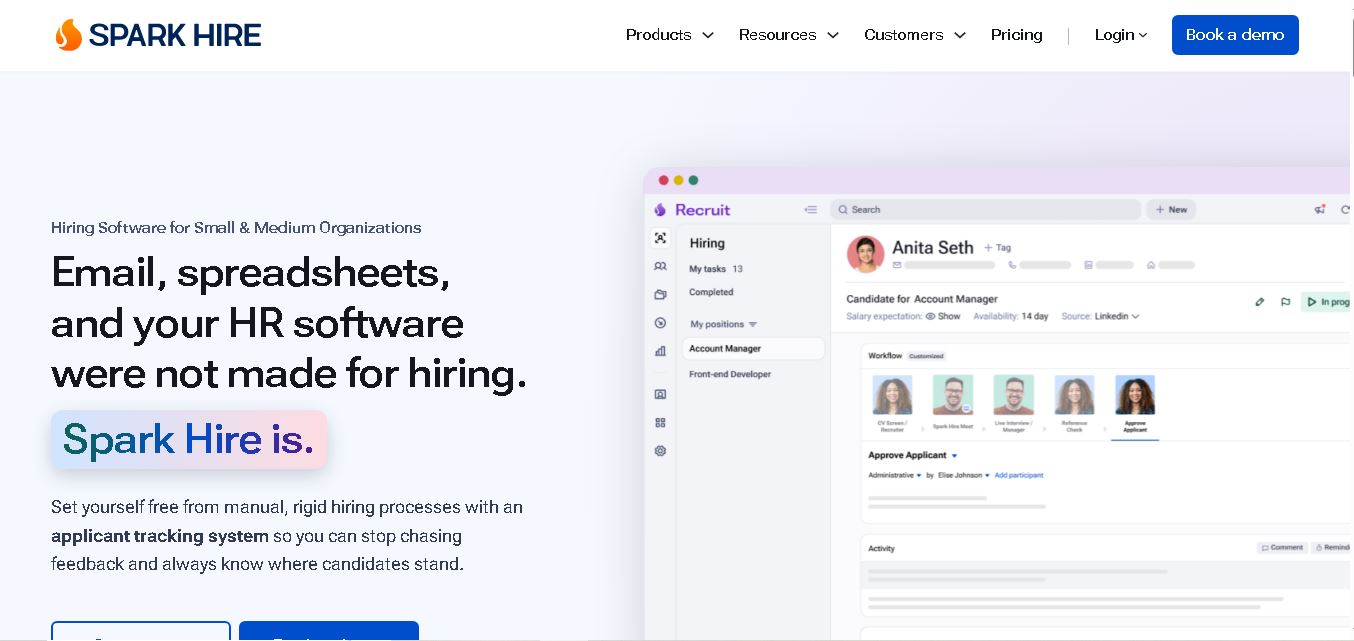
Spark Hire helps recruitment teams simplify hiring through one-way video interviews, live interviews, applicant tracking, and candidate evaluations. It enables employers to screen applicants remotely, collaborate with hiring managers, and organize recruitment workflows. Its AI-assisted features support interview transcription, summaries, and candidate review while maintaining human involvement in hiring decisions.
 4.9
4.9Materiom
AI Agent
Materiom helps researchers, designers, and businesses discover and develop sustainable materials using renewable ingredients. Its resources include biomaterial recipes, material datasets, ingredient information, and AI-assisted research. By supporting experimentation and knowledge sharing, Materiom encourages innovation in bio-based packaging, textiles, and other products while helping users explore alternatives to conventional plastic materials.
 4.9
4.9Talkwalker
AI Agent
Talkwalker is a consumer intelligence and social listening solution that helps brands track online mentions, analyze audience sentiment, monitor competitors, and discover emerging trends. It combines social media analytics, media monitoring, customer feedback, and AI-powered insights to support marketing, public relations, reputation management, and data-driven business decisions across global markets.
 5.0
5.0AI4K12
AI Agent
AI4K12 is an educational initiative focused on bringing artificial intelligence into K–12 classrooms. It provides grade-level learning guidelines, curated teaching resources, and the Five Big Ideas framework. Designed for educators and curriculum developers, AI4K12 supports age-appropriate AI instruction and helps students understand how intelligent technologies work and affect society.
Kommunicate
AI Agent
Kommunicate (kommunicate.io) is an AI-powered customer service automation and live chat platform that unites no-code generative AI agents, Kompose chatbot builder, seamless human escalation, voice AI, and omnichannel messaging across WhatsApp, web, and mobile apps.
Text
AI Agent
Text is an AI-powered customer service platform that combines live chat, help desk ticketing, AI agents, and workflow automation. It helps businesses manage customer conversations, automate repetitive support tasks, answer questions, engage website visitors, and turn customer interactions into sales opportunities through a unified communication workspace.
DocsBot AI
AI Agent
DocsBot AI is an AI chatbot and agent platform that turns websites, documents, knowledge bases, and support tickets into conversational assistants. Businesses can use it to automate customer support, answer questions, share internal knowledge, connect workflows, and provide information through website widgets and supported integrations.
SiteGPT AI
AI Agent
SiteGPT is an AI chatbot platform that helps businesses automate customer support using their website content, documents, and knowledge sources. It answers visitor questions, supports lead generation, and integrates into websites, allowing teams to handle repetitive inquiries, improve customer experiences, and provide assistance around the clock.
 4.7
4.7Halcyon
AI Agent
Halcyon is an AI energy intelligence platform that helps professionals search regulatory filings, analyze energy-market information, monitor developments, and access structured datasets. It combines document search, natural-language queries, AI-powered alerts, and specialized data subscriptions to turn fragmented energy information into actionable intelligence for research, monitoring, planning, and faster decision-making.