
Replay.io
Replay.io is a time-travel debugging platform built for developers who need more than traditional browser DevTools. It records application execution so you can revisit events, inspect state, trace functions, analyze network activity, and debug difficult issues without repeatedly reproducing the same bug. Its workflow combines recording, investigation, and confident fixes.
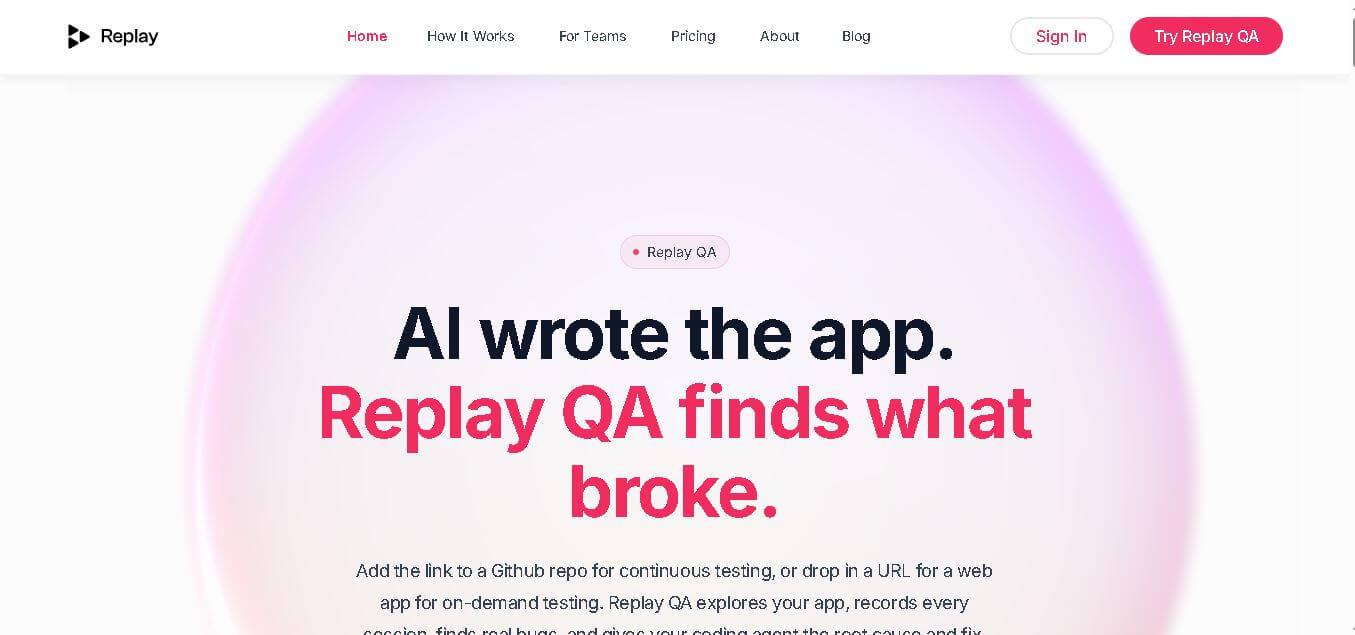
What is Replay.io?
Replay.io is a developer platform designed to eliminate complex bug reproduction through time-travel debugging and autonomous QA testing. By capturing complete runtime execution traces inside a specialized browser recorder, Replay allows engineers to inspect application states, set retroactive breakpoints, and evaluate console statements at any moment in time. Additionally, its AI-powered Replay QA feature autonomously explores web applications, writes Playwright tests, and files pull-request bug reports with exact root causes and suggested code fixes.
Replay.io focuses on deterministic runtime replay for modern web debugging. Its technology can capture application execution at approximately 1 MB per second, while its documentation reports around 3% recording overhead. Developers can inspect JavaScript execution, DOM changes, network requests, state updates, React behavior, and events after recording. Replay’s current pricing starts with 25 credits per month on its free plan, while paid Individual and Team plans provide 50 and 500 credits respectively. These numbers make Replay useful for both individual developers and engineering teams.
- Category: Time-Travel Debugging & Autonomous QA
- Launch Year: 2021
Use Cases:
- Autonomous QA testing on every pull request or main-branch deployment
- Debugging non-deterministic, flaky browser and UI tests
- Time-traveling through recorded software bugs to inspect variable states
- On-demand web app testing for internal tools, marketing sites, and SaaS products
Technology:
- Deterministic runtime recording engine for Chromium and Firefox environments
- Automated Playwright test generation and execution pipeline
- GitHub app integration for automated PR checks and inline code fix suggestions
Target Users:
- Frontend and full-stack software engineers
- QA engineers and automated testing teams
- Startup founders, agencies, and indie software builders
Ecosystem: Seamlessly integrates with GitHub CI/CD pipelines, custom localhost setups via reverse proxies, and modern web frameworks.

Key features of Replay.io
Replay.io's key features are
- Time-Travel Debugging: Allows developers to pause, rewind, and fast-forward execution traces to inspect past variable states, call stacks, and network traffic.
- Replay QA (Autonomous Testing): Explores web applications automatically, discovers user journeys, and auto-writes Playwright test suites without manual script writing.
- GitHub Continuous Testing Gate: Integrates directly into GitHub repositories to run automated checks on every PR, posting bug reports with root causes and code fixes.
- On-Demand URL Testing: Allows users to paste any staging, production, or localhost URL to receive instant structured bug reports.
- Collaborative Replay Links: Shareable execution recordings enable team members to inspect exact runtime errors together without needing local reproduction setups.
- Localhost Support: Built-in reverse proxy routing allows autonomous testing and time-travel debugging on local dev environments.
Replay.io Pricing
Replay.io operates on a credit-based model with a permanent free tier and scalable paid plans for individuals and teams.
Free Plan:
- $0/month
- Includes 25 credits per month, full access to time-travel debugging, and test runs with no credit card required
Individual Plan:
- $17 per month (billed annually at $204) or $20 month-to-month
- Includes 50 credits per month for solo developers and indie builders
Team Plan:
- $170 per month (billed annually at $2,040) or $200 month-to-month
- Includes 500 credits per month, multi-user collaboration, repository continuous testing, and priority test runs
Enterprise Plan:
- Custom pricing
- Custom credit volumes, custom SLA contracts, dedicated support, and enterprise security options
Disclaimer: For the latest and most accurate pricing information, please visit the official Replay website.
Is Replay.io Worth It?
Replay.io is exceptionally worth it for engineering teams and fast-shipping developers who spend significant time reproducing frontend bugs or maintaining brittle test suites. By capturing deterministic recordings and auto-suggesting code fixes directly on pull requests, it pays for itself by eliminating hours of manual QA and debugging back-and-forth.
Real-World Use Cases
- Automated Pull Request Guardrails: Teams hook Replay QA into GitHub to automatically test PRs and prevent broken features from merging into main.
- Eliminating Flaky UI Tests: Developers replace intermittent test failures with full execution recordings that isolate race conditions in seconds.
- No-Suite Testing for Fast Founders: Solo builders drop staging URLs into Replay QA to discover UX flaws without spending days writing unit tests.
- Async Bug Handoffs: QA engineers record bugs once with Replay and pass a link to developers, eliminating "cannot reproduce" tickets.
Who is using Replay.io?
Replay.io is designed for technical teams across modern software development, including
- Software Engineers & Developers: Coders needing deep runtime visibility to fix tricky frontend bugs fast
- QA Automation Engineers: Teams looking to automate test suite generation and root-cause analysis
- Startup Engineering Leads: CTOs maintaining fast shipment cadences without sacrificing web application quality
- Digital Agencies & Freelancers: Creators delivering client web applications who need instant automated QA checks
Best Replay.io Alternatives
Some of the strongest Replay.io alternatives include
- Jam
- Octomind
- LogRocket
- Dashcam
- Cypress
Pros and Cons of Replay.io
Pros
- Deterministic execution recording captures every variable state and DOM event
- Replay QA writes Playwright tests and finds application bugs automatically
- Direct GitHub integration posts root causes and suggested code fixes directly to PRs
- Supports localhost and staging environments via built-in reverse proxying
- Generous free tier with 25 credits per month to test features risk-free
Cons
- Credit limits on smaller plans may require upgrades for high-frequency CI/CD pipelines
- Initial learning curve to maximize time-travel dev tools debugging tools
- Recording heavy runtime traces may add slight overhead during initial recording sessions
Why Choose Replay.io?
Replay.io combines the simplicity of passive screen recording tools with the power of complex manual testing frameworks. Rather than just capturing video or requiring engineers to manually write hundreds of test assertions, Replay records the actual execution runtime and automatically uncovers broken user journeys.
- Replaces traditional static logging with interactive, retroactive time-travel debugging
- Automates end-to-end testing setup through AI-driven journey exploration
- Provides action-ready PR code fixes rather than generic error stack traces
- Ensures zero setup friction—run on-demand testing by simply pasting a web URL
How Replay.io Works
- 1. Connect Repo or Provide URL: Point Replay QA at a web application URL or connect your GitHub repository for continuous integration.
- 2. Autonomous Journey Discovery: Replay QA explores your web app, discovers interactive user flows, and auto-generates Playwright test scripts.
- 3. Time-Travel Recording: Tests run inside the Replay browser, recording complete execution traces, DOM states, and network payloads.
- 4. Inspect Root Cause & Fix: Review interactive recording links, inspect variable states at any millisecond, or review auto-generated PR fixes.
Replay.io vs. Competitors
The main difference between Replay.io, Jam, and LogRocket is that Replay captures full application execution traces for retroactive time-travel debugging while offering autonomous QA testing agents. Jam focuses on manual screen and browser state recording by humans, and LogRocket prioritizes user session monitoring in production. Replay combines automated exploration with deep developer-level execution inspection.
| Feature | Replay.io | Jam | LogRocket |
|---|---|---|---|
| Primary Focus | Time Travel & Autonomous QA | Manual Bug Reporting & Capture | Production Session Monitoring |
| Autonomous Test Writing | Yes (Replay QA) | No | No |
| Time-Travel State Inspection | Full Runtime Execution Trace | Console & Network Logs | Session Replay & Telemetry |
| GitHub PR Fix Suggestions | Yes | Issue Tracking Sync Only | No |
| Starting Price | Free (25 credits/mo) | Free plan available | Free tier / $99 per month |
How do we rate Replay.io?
| Parameter | Rating (out of 5) |
|---|---|
| Ease of Use | 4.7 |
| Debugging Power | 4.9 |
| Automation & AI QA | 4.8 |
| Value for Money | 4.7 |
| Integration Capability | 4.8 |
| Overall Score | 4.8 |
Replay.io Review
Replay.io is a breakthrough tool for modern web development workflows. By combining time-travel debugging with autonomous QA agents, it solves two of software engineering's biggest pain points: reproducing obscure frontend bugs and maintaining automated end-to-end tests. Its ability to point to exact line-of-code root causes and suggest pull request fixes makes it an essential asset for continuous delivery.
Conclusion
Replay.io offers a different approach to debugging by turning application execution into something developers can revisit, inspect, and understand rather than repeatedly reproduce. Its deterministic runtime replay, time-travel capabilities, live console logs, network inspection, React debugging, and event tracing make it especially valuable for complex web applications. Developers can investigate the actual sequence behind a failure and narrow problems to specific execution points. With a free starting plan and paid options for higher usage, Replay.io can fit individual development workflows as well as growing engineering teams. For teams struggling with elusive bugs, Replay provides a more evidence-driven path from reproduction to root cause and resolution.
FAQ
What is Replay.io used for?
Replay.io is designed for developers who need to understand exactly why a web application behaved incorrectly. You can record a bug and later inspect its execution, state, network requests, events, and code. Instead of repeatedly reproducing an issue, you investigate the captured runtime and move backward or forward through execution.
How is Replay.io different from Chrome DevTools?
Chrome DevTools primarily helps you inspect an application while it is running, whereas Replay.io lets you inspect a recorded execution afterward. You can rewind, step backward, add console logs, inspect the historical state, and jump between events and code. This makes Replay particularly useful when bugs are difficult or impossible to reproduce consistently.
Can Replay.io help debug React applications?
Yes. Replay.io includes React-focused debugging capabilities that let developers inspect component state, props, hooks, renders, and the events responsible for changes. You can also investigate which properties triggered a render and move through execution history. For React developers dealing with complex state updates or unnecessary renders, this tool can provide much deeper context.
Does Replay.io replace traditional debugging tools?
Replay.io does not necessarily replace every debugging or observability tool. Instead, it adds deterministic runtime replay to the debugging workflow. Developers can use familiar concepts such as breakpoints, console messages, source inspection, and network analysis while gaining the ability to rewind execution. It is especially valuable when conventional debugging cannot reproduce the original conditions.
How does Replay.io help with hard-to-reproduce bugs?
Replay.io records the runtime information required to reproduce an application's behavior deterministically. After recording, developers can repeatedly inspect the same execution, narrow the timeline with focus windows, examine state changes, and trace the sequence that caused the failure. This reduces the need to recreate rare timing, network, or state conditions manually.
Can developers add console logs after recording?
Yes. Replay.io allows developers to add live console logs directly to recorded executions. You can select a line of code, add an expression, and inspect the resulting messages across the replay without modifying the original application or reproducing the bug again. This makes testing and debugging hypotheses significantly faster during investigation.
Does Replay.io support network debugging?
Yes. Replay.io captures network activity as part of the recorded runtime, allowing developers to inspect requests, responses, timing, and the application state surrounding network operations. You can also jump from a network request to the code that initiated it. This is particularly useful when bugs involve unexpected API responses or asynchronous behavior.
User Reviews
No reviews yet for Replay.io.
Featured Tools
Featured AI tools from TechShark

Melody Genie
MelodyGenie is an AI-powered music generator that creates original songs from simple text prompts. Users can choose styles, moods, and genres, then instantly generate melodies and full tracks, making it easy for creators, marketers, and hobbyists to produce custom music without musical expertise.
Freemium

Kimi AI
Kimi AI is an advanced AI assistant developed by Moonshot AI that helps you chat, research, write, code, and automate tasks in one place. It supports web search, file analysis, and multimodal inputs, and can even run autonomous “agent” workflows to complete complex tasks end-to-end.
Freemium

Fashion Diffusion AI
Fashion Diffusion is an AI-powered fashion design platform that helps brands and designers create clothing designs, virtual try-ons, AI models, product photos, and marketing visuals faster and cost-effectively.
Paid

Veo 4
Veo 4 AI is an AI video creation platform that generates dramatic videos from text, images, audio, and video prompts using realistic motion and synchronized sound.
Paid
Alternatives
Alternatives to Replay.io
The best Replay.io alternatives include Jam, Octomind, LogRocket, Dashcam, and Cypress. Jam provides instant screen recording with technical context for bug reporting. Octomind delivers AI-driven test automation for web apps. LogRocket specializes in production session replay and telemetry, while Dashcam focuses on continuous developer screen recording.
 4.8
4.8Spotalike
Music
Spotalike helps music lovers discover songs that match the style and feel of a favorite track. Enter a song, and the service generates a collection of similar recommendations. Users can explore playlists, discover lesser-known artists, vote on recommendations, and export playlists, making music discovery more personalized and exploratory.
4.8Melody Genie
Music
MelodyGenie is an AI-powered music generator that creates original songs from simple text prompts. Users can choose styles, moods, and genres, then instantly generate melodies and full tracks, making it easy for creators, marketers, and hobbyists to produce custom music without musical expertise.
 4.9
4.9Artlist
Image
Artlist is a subscription-based platform that provides high-quality royalty-free music, sound effects, and video assets for creators. It helps filmmakers, YouTubers, and marketers access unlimited creative resources, making it easy to produce professional content without worrying about licensing issues.
 4.8
4.8Cassette AI
Music
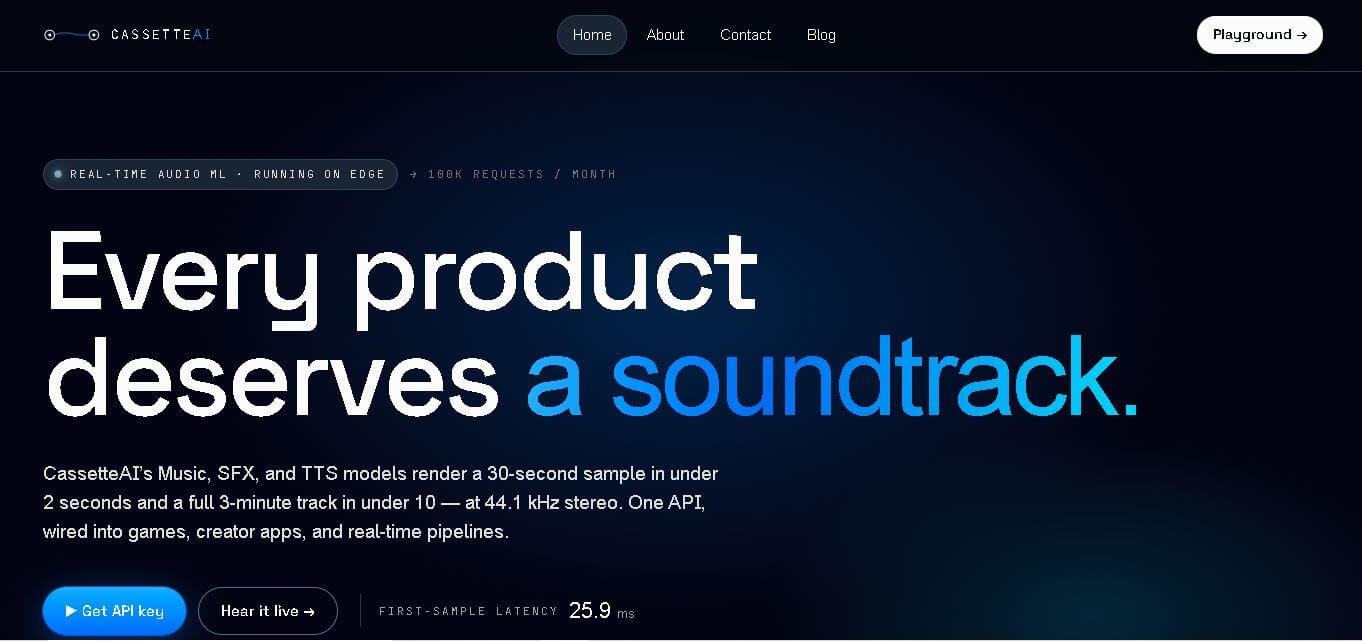
Cassette AI helps creators and developers generate music and sound effects using simple text prompts. It supports fast audio generation, 44.1 kHz stereo output, deterministic controls, and API integration. The tool is particularly suited to games, interactive applications, creator software, and production workflows requiring dynamically generated audio.
 4.7
4.7Jamahook Sound Assistant
Music
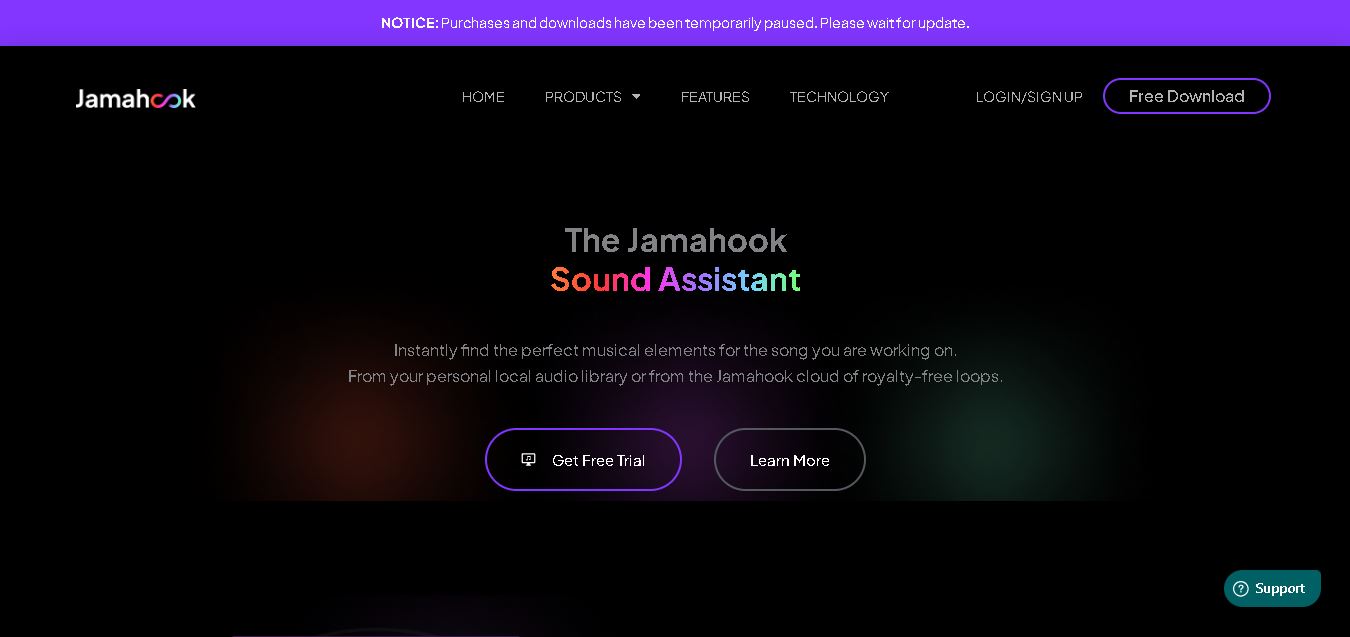
Jamahook helps music producers find compatible loops, samples, and sounds by analyzing their existing music. Its Sound Assistant can search cloud-based sounds or a producer’s own library, using harmonic, rhythmic, drum, mood, genre, and instrument matching. Recommended sounds can be auditioned and added directly to compatible DAWs.
 4.5
4.5SongR AI
Music
SongR helps you turn simple ideas into personalized songs in just a few clicks. You can generate lyrics from keywords, choose a genre, add vocals and accompaniment, and create music for social posts, celebrations, gifts, family moments, audience engagement, or personal entertainment without requiring musical experience or formal music skills.
 4.9
4.9Suno v6
Music
Suno v6 is the sixth-generation AI music creation family by Suno, co-developed with major industry partners like Warner Music Group and BMG, featuring three specialized models (v6, v6-wild, and v6-mini) with multimodal inputs, natural-language section editing, single-lyric replacement, and multi-source mashup workflows.
BeMusic AI
Music
BeMusic AI is an all-in-one generative AI music platform and audio toolkit that transforms text prompts into complete, royalty-free songs in under 30 seconds across 50+ genres, featuring stem splitting, vocal removal, MIDI editing, track extension, and AI singing photo creation.
Wondera
Music
Wondera is an agentic AI music creation and vocal synthesis platform that transforms chat prompts, text lyrics, and reference audio into studio-quality songs, AI voice covers, and multitrack stems with integrated mastering and commercial licensing.