
Nextbrowser
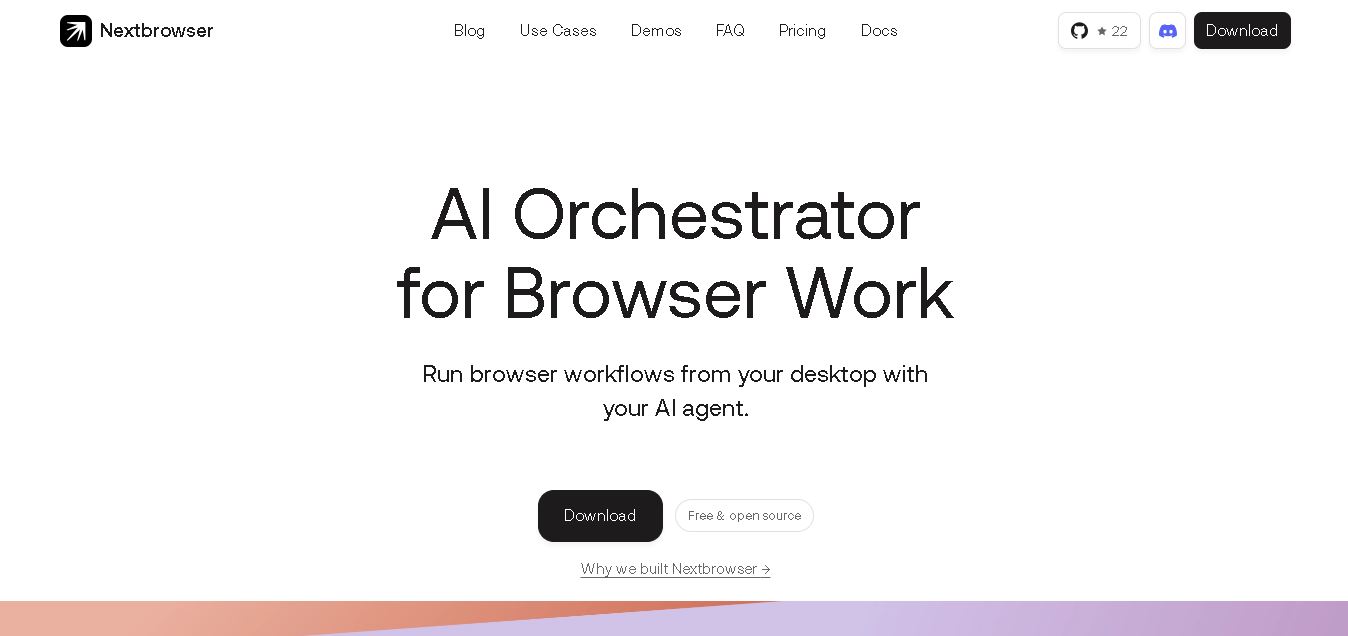
Nextbrowser is a free, open-source desktop workspace that connects local AI agents with managed browser sessions. It helps users automate research, scraping, outreach, account operations, testing, and recurring browser workflows. Separate profiles, proxy controls, reusable skills, scheduling, live diagnostics, and agent integrations make complex browser automation easier to manage locally.
What is Nextbrowser?
Nextbrowser is an open-source browser orchestration workspace designed to connect AI agents with real browser sessions and reusable workflows. Instead of acting as a conventional everyday browser, it coordinates agents, profiles, proxies, skills, schedules, and browser state from a desktop application. Users can automate tasks such as research, web scraping, outreach, account operations, e-commerce checks, and LLM optimization while keeping agent activity visible and controllable throughout each workflow.
Nextbrowser is free and open source under the AGPL-3.0 license, with no paid subscription required for its desktop app. It supports 3 major desktop environments: macOS, Windows, and Linux builds. The website highlights compatibility with 29 AI agents and supports recurring workflows while the desktop application remains open. Its demo library currently lists 28 workflow guides. Nextbrowser also promotes 24/7 browser workflow scheduling, multiple isolated profiles, reusable skills, proxy controls, and no required API limits for local browser automation workflows.
- Platform Role: AI Browser Orchestrator, Web Automation Engine & Anti-Detect Management Platform
- Developer & Organization: Nextbrowser Team
- Cross-Platform Access: Desktop Application (Windows, macOS) supporting local AI CLI connections and web extensions
Use Cases:
- Automating competitor research, ad intelligence tracking, and landing page audit workflows
- Running web scraping and structured data extraction across complex sites with anti-bot resistance
- Managing multi-account engagement, account warm-ups, and lead generation across Reddit, Facebook, X, and LinkedIn
- Executing scheduled 24/7 desktop browser workflows with connected AI agents
- Testing how AI models and Search Generative Experiences discover, index, and describe brands (LLM optimization)
Technology:
- Built on open-source desktop software architecture with remote browser session controls
- Anti-fingerprinting engine with integrated residential proxy routing for high account safety
- Zero-password sharing remote authentication layer allowing agents to act on logged-in sessions securely
- Compatibility with 29+ AI agent frameworks, including Claude Code, Codex, OpenClaw, and CLI agents
Target Users:
- Growth marketers and media buyers managing ad libraries, competitor tracking, and campaign warm-ups
- Digital agencies managing multi-account social media outreach and community monitoring at scale
- Sales and lead generation professionals automating engagement on LinkedIn, Reddit, and X
- Developers and AI engineers looking for open-source browser automation tools to connect with local LLMs
Acquisition: Free and open-source desktop tool distributed via Nextbrowser (nextbrowser.com)

What are the key features of Nextbrowser?
Nextbrowser's key platform features are
- AI Agent Orchestration: Connects local AI tools like Claude Code, Codex, and OpenClaw to control browser actions directly from your desktop.
- Anti-Bot & Anti-Fingerprinting Tech: Leverages high-grade residential proxies and stealth profile management to maintain account safety.
- Zero Password Sharing Authentication: Agents interact with pre-authenticated sessions via remote browser control, avoiding plain-text credentials exposure.
- Limitless Browser Automation: Bypasses API rate limits by carrying out actions as a human user inside a real browser environment.
- 24/7 Scheduled Workflows: Runs recurring tasks, monitors alerts, and outreach loops in the background while the desktop application stays open.
- Multi-Account Workspace Management: Safely isolates and operates dozens of platform profiles (e.g., Reddit, Facebook, LinkedIn) simultaneously.
How much does Nextbrowser cost?
Nextbrowser is free and open source to download for desktop usage, allowing users to connect their own local AI agents and custom proxy settings without software subscription fees.
Pricing Overview:
- Free & Open Source: Free download for core desktop application, agent connectors, and browser orchestrator features.
- User-Provided Infrastructure: Costs depend on third-party AI model tokens (e.g., Anthropic, OpenAI API keys) and residential proxy providers added by the user.
Disclaimer: Core software is free and open source. Additional costs depend on external API consumption or proxy infrastructure added to the workspace.
Who should use Nextbrowser?
Nextbrowser is designed for growth teams and automation engineers, including
- Social Media & Community Managers: Teams scaling multi-account engagement on Reddit, X, and LinkedIn without getting flagged by anti-bot systems.
- Ad Operations & Media Buyers: Performance marketers doing competitor research, ad library tracking, and warm-up activities.
- Growth Engineers & Scraping Specialists: Technical teams needing robust, open-source browser control for AI agents beyond traditional headless frameworks.
What are the best alternatives to Nextbrowser?
Some of the strongest Nextbrowser alternatives include
- Multilogin
- GoLogin
- Browserbase
- Stagehand
- Browserless
- AdsPower
What are the pros and cons of Nextbrowser?
What are the pros of Nextbrowser?
- The free and open-source model eliminates expensive SaaS software user seat fees
- High anti-bot resilience and residential proxy integration protect account health during automation
- Connects with local agent frameworks, keeping workflow logic on the user's desktop
- Bypasses platform API limits by performing genuine in-browser actions
What are the cons of Nextbrowser?
- Requires technical familiarity with setting up CLI agents, proxy settings, and local AI tools
- The desktop application must remain running on the host machine to execute continuous 24/7 background tasks
- Requires ongoing maintenance as target website UIs update and change selector layouts
Why should you choose Nextbrowser?
API restrictions, rate limits, and expensive scraping tools frequently restrict modern growth and sales operations. Nextbrowser resolves this friction by giving your AI agents a real, anti-detect browser environment to execute tasks directly. By combining proxy protection with open-source agent orchestration, Nextbrowser enables teams to automate multi-account engagement, competitive intelligence, and outreach safely and at scale.
How does Nextbrowser compare to competitors?
The primary distinction between Nextbrowser, Multilogin, GoLogin, and Browserbase lies in target orchestration, licensing, and AI connectivity. While traditional anti-detect browsers like Multilogin and GoLogin focus purely on manual profile management, Nextbrowser natively integrates AI agents into stealth profiles to perform automated web actions locally for free.
| Feature / Platform | Nextbrowser | Multilogin | GoLogin | Browserbase |
|---|---|---|---|---|
| Core Focus | AI Agent Browser Orchestration & Automation | Enterprise Multi-Account & Anti-Detect | Multi-Profile Cloud Anti-Detect Browser | Headless AI Browser Infrastructure in Cloud |
| Licensing Model | Free & Open Source | Paid Monthly Subscription | Freemium / Tiered Monthly Subscription | Pay-As-You-Go Developer Pricing |
| AI Agent Integration | Native CLI Connectors (Claude Code, OpenClaw) | Manual / Custom API Scripts | Manual / Custom REST API | Native LLM / Playwright Cloud APIs |
| Deployment Type | Desktop Local Execution | Desktop Local / Cloud Profiles | Desktop & Cloud Browser Access | Cloud API Infrastructure |
| Best For | Growth teams automating browser tasks via AI agents | Large agencies needing enterprise stealth isolation | Affiliate marketers running cloud anti-detect profiles | Developers building cloud-hosted AI browser applications |
How do we rate Nextbrowser?
| Parameter | Rating (out of 5) |
|---|---|
| AI Agent Orchestration & Compatibility | 4.8 |
| Anti-Bot & Multi-Account Protection | 4.7 |
| Web Scraping & Data Extraction Efficiency | 4.8 |
| Ease of Setup for Non-Technical Users | 4.1 |
| Value for Money | 5.0 |
| Overall Score | 4.68 |
What is our review and verdict on Nextbrowser?
Nextbrowser offers a powerful, open-source bridge between local AI models and desktop browser execution. By combining stealth profile management with direct agent integration, it enables teams to bypass traditional API constraints and automate complex web operations safely. It stands out as an excellent tool for technical marketers, agency leads, and growth teams looking to scale browser workflows without incurring platform subscription overhead.
Conclusion
Nextbrowser offers a practical approach to browser automation by bringing AI agents, browser profiles, sessions, proxies, reusable skills, and scheduling into one desktop workspace. Its free, open-source model makes it particularly accessible for marketers, researchers, operators, and technical teams exploring repeatable browser workflows. Users should still review website rules and supervise sensitive automations, especially when workflows involve accounts, personal data, outreach, or platform-specific actions.
FAQ
Who is Nextbrowser best suited for?
Nextbrowser is suited to marketers, researchers, growth teams, ecommerce operators, developers, and technical users who repeatedly work inside browsers. If you manage research, scraping, outreach, testing, monitoring, or multiple browser identities, it can organize those workflows around your preferred AI agent while keeping sessions, profiles, and activity visible and controllable.
Do I need coding skills to use Nextbrowser?
You do not necessarily need coding skills for every Nextbrowser workflow. The desktop workspace lets you give an AI agent instructions and prepare profiles, sessions, and tasks visually. However, technical familiarity can help when configuring agents, proxies, custom scripts, or advanced workflows. Your connected agent must be installed and authenticated.
Can I connect my own AI agent to Nextbrowser?
Yes. Nextbrowser is designed to work with local AI agents rather than locking you into one assistant. Its official documentation mentions integrations such as Claude Code, Codex, Gemini CLI, and Qwen Code. If you already use a supported agent, you can connect it and provide browser context for automated tasks.
Can Nextbrowser manage multiple browser profiles?
Yes. Nextbrowser lets you keep browser identities and sessions separate for different accounts, customers, regions, or testing scenarios. This is useful when your work requires distinct browser contexts. You can prepare the appropriate profile before an agent runs, while proxy and fingerprint controls can support cleaner separation between browser sessions.
Can I schedule recurring tasks in Nextbrowser?
Yes. Nextbrowser supports scheduled runs for recurring browser workflows while its desktop application is open. You can configure an agent, prompt, time, weekdays, and enabled state for a schedule. This can help automate repetitive monitoring, research, inventory checks, or operational tasks without manually rebuilding the same workflow each time manually.
Is Nextbrowser free to use?
Yes. Nextbrowser states that its desktop application is free forever and open source under the AGPL-3.0 license. There is no required paid subscription or trial timer to unlock the app. You can run it locally with your own profiles, agents, and workflows, although external AI services may have separate costs.
User Reviews
No reviews yet for Nextbrowser.
Featured Tools
Featured AI tools from TechShark

Melody Genie
MelodyGenie is an AI-powered music generator that creates original songs from simple text prompts. Users can choose styles, moods, and genres, then instantly generate melodies and full tracks, making it easy for creators, marketers, and hobbyists to produce custom music without musical expertise.
Freemium

Kimi AI
Kimi AI is an advanced AI assistant developed by Moonshot AI that helps you chat, research, write, code, and automate tasks in one place. It supports web search, file analysis, and multimodal inputs, and can even run autonomous “agent” workflows to complete complex tasks end-to-end.
Freemium

Fashion Diffusion AI
Fashion Diffusion is an AI-powered fashion design platform that helps brands and designers create clothing designs, virtual try-ons, AI models, product photos, and marketing visuals faster and cost-effectively.
Paid

Veo 4
Veo 4 AI is an AI video creation platform that generates dramatic videos from text, images, audio, and video prompts using realistic motion and synchronized sound.
Paid
Alternatives
Alternatives to Nextbrowser
The best Nextbrowser alternatives include Multilogin, GoLogin, Browserbase, and Stagehand. While Nextbrowser provides a free and open-source desktop browser orchestrator connecting local AI agents directly to anti-detect profiles, alternatives like Browserbase specialize in cloud-hosted headless browser infrastructure for developers.
QR Planet
AI Agent
QR Planet (qrplanet.com, formerly qr-code-generator.at) is an enterprise-grade dynamic QR code platform and mobile landing page builder offering over 40 distinct QR solutions, GPS geolocation tracking, and white-label management tools.
QR.io
AI Agent
QR.io (qr.io) is a cloud-based QR code generation and management platform that enables users to create customizable dynamic and static QR codes, custom landing pages, and track scan performance analytics.
QRStuff
AI Agent
QRStuff (qrstuff.com) is a long-standing, enterprise-grade QR code generation and management platform that offers comprehensive static and dynamic code creation, robust tracking metrics, and batch processing tools.
QR Code Monkey
AI Agent
QR Code Monkey (qrcode-monkey.com) is a popular, highly customizable online static QR code generator that allows users to design and export visually rich, free-forever codes without requiring an account.
QR Code Generator
AI Agent
QR Code Generator (qr-code-generator.com / TQRCG) is a leading online QR code platform that allows users to create, design, and track static and dynamic QR codes equipped with real-time analytics and editable destination links.
ME-QR
AI Agent
ME-QR (me-qr.com) is a high-volume, ad-supported QR code generator and dynamic link management platform that enables users to create large quantities of dynamic and static codes for personal or commercial projects.
QRCodeChimp
AI Agent
QRCodeChimp (qrcodechimp.com) is a comprehensive, design-forward QR code generator and campaign management platform that enables businesses to create, customize, and track dynamic QR codes, digital business cards, and bulk batch solutions.
NeuralWriter
AI Agent
NeuralWriter (neuralwriter.com) is a free online AI-powered paraphrasing tool and text rewriter that offers multiple writing styles, global language standards, and translation features without requiring sign-up.
Outwrite
AI Agent
Outwrite (outwrite.com), formerly known as GradeProof, is an AI-powered writing assistant, grammar checker, and sentence rephraser designed to help users polish syntax, improve readability, and rewrite paragraphs.